MSFS2024 SU2 Beta H125 Autorotations and flight modeling

ISSUE DESCRIPTION

Description of the issue:

What I consider a bug or a combination of lacking physics modeling mixed with bugs:
Flaring helicopters in MSFS2024 at speeds of 60kts or similar with low colletive settings has too little effect on the sink rate in general. But especially during an attempt of an practice autorotation the modeling shows it’s limitations IMHO as autorotations are not really possible with strategies that are (to my best knowledge) used in real life and work in flight sims of the competition. Or simply said: I am able to autorotate in X-Plane and DCS and even some 3rd party aircraft available for MSFS 2020 were beginning to enable this functionality.
Another bug in this context seems to be the rotor inertia of the Asobo H125. If the engine is OFF and collective is used for example to cushion the touchdown of an autorotation only a few RPM loss happens and if the aircraft is on the ground, unpowered, the rotational speed is decaying very slowly.
During an autorotation attempt the descent rate seems very high, suggesting that the flight model is not really simulating the glide.
Also the sudden loss of power in cruise doesn’t cause a yaw spike or any unsettling. The H125 more or less just seems to descend once the engine OFF state is reached.

I made a video about my observations and comparisons to competitive sims.

What I would appreciate to have discussed here is:
Behavior and practice of autos in real life
What can be brought to a desktop sim and what behaviors, if any, are too hard to implement?
Why is MSFS 2024 not capable of similar levels of mimicking we can experience in other sims?
How is it a matter of computational power in MSFS 2024 if other sims managed to implement autorotations (in principle) more than 15 years ago with home PCs with fractions of the power of today’s chips (preemptive question because the ground effect behavior is also limited to it ac. to Sebastian Wloch)?

The main action that made me write this post and make the video is that in the release notes of SU2 Beta the last section of improvements on the H125 talks about autorotations as if the flight modeling was offering this functionality in an advanced state already and only tuning of the glide ratio and rotor behavior was needed to improve it to a best possible simulation - but in my view this is not the case! The Asobo H125 and Cabri G2 as well as the Corenado R66 behave poorly in autorotation and lack dynamics like pushing rotor speed above 100%, flare phase behavior and rotor inertia. Even the slide on ground is stopped too quick IMHO as if the runway was made of rubber posing a higher friction coefficient.
In this context, it is not understandable what MS/Asobo were aiming for when posting the SU2 Beta improvements for the H125.

Or maybe I am wrong about this or parts of it… let’s discuss :slight_smile:

Did you experience this issue before you joined the Beta?
Yes, all previously released versions of MSFS 2024 had autorotations handled just about like the current SU2 Beta version. Also all Asobo/MS created aircraft I have tried out (MSFS2020: Cabri G2, Bell 407 - MSFS2024: Cabri G2, H125) more or less shared the behavior I talk about above. Only 3rd party aircraft like the Cowansim helicopters in MSFS2020 showed different behavior.

If applicable, which aircraft is experiencing this issue:
In MSFS 2024: Cabri G2, H125, R66 -haven’t checked the other helicopters.

[PC Only] Did you remove all your community mods/add-ons? If yes, are you still experiencing the issue?
No mod or add-on is in use that would have an effect.

FREQUENCY OF ISSUE

Every attempt of an autorotation. The behavior is not fluctuating.

REPRODUCTION STEPS

Please list clear steps you took in order to help our test team reproduce the same issue:

  1. Take off with for example the H125
  2. Ascend to about 1000-2000ft above ground
  3. Cut fuel or set engine to idle to start autorotation
  4. Notice behavior described above, most apperent from flare phase to touchdown

YOUR SETTINGS

Irrelevant

[PC Only] Are you using Developer Mode or have you made any changes to it?
No

MEDIA
[END OF FIRST USER REPORT]


:loudspeaker: For anyone who wants to contribute on this issue, Click on the button below to use this template:

Do you have the same issue if you follow the OP’s steps to reproduce it?

Provide extra information to complete the original description of the issue:

If relevant, provide additional screenshots/video:

Excellent analysis and presentation. Thank you for highlighting these issues with the H125 and helicopters in general in MSFS 2024, they do need a lot of attention, especially the details of autorotation and consistent flight handling behaviours.

I am having a hard time figuring out how to open my own topic for a particular problem Ive noticed in the H125, so Im hijacking this briefly.

As of the latest update of MSFS2024 @ 4/24/2025 I have been experiencing issues with hovering in the H125. As I am looking for that specific torque range where I hover at a level altitude, either I climb rapidly or I descend gently. There doesnt seem to be any discretion between any torque settings that will see me settle on a hover that doesnt eventually result in me landing or climbing.

I have tried everything from adjusting the sensitivity of my collective in settings by adjusting the curve around the power range it will take off in. Even the most sensitive twitch on my collective will prevent me from hovering at any altitude. I CANNOT get this aircraft to hover no matter how sensitive I make my collective. Before the question of “how fast was I moving in any direction”, I literally cant even move at 5 kts without having to cycle my collective up and down while taxiing and either not wind up taking off or just bouncing off the taxiway all of the time much less hover. Its beyond irritation with me at this point: Im in the career mode trying to get my sling load sign off, and I cant even pick up or drop a load off without having to fight the hover the whole way through. I am waaaay not new to helicopters.

My gear:
Virpil TCS + and AH-64D grip / Slaw RX2 Viper pedals
VPRhino FFB base and VKB MCE Ultimate grip
Intel 13900k / RTX4090 / 64gb DDR5 / Windows 10

Would love some assistance with resolving this…PLUS how do I turn these mirrors on?? No aircraft I fly has mirrors that reflect anything. Would be nice to use that mirror on the H125 to do some sling loading in the sim. I can also post a video of said issues if asked.

Hi,
This reply would be better suited in my post about ground effect handling since SU1.
Near the bottom we discussed the hover-oscillations. But at that particular point in time and MSFS 2024 version I was able to manage a hover with no collective input, yet if you move and stop again there are oscillations again.

Pity, it is a SU1 post that was bug flagged by the admins and pretty much rejected by Sebastian Wloch as it seems to me, because better GE calculation in Asobos opinion takes too much CPU power :man_shrugging:
Meaning by this time it is yesterdays news and my post here also fell on deaf ears.

My advise would be to open up a thread of your own. I‘ll be sure to leave a vote.

IMHO the current situation is: GE is simplified to be applied to a single point on the ground as if it was a big flat surface regardless of the actual features below. Also the oscillation or as you describe it, behavior where a hover is not possible without constant input, I am sure is related to the overall GE function.
Rotor disc aerodynamics are lacking, as is rotor inertia simulation, so autorotations are anything but realistic.
BUT, all these topics have quite down and I believe the focus has been diverged from the H125 as there are a lot more problems with the sim. Helicopters are basically shelved at the moment. I think atm ghe only way forward is for some brillant 3rd party dev to develope a model that nails helicopters much better, like with many fixed wing projects. Asobo is not interested in as-good-as-possible models of their own because it shys away potential new e buyers. So everything has to be basic and as easily accessible as possible within their views.

On what version are you?

As for the mirrors, amen brother! But the sad reality is that even with the fastest PC built available I am not aware of a graphics setting that has the mirrors reflect a clear picture. My question to Asobo was if it could be made removable to have more view out front instead…

Latest and greatest, had an update yesterday or the day prior. Its not just ground effect, its a stupidly sensitive area within the collective axis where torque should equalize but never does. Microsoft never was great at helicopter simulations after all. Ive thought of it as either it picks up rather too fast or hardly fast all. The H125 picks up cargo as if its nothing. My collective has a full 30 degree arc or close to it; you arent lifting until around 25 degrees, 25.5 degrees you’re too under powered and 25.56 degrees youre too over powered. 25 degrees just to pick up is a bit much for a hover check.

I also keep hearing references being a setting in the graphics config, but for the life of me Im not seeing anything. Nothing. Not even a smudge, just a gray overlay with a whole lot of nothing. How are you supposed to do sling loading if you cant see the ground below you and without spotters? Also, mirrors have been in game since the early 2000’s, its not one of those difficult tasks. I dont recall ever seeing them in P3D/FSX, but certainly every other flight sim I fly/flown has had them for decades now.

You suppose to use the vertical reference window on the floor on the right side for sling loads. You drag the leather cover to the left to open it. It’s stupid hard though. Sling load operations in the h125 is done through that floor window.

Take a look at this Norwegian sling load pilot.

Take a look at my post below regarding sling load with the h125.

I know, but thanks :blush:
I meant it in terms of „if you can’t manage a working mirror reflection that is giving you at least some visual benefit at least make it a removable option!“ I know if they‘d have just left it off some visual accuracy guy would have immediately complained that there is no mirror because in his opinion it should be there. But to make details -disappear- is no programing and 3D artist effort. It is what? A few lines of extra code?

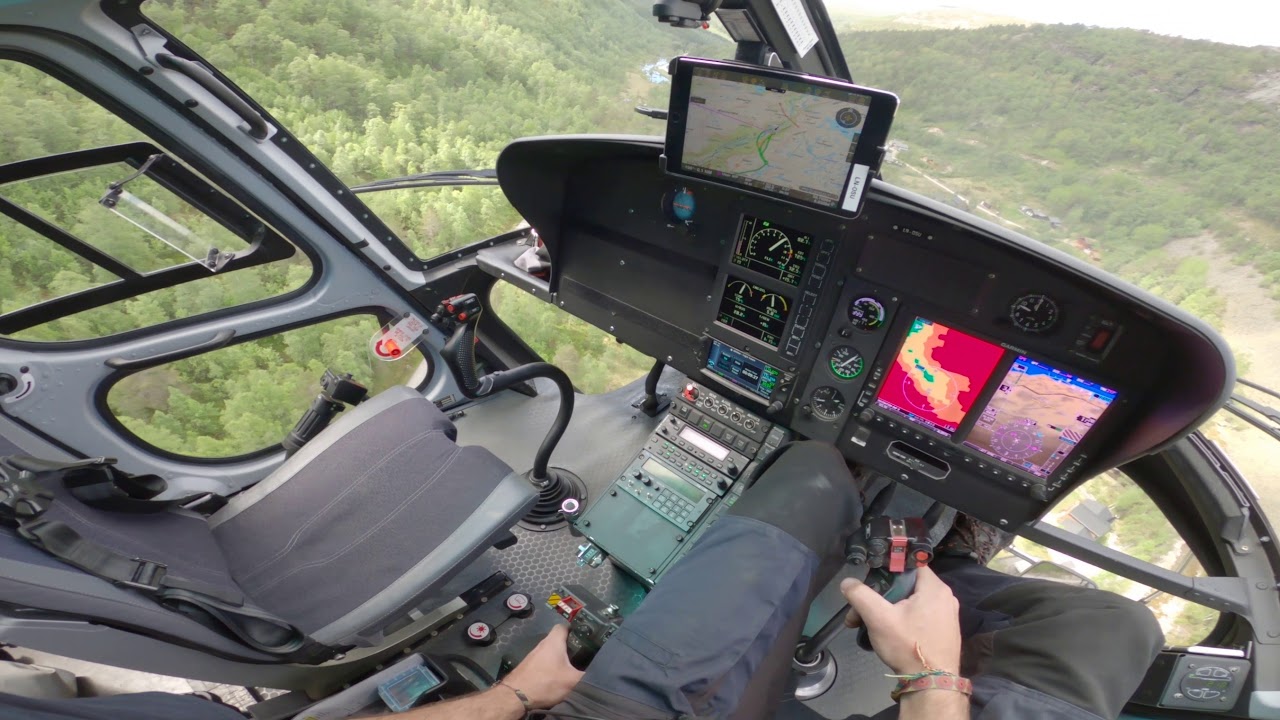
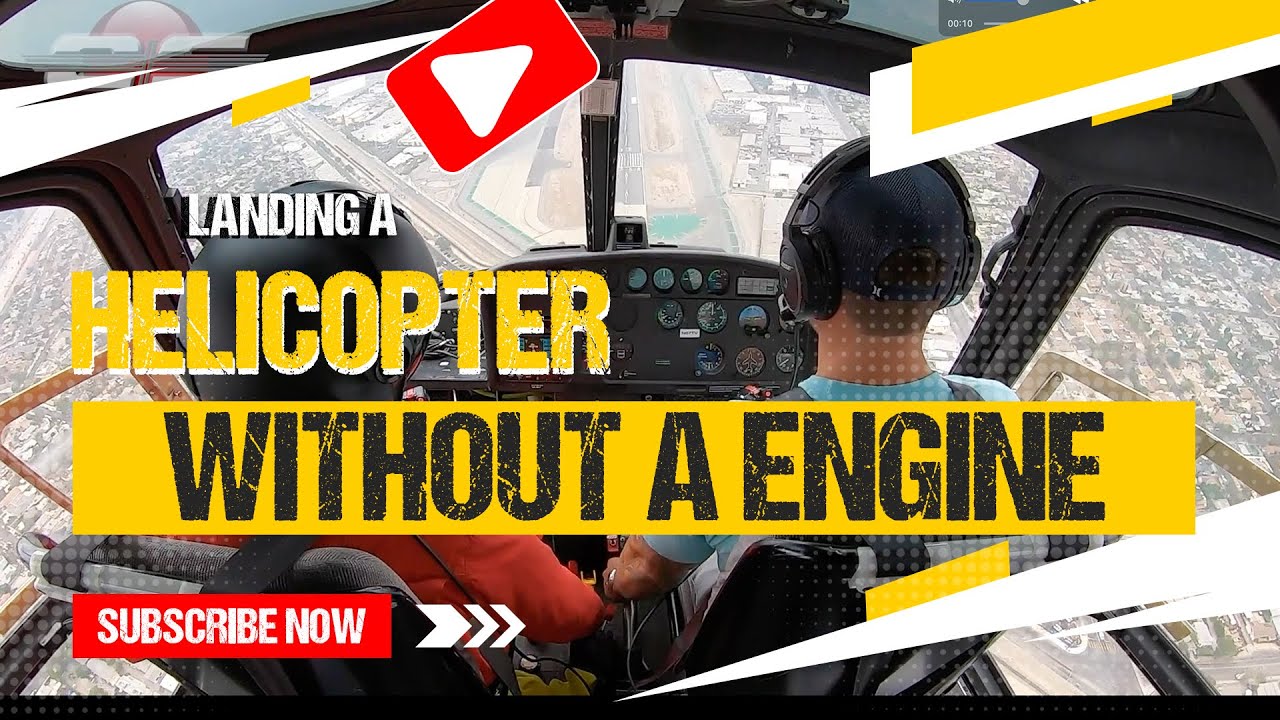
Found this nice auto-vid in which both the (LHS) cyclic and the collective is visible.

They start out in a HOGE, PIC turns throttle to idle, he nosedives the H125 to gain glide speed while initially lowering the collective what seems to be all the way down. By doing so they enter autorotation, speeding the rotor up. Due to the descend rate the rotor speed would shoot way over the ~400rpm nominal speed, so when reaching about this rotor speed mark collective is added to control the rotor speed and stop the increase (while also shallowing the descend rate this way). At about 100ft AGL the flare is initiated by cyclic command. Notice that in parallel the collective is actually lowered at first and that the flare is shallowing the descend rate to reduce speed, accelerate rotor speed (to gain more energy for touchdown) and to set up a stable leveling to touchdown.
With the airspeed shed away, the H125 is leveled and the cushion is controlled by raising the collective. Here the low-RPM horn goes on just before touchdown.

MSFS 2024 is currently not able to simulate this. With collective down the aircraft just “falls out of the sky” with the NR (rotor speed) -not- increasing, at least not realistically. The flare does not shallow the glide! If collective is lowered during the flare, you will crash! And in SU2 Beta, thus far, the inertia is just next to unlimited. In RL one needs to dose the collective carefully not to spend too much energy before the final cushion to touchdown. And I believe one can say: all helicopters share the same property that after a successful auto the NR will be pretty much back to idle. In no helicopter you would still have NR to spare afterwards.

Why is this so important?
Because IMHO the autorotation behavior in a sim model tells me how well the basic aerodynamic functionality behaves. That’s because the rotor disc, tail rotor and fuselage and their constellation all affect how the helicopter flies and, simplified, like the glide ratio of a fixed wing aircraft, the autorotation is telling if the model is mainly depending on procedural behavior with a running engine or if it actually cares to simulate the aerodynamics.
If most helicopter specific effects like autos, ground effect, vortex ring state, etc are covered by a fllight model, the accuracy of realistic behavior shouldn’t be that far away. At least then there is sense to mod and tweak the FM to find the best outcome.
But if a wrong and/or lacking FM is only tweaked, we get a situation like at the time of this post in SU2 Beta with the H125 rotor inertia.

thats almost as bad as not having mirrors…I tried that method like in the video and holy hell. Zero peripheral vision to gauge drift, and at best you only have that small window? Yeah you absolutely should be using a copilot for this ride and know your landmarks so you can put it down without looking down.

As for autorotation, I havent really tried this yet. Im still trying to gauge what its best glide speed is and it “seems” unrealistically high. I havent delved at all into the book for the 125 so Im talking out my butt here, but I was able to glide pegged at 100kts without a rotor overspeed warning without trying. I know the Huey’s best glide speed is roughly 65 kts. How accurate the 125 is? Not sure, but Im pretty sure I can get it a LOT faster. Ill try for a bit slower next time and see where it starts to drop like a rock. Its as you say; it doesnt seem modeled at all…and that coincidentally ties directly into ground effect as well. It seems missing in helicopter flight as well. But even still, hovering OGE shouldnt leave your aircraft bobbing up and down like a yo-yo over 50’.

My main reason to build this sim now that I retired from flying for a living: to teach and fly helicopters and airplanes like I’ve enjoyed doing for decades.

I chose MSFS2024 because this forum is full of very friendly and helpful people, while on the X-Plane forum I’m still waiting for someone to reply to my first and only post.

From what I’m hearing, the only way for now to fly a helicopter with any sort of realism is to use X-Plane? I did notice most of the things mentioned here in the 3 or 4 helicopter flights I’ve made so far. It’s extremely forgiving, unlike a real helicopter. I thought it was my settings since we just built this machine and installed the software, but I see now it’s not just me.

FYI - my system up to now: MSI MAG X870E , AMD 9800X3D, RTX 5080 GAMING OC, 64GB (2x32GB) PC RAM DDR5 6000 , SAMSUNG 990 PRO SSD 4TB, ARCTIC Liquid Freezer III 360, Quest 3 goggles, MOZA FFB AB9 & MOZA MH16 Cyclic, Virpil Rotor TCS Plus & Hawk-60 Collective, pedals

Do you have the assist turned off? Many pilots says it’s relatively realistic.

In my experience, generally, in both sims, Xplane and MSFS, it depends greatly on what aircraft model is used for more or less realism. There is no simple answer.

The MS stock aircraft, meaning those helicopters that are included in the main program without purchasing them extra, are “bombarded” with criticism because they represent the base line of simulation. If a 3rd party developer wants to add more depth, detail or realistic behavior beyond this, most of the time implantation of an external flight model is needed. And those who can’t do that are limited by the “playground” that is the sim.

And if one compares the stock helicopters of MSFS (either version since 2020) and those on XP11 or 12, then Xplane offers more realism, as they are, as you say, less forgiving (at least the R22) and the aerodynamic behavior naturally forces you to use RL procedures to fly them. But they are far from perfect.

As for 3rd party models, there are good and bad ones in both sims IMHO. The difference, again, is the fact that MSFS doesn’t cover the entire envelope, so the better ones are limited by this. And the sad thing is MSFS2020 already was improving and 3rd party aircraft were catching up, but then 2024 came to be and all in all some steps forward were made in terms of flight modeling, but a lot of side and backwards steps as well. Bottom line: it is not (really) superior (now).

As you say you want a sim to keep flying (which I applaud both because a pilot uses a consumer sim and because you keep being at the stick), if I may, just try out both sims and enjoy them for what they can each offer.

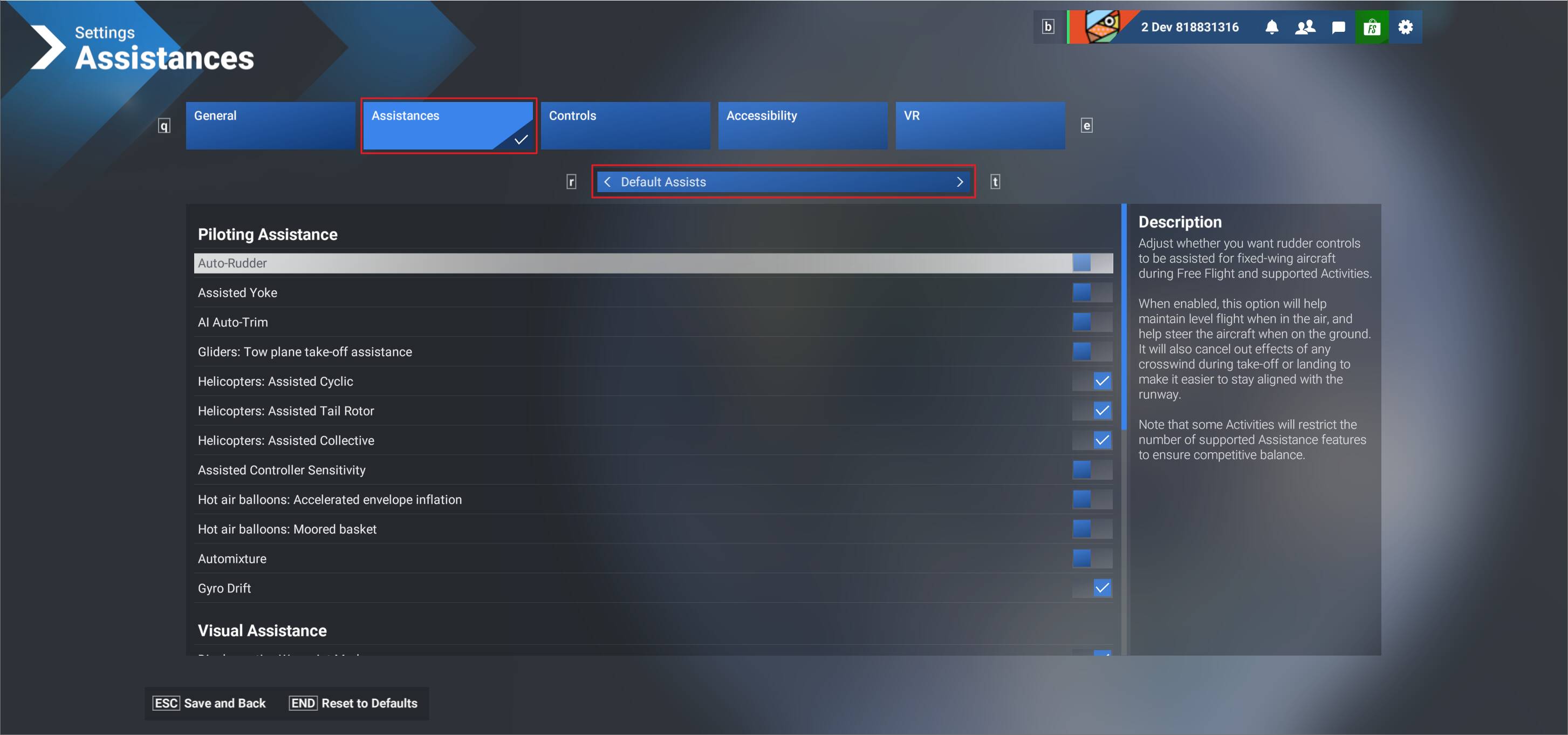
Where can I turn it OFF? I’m sure it’s ON because it practically flies on it’s own compared to a real helicopter.

Simply in the settings menu, section “assistances”. In the middle there are options for helicopter cyclic, tail rotor and collective assists. If they are turned on then yes, basically you need only to raise the collective and it will hover. No translating tendency, no anti torque needed, etc

Not sure if it can be the case, but also make sure that under “general” in settings, section “flight model” is set to “modern” and not to “legacy”.

Exactly this. Realism for helicopters varies wildly from various developers. MSFS20/24 does the basics of handling fairly well, but the envelope edge behavior is spotty at best.

I’ve gotten the Cowansim R22 to auto similar to the real thing, but it will still keep flying even when the rrpm is below recoverable on the gauge. XP12 is better in this regard, but the scenery is terrible and distracting.