Until a few days ago, everything was working perfectly, but suddenly, without making any changes to the system, I can’t get the stats to appear in the simulator.
What’s even stranger is that they do appear on the loading screen while the video is playing, but as soon as I enter the simulator (Start button and world screen), the stats disappear and there’s no way to get them to reappear.
I’ve tried reinstalling RivaTuner and some other configuration settings, but now nothing works.
Everything works fine in other games. It’s quite mysterious.
If anyone has any other suggestions, please let me know.
Are you using FSR3 FG instead of DLSS? This is happening for me for a couple months if I use FSR3, no problem when using DLSS FG. Hope they fix it because it works in other games.
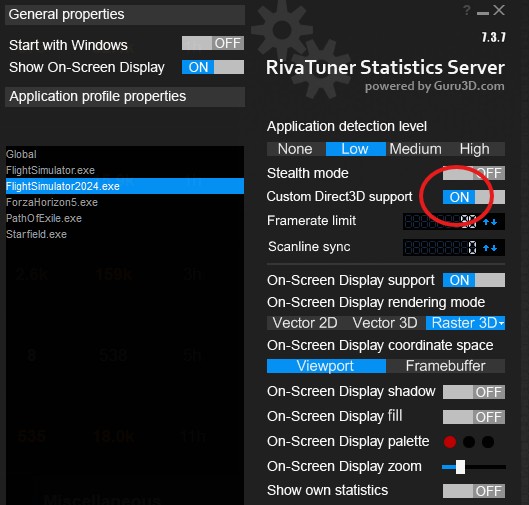
Up until SU4, the RivaTuner overlay worked flawlessly for me. Now in the SU5 beta, I had to enable the “Custom Direct3D support” option in the FlightSimulator2024.exe profile for the overlay to still be displayed.
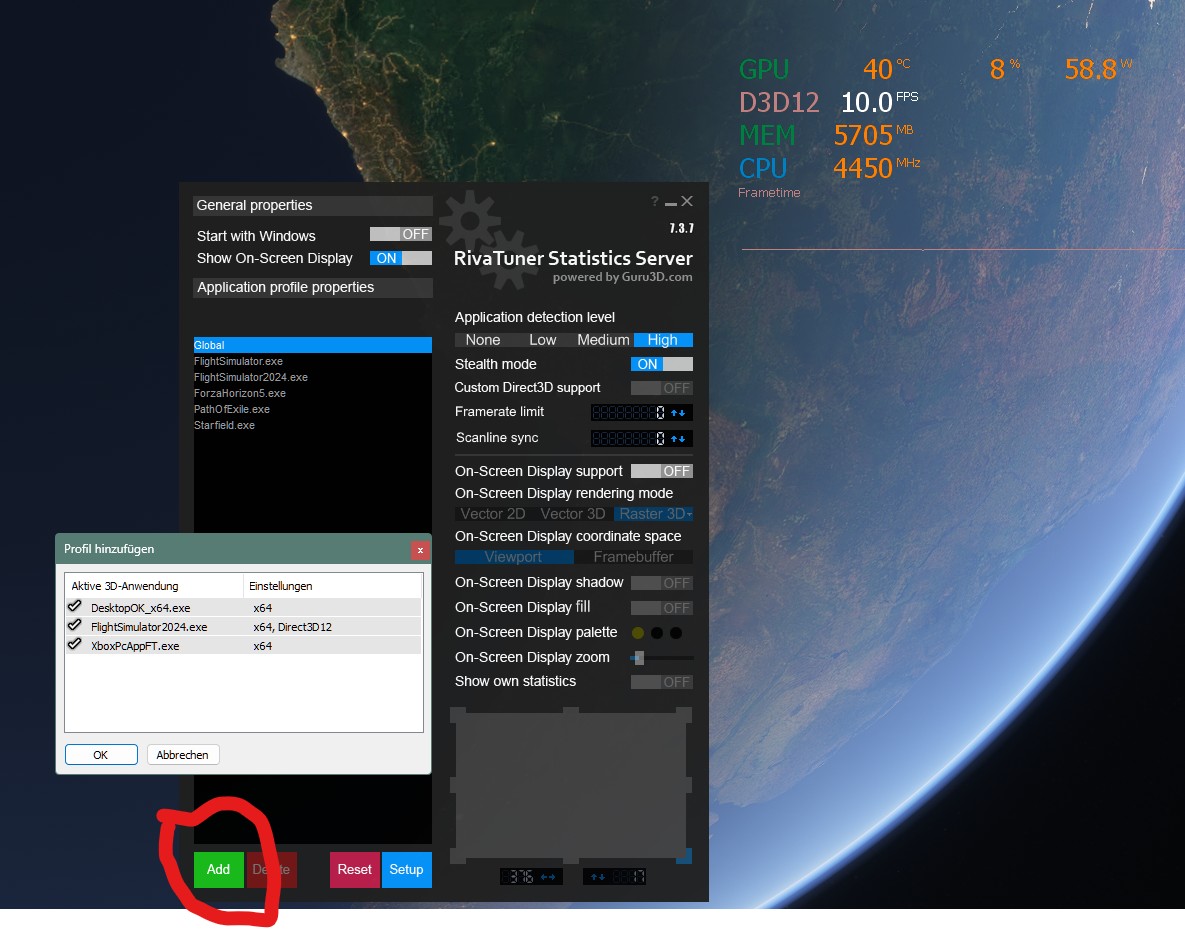
Same here. I also have the 9800X3D. I’ve tried the ctrl+click Add mentioned above as well was toggling ‘custom direct3d support’ and still not working. Loading the sim during the intro animations it shows up, but once it gets to the main menu osd disappears.
I my case, afterburner won’t work with FSR3 FG on. What works for me: Start msfs2024 without msi afterburner running>turn off FSR3 FG in game settings>start msi afterburner>turn FSR3 FG on again. If I start afterburner with FSR3 FG on, the game crashes with an Error (Error: DXGI Unknwon (0x887a002b)). I have a 9070XT and a 9900K.