Mt. Vesuvius doesn't fit with vicinity

:wave: Thank you for using the Bug section, using templates provided will greatly help the team reproducing the issue and ease the process of fixing it.

Are you using Developer Mode or made changes in it?

No

Have you disabled/removed all your mods and addons? If the issue still occurs with no mods and add-ons, please continue to report your issue. If not, please move this post to the Community Support section.

Yes

Brief description of the issue:

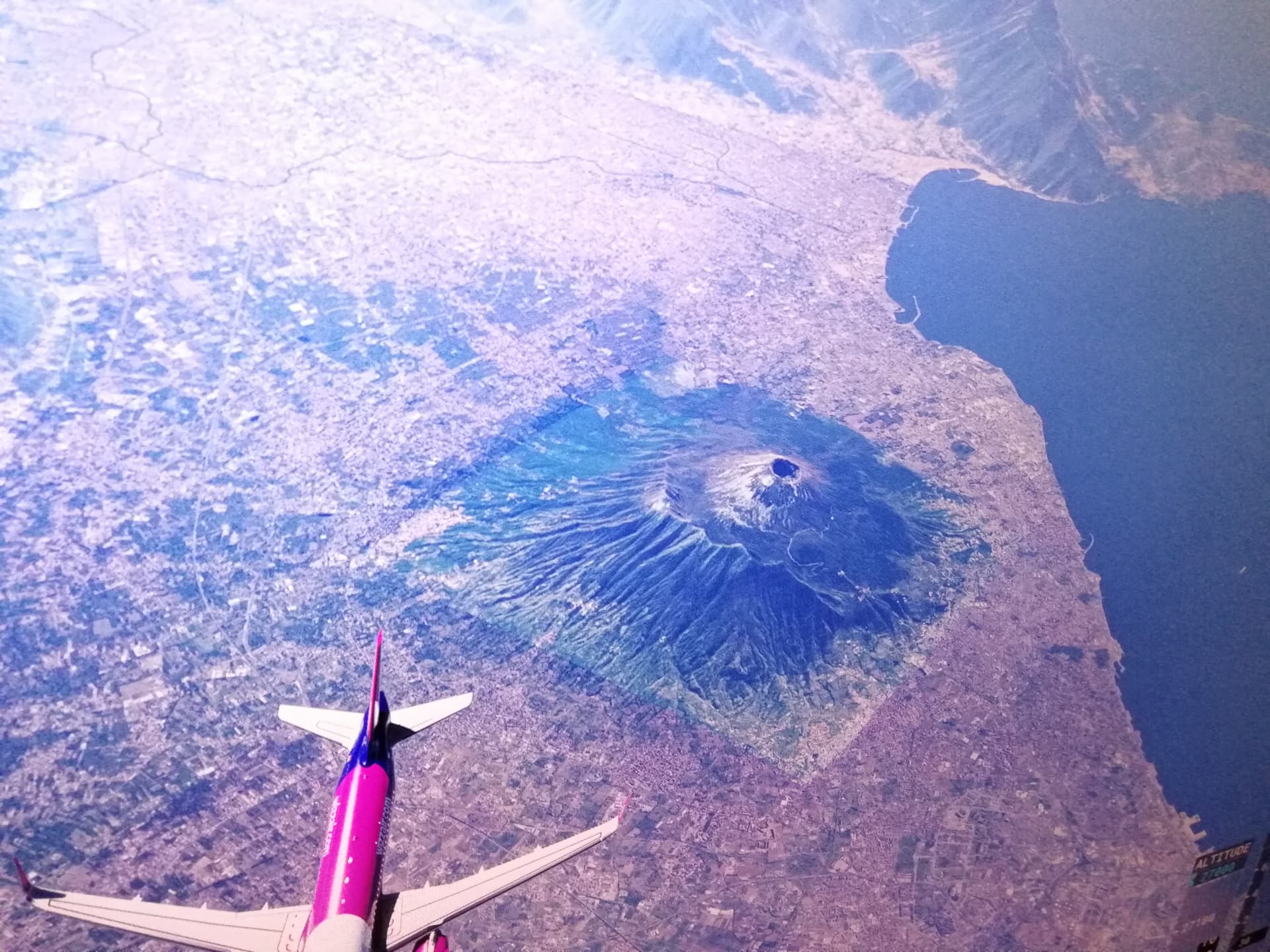
Mt. Vesuvius doesn’t fit in rest of scenery, see screenshot.

Provide Screenshot(s)/video(s) of the issue encountered:
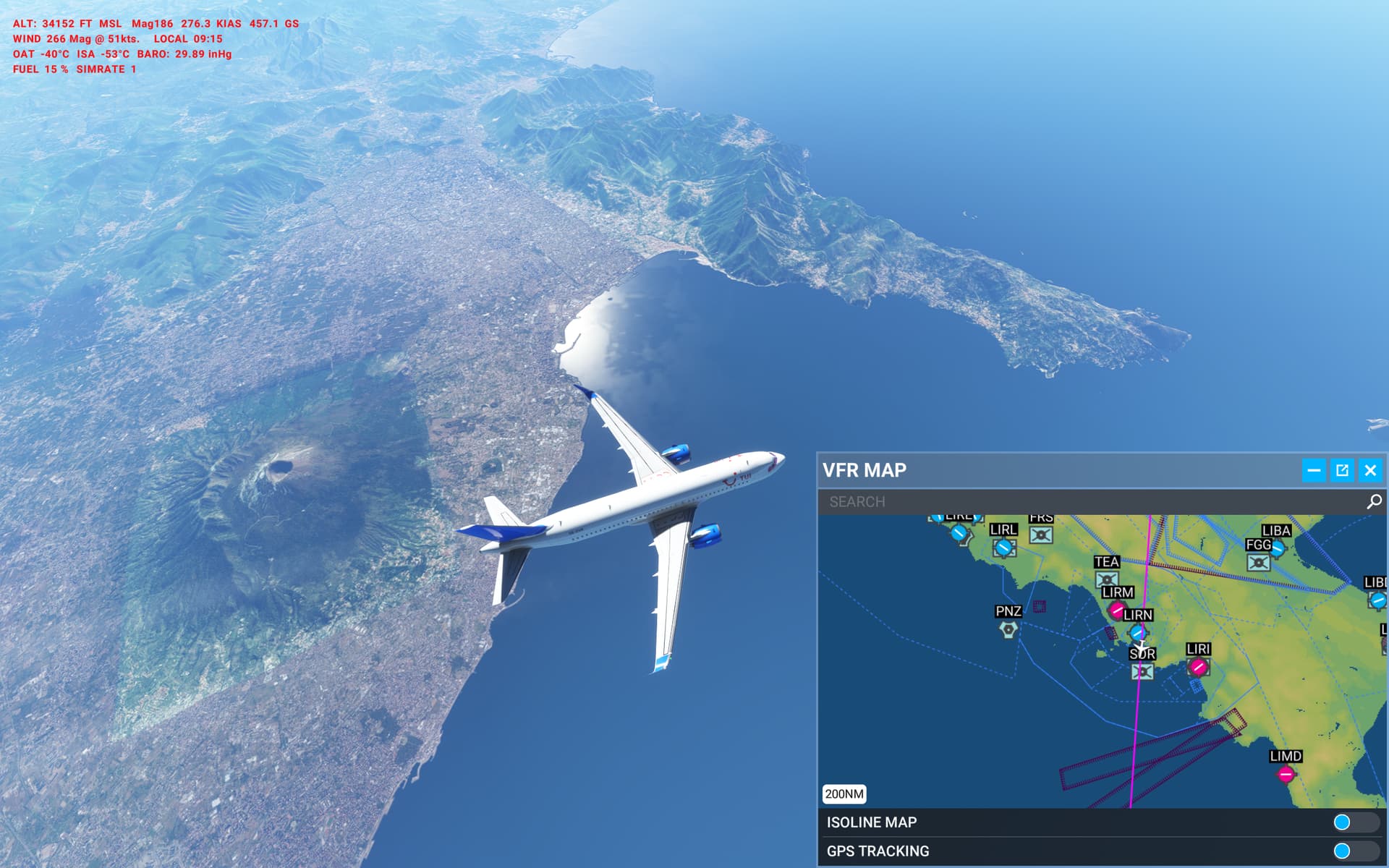
ICAO or coordinates (DevMode > Debug > Display position)

Next to LIRN

Detailed steps to reproduce the issue encountered:

PC specs and/or peripheral set up if relevant:

Build Version # when you first started experiencing this issue:


:loudspeaker: For anyone who wants to contribute on this issue, Click on the button below to use this template:

Do you have the same issue if you follow the OP’s steps to reproduce it?

Provide extra information to complete the original description of the issue:

If relevant, provide additional screenshots/video:

Do you have the same issue if you follow the OP’s steps to reproduce it?

Yes I have.

Provide extra information to complete the original description of the issue:

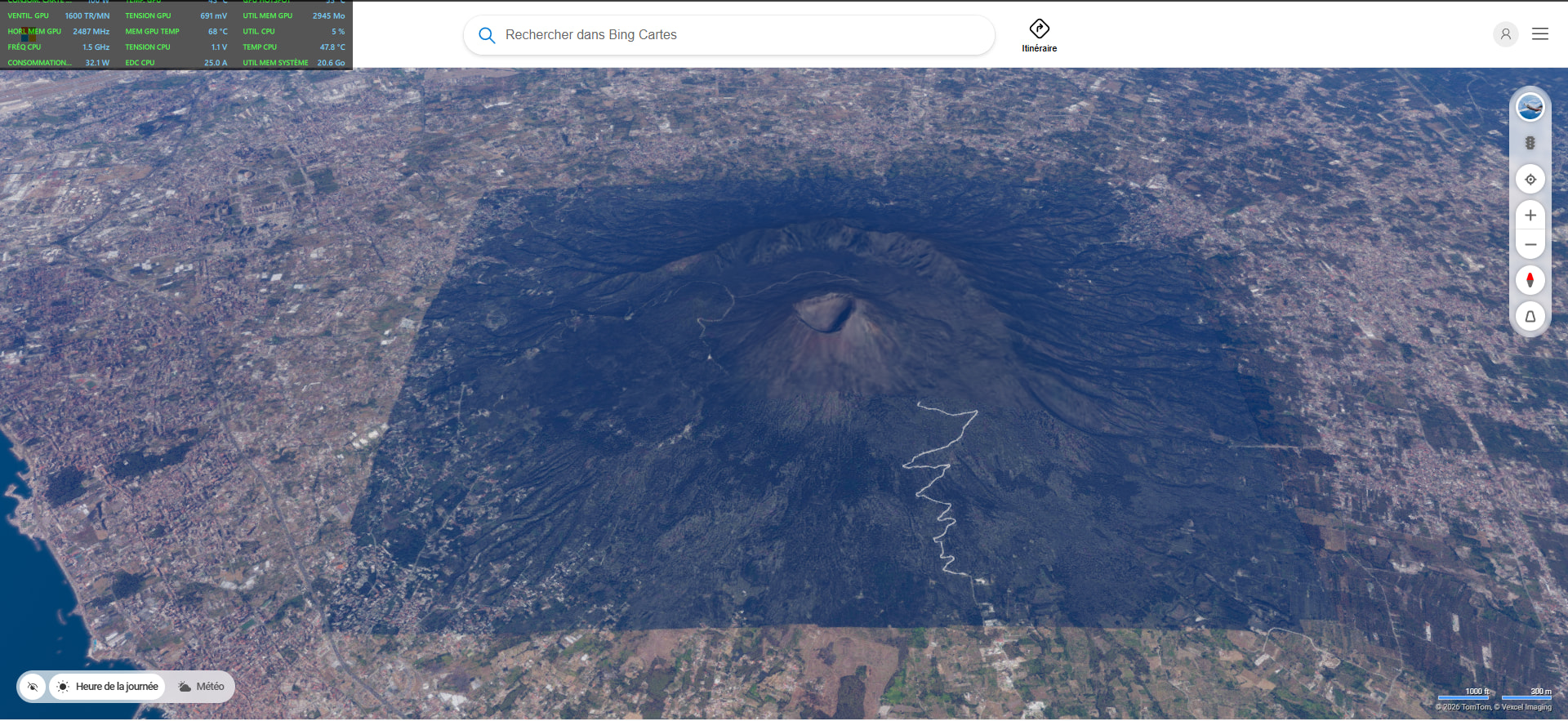
It’s a problem of Bing Maps. There you can see the same different picture cuts.
Being a source issue it’s unlikely that the problem can be solved by devs, anyway I suggest to post this bug at zendesk just for their information.

If relevant, provide additional screenshots/video:

Thanks for the answer - i checked with bing maps yesterday but with a high zoom-out only. When you zoom away it looks good. Didn’t check a closer zoom. Now i did and there it does not blend well also.

Either way - not good for the immersion in the sim :slight_smile:

As for zendesk - one needs discord account for that, right?
As i have none and not happy to create one, my hope remains that this is being read here…

greetings

No you don’t need discord, there’s a link to their site here in the forums. Just login with your MS account.

Ah, OK, will do this then… ty

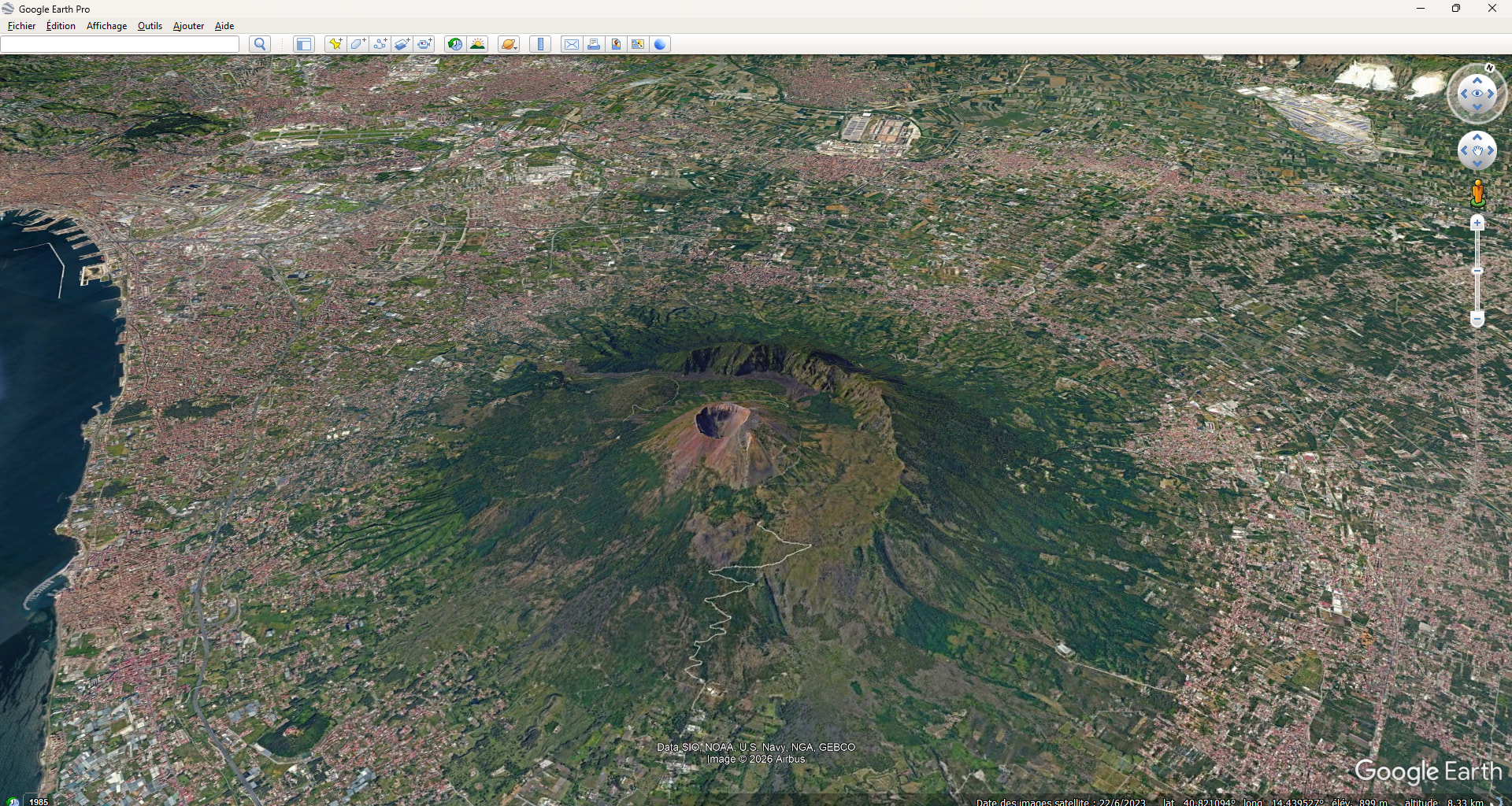
MSFS does not use the same satellite imagery as Bing. Satellite data in MSFS is a few years old.

Wasn’t aware of that.
I somehow assumed thought MSFS AI always uses the latest raw image source and injects it in the sim.
So comares to bing are somewhat pointless and become more and more pointless with time…

Vesuvius looks as if it has been inserted into the landscape.

Hi, any way to avoid this (apart from using Maps Enhamnement, that I DON’T use), with custom renditions or else? Thanks.


Using the template below will greatly help the team reproduce the issue and ease the process of fixing it. Before posting, search for an existing report. If you are not sure it’s a bug, please first report in User Support Hub.

2 tags are required - add them in the tag section next to the title above:

Feel free to delete this quote section after adding your appropriate tags.


ISSUE DESCRIPTION

Description of the issue:

ICAO, coordinates, or specific location:

[PC Only] Did you remove all your community mods/add-ons? If yes, are you still experiencing the issue?

FREQUENCY OF ISSUE

How often does this occur for you (Example: Just once, every time on sim load, intermittently)?

REPRODUCTION STEPS

Please list clear steps you took in order to help our test team reproduce the same issue:

  1. Always

YOUR SETTINGS

If the issue still occurs with no mods and add-ons, please continue to report your issue. If not, please move this post to the User Support Hub.

What peripherals are you using, if relevant:

[PC Only] Are you using Developer Mode or have you made any changes to it?

[PC, MSFS 2020 Only] Are you using DX11 or DX12?

[PC Only] What GPU (Graphics Card) do you use?

[PC Only] What other relevant PC specs can you share?

MEDIA

Please add a screenshot or video of the issue occurring.

[END OF FIRST USER REPORT]


:loudspeaker: For anyone who wants to contribute on this issue, Click on the button below to use this template:

Do you have the same issue if you follow the OP’s steps to reproduce it?

Provide extra information to complete the original description of the issue:

If relevant, provide additional screenshots/video:
Do you have the same issue if you follow the OP’s steps to reproduce it?
• Yes

Provide extra information to complete the original description of the issue:

If relevant, provide additional screenshots/video:
• screen shot from bing, this explains the issue…

Google Earth Pro