What kind of limitations should I expect if I go with “only” 32GB of RAM instead of 64GB? (64GB is simply way too expensive at the moment.)
Does anyone have real‑world experience running into memory limits with 32GB?
For context: the person using this PC will only be running typical MSFS‑related companion tools such as Navigraph Charts, Little Navmap, FSLTL, GSX, or vPilot. No streaming or other heavy background applications.
32Gb should work fine. Chose the lowest CAS as you can for the speed you decide to go for.
Early last year I did a new build and went with 64GB. The reason in my mind is/was that the sim will consume most of that 32, and if I wanted to run anything on top of it, I would want the additional RAM. Now of course there are more technical and better reasons to go for 64, like Windows graphics support, etc. That said, I bought/built before RAM prices went though the service ceiling, but I heard that prices are coming back down now. (PC spec in my profile.)
I don’t really understand the point of this topic, since you already have 64GB RAM, so you can just test it yourself instead of guessing.
Also, if you want to test how MSFS behaves with a single 32GB stick, make sure it’s installed in the correct slot (the one recommended for single-stick operation in your motherboard manual).
That’s correct. I have 64GB myself.
My question was aimed more at whether anyone has experience with 32GB or has run into any “problems.”
PS: this build with 32GB is for my son.
Does your ‘old’ computer use 64GB DDR4 RAM?
Does the new build need DDR5?
My goal isn’t to replace an “old” computer, but rather to find out if anyone has experience running MSFS 2024 with 32 GB of RAM, specifically in combination with various additional tools (related to MSFS).
My latest build was just as the RAM prices were going up because of AI DCs. My previous build had 64, now I have 32, pragmatically no difference for me. I’m able to keep up 50-60 fps in most situations in the sim. Navigraph really doesn’t add any latency, it’s just showing a non-Asobo EFB or inside the cockpit displays. Little Nav Map is pinging via SimConnect, no issues there.
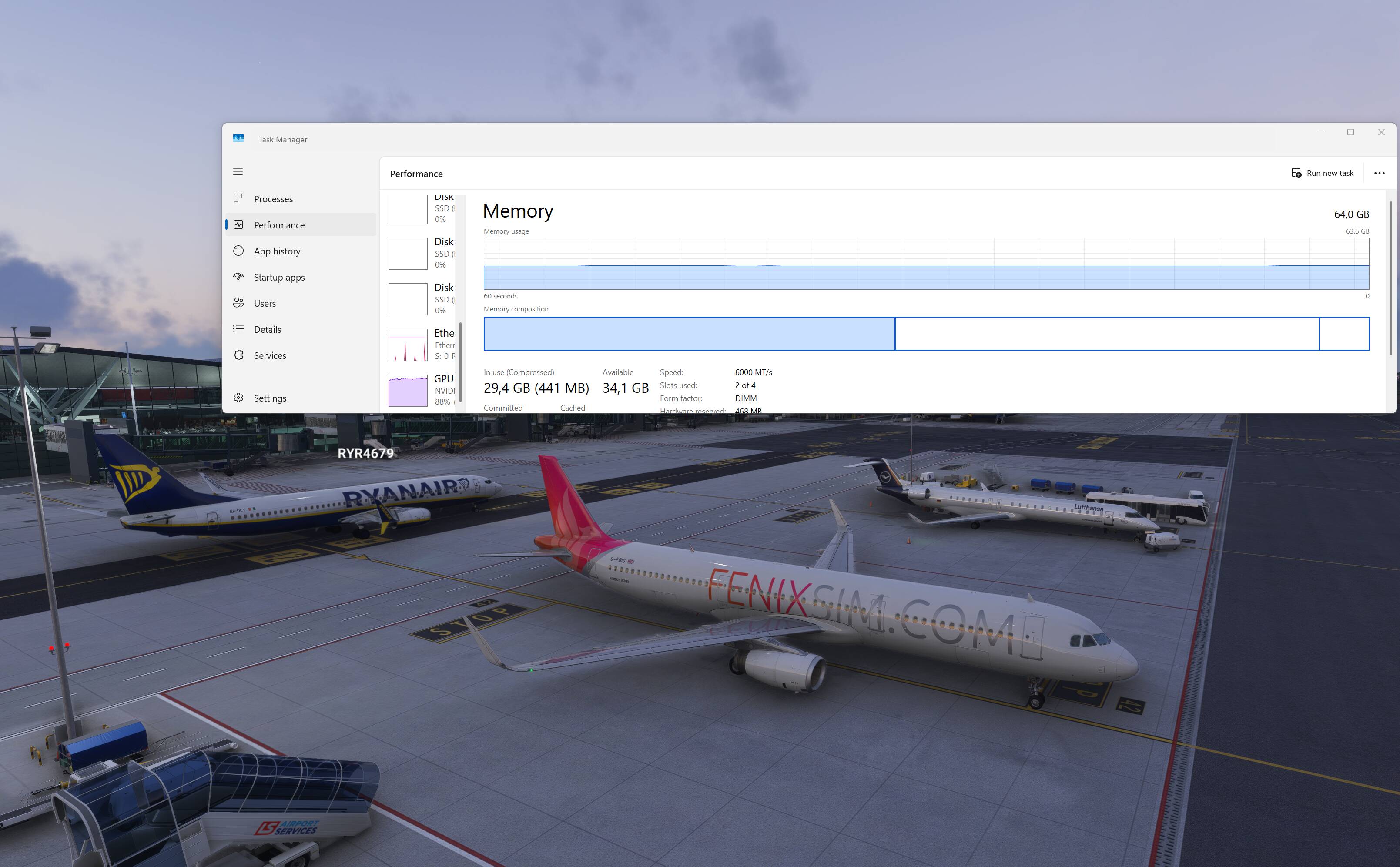
No memory problem here with 32 Gb, usually around 50% usage at ultra, FPS capped at 40, HP Omen35 and 32” Dell 4K monitor.
I have 32 gigs of DDR5, and only ran into one memory problem when using a 3rd party scenery add on for the city of Paris (the system came to a crawl, lol)
add on causing the issue? not sure but that is the ONLY time I’ve had any memory issues in the sim.
I used to have 64 gigs and could not see any difference in how it performed, so I dropped back down to 32 and sold the other set.
I saw your post clarifying that you are asking about 32GB for a ‘new’ computer you are building for your son AFTER I posted my original question.
My opinion is “64 GB if you can, 32GB if you must.”
I was running 64GB for a long time, then decided to try 48GB of much faster RAM.
I found that my computer was using close to the full 48GB quite often. So I went back to 64GB.
If all you are running is the sim and maybe a few very lightweight addons, I think 32GB would be fine. I like headroom.
I think 32 GB of RAM is pretty much enough for this simulator, not 64, of course, but enough for a comfortable game.
Thank you for all the helpful answers.
64GB is simply not affordable right now due to the prices. And I think it’s better to have fast 32GB of RAM than slower 64GB.
With AMD? Sure. With Intel? Eh, doesn’t matter so much.
I guess i lucked out this week. My current rig has a 4gb video card that runs @95% minimum all the time. After purchasing msfs2024 last week and seeing messages of how borderline my rig was i went back to msfs2020 and started looking for a new rig. I settled on a Ryzen/Radeon setup (7 9800x3d / RX9079XT with a 2TB NVME SSD and 32GB Kingston ddr5 6000mhz fury beast rgb. It was going to run a little over $2900 with a 4 year service plan, tax, and delivery. Lo and behold yesterday Cyberpower ran a one day sale on that exact setup with 2 day shipping and a 3year service plan included for $ 2235 to my door. I used the savings to get an additional 32GB of Kingston Fury Beast memory and a new 27inch ASUS Tuf Gaming monitor.
@codenuts42
I have an i7-12700K with 32 GB 5200 MHz DDR5 CL40 RAM and AMD Radeon RX 9070 XT and have no performance issues with 2024.
I usually have Little NavMap running at the same time, but no other MSFS stand-alone add-on apps running. It is not often that I see RAM usage over 75% on my system.
IMO, the cost vs. benefit ratio of having 64 GB is not compelling, unless one is planning to run one or more apps simultaneously that require large amounts of RAM themselves
64 BG might be useful if one also wishes to run video recording or streaming apps for MSFS 2024 - or other non-MSFS-related apps - but I have no experience of this, and from your posts this does not appear to be the case.
Any available $$ would, IMO, be better spent on ensuring a PC has a good graphics card with 16GB+ VRAM rather than system RAM > 32GB.
Interesting. And what applications / addons are running right now? Fenix, BATC, and what else?
FENIX+FSLTL and AIG liveries + MSFS real-time traffic 4K and ms edge.
It will most likely be a system with 48 GB of DDR5 RAM. After all, it should last a while. I think that’s a good compromise.