with this WHQL 516.40, should I set “Low Latency Mode” = On now?
since 497.29 suggested by some captains here before, some stutters has been gone on this.
I can’t recommend this driver since I got some freezing for about a second now and then. FS2020 is better with the driver before that one, at least for me. 5600X / 3600 Ti.
Luckily, I got no freezing or stutter this with 5-6 hrs flight (airport to airport, engine shutdown, restart, takeoff and so on…) with PMDG 737.
I remember I had this freezing for 1 sec for every 4-5 sec thing before, it is caused by another Win10 (old Laptop) connected with LAN cable under same router. I switched it to WLAN and all freezing gone. Hope this maybe helpful for your investigation.
So was it a bad network cable in the laptop that was causing the issue?
Was it the network card itself?
Was the cat a diff cat on that cable as opposed to any other cables on your network?
I guess it was due to a C-grade ethernet adaptor (2010s, but updated to a latest 2016 driver).
CAT5 cable should be no problem, since I use it on a Macbook (via docking with LAN port), and no freezing. I tested back-n-forth and confirmed once the Laptop was joining to LAN, only MSFS (not RDR2, TomRaider … or other big titles..) would got hiccups in every 4-5sec.
Yeah when I had that problem here it was the actual ms net driver that was doing it, installed the OEM driver and it fixed it straight away.
1 Like
Anybode using the latest driver with 3060 Ti // 5600X thats now having microfreezes etc with the latest driver?
Hey, using a 3070//5800H and had microstutters with the latest driver. reinstalled version 512.77.
be sure nothing at background, i have stutters if chrome didn’t minimized or closed, some game have stutters with latency off, this is strange, but it is, ultra low latency remove stutters from sgwc, but add crazy ctd fest with sgw3. for now disabled in msfs no stutters 2080ti 9700k
try to disable hardware-acceleration in chrome..
i did it couple a days ago, and i don’t like it, so i better be with minimized or closed chrome
i don’t sure this is problem of driver or update or new version of ah spit. but i had yesterday really big memory leak, that i hasn’t notice on this rig(from 2018 november) msfs has been crashed and i found in log, before crash was peak using ram 32gb (that’s all i have in this rig)
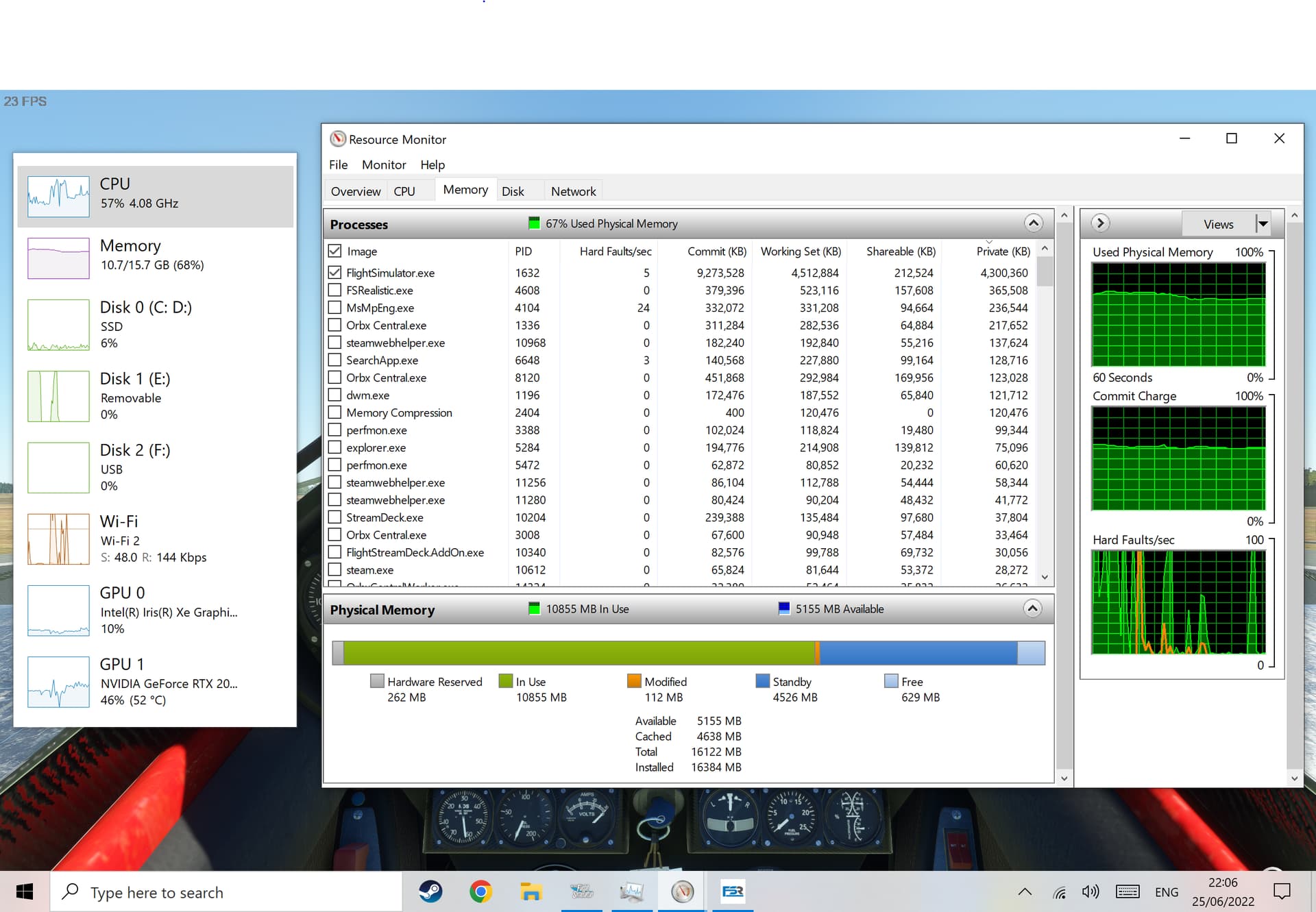
That’s very high I think. I only have 16gb ram and the most I’ve seen the sim use (when looking with Task Manager > Performance window) was 14, usually around 12 or even less. I have a lot of mods enabled too (about 800+ Including GAIST and Seafronts Global Shipping and the We Love VFR global stuff) plus all the WU content and the Premium version of the game with the extra planes and hand-crafted airports etc. running mostly High settings with some on Medium and Terrain pre caching on Ultra.
That doesn’t leave a lot left for the OS to use, plus any programs you have running alongside MSFS.
Upgrade to 32GB, and you should see big improvements across the board. If nothing else your hard disk will thank you as it must be swapping like crazy.
I mean that is the total used thought isn’t it? Not just MSFS.exe
If the sim is using 14GB, then you have the OS, and everything else in the remaining 2GB. Perhaps that’s not what you mean?
that’s obviously was a leak memory, not even close to conventional use. even at start before su5(?) msfs never use more than 24gb, after some update i guess su5 using ram has been cut. that’s was time exactly when xbox version was out. so my case of 32gb peak it’s memory leaking bug, clue to some addon or conversation between addons, or whatever that was… drivers, msfs update, complex of causes
It’s just the performance view in windows task manager so it’s just for the whole system - all processes. You have me doubting myself now but I don’t think it distinguishes specific apps?!
Click on the resources tab of performance view its down on the left of the screen. On that window, you can click on just MSFS and it will tell you how much your using.