I have NEW UPGRADE message saying go to market place but, where in market place do I find the upgrade?
Help please
Hi, generally if you click the “Marketplace” button, you should be brought straight to the product(s) that you can upgrade:
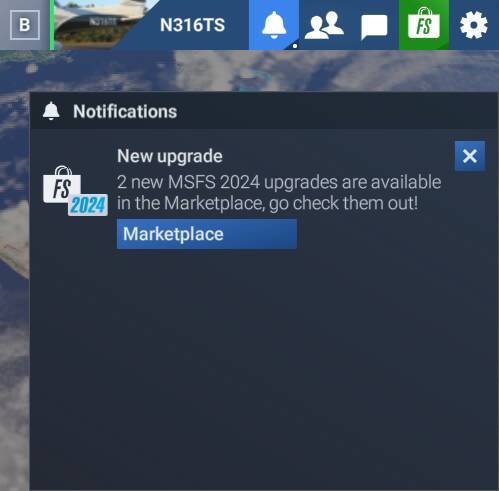
This is then notification.

This is what i get when clicking on the market place.
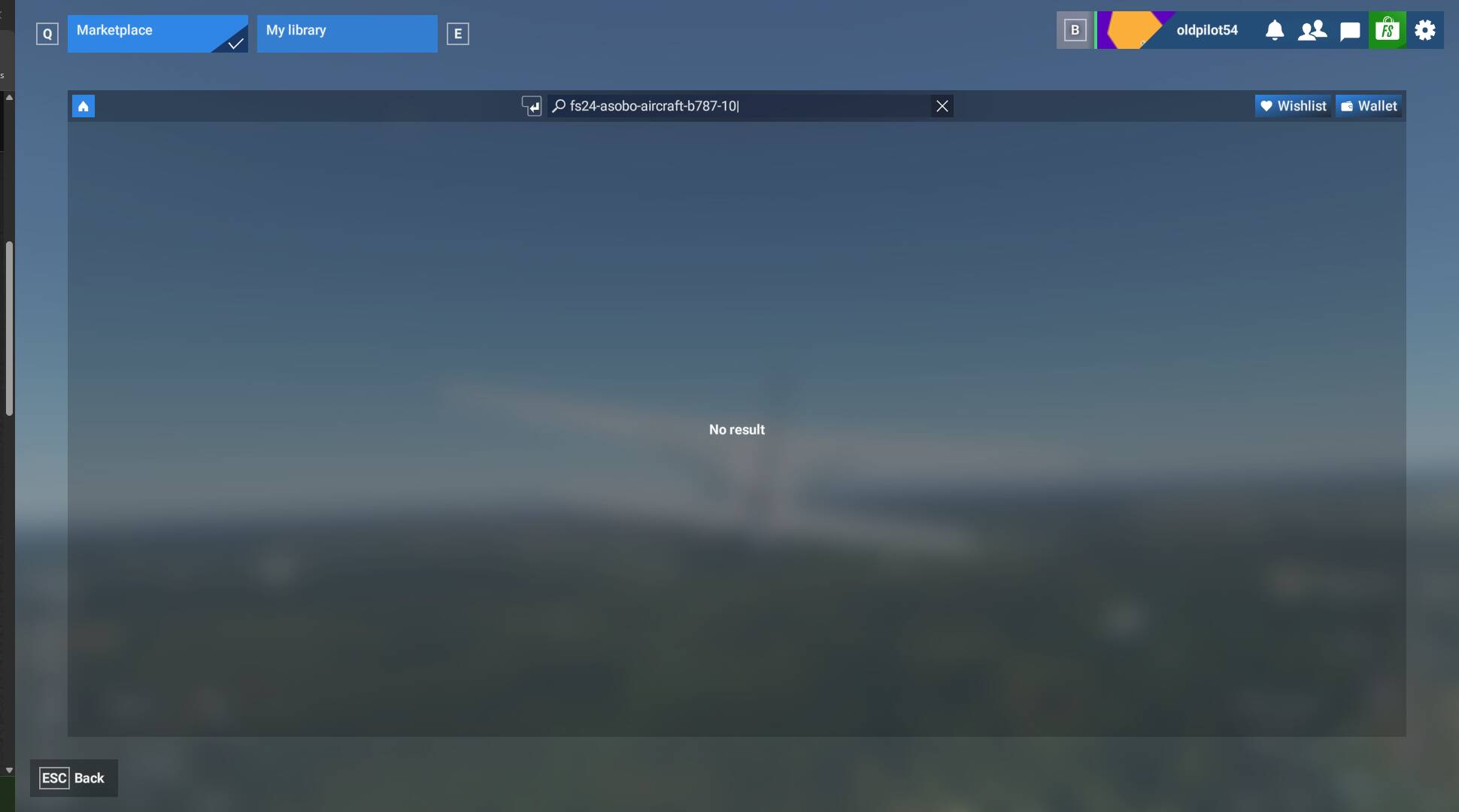
Could it possibly be that I have thebase version?
Hmmm, that looks like either a bug or a mysterious disappearance.
The first item on the list is the 787. Somebody in the Sim Update 2 comments said that the 787 was gone for them. That might be the case for you, but I’m not sure, and I’m no longer at my computer to verify if I see it.
Any chance you can copy the text in the search bar and paste it here? It should probably be 11 items, separated by vertical bars: |.
If you delete that line of text, you should be brought to the Marketplace, unfiltered. (That text is forcing a filter of the 11 products that are upgraded.) if you browse the Marketplace, usually the available upgrades are one of the first things you see.
I am unable to scroll thru the eleven items.
Think you may be right about bug or some other issue.
I will work at it and see what I come up with.
Thanks for taking the time to respond.
I post here the outcome.
Just to show you what it looks like normally, when you click on that “Marketplace” button:

That filter at the top of my screen has 13 items, each separated by a vertical bar: |, which is narrowing it down to the items you see on the screen.

Unfortunately, I thought you could copy that filter and paste it here for analysis, but apparently not.
(By the way, Microsoft or Asobo, why did you make it so I can’t put a cursor on that filter and copy it? Seriously, I have to imagine it required extra code to make a worse user experience. I don’t get it.)
Anyway, if you click that X next to it:

the filter will be removed, but the upgrades available to you should still be at the top:

I deleted and reinstalled the sim but, the issue persists.
I clicked on the X as suggested and it went straight to special offers, no updates shown.
I will keep trying to find an answer. In the meantime any help is appreciated
An after thought msfs2020 deluxe and premium deluxe show up in my library as not activated. Sould I activate them?
Moved to User Support Hub that is more appropriate for community support.
1 Like
Do you have a screenshot of the screen after clicking the X?
Do you mean, the ones that look like these?


I would be reluctant to activate anything entitled Asobo-* inside of those, as those have newer 2024 variants available.
1 Like

This definitely looks like a bug. One other person had this issue during the beta period.
Unfortunately, as I now believe that this is a bug, there’s not much more I can do for you. Let’s just hope it gets fixed some day.
@oldpilot54: feel free to contribute to the report mentioned by @N316TS . Those reports in the SU2 Beta forum remain open 1 more week and the ones for which issue still happening will be moved to the regular Bug Reporting Hub category.
2 Likes
Thanks for taking the time to try and help me.
Very much appreciated.
1 Like
It was missing for me along with several other issues, reloaded this stupid App 3 times yesterday and it’s still not running right.
Sorry to hear. Could you kindly give your feedback on this bug report and vote? (@oldpilot54 , if you could vote, too, that would be helpful.)
There is still time for the above bug report to get logged before it gets archived, but it’s an easier sell with more votes and more feedback.
Done! Prior to this update, Sim ran fine with all settings on Ultra. The settings were all reset to Low and Medium (which I did not know at the time), and was getting messages from fs2024 that the GPU memory couldn’t handle the settings…WTF? And all my keyboard bindings are gone. FS2024 has been a joke.
1 Like
Did a report and have voted.
1 Like