Nighttime flying in career mode, and landing airports with no lights nearly impossible


ISSUE DESCRIPTION

Description of the issue:
Hi all this is more feedback more than a bug, I think there could be a flaw in adding night time flights in careermode, Ive just done a 3 hr flight to UA-2244 Starokostyantyniv Afb, the only issue there was no lights I had to use the visual guides and the PFD to land, So this might be difficult for alot of simmers who might end up crashing on landing due to airports with no lights :sweat_smile: just a suggestion could a filter be added like jobs with runway lights and jobs without

Thank you Andy2790

[PC Only] Did you remove all your community mods/add-ons? If yes, are you still experiencing the issue?
X

FREQUENCY OF ISSUE

How often does this occur for you (Example: Just once, every time on sim load, intermittently)?
X

REPRODUCTION STEPS

Please list clear steps you took in order to help our test team reproduce the same issue:

YOUR SETTINGS

If the issue still occurs with no mods and add-ons, please continue to report your issue. If not, please move this post to the User Support Hub.

What peripherals are you using, if relevant:

[PC Only] Are you using Developer Mode or have you made any changes to it?

[PC Only] Many issues may be due to an outdated graphics card. Please state your Graphics Card Driver Manufacturer (NVIDIA, Intel, AMD) and Version:

[PC Only] What other relevant PC specs can you share?

MEDIA

Please add a screenshot or video of the issue occurring.

[END OF FIRST USER REPORT]


:loudspeaker: For anyone who wants to contribute on this issue, Click on the button below to use this template:

Do you have the same issue if you follow the OP’s steps to reproduce it?
•

Provide extra information to complete the original description of the issue:
•

If relevant, provide additional screenshots/video:
•

Career mode is offering night flights to you? Any idea what you did to make that happen? All my missions seem to happen around noon +/- a couple of hours.

1 Like

sure start a job in the evening time late afternoon and thats all the time just carry on like normal

That’s not how it works for me. It’s 8pm local time where I am (UTC+01). Here’s a typical mission I can pick up in my home region, Europe:

The UTC timestamp in the EFB matches the start time of the mission:

When I start the mission, it’s broad daylight. I only get missions in broad daylight wherever I try, independent of the actual local time:

US East coast:

US West coast:

Japan:

Career mode has literally NEVER offered a night flight to me.
I have all licenses and endorsements that I’m interested in (only fixed wing, no taildraggers, no airliners):

I wonder what I’m missing.

Hmm not sure i was on a company cargo job for my own company, flight started like this


and ended like

I also made some night landings (and noticed there are often no lights, even at an airport I checked in advance where the runway chart said that there should be lighting… ). The “trick” is to just start a job that’s normally ending somewhere in the afternoon, and then doing a several hours long break mid-flight, because the time just doesn’t stop even in menu pause :rofl:

2 Likes

Do you have the same issue if you follow the OP’s steps to reproduce it?
yes
Provide extra information to complete the original description of the issue:
100% of the time lights do not come on (but blue rectangular guides squares do come but after the final it is pitch dark

If relevant, provide additional screenshots/video:
•

same issue. absolutely ridiculous

2 Likes

Just flew a 4h mission (45min real time) only to arrive in the German alps to an airport with no lights. Flying a pc-24 jet.

Impossible.

Crashed into a mountain trying to go around after seeing absolutely no runway.

Guys, seriously this is broken.

100h in and the bugs are getting greater and greater.

1 Like

In addition, the landing light of at least the C208 light up the front as I’m in dense fog and impairs the vision and the range of the landing light is way to short to be useful for landing.

1 Like

Please fix this… it’s really frustrating.
I propose a few possible solutions:

Setup the missions to only plan night flights to lit runways.

or

Add somthing to the EFB to indicate airport lighting. Allowing pilots to decide if they are going to try to land at a dark runway.

and\or

Add the ability to plan for and then fly to an alternate airport when the primary is unsafe, without failing the mission.

2 Likes

On the world map before you pick a mission change the time :timer_clock:. If you pick a mission and don’t like it and you back out, make sure you change time again before picking a new mission :wink: or else you land at night.

Or if you want a night flight you can get one.

About 1 year after this thread has been brought up, the issue still exists. After 1 go around at some side road runway without lighting in central Spain, I saw some concrete on my pfd about 100ft below me. I decided to end this misery, rolled over the “runway” and flipped to the side as I touched a tree at 3kts. 600k in repairs feelsgoodman

it’s frustrating, two PC-12 (
inadequate landing lights) flights wasted… something in the game logic needs to be fixed. Night flights with destinations in the dark and landing spaces inadequate for the type of aircraft required by the mission

Please check the runway lengths before picking a mission. Change the time on the slider before mission of choice. Then check on mission description if it changed mission time before accepting. Or move to a mission on the map where it is currently daytime.
I have a feeling that these are all “by design”.

1 Like

I don’t mean to laugh, but this has happened to me so many times hhah I’m so happy someone else is going through it. I noticed that it stopped once I moved up in airplanes, meaning now I basically only fly the citation longitude and because that’s a jet, and it needs a long run way. It won’t even allow me to choose certain missions. Would’ve been nice if they had that though when I was flying the PC 12 or the vision jet

Before you select any mission, make sure you check the EFB and the runway length it’s your best advice lol. I would avoid any missions that have you landing an airport or runway that has a number in the call sign. Like 167N, 34FM, etc. Always try to fly to four letter airports. KPHL, KBWI etc.. never had a problem with lights if I’m flying a four letter airport

Don’t assume a jet doesn’t get a short runway. PC24 gets them. I know because it gave me one so short a vixxen couldn’t even land there.

Always check destination airport . :wink: :airplane_arrival:

Hellow!!!

Im glad that Im not the only annoyed with the night flights in career mode… 3 times and only landed well in one, somewhat I managed to see the ultra narrow runway in the overpass… At least make the sim put center lights!!! Not reallistic??? I live near a flight school operated small airport, they only operate at day!!!

Im happy in general, will have to stick to the 172 to make cash…

ByE

Here is my Career Mode spiel:

YOU are the Pilot In Command – take responsibility for the flights that you CHOOSE to fly.

If you can’t land there then don’t take the job, do your due diligence, it’s that simple.

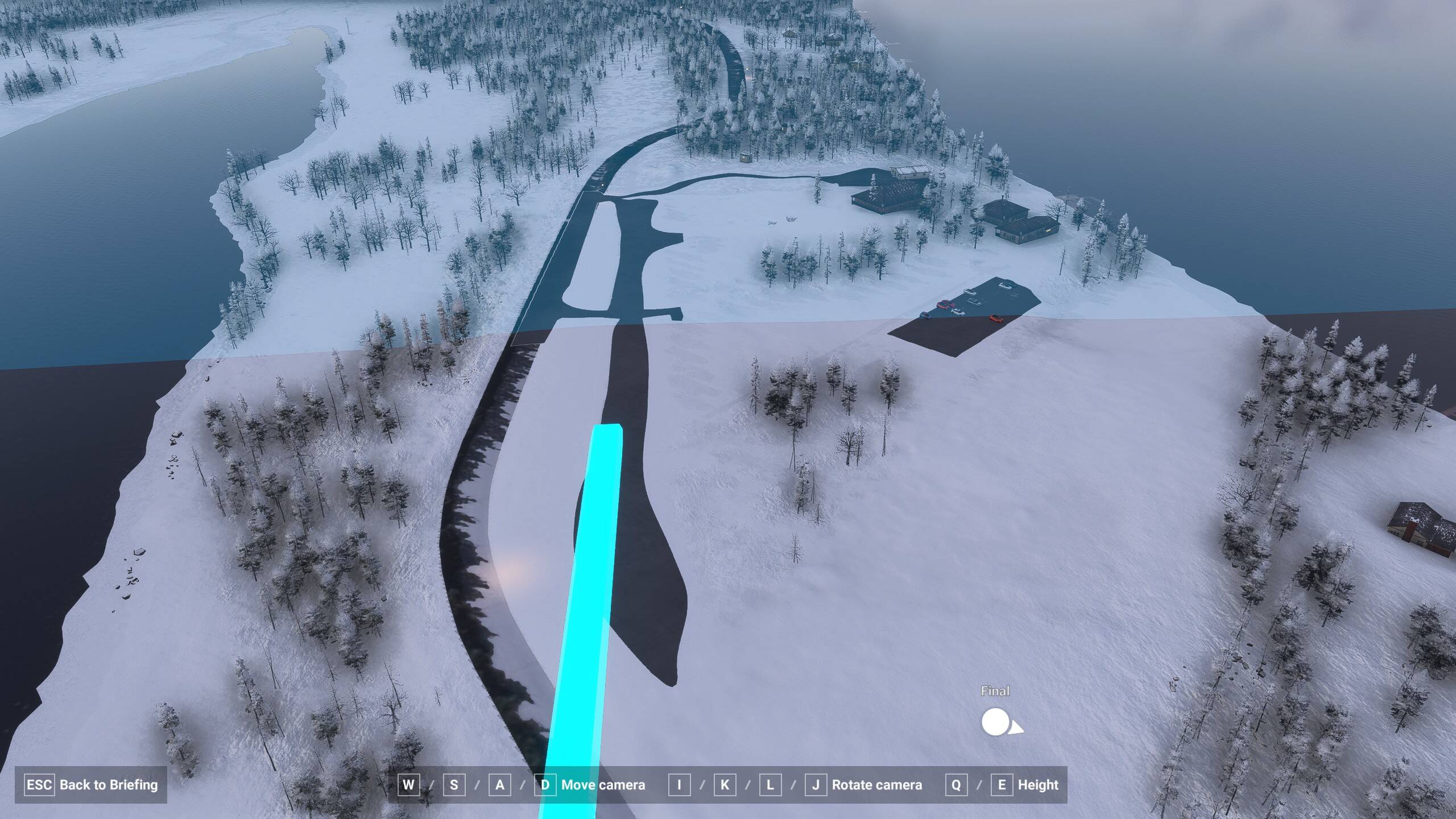
Did you know you can even FLY DOWN to the runway on the selected mission map screen using Cam mode, like this, and fly all around there and see where the trees are, mountains, obstacles, etc.

There are plenty of real bugs in Career mode – this is just wanting it to hand you easy missions. I really enjoy flying in bad weather, in the dark, into small of runways… it’s challenging – but even I have my limits, just like yesterday I turned down a mission to fly a C408 into the 766’ (233.5m) runway (AK86) shown above – and then, in an impressive bit of aviating, Zad posted a video taunting me with his successful landing there in the C408.

TL;DR – don’t nerf the whole game just because YOU can’t land somewhere.

What I WOULD sign on to is that the Difficulty Rating should reflect the approximate difficulty of the route. That should be a 4 or 5 ★ difficulty cargo mission for example. Night arrival times with no lights should also add a couple of ★ – I’m all for that.

I think the mental model is not quite right when people are thinking about the mission generation.

For those ‘live time’ missions (red dots) it just generates the departure and arrival airports, and other parameters (be that passenger counts, payloads, whatever), it doesn’t know what the time or the weather are going to be, how can it, it’s live.

What I’ve not seen (although it may exist) is a flight that is genuinely only able to be done at night (like long passenger airline missions) that arrives at an unlit airport.

What is probably the most pragmatic solution I think, is showing to the user clearly that the runway is not lit if the arrival will occur at night, allowing people to filter on it if they want. Then they can make their choice. You can already see that it puts little windsock logos on when the wind is bad at a departure or arrival at that time, it’s just extending that sort of concept.

As for runways that are too short - the filters demonstrably exist in the sim that already exclude aircraft based on runway length, and runway surface (and other things, payload, passenger counts, range). These same filters also suppress missions for view that can’t be completed based on your fleet in freelance.

The reason it doesn’t work properly all the time is (or very much looks like to me) missingness or incorrect aircraft data - as far as the software knows that is a perfectly legitimate suggestion, what else is it supposed to go on.