I know saving/loading flights was broken in 2020, but was hoping after all this time they might’ve fixed it for this one.
Apparently not though! Unless I’m missing something, there’s no option to save flights at all. Happy to be corrected if someone can point me to the option that I’ve missed?
Ridiculous. Glad I didn’t spend money on it. I’ll just use it for the odd short flight with GamePass.
Certainly won’t be doing long haul flights as I’ve rarely got time for more than an hour two at a time and don’t want to leave my machine running, possibly for days, unused, just to be able to resume a flight.
As far as I know there is no option for this yet and been deciding whether to make a bug report or wishlist topic on it, anyone else found a way or workaround to get this to work yet?
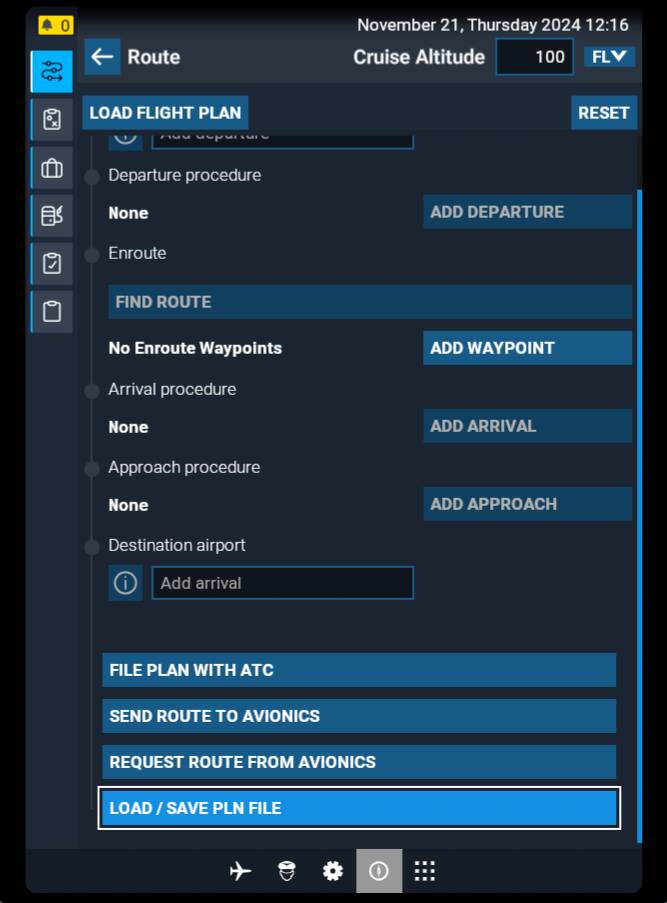
When you click on load/save pln file, which brings up another box which says you can save and load flight plans and flight files from the world map and during flight you can save flight files only.
Great, sounds just what I want, I thought.
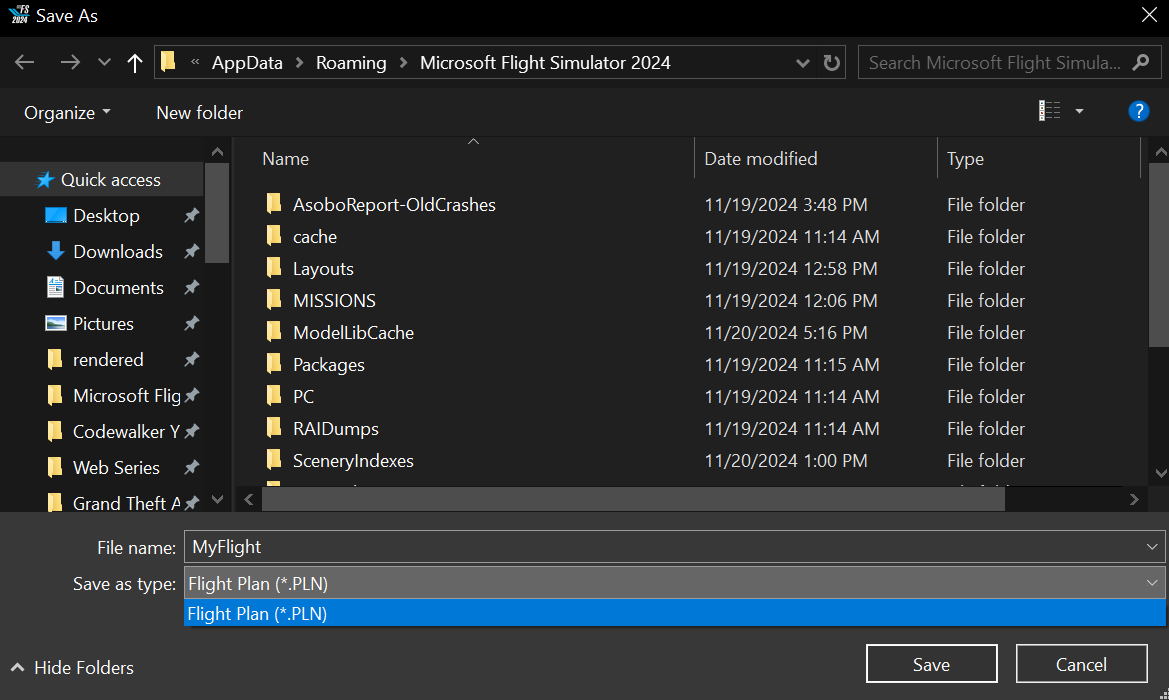
So I click on save/load and it only gives the option to save PLN. So I do that anyway.
Quit back to the world map, bring up the EFB, load my flight plan, close the EFB, assuming the start flight button would now be active, but it’s not, so how do I get to fly my saved plan?
So I don’t have FS2024 yet (still enjoying FS2020 for what it is). Can this be made a wishlist item so we can vote on it? I’m definitely in favour.
I know we can save PLN and/or FLT files, but does saving and loading FLT files restore the full state of a flight that is in progress?
I typically only have brief windows of time here and there to enjoy a flight. I would like the option to pause and “save” an FLT that includes time and weather, speed, heading, altitude, position of controls, instruments, Garmins, loaded flight plans, auto-pilot, and even ATC messages and pending replies. Then after exiting and later restarting, load that FLT from the starting menu, hit ‘Fly now’ and be back in midair in stable flight exactly as I had left it.
Previous version up to and including FSX could do this. Some even had a command-line switch to load a saved flight on start-up and bypass the opening menu altogether. We were surprised when FS2020 could not properly restore a saved flight (active bar, flight plans, weather and ATC are non-functional). I’m even more surprised that this feature still does not appear to be fully implemented in FS2024. Can somebody confirm if loading a FLT restores all the above components of a flight that was saved in mid-air, and allows it to continue as normal?
Much as I’d love to be able to do 3 or 4 hour flights in one sitting, it’s never going to happen.
It never worked in 2020, was hoping it would in 2024, but as it’s not working, it makes you wonder if it’s something they have any interest in fixing, or just can’t fix it for whatever reason.
I just wish we had an official answer.
I can’t even see how to save an FLT, let alone load one back up. I just get the option to save a PLN.
Thank you for your post! Your topic has been moved to a sub-category of the User Support Hub
The General Discussion category is meant for discussions that fall outside of our other sub-categories.
If you would like other users to help you with an issue you are experiencing in the sim, consider these User Support Hub categories for your future post:
Hello to the Bug Reports Category Moderators!
Can this issue of not being able to save a flight (as .FLT file) from the EFB while inside the cockpit during a flight be marked and categorized as a bug?
The save menu clearly mentions that .FLT can be saved from the cockpit but it is definitely not working - which should be a clear enough bug.
It is a big issue for me on long flights as I am unable to do the flight in multiple steps saving each time.
Anyone can report this issue in the Bug Reporting Hub. Some recommendations when reporting bugs:
prior to open it, search for any existing report. If one exists, participate there to avoid duplicates
only 1 issue per report
don´t delete the template. It contains key fields for the devs to reproduce and log it into their system. It also contains an embedded form that other users can use to contribute to your topic and help for clarity.