Using the template below will greatly help the team reproduce the issue and ease the process of fixing it. Before posting, search for an existing report. If you are not sure it’s a bug, please first report in User Support Hub.
3 tags are required - add them in the tag section next to the title above:
Can you provide more information in the “Reproduction Steps” section ?
Which aircraft are you using ?
In which screens you are not seeing frequencies ?, can you provide screenshots ?
If any Marketplace addons, have you disabled them ?
I haven’t encountered this yet, but on Sunday, when I arrived in Berlin (EDDB), my plane went a few miles to the right when I activated the ILS for runway 25L. It could be a one-time bug, but I’m still warning you.
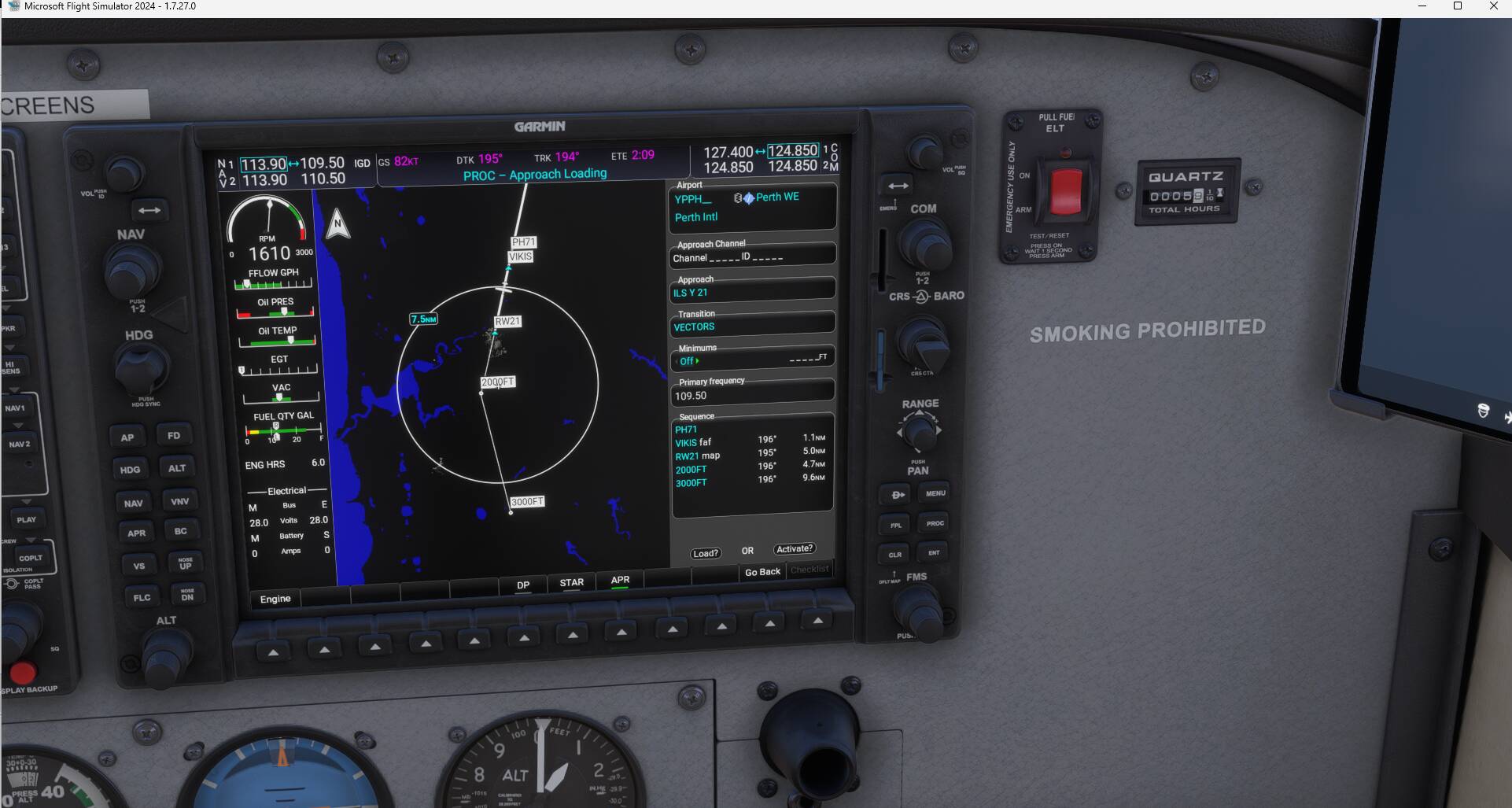
Thanks for that, the ILS approaches appear but when you go to the runway info there is no ILS frequency so when you set up the approach it doesn’t set the frequency in the NAV and unless you go look it up somewhere you cant set it manually. Oddly though if I do set it manually it does work and approach mode works fine. It may be the Axonos YPPH interferri g in some way, I’ll try disabling it and see if it works properly using the stock YPPH.
Prior reporting an issue in the Bug Reporting Hub , please always test with your addons disabled.
If you can replicate with the default YPPH, could you provide detailed steps (include the aircraft) and if possible screenshots of the screens where you don’t see the ILS frequency. This is important to try to replicate the issue in the same conditions as you are experiencing it.
Found the issue, it’s the Axonos YPPH, disabled the airport and restarted the sim and the ILS frequencies appear in the runway info. I’ll report it to Axonos.
We’ve moved this topic to the User Support Hub from the Bug Reporting Hub as this is an issue with a 3rd party product. As mentioned above, we kindly request that you replicate an issue you are experiencing without 3rd party products installed.