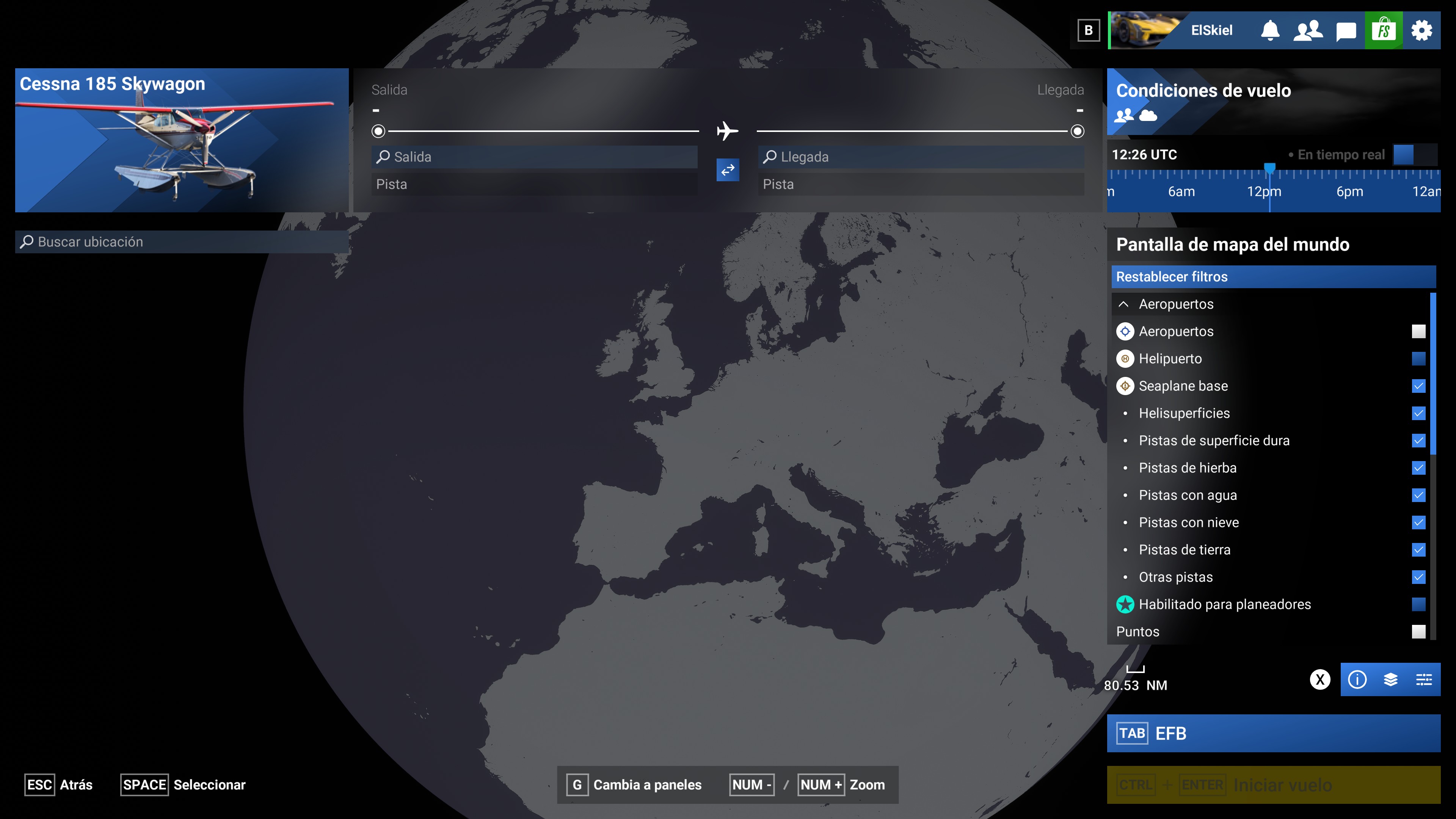
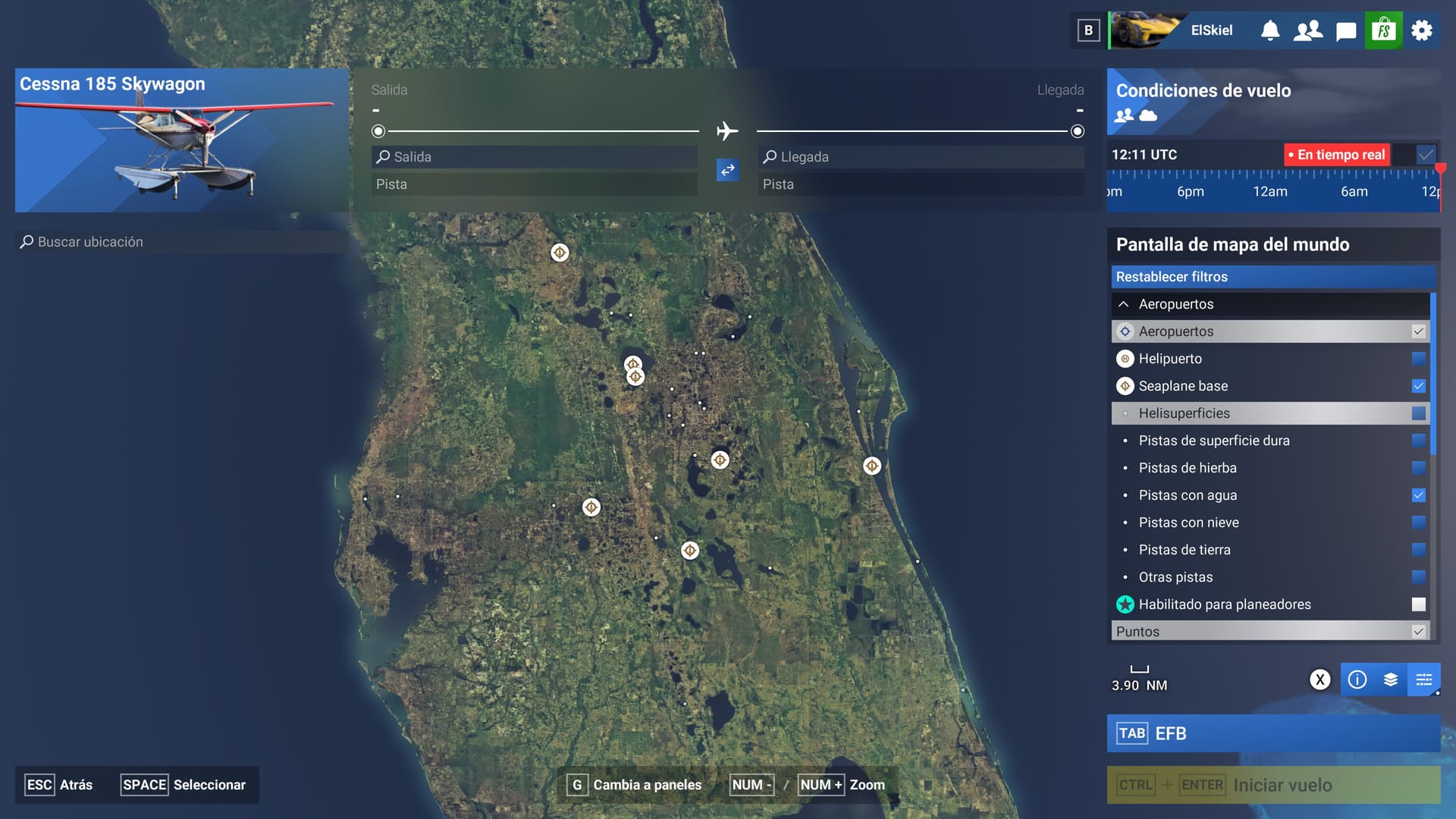
No seaplane base appears when filter is selected


ISSUE DESCRIPTION

Description of the issue: No seaplane base appears when filter is selected anywhere in the world.

Did you experience this issue before you joined the Beta?: No filter before beta.

[PC Only] Did you remove all your community mods/add-ons? If yes, are you still experiencing the issue?: No mods on my community folder

FREQUENCY OF ISSUE

How often does this occur for you (Example: Just once, every time on sim load, intermittently)?: All the time

REPRODUCTION STEPS

Please list clear steps you took in order to help our test team reproduce the same issue:

  1. Select the filter
  2. Disable other filters to see more clearly
  3. No points at all in all the globe

YOUR SETTINGS

If the issue still occurs with no mods and add-ons, please continue to report your issue. If not, please move this post to the User Support Hub.

What peripherals are you using, if relevant: Not relevant

[PC Only] Are you using Developer Mode or have you made any changes to it? Not using Developer Mode

[PC Only] Many issues may be due to an outdated graphics card. Please state your Graphics Card Driver Manufacturer (NVIDIA, Intel, AMD) and Version: Nvidia with latest drivers.

[PC Only] What other relevant PC specs can you share?: Not relevant

MEDIA

Please add a screenshot or video of the issue occurring.
[END OF FIRST USER REPORT]


:loudspeaker: For anyone who wants to contribute on this issue, Click on the button below to use this template:

Do you have the same issue if you follow the OP’s steps to reproduce it?
•

Provide extra information to complete the original description of the issue:
•

If relevant, provide additional screenshots/video:
•
Do you have the same issue if you follow the OP’s steps to reproduce it?
• yes

Provide extra information to complete the original description of the issue:
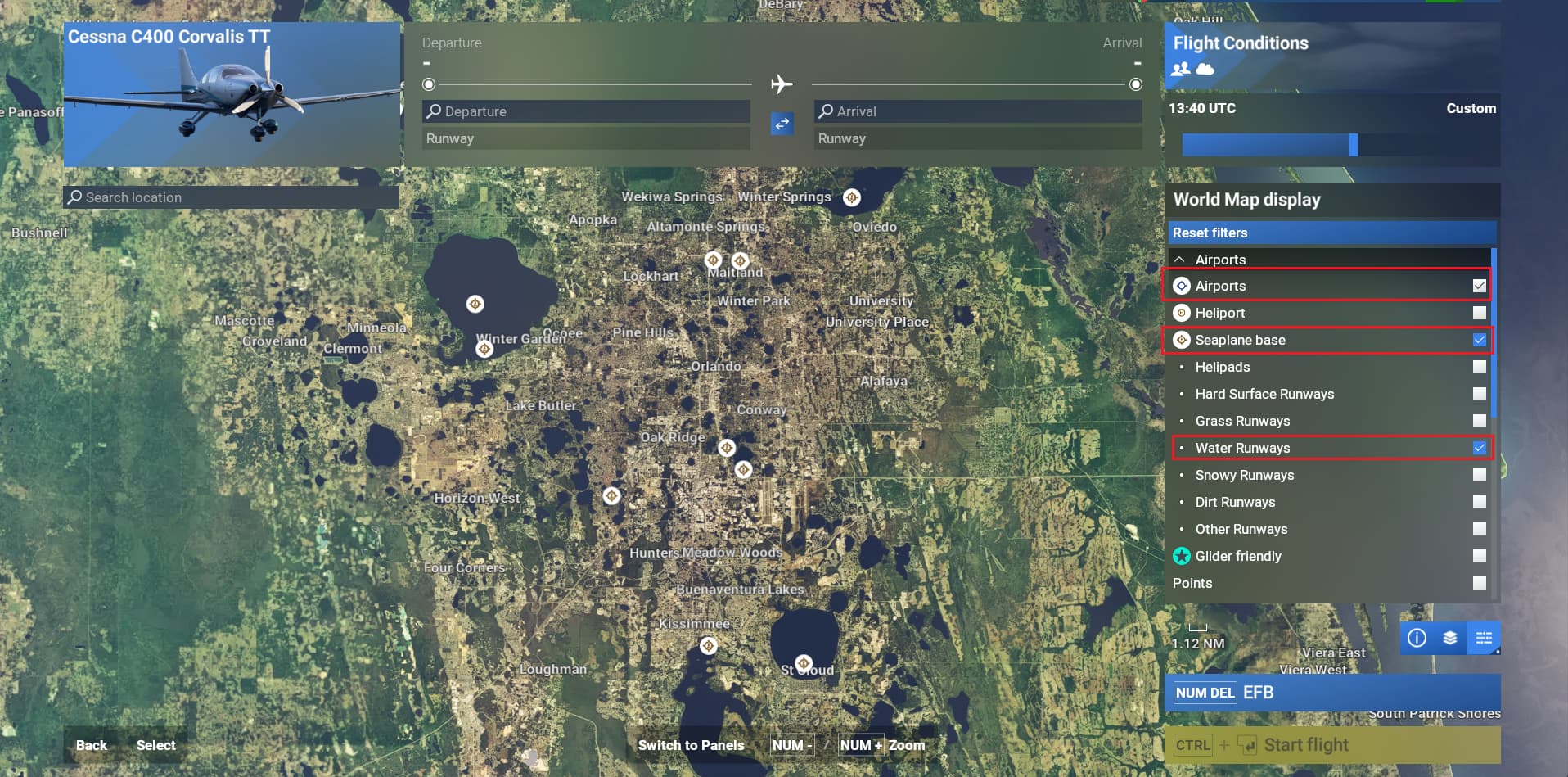
• workaround: “Airport” filter needs also to be ticked

If relevant, provide additional screenshots/video:
•

With these settings it seems to work, but this is not normal behaviour. If only airports are selected, only airports are displayed. If I select heliports only heliports are displayed. If only seaplane base is selected, nothing is displayed. You have to select also airports and filter all airports to show only water airports. This is not intuitive and easy to use.

Agree, it also makes sense to me that it should follow the same behaviour than “Airports” and “Heliport”, hopefully they’ll correct that.

If you agree could I suggest that you change your response to Yes as you get the same result if you follow the OPs steps but then add ticking the Airport filter as a workaround.

For your consideration.

Moved out from Alpha/Beta Archive > SU2 Beta Archive - 2024 since issue exists under the Live version.

ISSUE DESCRIPTION

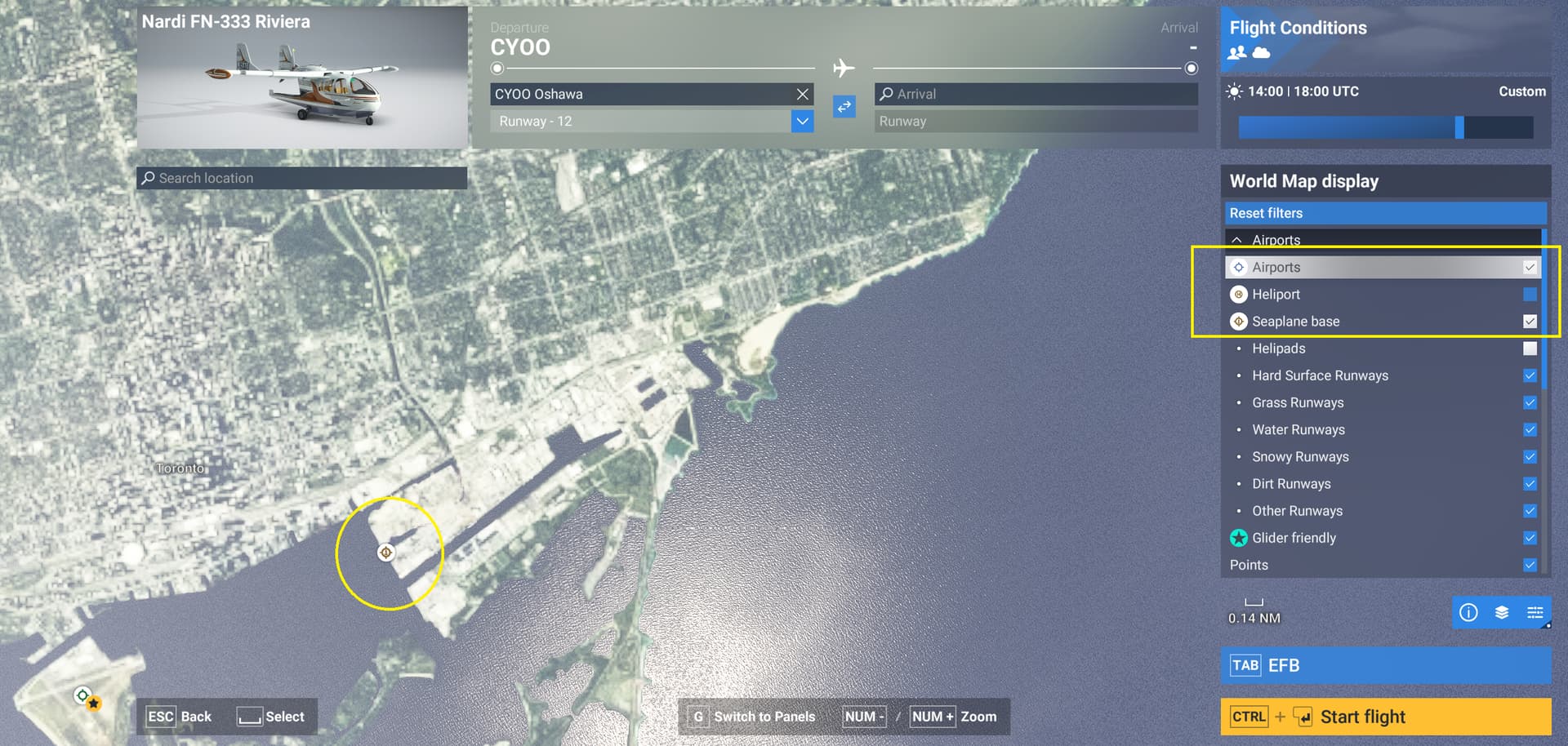
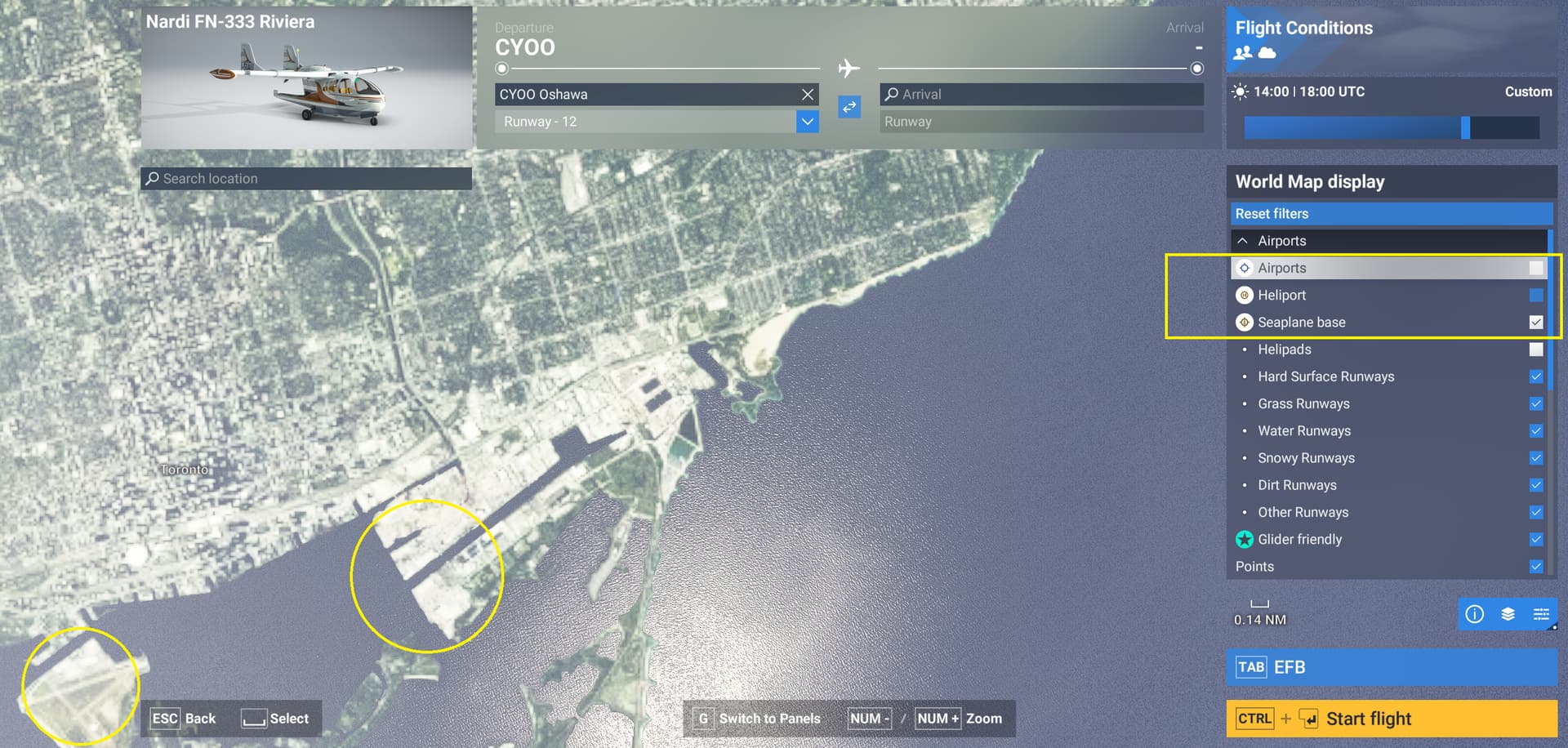
Description of the issue: The World Map display Filter for Airports also removes all Seaplane Bases from the map. The Airports filter does not remove Heliports visibility on the map. The action is not the same for all three airport types.
In the images below: when the filter for Seaplane Bases is Selected and the filter for Airports is unselected, both Airports and Seaplane Bases are removed. When both are selected, both are visible (as expected). The expected result is to have Seaplane Bases visible when their filter is selected, regardless of any other filter applied.
SU2 1.4.20.0

[PC Only] Did you remove all your community mods/add-ons? If yes, are you still experiencing the issue? Yes. Yes.

FREQUENCY OF ISSUE

How often does this occur for you (Example: Just once, every time on sim load, intermittently)? Every time.

REPRODUCTION STEPS

Please list clear steps you took in order to help our test team reproduce the same issue:

  1. Find a Seaplane base on the World Map (this one is near CYTZ).
  2. Select Filters.
  3. Unselect Airports.
  4. Observe Seaplane Bases are also removed from the map.

YOUR SETTINGS

If the issue still occurs with no mods and add-ons, please continue to report your issue. If not, please move this post to the User Support Hub.
What peripherals are you using, if relevant:
[PC Only] Are you using Developer Mode or have you made any changes to it? No.
[PC, MSFS 2020 Only] Are you using DX11 or DX12?
[PC Only] What GPU (Graphics Card) do you use?
[PC Only] What other relevant PC specs can you share?

MEDIA


[END OF FIRST USER REPORT]


:loudspeaker: For anyone who wants to contribute on this issue, Click on the button below to use this template:

Do you have the same issue if you follow the OP’s steps to reproduce it?
•

Provide extra information to complete the original description of the issue:
•

If relevant, provide additional screenshots/video:
•
Should be fixed in SU5 Beta:

Continuing the discussion from Sim Update 5 Beta (1.7.6.0) Release Notes - February 13, 2026:

Moved to User Support Hub since fixed in SU5: