 Thank you for using the Bug section, using templates provided will greatly help the team reproducing the issue and ease the process of fixing it.
Are you using Developer Mode or made changes in it?
Using developer mode
Have you disabled/removed all your mods and addons? If the issue still occurs with no mods and add-ons, please continue to report your issue. If not, please move this post to the User Support Hub.
I have not experimented w turning add-ons off yet.
Brief description of the issue:
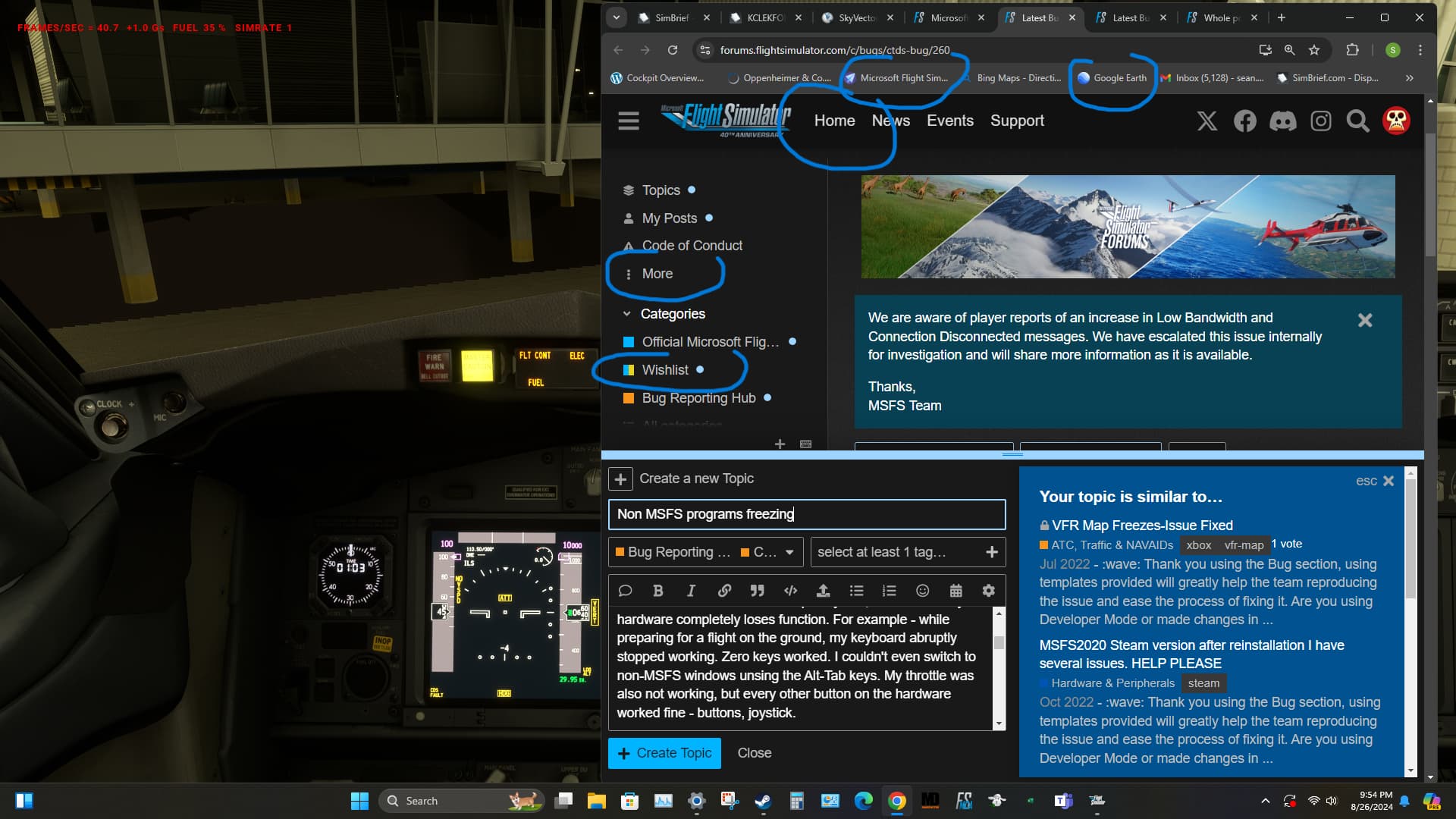
The actual sim itself runs completely fine, but some of my hardware completely loses function. For example - while preparing for a flight on the ground, my keyboard abruptly stopped working. Zero keys worked. I couldn’t even switch to non-MSFS windows unsing the Alt-Tab keys. My throttle was also not working, but every other button on the hardware worked fine - buttons, joystick.
This now the 3rd time in a row this has happened, although the first two times were less severe. Those were simply the rest of the computer programs freezing. I could use Alt-Tab to switch to my Chrome window, however, nothing was clickable. Nothing on the desktop clickable. WHen I finished my flight I had to force shut down.
Provide Screenshot(s)/video(s) of the issue encountered:
Below image I’ve circled examples of things not clickable, but its literally every clickable link stops working. The mouse cursor stays as an “arrow” vs. the “index finger”
Detailed steps to reproduce the issue encountered:
Many issues may be due to an outdated graphics card. Please state your Graphics Card Driver Manufacturer (NVIDIA, Intel, AMD) and Version (Learn how to find your current graphics card driver version):
PC specs and peripheral set up:
Processor AMD Ryzen 7 3800X 8-Core Processor 3.90 GHz
Installed RAM 32.0 GB
System type 64-bit operating system, x64-based processor
Pen and touch No pen or touch input is available for this display
If on PC, Fault Bucket ID - Instructions here - Please type in just the Fault Bucket ID # rather than a screenshot for privacy reasons:
Build Version # when you first started experiencing this issue:
 For anyone who wants to contribute on this issue, Click on the button below to use this template:
Do you have the same issue if you follow the OP’s steps to reproduce it?
Provide extra information to complete the original description of the issue:
If relevant, provide additional screenshots/video:
If on PC, Fault Bucket ID - Instructions here - Please type in just the Fault Bucket ID # rather than a screenshot for privacy reasons: