Game Ready for FBC: Firebreak and DOOM: The Dark Ages Path Tracing Update
This new Game Ready Driver provides the best gaming experience for the latest new games supporting DLSS 4 technology including FBC: Firebreak and REMATCH, as well as the Path Tracing update for DOOM: The Dark Ages.
Any reports on this driver (576.80)? I am on 576.52, which is better than 576.40 for my 5080. I am walking on eggs with SU3 Beta. Does not sound like major changes.
I tried the 576.80 on the very slim chance that they have fixed the ansel filters issue but for anyone wondering, NO, the filters are still not working
I did fly around for a bit though despite not being able to see anything in the cockpit without the filters and I must say it seemed to perform very well on my 2080 GPU.
But I’m going back to 566.36 so I can actually see what I’m doing…
Maybe one day they will fix it
Well I’m probaly not a good example for CTD’s, I must be lucky or it’s just that I’m using a fairly old system that I’ve never experienced a crash in MSFS 2024. Regardless of MSFS version or driver version.
I had a reboot after installing this driver when I went to start a flight. Since then, it’s been fine. I will report back if it happens again or if I notice anything else strange.
Hello, I downloaded the new driver and when I run the .exe file, the suggested installation path comes out like this C:\Windows\Temp\ba2c966a-879a-4df8-8e68-2b0c9de4e2d8 which is very different to what I was getting (and keeping) up until now. Is this normal ?
Well I’ve often wondered what the problem might be but I can’t figure it out.
I have a gaming monitor which is HDR 10 compliant, I’ve tried it with HD on or in SDR mode.
I’ve played around with the brightness and contrast, calibrated it from the windows HDR calibration app etc… It looks fine in any other app/game.
In MSFS 2024 (and was the same in 2020) the view outside from within the cockpit is massively overexposed if I adjust various setting so I can see the outside world the cockpit is almost black.
With the ansel filters I can use a mix of the brightness/contrast, details and colour filters to get both the inside and outside looking great.
When they stopped working with the more recent drivers I tried the reshade program as many had suggested but I couldn’t find any filters on there that give me the same results as the Nvidia ones.
So for whatever reason I can’t use this sim without the Nvidia ansel filters on my system.
So I’m stuck on the 566.36 drivers until either Nvidia fix the filters or I can figure out why I can’t get usable visuals.
The Exposure compensation setting they added a while back in the sim will just about get the cockpit OK if I max it out at 2 but then the outside view is just a total white washout…
Yes because before this change the unpacked installation files were anyway removed after installer finished. Drivers and relevant files are kept in your system and at their correct location. Temporary installation files are not.
I’m on SU3 Beta, GPU 5080. With previous driver I had a lot of stutter, and I was back to 576.40 that it was good. Now with 576.80 it’s also perfect, no stutters and working fine. Approved from my side.
I have an HDR10 monitor as well and agree with @TranquilitySea that if your cockpit is not visible without a filter, you don’t have the monitor setup correctly. You should never “have” to use any of nVidia’s crapware add-ons. If you can’t make the proper adjustments on your monitor and in the game without the need for any other third-party garbage, something is amiss. Have you confirmed that Windows is using the correct color profile for your monitor?
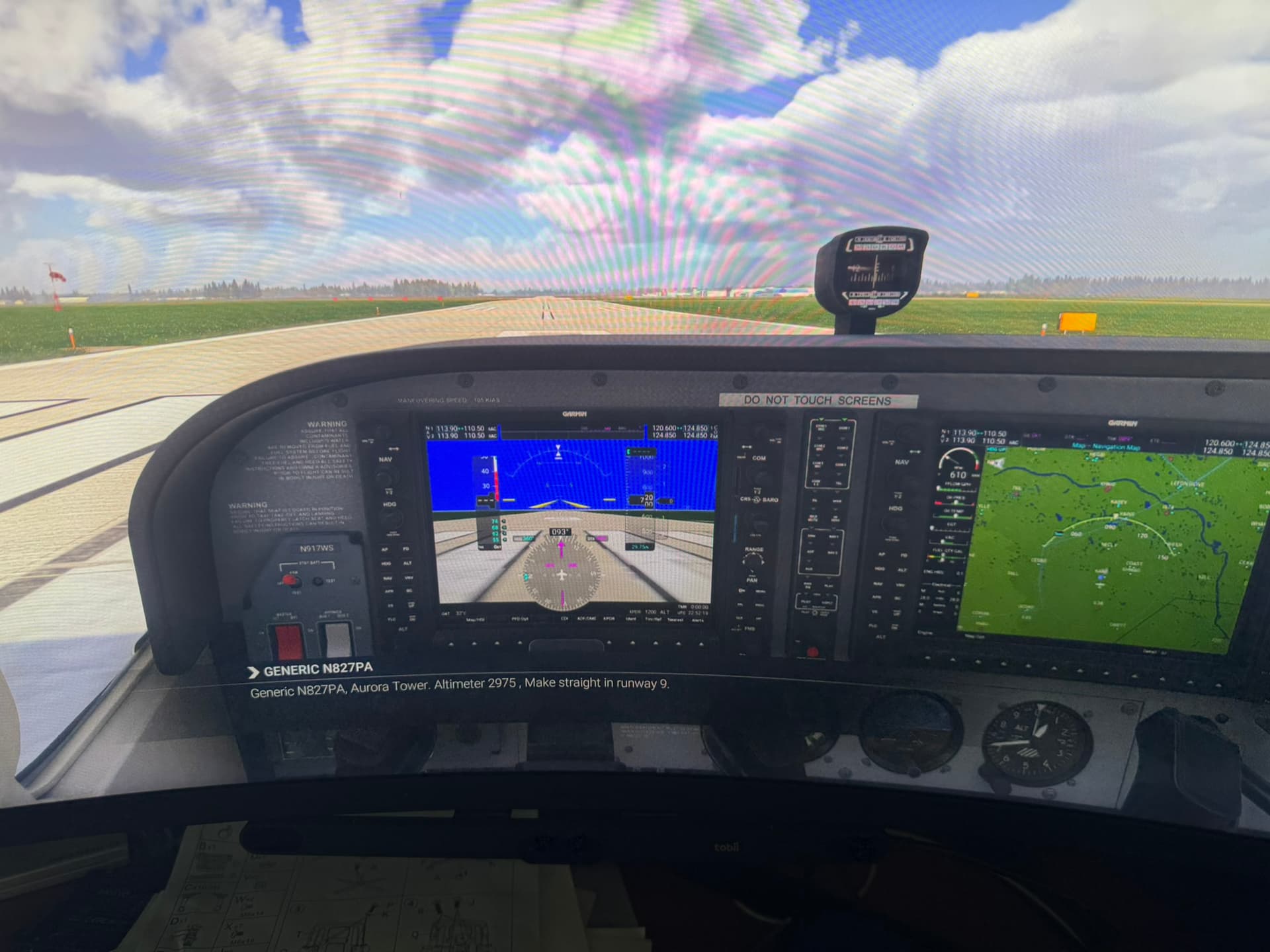
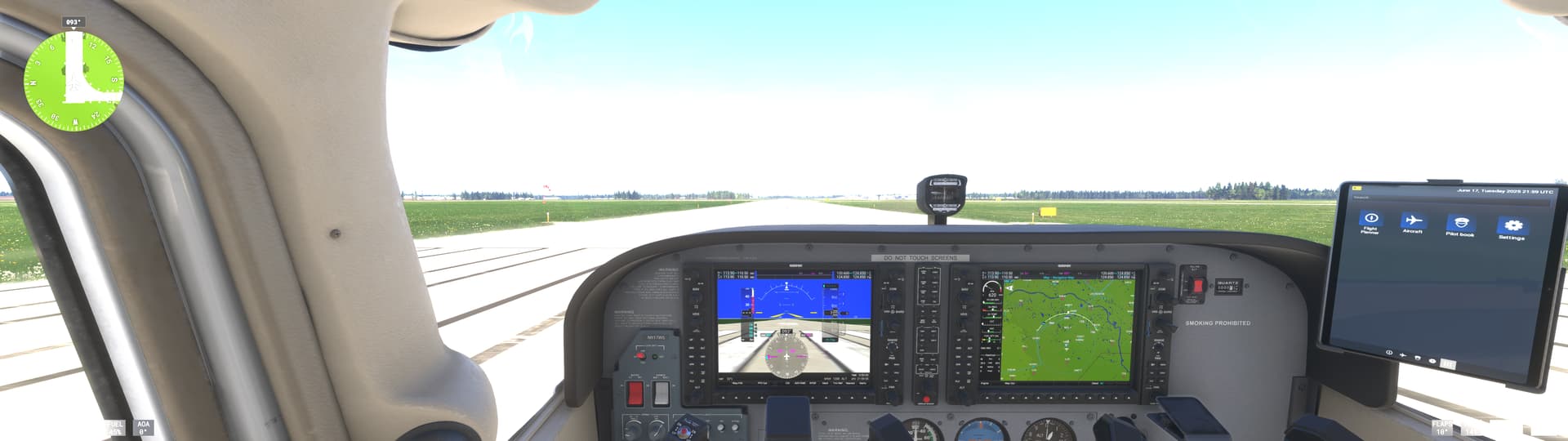
I took this image with my iPhone, hence the rainbow effect in the windscreen. Not a completely accurate representation of what I see on my monitor in HDR10 mode with NO filters, but close enough.
This is a screen print, but the iphone picture is actually closer to what I see in terms of brightness, contrast, and color depth. Regardless none of nVidia’s or any other third-party garbage was required to get a clear view of the cockpit in HDR10 mode on my monitor.