Had to revert back to the hotfix, screen flickering and stuttering were awful even with ddu
2 Likes
I can’t claim to know much about anything when it comes to troubleshooting or performance, but I have had chronic CTD’s the last three-four weeks from Virtual Memory Load, and today after 591.44 with an identical plane / flight, no CTD and virtual load lowered by 20%. This isn’t an exact scientific study but I sure see an improvement on this end.
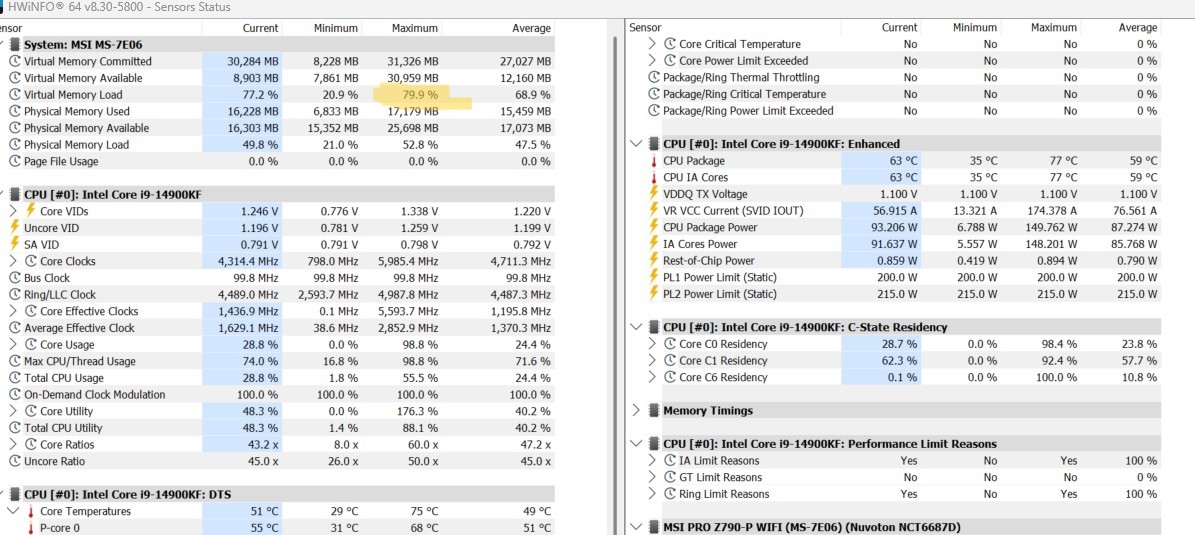
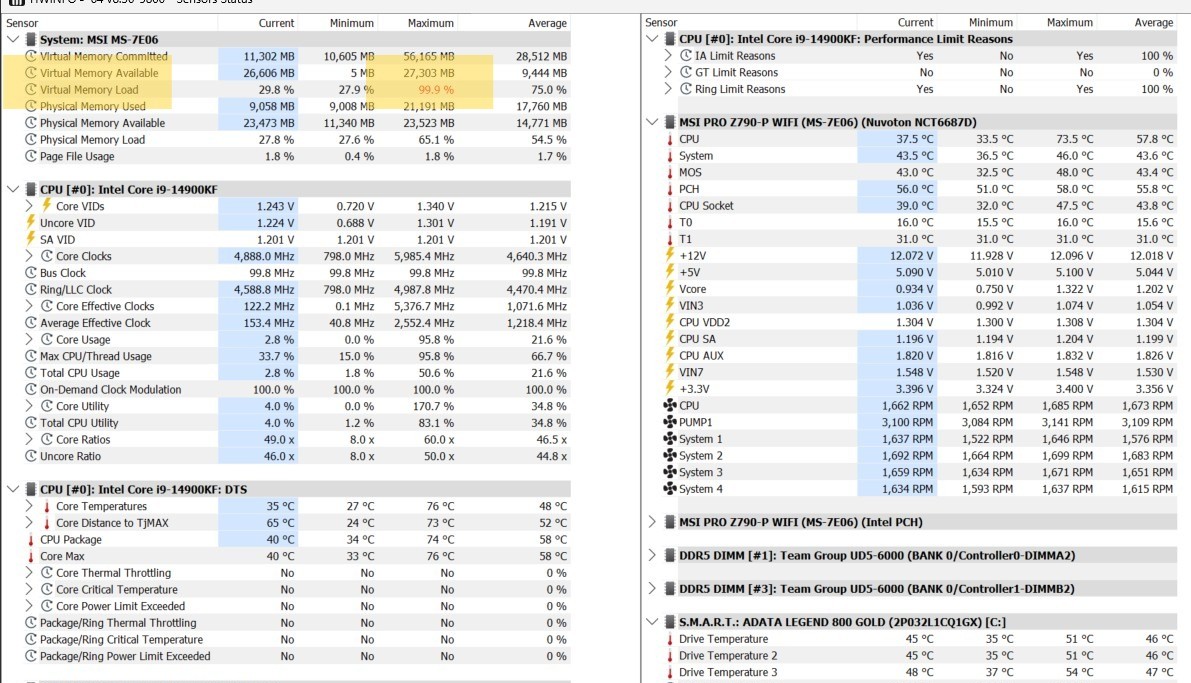
2 Likes
Updated from 581.80, clean install, DDU, followed by nvidia control panel, then nvidia profile inspector to select dlss overrides and latest presets (= k). With both my QPro (with Link) and Q3 (with Air Link) I didn’t see any significant differences with msfs2020/2024 and 9800x3d/rtx5090 PC. So, I don’t see any reason for msfs2020/2024 users to update to this right now imho.
1 Like
Perhaps those of us with different hardware might? This sim is no slouch when it comes to varying performance metrics with different combinations of hardware, drivers, Windows settings, and 3rd party software. What works for one user might not work for another, and vice versa. In fact, I’ve found that to be the case more offten than not.
3 Likes
The hotfix 581.94 caused my first ever CTD and then several more with latest .31 beta. Win11, Xeon quad and gtx1080ti.
I uninstalled the hotfix, Windows installed 560 driver, everything stable now.
All systems are different of course and few are perfect. Maybe gtx cards don’t like the hotfix?
With 11GB VRAM I’m not replacing the gtx1080ti soon. I’ll upgrade to a Ryzen 7 first as the Xeon is the bottleneck.
What could possibly go wrong with 8 cores? 
2 Likes
No remarcable changes vs 581.80 driver in my case (clean install DDU):
Ryzen 7 9800x3D / RTX 5080 / 64GB RAM DDR5 6000mhz /1440p/
windows 11 pro 25H2 / No VR user
1 Like
On my PC the sim runs very smoothly and the fps are excellent (msfs2024 su4 beta), except that, like what happened to you, I have a flickering that wasn’t there before, it’s a constant flickering, which is bad, too bad because the performance wouldn’t be bad. Oh, I also had my first ctd with msfs2024, using rivatuner, I activated the overlay to display the fps and the sim crashed, never done anything like that before, even in the same situation.
2 Likes
The best so far - no issues.
1 Like
More FPS than the previous NVidia drivers?
Which card do you use?
First flight with 591.44 and my 3rd flight in SU4 was my best flight ever in 24: Onward & upward!
1 Like
I’ve update to this driver and running great!
RTX5070
1 Like
Yep, was in exactly this position yesterday. 1.6.31.0, 591.44, updated Virtual Desktop to 1.34.14 all working really well.
Thought I would have a quick fly this evening, MSFS 1.6.33.0 updated and now all working but everything game is stop - go, stop - go, …….
Even though FPS is showing as 60-65 in 2D and my expected solid 36-37 FPS in VR the game is now unplayable, with 1-2 seconds all working, freeze for 1-2 seconds, then 1-2 all working, repeat for ever.
Is anyone else seeing this?
Edit. I find if I shut down and quit Virtual Desktop all works normally. I uninstalled MSFS 2024 and Virtual Desktop when I discovered this, reinstalled them both and still the same. It looks like (at least on my set up) that Virtual Desktop needs another update to regain its compatibility with MS2024.
So no VR flying for a while for me!
I admit that I have just done a test flight from KEDW and it all looked OK. Admittedly it is hardly the most testing environment, but no issues found.
It looks like an issue between MSFS 2024 and Virtual Desktop. If Virtual Desktop is running, even if I am not in VR, it causes the stuttering. Just quitting Virtual Desktop restores smooth game play in about a second and it then remains stable. Restart Virtual Desktop and the stuttering starts again.
1 Like
@GrumpyJim3497 Did you try rolling back the nvidia driver to 581.80? Thanks.
Still sounds to me like this driver is a work in progress.
1 Like
No, but I will give it a try now!
30 minutes later(ish) rolled back to 581.80 and again all good. Thanks for the suggestion.
1 Like
I ended up doing the same mate. Back to 581.80. Cheers.
Well, here’s my assessment of this latest nvidia driver.
I performed a “dirty” install, as my normal.
I guess that is what they would call it.
I didn’t uninstall the previous driver or NCP. I downloaded the complete 591.44 installation pack from nVidia, expanded the compressed file and installed it selecting the “Express” option which saves the previous driver settings.
I have used it now for the past 3 or 4 days which includes pre and post SU4 and have observed no performance degradations at all.
In retrospect I have noticed that it has completely eliminated some intermittent and annoying screen flickering that I was getting with the previous driver 581.94. That’s a major plus, for me!
(PC Store version, RTX 3070, 8GB)
8 Likes
same experience. I always have to smile a bit when I see all this trouble people go through with cleaning everything up (I don’t want to start a pro and contra talk here, there are surely use cases where this is the the way to go). Although I’m an IT guy and I usually want to know exactly what happens or what is installed on my machine, with Nvidia drivers I just never bothered. I always and without any exception install the driver with the express install option, I choose “driver only” and that’s it. I literally never had an issue which was proven to be driver related.
Same with this version 591.44, works flawlessly for me on MSFS2020 and MSFS2024. Can’t see any change to the previous version though.
(PC Store version, 13900, RTX 4090 24GB)
Edit: I should add, that I use this gaming mache exclusively for MSFS. So you could probably say that it’s super clean, no other ■■■■ installed which could lead to compatibility issues.
5 Likes