For some reason in VR (Quest 3 with Virtual Desktop) with this driver I’m getting like half the FPS that I used to get before. Fine in 2D and other games.
Just ran mine into SFO and was OK until right over the threshold and had a big stutter. Generally has been OK and this may be an outlyer.
I missed 581.80. Is this version really better than 580.88?
Hmmm, a lot of updates since 580.88 back in August, so for me and my PC, yes 581.84 is better; but for others that may depend on PC parts (mine in the profile).
just installed the nvidia hotfix (4090 + i914900k) and saw a significant jump in frames, zero stutters, and no microfreeze jumping from cockpit + outside view (performed rapidly at JFK). Tested with Fenix A319 + iniBuilds A350
4k (105% TAA render), FG DLSS (DLSS 310.4.0 via DLSS Swapper), 300LOD and ultra everything
I didn’t notice any loss of performance with latest win11 updates so I’ll just stick with 581.80 for now.
The hotfix caused CTD with latest msfs-2024 beta and Fenix A320. CTD is very rare for me.
So yesterday I uninstalled it and rebooted to VGA land.
Win11 automatically installed 560.94 for my Gtx1080ti 11GB.
Now beta is stable, no CTD and slightly higher frame rates; I have a 16GB RC.

; NVIDIA Windows 10 (64 bit) Display INF file
; Copyright (c) NVIDIA Corporation. All rights reserved.
; Timestamp: 1763454511769601 3a4b22d100ff55a5cedafd2d291ddc35
[Version]
Signature = “$Windows NT$”
Provider = %NVIDIA%
ClassGUID = {4D36E968-E325-11CE-BFC1-08002BE10318}
Class = Display
DriverVer = 11/18/2025, 32.0.15.8194
They would only change version numbers if something was different.
Nvidia probably have overnight builds of the latest dev work committed that day and other builds of hotfix, beta and stable as required.
The hotfix team will be fire fighting the latest showstopper, beta team will collect all the cool new features, stable team want all game testing signed off in triplicate by many independent test groups.
No, I’m not joking!
Yeah I’m sure it’s just an error in the date for the hotfix driver. I just mentioned it as it did coincide with the release date of an earlier driver which I had written down in my notebook as being a good driver for my system.
Why would Windows 11 install a GPU driver for you and that such an old one as well??
Because I uninstalled the NVidia driver manually, via Programs and Features in the Control Panel, which triggered a reboot.
During reboot Windows loaded a generic VGA graphics driver, in low res, which it often does to get the graphics working in a safe mode. I bumped the resolution back up to 1920x1080 and carried on.
As you may know when Windows detects known hardware it tries to find a better driver automatically. Win 11 decided it should use 560.94 for my 1080TI, and soon that driver was running and so was the sim.
Microsoft are well known for using drivers they have tried and tested themselves, or drivers that have shown to work well for a long time, sometimes years.
Exactly why Win 11 chose 560.94 I don’t know. It might be a known stable driver that Windows uses for all GTX devices.
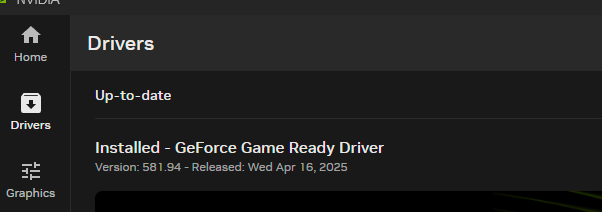
FYI: There are no issues with Virtual Desktop on this driver version 581.94
The problem occurs with the newer driver 591.44
Man, you really stay on top of these driver versions, don’t you! 
I wasn’t even aware that there was a newer one than my 581.94 already!
NVIDIA has released a new hotfix driver.
Nvidia GeForce Hotfix Driver 591.67 Discussion Thread - User Support Hub / Install, Performance & Graphics - Microsoft Flight Simulator Forums