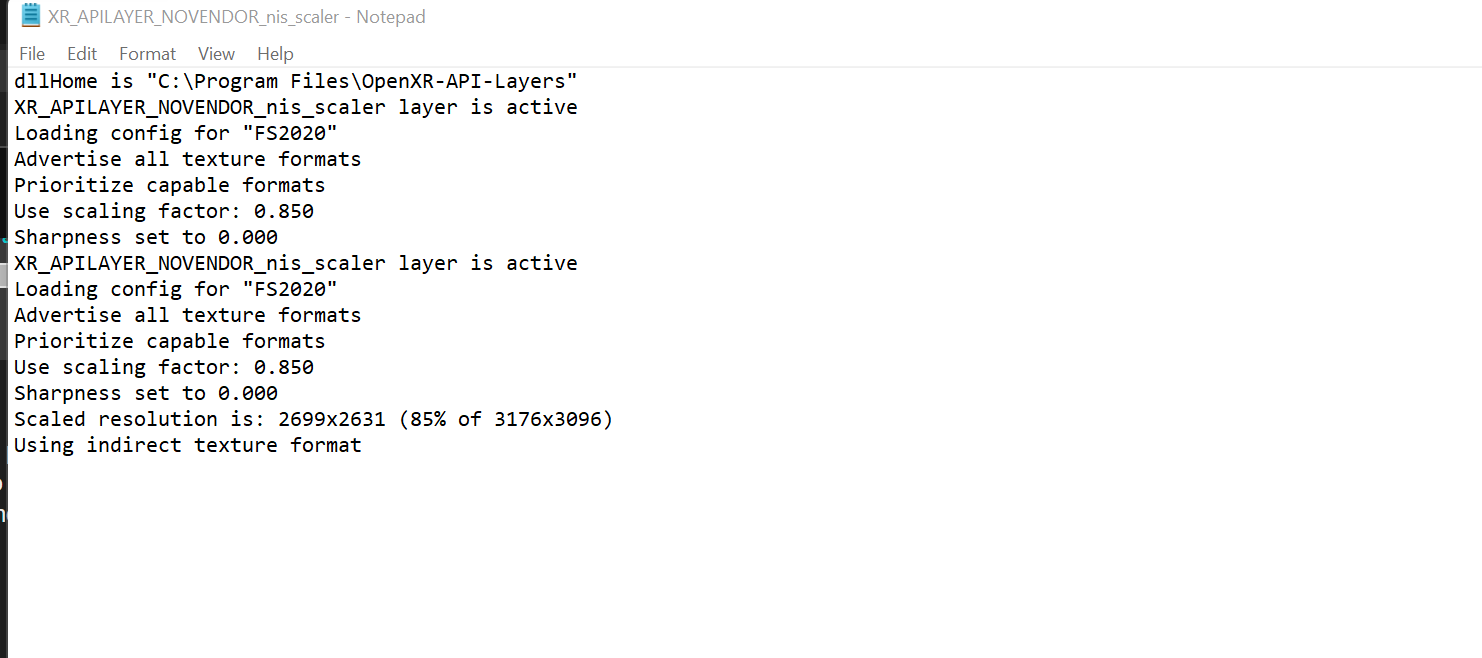
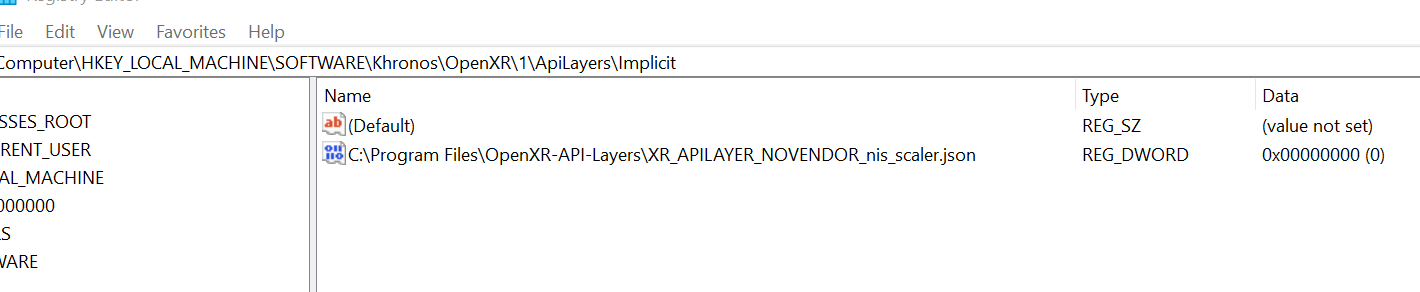
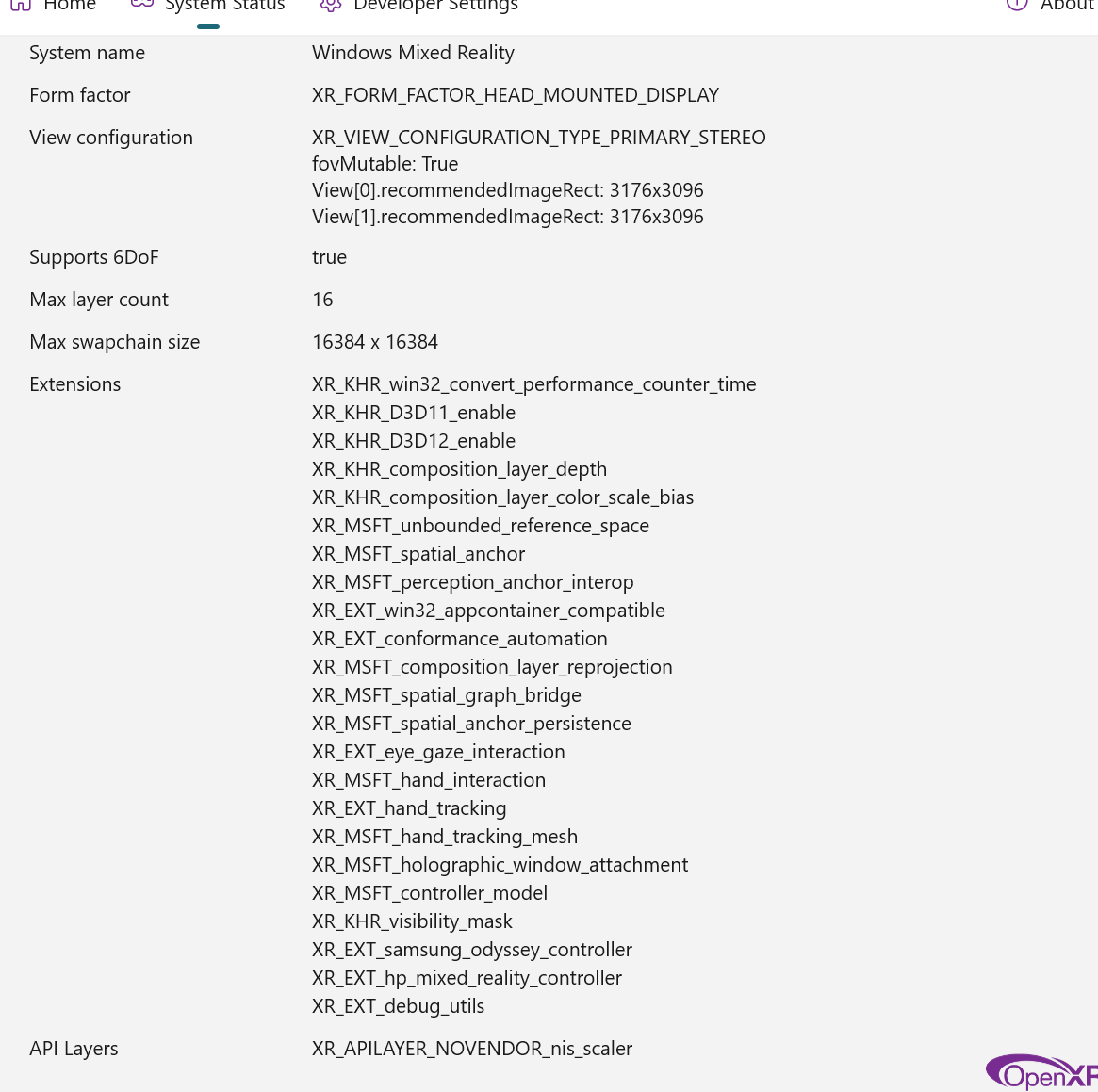
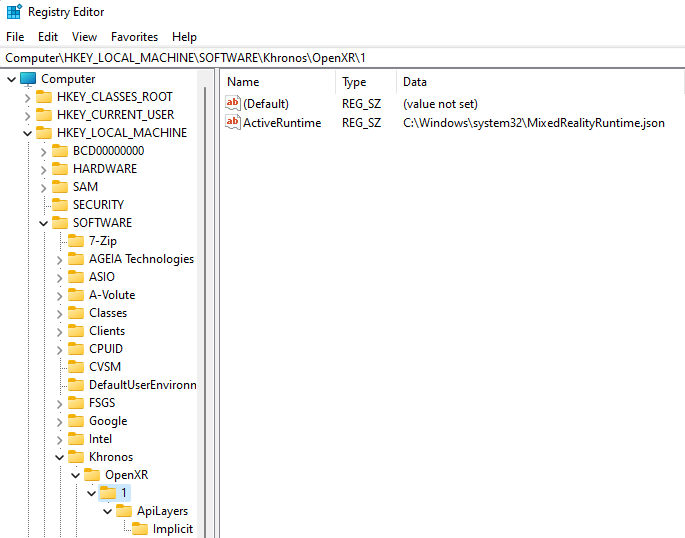
I also had to initialize the reg key manually to get it to work.
Maybe edit the script to something like:
$RegistryPath = 'HKCU:\HKEY_LOCAL_MACHINE\SOFTWARE\Khronos\OpenXR\1\ApiLayers\Implicit
$Name         = Join-Path "$PSScriptRoot" "XR_APILAYER_NOVENDOR_nis_scaler.json"
$Value        = '0'

# Create the key if it does not exist
If (-NOT (Test-Path $RegistryPath)) {
  New-Item -Path $RegistryPath -Force | Out-Null
}

# Now set the value
New-ItemProperty -Path $RegistryPath -Name $Name -Value $Value -PropertyType DWORD -Force
I tried it now, and i must say: wow, you really nailed it this time!! Super great work!
Thank you so much!
My preferred settings are:
a) without Reprojection:
OXR 100% Scale,
inGame: 100% Scale,
for your FS2020.cfg:
scaling=0.85
sharpness=0.0
b) with Repro:
OXR 90% Scale,
InGame 100% Scale,
for your FS2020.cfg:
scaling=0.7
sharpness=0.0
I see no FPS increase when running at the same render Output Resolution. But with same Resolution i see a better image quality than the Upscaler built into MSFS. Especially less flickering of Trees! The Key is to have inGame Resolution to 100% and let your NIS Plugin do the upscaling.
I am also happy that it works with Reprojection!!
This time you made it possible that the Resolution displayed to MSFS gets reduced, perhaps a FOV option could be included? Then the resolution in MSFS would get even smaller and your code would scale up and has to leave black edges (which us G2 users with goggles cant see). I think this would result in FPS gain which could also be traded to cranking up the scaling.
But even without this, thanks a lot for your effort
The reason I struggled with this is because it need to also run as admin and plenty of PC seem to have powershell disabled by policy (hence the Start-Process .. RunAs stuff to make it work in that scenario). But I’ll definitely take what you just posted and wrap it back into the Start-Process.
For me, i had roughly the same FPS without your scaler and with it (changing the scaler from MSFS 80% to 100% and activating your plugin with 80% so that the rendered resolution from MSFS stays the same). So i also dont think the radius feature could help a lot, this must be highly optimized scaling code from Nvidia.
For those successfully testing - I suspect some sort of memory leak leaving/entering VR repeatedly. I wonder if y’all can work your magic and confirm it or verify it’s not the case!
I’ve identified the issue and I’m not sure how to fix it - it might take some time. It’s a complex issue that has to do with color space conversion, and the NIS SDK is not supporting out-of-the-box the format that SteamVR wants to use.
On WMR I have a workaround to this issue already (and this is why it works for WMR users), but WMR offered an easier conversion path for me.
Edit: Also possibly relevant… I’m on 1.21.18.0 (SU7 patch beta-2) and running nvidia 497.09
Something that could be related, since I don’t know which pieces of the NVidia code base the NIS functionality relies upon, but I install my drivers per the custom skinny driver instructions. Is it possible that some required piece for NIS is not installed due to that?
Nah that isn’t it. The way NIS is implemented here is completely independent of the driver, and as advertised by NVIDIA it doesn’t even need an NVIDIA GPU.
Looks like you and @Nickba78 might be having the same issue. I don’t know what it is yet, I will have to give you both a Debug build with tons of extra logging that traces where things go wrong.
@CptLucky8 solved it in a PM to me. The NIS_Main.hlsl and NIS_Scaler.h need to be in the directory with the DLL (but they are not mentioned in your current install guide)
After dropping those two files into the folder, I am able to enter VR and can see the display changing with Ctrl+F1.
Will do some testing tonight to see if I can find a better setting than I use today!
[quote="NumberNumber481, post:75, topic:474969] @CptLucky8 solved it in a PM to me. The NIS_Main.hlsl and NIS_Scaler.h need to be in the directory with the DLL (but they are not mentioned in your current install guide)
After dropping those two files into the folder, I am able to enter VR and can see the display changing with Ctrl+F1.
[/quote]
Just released a new version with the installer fix and more clear instructions since many people have been having issues.
I’ve only mildly tested the changes, so if new issues appear, please revert to Alpha #1.
I’m likely done for today - no conclusion on the SteamVR runtime issue, though I got something to work properly with NIS but it lacks of color correction, so the colors are all bad and I obviously can’t release that yet
PS: Thanks @BufordTX and @CptLucky8, you’ve both made it to the credits in the release notes
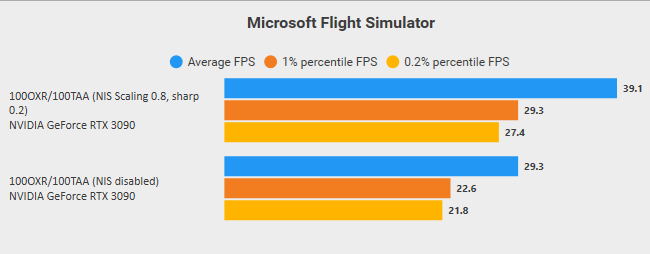
Definitely some promise here.. quick A/B comparison between my default settings at 100/100 and the same but with a (somewhat) arbitrary setting of 0.8 for scaling and 0.2 for sharpness in the tool.
(same flight recorder playback for both tests, 3 minute capture)
While I definitely notice more shimmering around buildings and on the G1000 display, it is far from unbearable. And it’s hard to argue with those numbers.
Us steamvr users cross everything we can that you can sort a fix for us. Your efforts really are appreciated! I’m getting a largely unplayable 25 fps in complex areas, your mod will boost that to a playable 35 fps.
Thank you. I just tried this using your ‘stock’ 70/50 FS2020 config. Working as intended. I don’t have time today to tinker with the settings, but looking good.
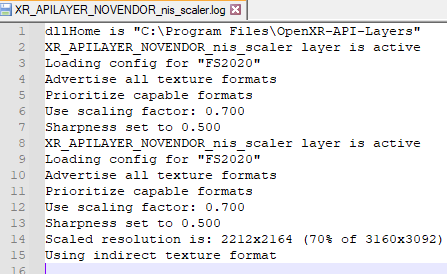
XR_APILAYER_NOVENDOR_nis_scaler layer is active
Loading config for “FS2020”
Advertise all texture formats
Prioritize capable formats
Use scaling factor: 0.700
Sharpness set to 0.500
Scaled resolution is: 2209x2161 (70% of 3156x3088)
Using indirect texture format
Using indirect texture format
What if I told you I just got it to work with the SteamVR OpenXR runtime!
Now I need to shuffle a few things around so that the same code works with both WMR and SteamVR, and hopefully I can do that tomorrow (Sunday) and baring any trouble make a new release!