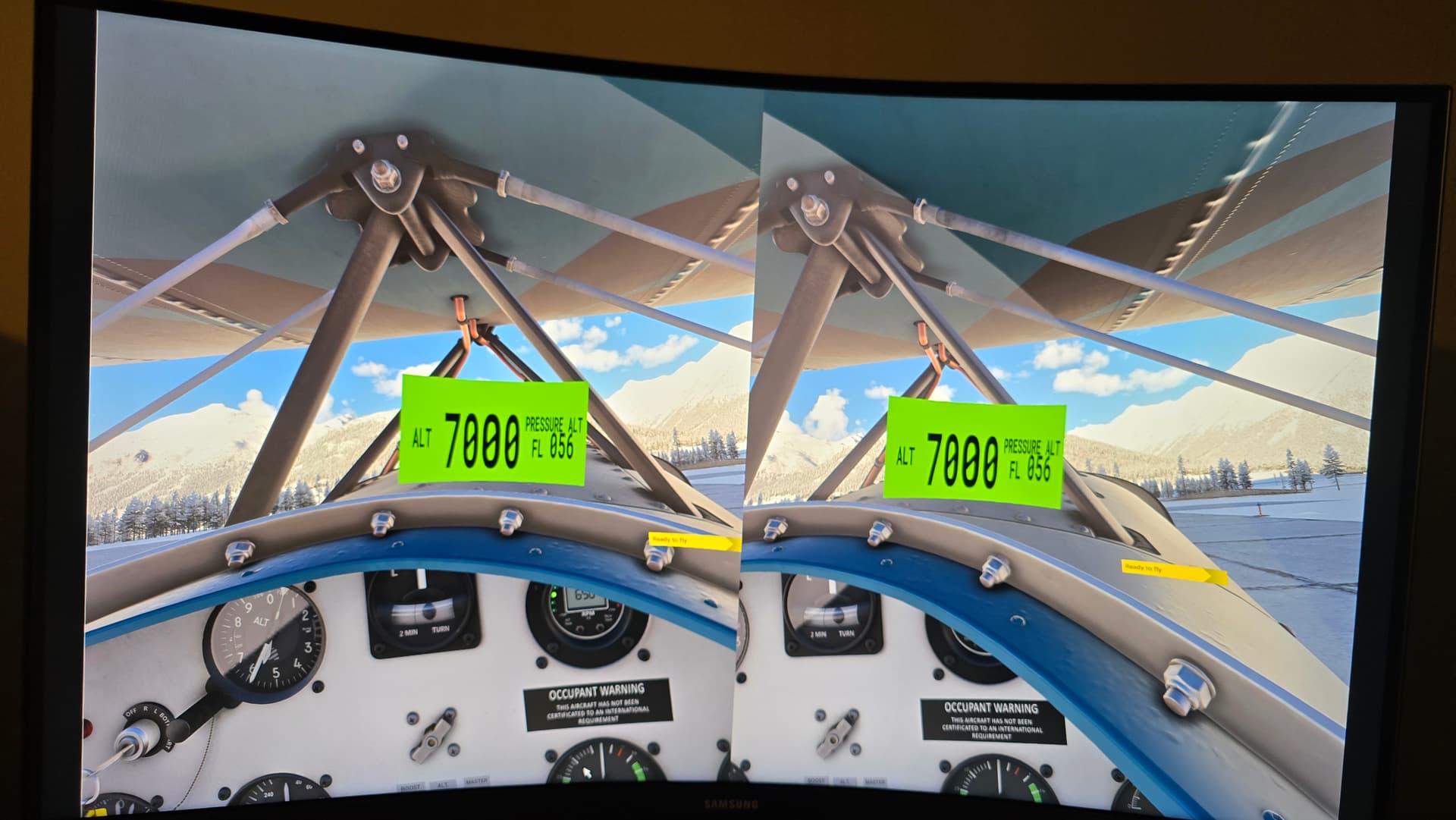
Occasionally, when loading into free-flight, a transponder pop out window blocks the direct line of sight of my VR cockpit view. Has anyone else encountered this and figured out a work-around?
When this occurs, I am forced to shut the Sim down and restart. I’ve searched, but not found anything related on the PC version.
I am using the Pimax Crystal Light, though I don’t believe that has anything to do with this glitch. Thanks for any advice/guidance!
That is very unusual, is there even a way to get the sim to do that for a 2D popout?
I believe that option is there to pop out guages so they show on other monitors. I just can’t get rid of it on my system without shutting the Sim down.
It seems to happen most frequently when entering free flight first, then activities.
I wonder if it could be a keyboard binding? I wiped all the keyboard defaults as I was accidentally triggering bindings.
That being said, a popout window shouldn’t render in VR.
This is the procedure, at least from MSFS2020 to create a pop-out:
Hover over the screen, press and hold right-alt, the cursor will change to a magnifying glass icon. Left-click and the screen will pop-out to a window . This should work with any glass display in any aircraft.
I hadn’t thought about the keyboard binding. When I get onto my gaming PC, I’ll check the bindings. Thanks for the idea, and I’ll post my findings.
Not sure if that’s it but couldn’t hurt.
I kept landing with the parking brakes on the first week in 2024. Turned out it was some key combo I kept hitting by mistake.
1 Like