ISSUE DESCRIPTION
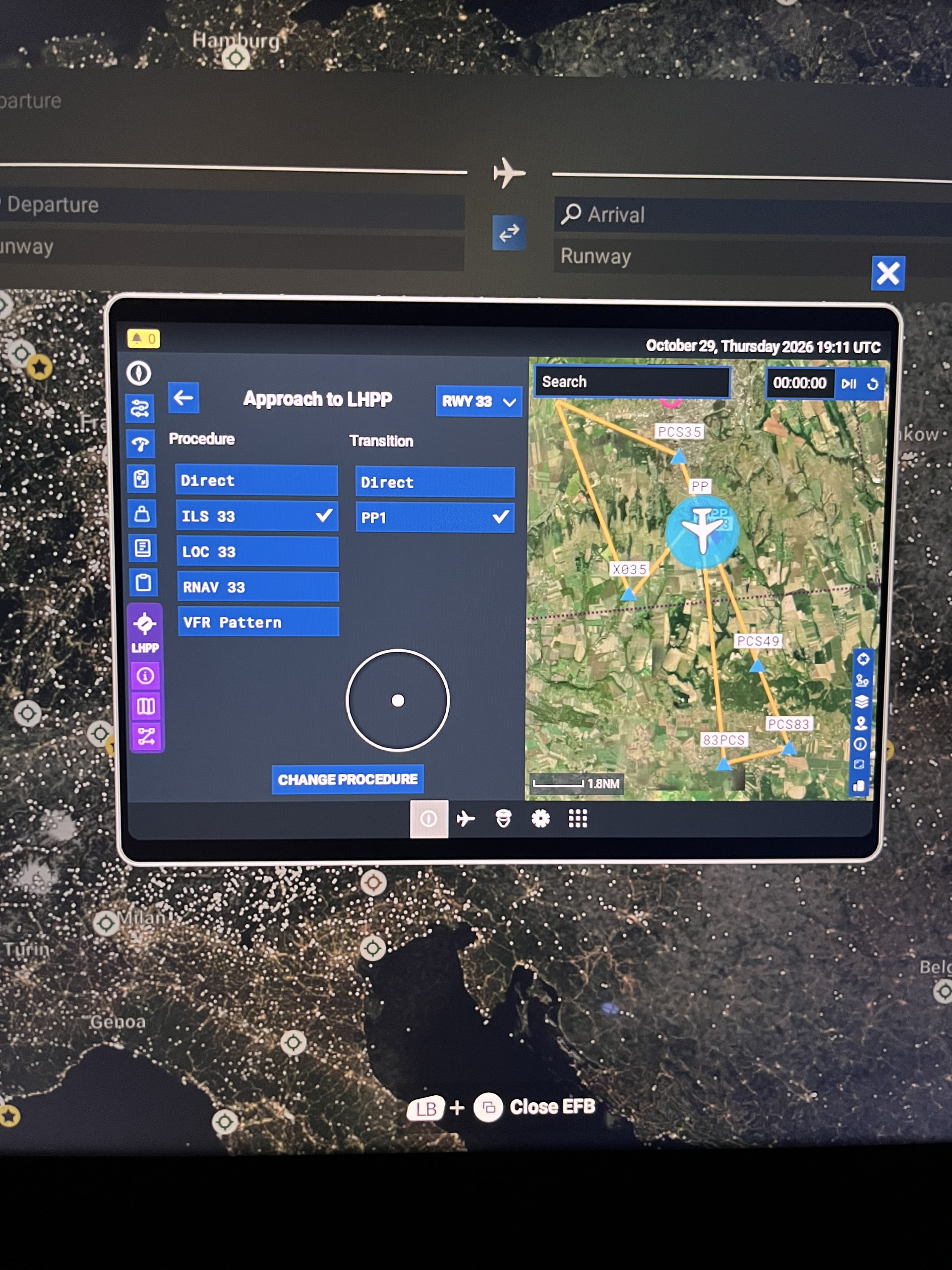
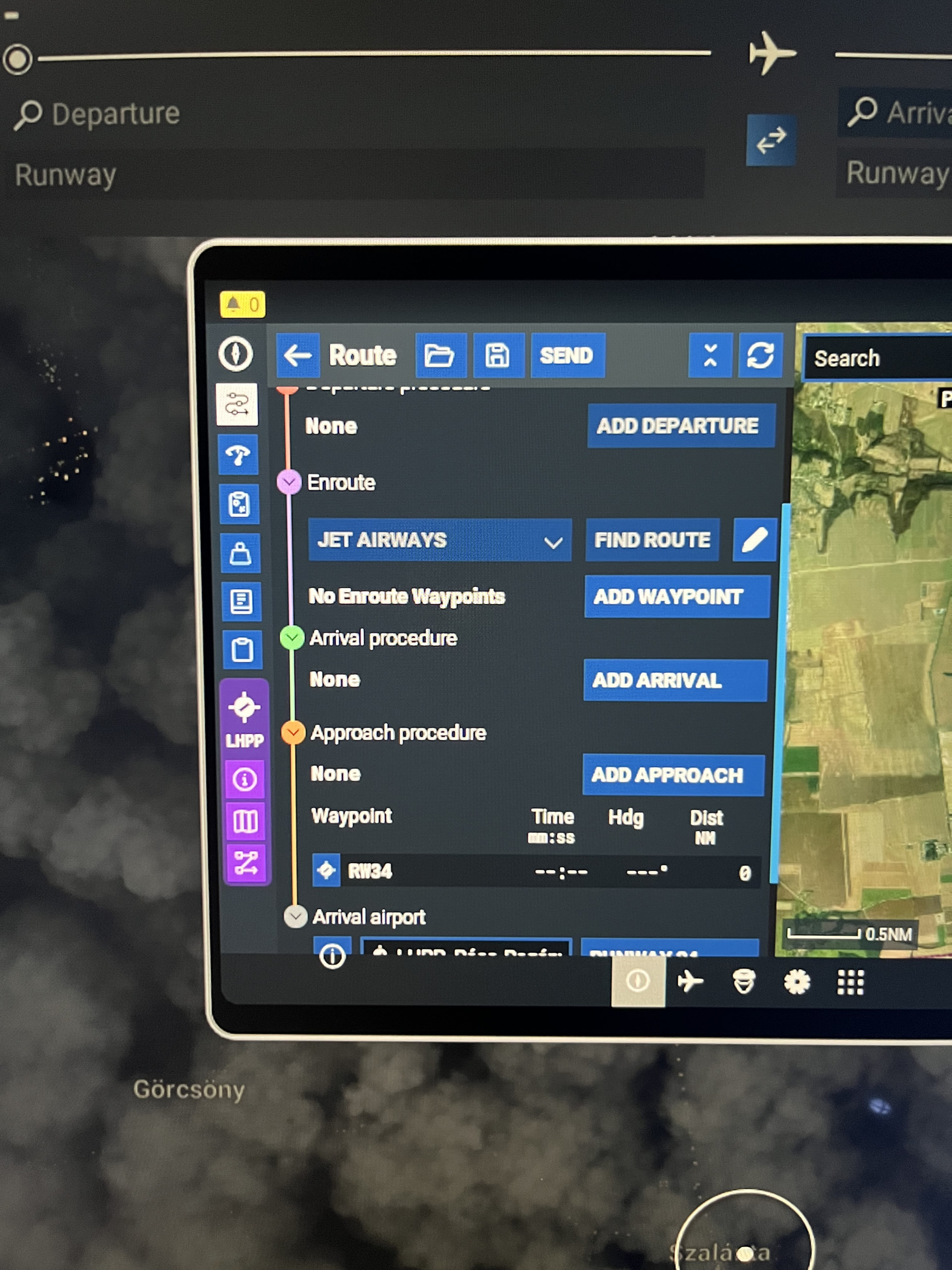
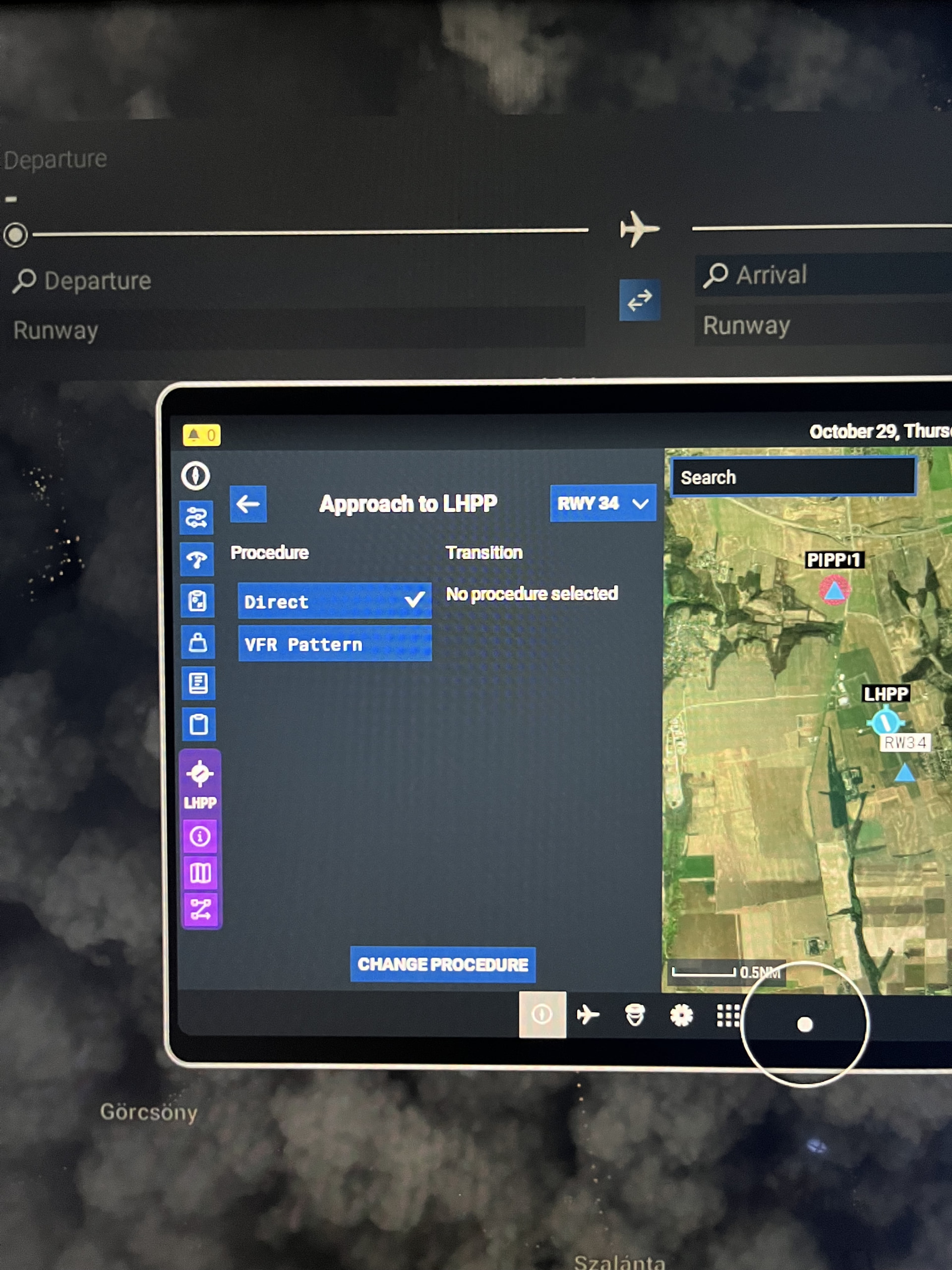
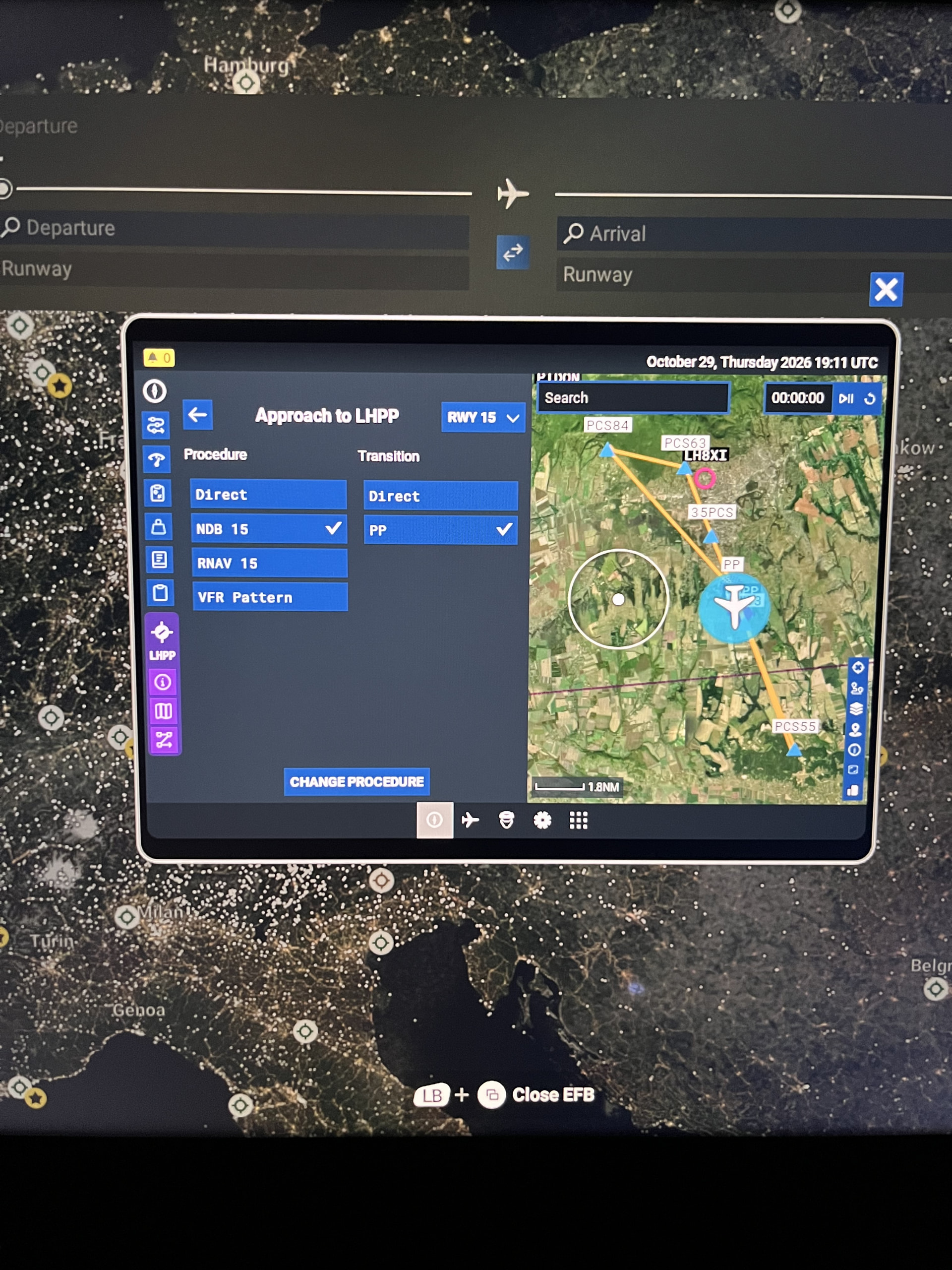
Description of the issue: Installing the official World Update XIV bespoke airport scenery pack for LHPP (Pécs-Pogány) by Gaya Simulations forces an outdated runway layout (16/34) instead of the modern layout (15/33). This runway designation mismatch completely corrupts the data link with the
LIDO navigation database, completely suppressing and deleting all available Arrival and Approach instrument procedures (ILS, RNAV, NDB) inside the aircraft FMC and EFB, locking them to “None.” When the add-on pack is completely uninstalled, the airport reverts to 15/33 and all procedures instantly reappear and function flawlessly.
Coordinate or location of issue: LHPP
Airport (Pécs-Pogány, Hungary)
FREQUENCY OF ISSUE
How often does this occur for you: Every time on sim load when the scenery package is active.
REPRODUCTION STEPS
Please list clear steps you took in order to help our test team reproduce the same issue:
-
Uninstall the official World Update XIV LHPP scenery > Open FMS/EFB > Observe that all Runway 15/33 instrument procedures load and function perfectly.
-
Install the official World Update XIV LHPP scenery from the Marketplace/Content
Manager/ My Library -
Open the FMS/EFB > Observe that runway headings have regressed to 16/34 and all instrument procedures have completely disappeared, showing as “None.”
YOUR SETTINGS
What peripherals are you using: Xbox
Controller
MEDIA
Please add a screenshot or video of the issue occurring.