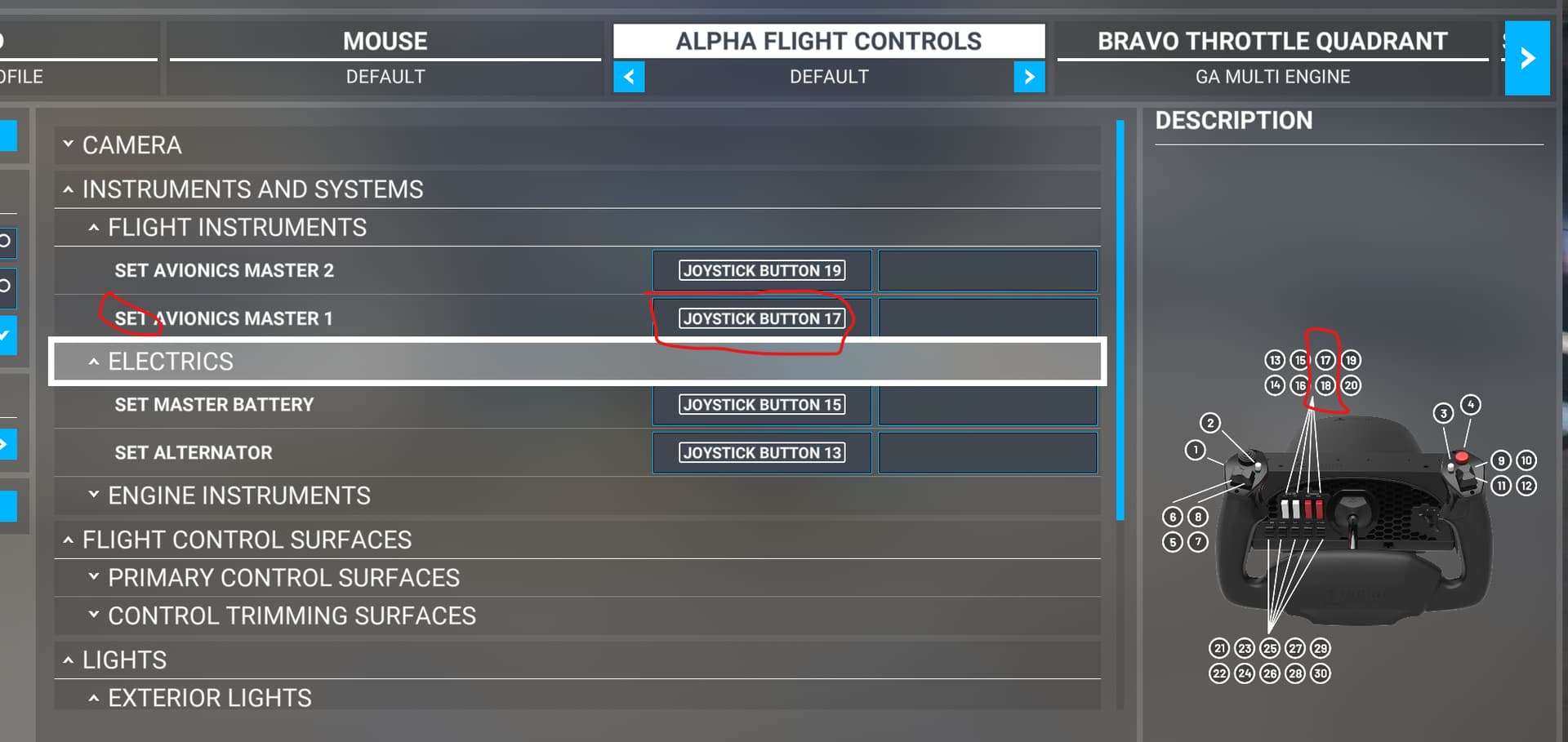
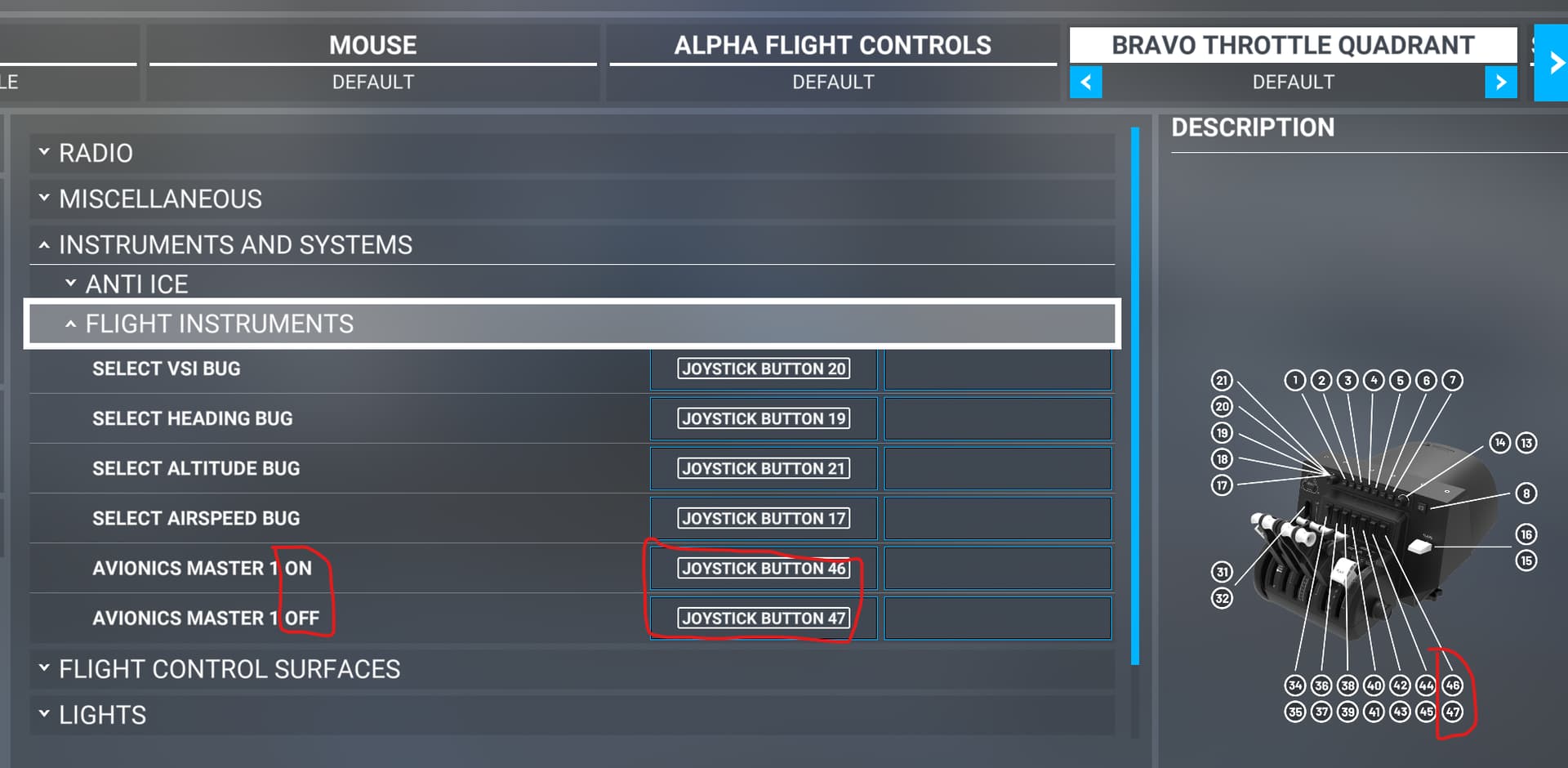
Hi. While setting up my Honeycomb Bravo, I saw that some functions have different, “concurrent” keybind variants. For example for “Avionics Master 1” you have
SET AVIONICS MASTER 1
and
AVIONICS MASTER 1 ON
AVIONICS MASTER 1 OFF
While the Honeycomb Alpha default keybinding profile uses the “SET” variant, the Bravo profile uses “ON” and “OFF” instead.
Since both switches (on Alpha and Bravo) are two-state-switches (both states have separate “Joystick Button n” assignment, so both variants would be possible), I was wondering:
Is there a reason to prefer one keybind variant in case you have such two-state-switches? Or just does it not matter?
I’m asking in general for the keybind concept ON/OFF vs. SET and not only related to Alpha/Bravo.
Sorry, if it was already asked often  Could not find posts related to the SET variant while searching the forum + Google.
This is just a theory as I’ve not actually tried this.
When using SET events via sim connect you have to provide a value to set. So for simple on/off switch this is normally 0 or 1. This is the equivalent of using the individual ON & OFF events. My theory is that in the game the SET binding is more like a TOGGLE event. So everytime you trigger the assigned button the binding will check the current state and just make it the opposite value. If my theory is correct it’s better to use the separate ON/OFF if binding to a 2 state switch because a toggle can get out of sync with the sim. If binding to a single button you obviously have to use a toggle type event.
Like I said just theory and would need to be tested.
SET xxxx ON —- If xxxx is currently ON, no change, if OFF, it is set to ON.
SET xxxx OFF —- If xxxx is currently ON, it is set to OFF, if OFF, no change.
SET xxxxx 1 —- This doesn’t work by itself and needs a parameter to function. This can be done using multiple buttons for the keybindings or using programming.
There is another type of keybinding:
TOGGLE xxxxx — If the current state is ON, it changes to OFF. If the current state is OFF, change it to ON. This is often used for buttons. The SET ON/OFF are used for switches.
So I did a little bit of testing and it’s not quite how I originally thought. Probably because I don’t use the control mappings much at all. I prefer dedicated external control via sim connect which requires no mapping in the sim.
The SET events when used with a button press will set the action but immediately reset it upon release of the button. So in the case of the Avionics master it will turn avionics on when pressed and off when released. If the hardware you are using has a switch that is acting as a button then when in one position it will act as pressed and in the other it will act as the released. In this case it’s ok to use the SET binding.
In summary it really depends on what your hardware is and what you can set. It’s why different ones are provided.
1 Like
Yeah, did also some testing the last days with my Alpha and Bravo switches. In this specific setting it doesn’t matter which pattern one is using. It’s working fine on several flights with SET and ON/OFF.
And I think, you are right, seems to depend to the hardware you have and which pattern (or patterns) you can use.
Thanks for your thoughts!