I get the impression that the OP has been flying like this for some time and hasn’t needed to put in many, if any, control inputs. The only thing I can think is that all assists are being used and something has changed in one or more of the assists in the beta which means the OP is now having issues.
Only thing I can think of as well coz to me the videos are very normal and expected behaviour of an aircraft with no inputs being applied
1 Like
The CYEL area is experiencing some pretty strong westerly winds today. Taking off on runway 30 would subject you to those on the left side of your plane, causing your plane to weathervane to the left, into them. That said, the weathervaning effect is over-pronounced in the sim in general in tricycle-gear aircraft. Some devs use variables to mitigate that to varying degrees of efficacy.
Long story short, you need to use the rudder to maintain the runway centerline as well as make appropriate aileron inputs (in this case, starting with full left aileron, decreasing to near neutral as you approach rotation speed).
@WaggazM it’s live weather, the king air I believe is the c90 edition. I bought it while playing the 2020 edition it hasn’t been cleared for official release as you can see in the second video where I disabled it.
@TheCowTown The plane should fly smoother than what it is, as I said above a few times I’ve never had such rough takeoffs and I can usually get away with little to no input
@CD0139 Your 100% correct, I’ve been flying this exact same way for a long time and something in the beta changed something, prior to me beta testing things worked the way I was used to and they worked normally (well normally for me) in msfs2020
@CharlieFox00 It happens almost every time I launch my plane regardless of the airport, I only chose that airport because it was where I left off with the last flight.
I would lean towards the dev’s changing something it may have been something minor but it’s enough to disrupt the flow of things.
Oh and as I said above prior to this beta I could easily launch my plane from any airport by just holding down the accelerator, I normally use one hand to get my plane off the runway the only time I needed my second hand was to put up the landing gear. Then after I got my plane on it’s flight path I could easily put the controller down and walk away or just sit and watch, I never had my planes spiral like they do.
I can only repeat what I said in the fifth post in this thread: you cannot expect the aircraft to fly itself. That is completely and utterly unrealistic and unreasonable. If you try it in real life you would very quickly crash horribly.
The fact that “it worked before” means some kind of assistance must have been in play.
3 Likes
The game was designed for all types of gamers not just professional pilots or flying enthusiasts
But the casual gamer to pick up the controller and fly.
If you look at the one video you can see even with all the assistance turned on it doesn’t help, it did before and this needs to be looked into, there is no reason for the aircraft not to fly straight, drifting a little off course is one thing but doing circles is another
I love the fact that I have everyone of you blaming me and my flying style on how the game is responding to things but MSFS2020 you needed very little input and same with MSFS2024 prior to this update.
The last I checked I didn’t need to take flying lessons to play a video game, now maybe the PC version is different because you guys have $1000 dropped into peripherals to make it seem life like and so that you can have the most realistic flight ever but trust me I’m just using:
Xbox Series X
Razer Wolverine V2
It’s not the controller (tested with other games) it’s not the Xbox (it’s running perfectly fine) which leaves one thing, the game got tweaked during them making mods to the code, it happens I get it. Am I complaining? yes in fact I am because I want it fixed. I also want to see AutoPilot AI put into the game too but that fight is for another battle and for another convo, let’s stick with the issue at hand here.
Really? Personally I haven’t made any comments like that. Just tried to provide assistance so you could carry on using the sim however you see fit.
From your experience it does seem that something has changed with one or more of the assistances you’ve been using. The problem I see is that there probably won’t be a high percentage of sim users affected. Bug reports generally need a high vote count to get the devs attention. Maybe testing in SU4 and switching off assistances one at a time to see if you can identify which assistance has changed could help. A specific bug report that “Rudder assistance ineffective in SU5” for example, with evidence from SU4 would help the dev team to focus on a fix.
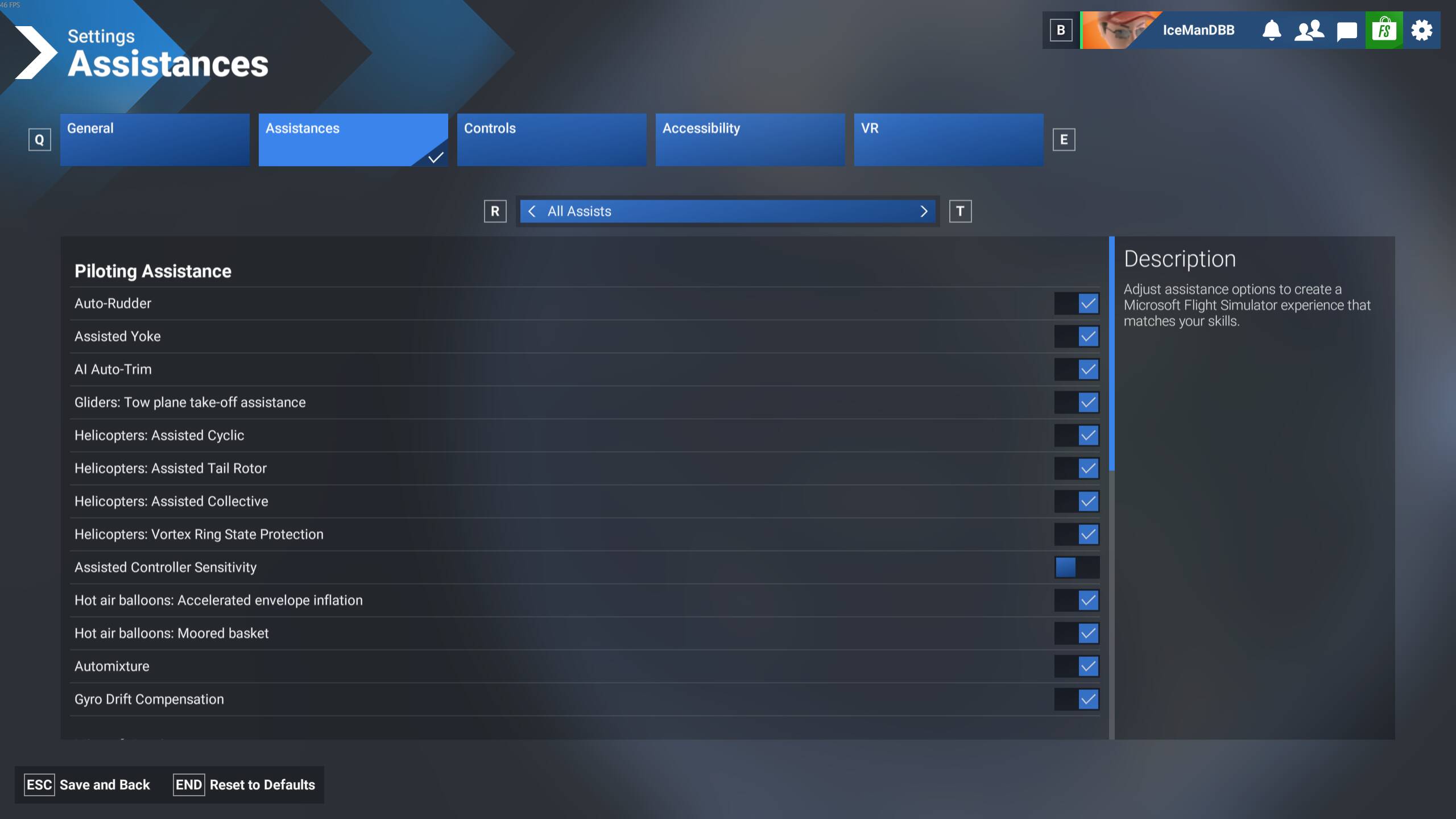
if you look at one of the videos I posted above you can see me going through all the assistance settings showing you how I had it setup and how the plane acted, I then changed it to default settings and shown the same thing like nothing changed.
I get your only trying to help by saying “A specific bug report that “Rudder assistance ineffective in SU5” for example, with evidence from SU4 would help the dev team to focus on a fix”
But honestly I’ve brought up bugs before that have been dismissed because the majority of the users here play on PC and it’s easier to fix the PC stuff than Xbox or so I see, since even the bulk of the optimizations are centered around PC.
At this point in time I’m seriously considering removing both flying games. I hope lots of other Xbox users hit this issue because most of the people (not you @CD0139 ) make me feel like I need a pilots license in order to play this game because the simple way of the way I use to get my plane off the ground is essentially defying the laws of physics.
Thanks for ruining the game for me, I’ll remember not to come back.
I don’t care if this problem gets solved it’s not worth the hassle of trying to prove a bug exists
Moderator please close this thread, the only solution that was given was either prove the bug exists to everyone else or it doesn’t and walk away.
I choose to walk away.
So I was making some back to back tests between SU4 (steam) and SU5 beta 1.7.17.0 (ms store). I might be on PC, but behavior should be same to Xbox in this regard.
On both SU4 and SU5, I tested with the bonanza, as @kenniekayoz did in his 2nd video, and set the live time to ~16:35 yesterday, so should be same conditions.
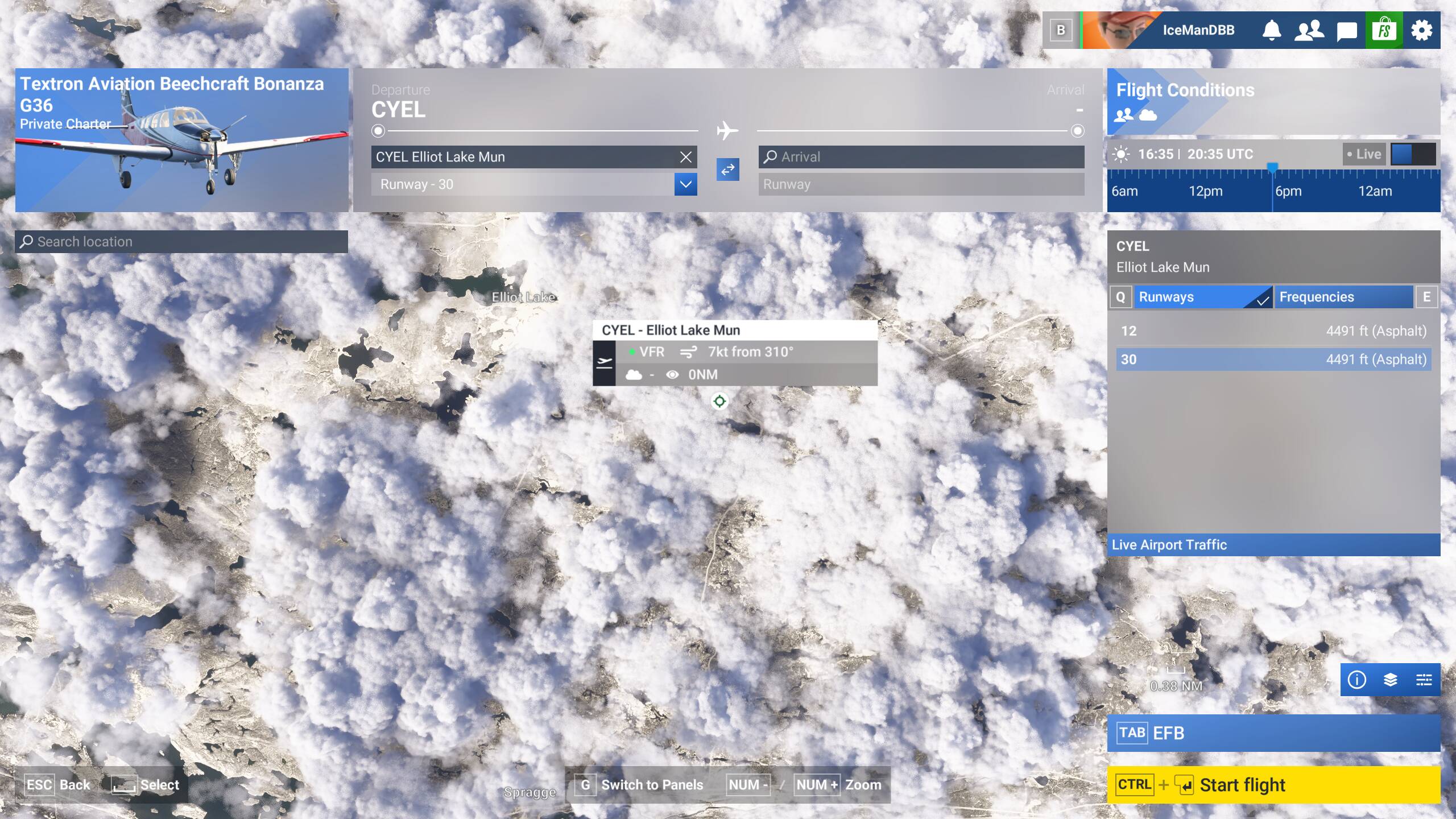
I set both sims to “All Assists” preset in Assistance options.
I could definetly see differences in behavior between SU4 and SU5.
SU4 the bonanza kept a rather straight flight towards Elliot lake:
2nd part, as can only add 1min of vid to imgur:
In SU5 it went into a slight right turn, like in his 2nd twitch video around the 3:40 mark:
On both sims I had to give it a slight backpull on the elevator to get it away from the ground, after a first hop/bump back onto the runway. This was the only input I gave besides raising landing gear and raising flaps, no other input was given.
I repeated the tests 2 times on both sims with the same results, so in SU5 1.7.17.0 the assistances seem to be more unstable than in SU4.
Then this sounds like a regression and thus a valid bug in SU5.
@thecosmicfrog74 @IceManDBB Thanks to both of you for taking the time to test this and confirm the behavior. I appreciate the objective approach — it matches exactly what I was seeing on Xbox.
1 Like