I just purchased a HP Reverb G2 arriving next week to use with MSFS 2020 installed in a Steam account. I’ve been using the Oculus Quest 2 for almost 2 years. I have OpenXR for Windows Mixed Reality v112.220930002.0, OpenXR Toolkit v1.2.0 and Mixed Reality Portal installed. I am very confused on how to setup the HP Reverb G2 and how to switch between the Oculus Quest 2 and HP Reverb G2. Part of my confusion is how to configure the OpenXR registry settings. According to a FlightSimulator Zendesk post, How to install OpenXR – Microsoft Flight Simulator Support (zendesk.com) the OpenXR registry should be configured as follows for Oculus headsets: Under Registry setting “HKEY_LOCAL_MACHINE\SOFTWARE\Khronos\OpenXR\1” , For “ActiveRuntime” change its value to the one that matches your platform (NOTE: default path is C:\Program Files\Oculus\Support\oculus-runtime\oculus_openxr_64.json). Pie In the Sky YouTube videos MSFS | QUEST 2 OPENXR RUNTIME/REGISTRY KEY TUTORIAL and MSFS | REVERB G2 OPENXR RUNTIME/REGISTRY KEY TUTORIAL suggest “ActiveRuntime” be set to C:\Windows\system32\MixedRealityRuntime.json. I’ve had it set the Zendesk recommendation.
Questions:
-
What is the difference between oculus_openxr_64.json and MixedRealityRuntime.json? Should I have been using MixedRealityRuntime.json with my Oculus Quest 2?
-
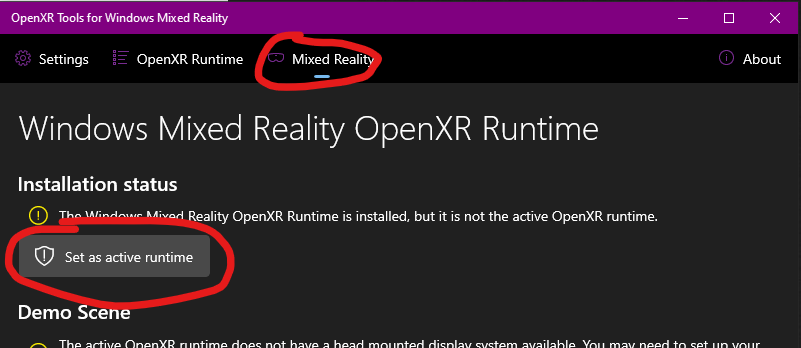
Should I change my OpenXR “ActiveRuntime” to C:\Windows\system32\MixedRealityRuntime.json when I get the HP Reverb G2?
-
For the HP Reverb G2 setup, I’ve seen YouTube videos that say I need to download and install “Windows Mixed Reality for SteamVR” from the Steam store? Should I do this or will that force SteamVR instead of OpenXR VR?
-
I have other Steam VR programs (Project Cars for example). When I select “Play” in Steam, I get 3 options. Play Project CARS, Launch Project CARS-HTC Vive in Steam VR Mode, Launch Project CARS-Oculus Rife in Oculus VR Mode. I don’t have an HTC Vive only VR headset I have is Oculus. These 3 options don’t show up when launching MSFS 2020 in Steam. Will this change when I plug in my HP Reverb G2?
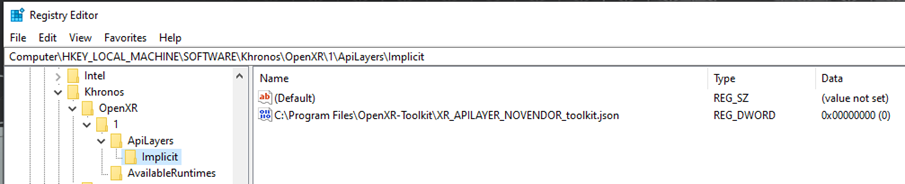
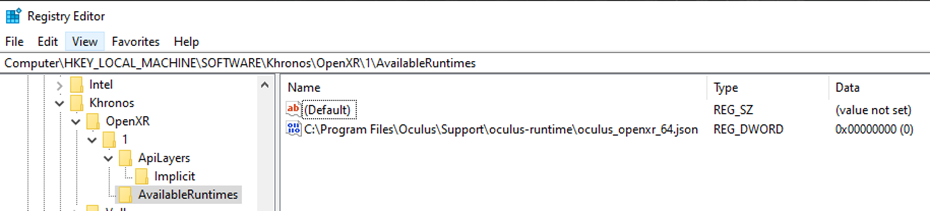
Here is my current OpenXR registry stettings.