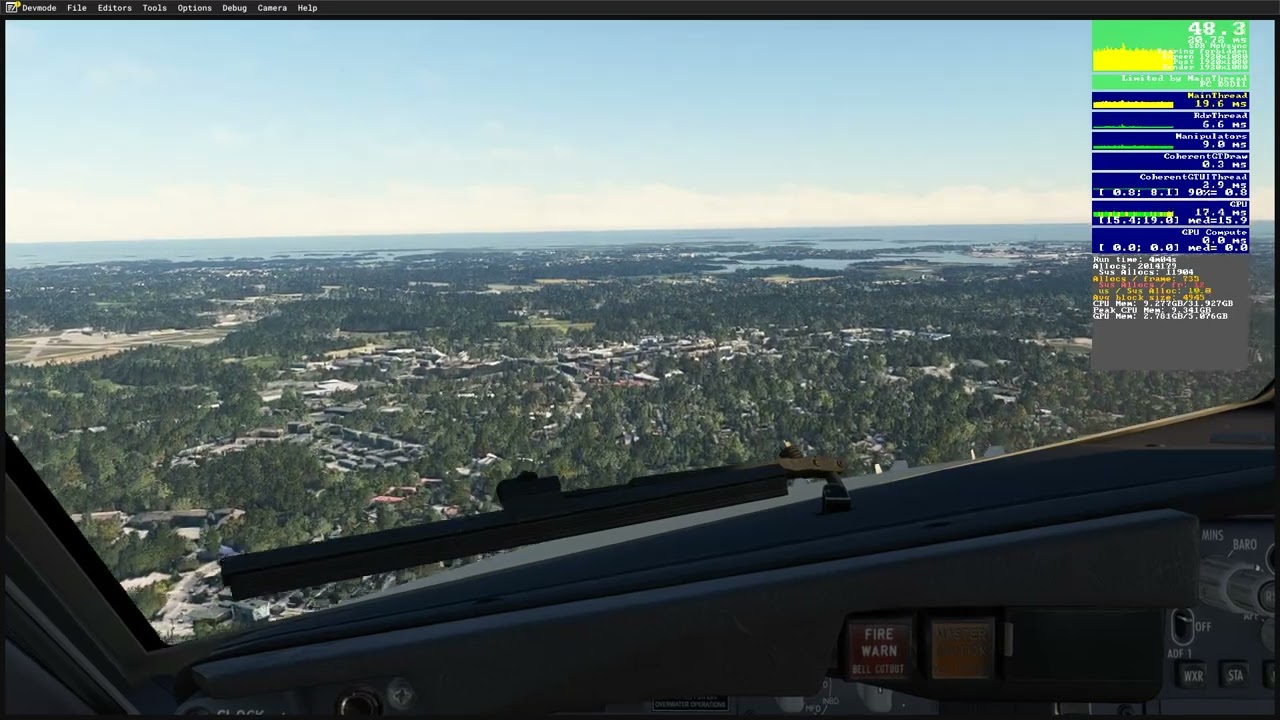
Very insightful post and makes complete sense. The question is why this is the case and whether it was intentional, a bug or just a limitation of the new Azure/Bing map data. If Asobo or MS could simply explain it I think people would be a lot more forgiving.
2 Likes
@dgvrnsky I think a little more communication on Microsoft’s end would be greatly appreciated. And I think we deserve it. Unfortunately, it doesn’t seem like the right people will see this.
2 Likes
Yeah obviously we are not happy. I hope they release a SU17 beta and another SU3 beta for 2024 (add in a bloom option for 24 with it too) with this option above
Please may I once again politely request that users ensure their comments within this Wishlist thread are specifically on topic for discussing the option of an aerial texture resolution option within the simulator. Whilst we do see that this Wishlist item has been made in response to the most recent SU16 release for MSFS (2020), if you wish to provide feedback regarding this update, please do so via the dedicated forum thread here: [Polls] Microsoft Flight Simulator (2020) Sim Update 16 Feedback
Thank you,
The MSFS Team
1 Like
This makes no sense unless it can be determined whether it’s a deliberate change or a bug that has been introduced inadvertently.
There wasn’t a need for such an option previously, and if it is a bug there shouldn’t be now. Treating it as a wishlist item unnecessarily is just a waste of people’s time.
11 Likes
Seems to me this points to the need to have a more granular Dynamic LOD control based on altitude. Currently you just set an FPS target, and have no idea what the code is adjusting to meet that target. That would be fine if everyone had the same computer. I’d like more control, like OP’s request points to.
2 Likes
(post deleted by author)
Wow! So many replies all for me! I’ll do my best to get to you all in turn 
To my knowledge it has always been 256 for MSFS2020 and 2024, this is because of the standard for the geospatial format that MSFS uses because it matches Bing maps (because Bing maps is the imagery provider). You can read more about this here:
With regard to the other thing you mentioned, I strongly recommend people do not use it, both as a MSFS user and a Moderator. It causes people no end of difficulties and issues.
But as far as 512 vs 256 pixels goes, as stated here Zoom levels - OpenStreetMap Wiki

The important thing to note again is that 512 doesn’t automatically equal better quality. 256 at Zoom Level 20 is the same as 512 at Zoom Level 19, 256 at ZL 21 is the same as 512 at ZL 20 etc. It’s still all about the Zoom Level.
You’re very welcome!
Me too, I hope it’s just a temporary issue that will be resolved soon.
There’s a Bug Report for it here: MSFS SU16 - aggregation of complaints about poor LOD, low resolution blurry terrain textures
Thank you!
I would guess that because it’s such a downgrade it wasn’t intentional. There is a very busy bug topic about it here: MSFS SU16 - aggregation of complaints about poor LOD, low resolution blurry terrain textures
That makes two of us! I’m actually the owner of this Wishlist topic 
https://forums.flightsimulator.com/t/dynamic-settings-frame-rate-target-dynamic-lod-choose-minimum-graphics-settings/697368
Make sure to check out the “Similar/Related Topics” at the top of the first post too, one of them specifically mentions altitude/flight levels!
I’d love to be able to set a series of settings or edit a config file to say: <2000 feet ZL20, <4000 feet ZL19, etc. That would be amazing and give us the exact quality we want for each altitude.
The Community Managers are very much aware of this topic (they’ve posted in here multiple times) and they’ve also linked to the related Bug Report
See: https://forums.flightsimulator.com/t/option-for-aerials-texture-resolution-zoom-level/732517/32
I understand, there’s a large overlap but they aren’t asking for exactly the same thing in their entirety.
Don’t be disheartened, the devs do listen to our feedback and I’m sure they’re very much aware of this aerial imagery issue, the related Bug Report is feedback-logged
6 Likes
This sums up just how I feel.
I used to absolutely love MSFS2020, it really helped my through some dark times in my life, and made friends through it with group flights etc.
It’s just so disappointing to see it going backwards.
Why oh why do they do this? Why not have the updates making it better not worse?
I just don’t understand.
We have much better hardware now than 5 years OK. The sim should be much better graphics, and now it’s worse…
15 Likes
I’m sure many users would pay a subscription for a high resolution streaming option.
6 Likes
Speak for yourself I guess - I definitely wouldn’t. They don’t deserve a regular stream of income with how they treat the community.
Asobo and Microsoft have done nothing but downgrade the experience with every major patch. I can understand that streaming uses bandwidth and that’ll eventually become a money sink for Microsoft.
Scenery aside, 2020 looks dreadful now due to all of the “optimisations” they’ve put in place for Xbox players. I have absolutely nothing against console players. That flight sims are available on console has done wonders for the community as we now have more hardware than ever. At the same time, why the hell am I (a user with a 13900K, 5090 and 64GB RAM) receiving aggressive LOD updates that should be specifically targeting console players and players with weaker hardware? Instead I get the benefit (term used loosely) of seeing the infamous “melted buildings” every time I’m on an approach, or photogrammetry tiles popping in as a grid (moving left to right or vice-versa) as I’m on final. A stark contrast to what 2020 was like pre-SU6 in the early days.
For all the lovely little daffodils, sunflowers and happy little squirrels Asobo, when will you learn that you can let users make this choice through graphics settings!
Note: can you guess which part I had to edit in due to my post being hidden?
23 Likes
100% truth
6 Likes
couldn’t agree more. well said, mate.
8 Likes
Yup! 1000% agree.
7 Likes
If you’re talking about getting up to Zoom Level 23 imagery (the max supported by the tile projection system in use by Bing) in the sim, I can see the argument for this because Microsoft would have to allocate disproportionately more resources for this, ZL23 imagery takes up 64 times the storage space and therefore 64 times the streaming bandwidth as ZL 20 (the current sim max). It might not even be technologically feasible with current worldwide infrastructure to stream at ZL 23 due to the sheer amount of data that would need to be downloaded.
However, we should not be having to pay for the Zoom Level 20 imagery that has been in the sim since release, otherwise we’ve effectively bought a product, only to have it downgraded, and then paywalled to be back to the same as it was when we bought it.
8 Likes
Indeed - there is a term for this which I will not share here, but it’s a pretty standard term that’s used to describe many live and/or streaming services
5 Likes
I just took a VFR flight over rural area and my god it looks bad. I fly with photogrammetry off (always have) and interestingly I notice that any areas which typically are photogrammatry, don’t suffer from the degraded/capped zoom level. E.g. Los Angeles, Melbourne, Sydney, Gold Coast.
It’s only areas which are outside of this which look god awful, even worse than FSX photoscenery addons. That data for any photogrammetry area boundaries must be still using the original source and hence original zoom level.
5 Likes
I’ve been doing some comparison specifically on scenery around Australia and I’ve come to realise that actually all of the areas which look bad, also look bad in Bing maps via a web browser (e.g. Gladstone, QLD). The areas which look good in MSFS (like Sydney, or Bendigo, VIC) also look good on Bing maps and the zoom level gets very close (5m) with very high detail.
In some areas you’ll get to 5m scale and it will look fantastic, but others 5m will look awful.
So I’m thinking a big part of this is actually reduced quality in various areas on the latest Bing maps which previously weren’t as bad. It might be that it’s not actually MSFS degrading the maps, but rather Bing maps not having as great quality (oversaturated and poorer quality) in certain areas that used to be good. The USA in general has very good detail at 5m.
1 Like
You are describing a different issue (bad source material). This is not what this thread is about.
This thread is about wanting an option that let´s the user decide what the max resolution / zoom level aerials are he wants to stream (including higher quality options than available right now), instead of the sim deciding ZL 19 is enough for whatever reason, when we had ZL 20 in the past.
This issue is amplified by the introduction of the overly aggressive LOD values, which make aerials at mid- to high distance from the aircraft appear very blurry.
Lower baseline quality aerials (zoom level) + More aggressive LOD values for aerials = blurry textures.
6 Likes
Do you have scenery pop in as I do?: