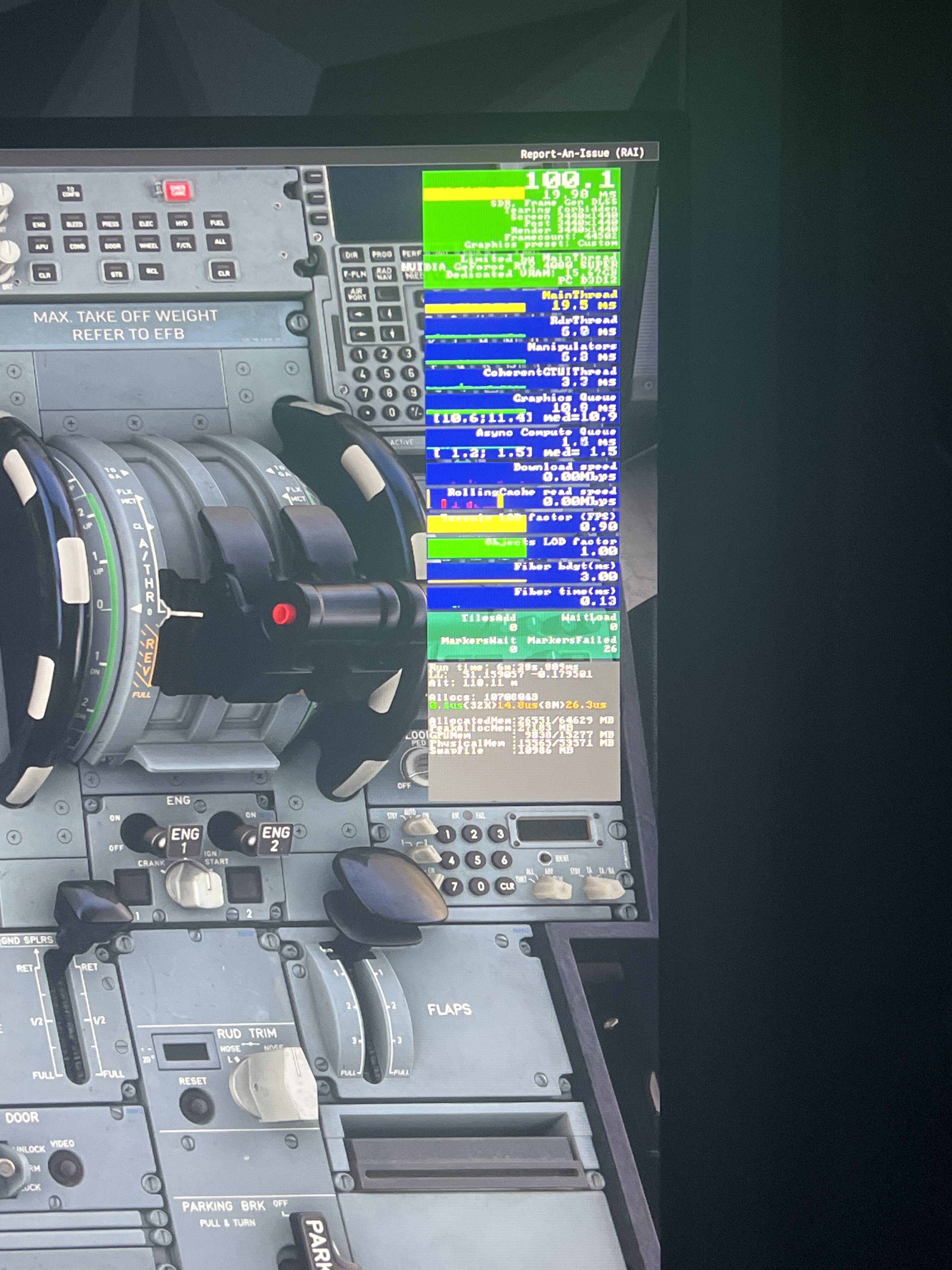
Yeah around 2 seconds, like I said the moment it zooms into the airport mainthread goes to 20ms and I do seem to have more micro stuttering than before even in midair it’s just weird how before with the exact same setup with 100hz and v sync in nvcp on, the mainthread would drop and go green at times,now it won’t budge at all!
1 Like
Latency in ms and base FPS (no frame gen) are reciprocals of each other: Frames per second versus milliseconds per frame.
FPS = 1000 / frametime in ms.
Frametime in ms = 1000 / FPS.)
So, for 50 FPS the math is 1000/50=20 ms.
Why is it yellow? Who knows.
I know. I haven’t been able to figure it out except to say your settings are too high somewhere along the way. I spent a few days on this, and I could get mine to stay round 7-9ms, but something would trigger it to “flood” up to 25ms. It’s like it can keep up, then it can’t keep up. When I had my settings tuned up nicely, if I was at 20000ft, it would go back to reporting 7ms, so it’s related to buildings I think.
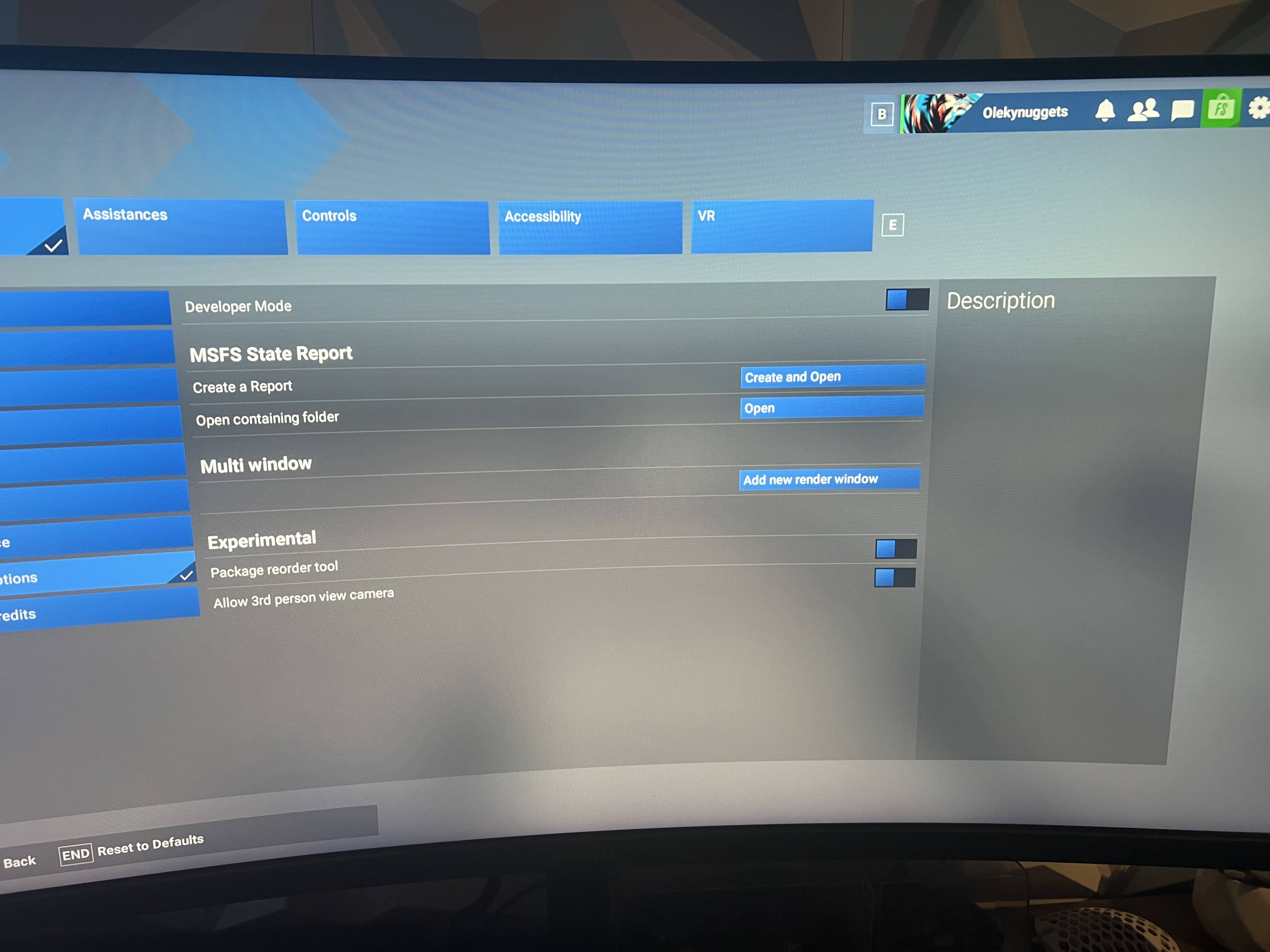
It’s just so weird as in the picture where I’m looking down at the pedestal down at the cockpit where workload should definitely drop, you can see the mainthread time is still 20ms at yellow, do you think it may be a dev mode reporting error or something I may have changed or broken in the sim?
1 Like
No, those are excellent numbers. Look at the min and max on the graphics queue and asynch computer queue. Nice and close. If you don’t limit the Max Frame rate, the CPU will “firehose” the GPU. This is why I recommend Max Frame Rate = 40.
1 Like
Just wanted to say that after a clean nvidia driver install, on the first launch of the sim the mainthread would actually go green when looking down or up but after pc shut down and second launch of sim, it’s back to yellow. Another thing I noticed is that when fg is off, mainthread time drops to green and when v sync is off in nvcp, mainthread time drops too. I just don’t understand why before i would never get these issues with exact same settings, what do you think may have changed?
1 Like
I thought about it a long time, and I’m stumped. I was hoping they would take a close look at the mainthread logic during SU5 beta.
1 Like
Just wondering, have you noticed any performance improvements in su5 beta? Or are you on su4 like me?
1 Like
I’m on SU5 beta, and I haven’t noticed any improvements yet. It’s too soon though. They are refactoring some things, and we will likely see improvements closer to release.
Overall impressions are good and better than in SU4, and I can finally enjoy virtual flying. Performance is definitely a big plus. As for stability, it’s solid - I haven’t experienced any CTDs while loading MSFS, during flights, or when closing pop-up windows, for example, when changing keybindings or weather settings.

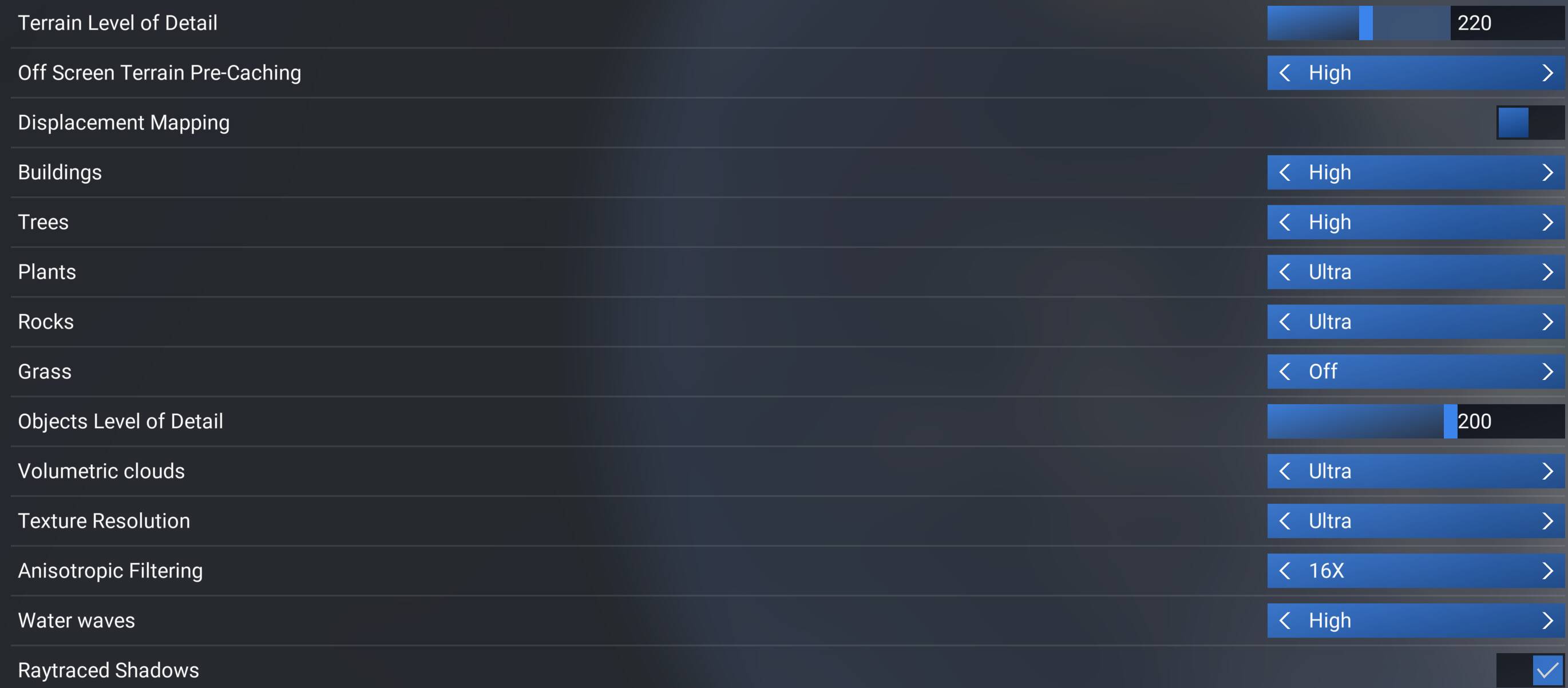
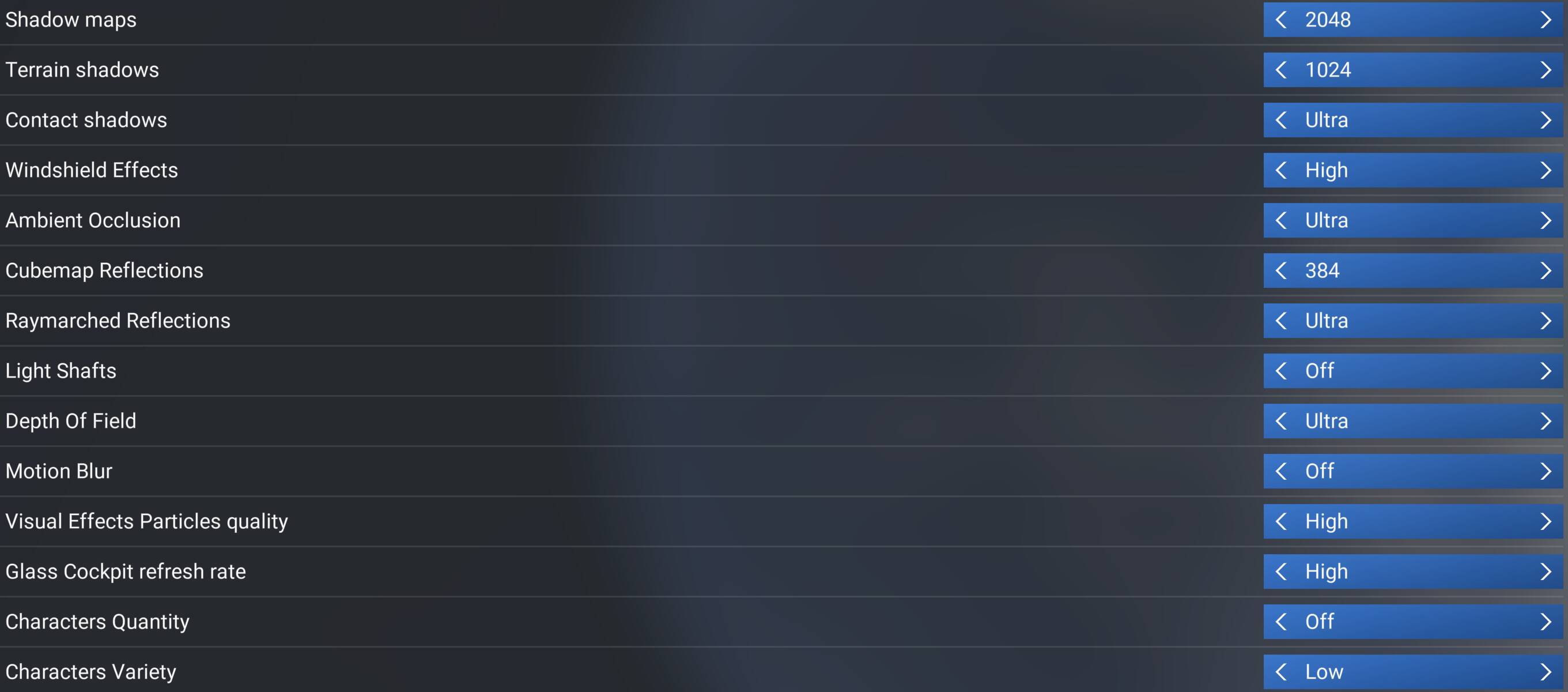
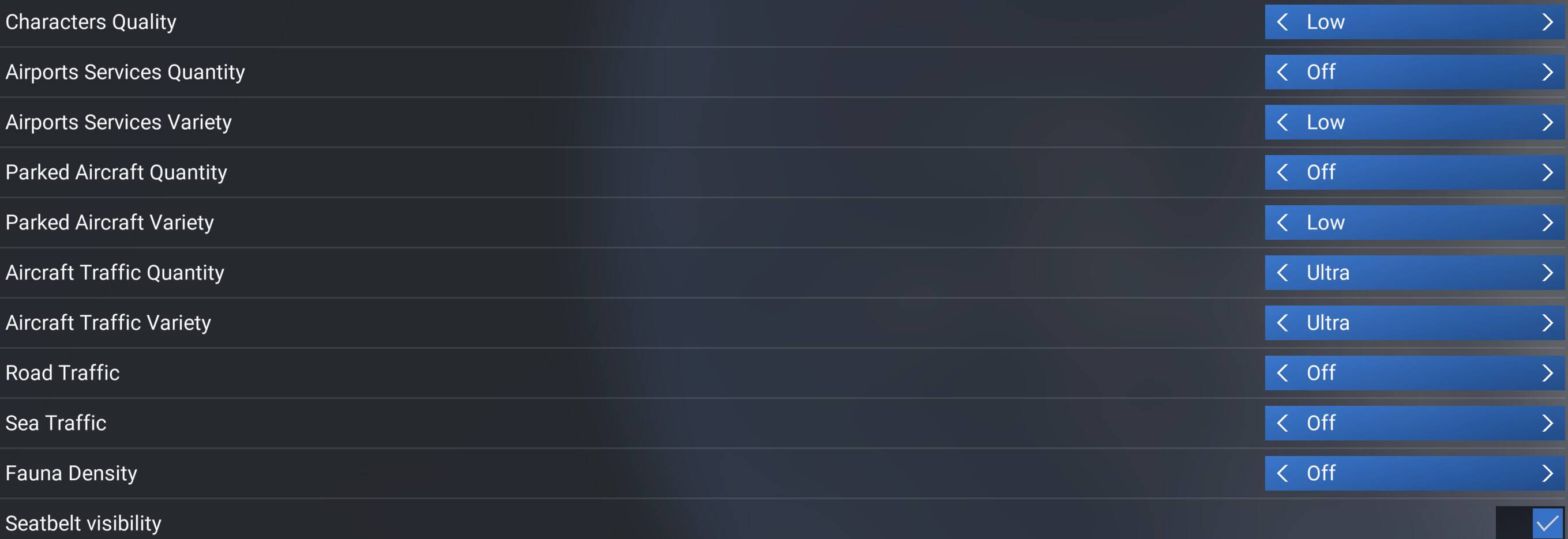

Gaming Rig
- PC Case Be Quiet Light Base 900 FX
- MSI MPG X870E Carbon WIFI - BIOS 1A8
- Virtualization - disabled
- Re-size bar - enabled
- PSU ASRock Phantom Gaming 1600W
- Ryzen 7 9850X3D
- AIO Arctic Liquid Freezer III 420
- 64GB Ram CL26 DDR5 6000 2x32GB G.Skill
- AOC Agon Pro AG326UD
- MSI MAG 271QPX E2
- Gigabyte RTX 5090 Gaming OC / 591.86
- USB HUB
- Logitech X56 H.O.T.A.S
- VKB Gladiator NXT Evo Space Combat Edition
- Honeycomb Alpha Flight Controls XPC Yoke
- Logitech Flight Rudder Pedals
- Airbus EFIS Winwing
- Airbus FCU Winwing
- Airbus MCDU Winwing
- Boeing 737 MCP Core Flight
- Boeing 737 EFIS Panel Core Flight
- Boeing FMC/PFP 3N Winwing
- Thrustmaster T300 RS racing wheel
- Sound Blaster X5
- Sound Blaster Katana v2
- 4xNVMe // 4TB for MSFS2022/2024
- 1xSSD
- 1xHDD
- Windows 11 PRO 25H2
Source https://forums.flightsimulator.com/t/sim-update-5-beta-1-7-7-0-forum-surveys/758485/10?u=tenpatrol
Thank you for replying! Interesting, may consider joining the beta
1 Like
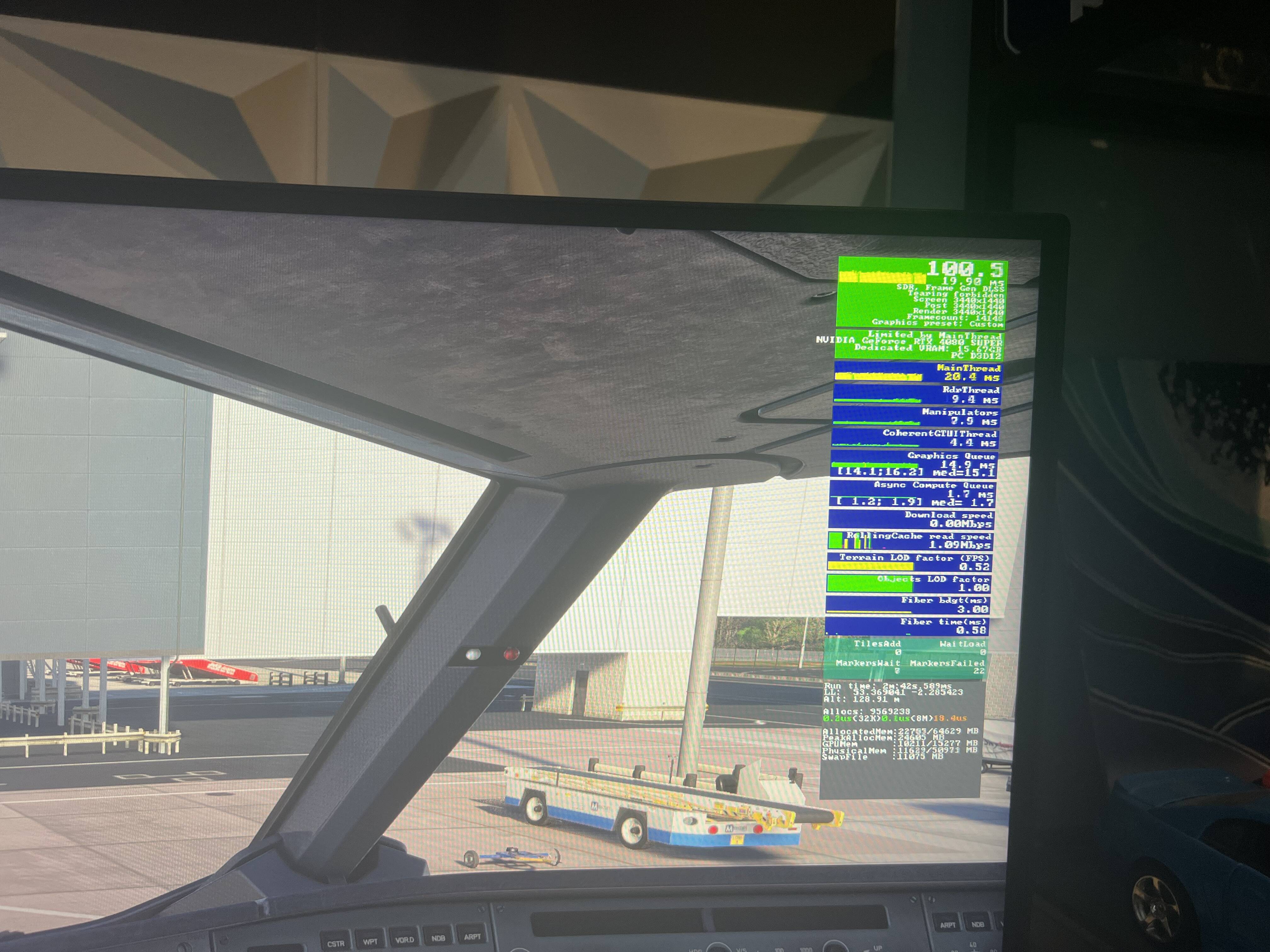
Let’s break it down. We know the CPU can make a frame in 7ms, and there’s no logical reason why the CPU would suddenly take 20ms to make a frame. Something is wonky.
At the start of the sim, the CPU begins making a frame. The Mainthread counter gets triggered to start counting. The CPU submits the frame to the queue, and the because the queue is empty, the GPU picks up the frame right away. The Mainthread counter gets triggered to stop counting. That takes 7ms. Now the CPU starts making a new frame, but the GPU is not ready to grab it, so the frame sits in the queue. Because the GPU is slowly falling behind the CPU, the queue fills up to hold 3 frames. Now what’s happening? The CPU starts making a frame, the Mainthread counter is triggered to start counting. Our frame gets put in the queue, but there are two frames in front of it. The GPU picks up another frame. Now there is one frame in front of us. The GPU picks up another frame, now we are at the front of the queue. The GPU picks up our frame, and the Mainthread counter is triggered to stop counting. Our frame is now measuring 3 times longer than at the start of the sim. We climb up to 20000ft, the GPU starts getting ahead of the game and it clears out the queue. Our frames go back to measuring 7ms.
This is what I believe is happening “inside the black box”.
1 Like
Even at 20000 ft it’s 20ms
1 Like
Yes, so the GPU is always running behind. It can’t keep up. That means your settings are too high, and because you are firing 100 frames per second at the GPU, it will never catch up. Just ignore the mainthread counter. 
Thank you for your response! So are you sure nothing is wrong and my sim is running fine and I can ignore it?
1 Like
Resizable BAR enabled or disabled?
What is Resizable BAR?
Resizable BAR (Base Address Register) is a PCIe technology that allows a CPU to access a GPU’s entire frame buffer at once, rather than in 256MB chunks, improving gaming performance by increasing FPS and reducing stutter. It requires compatible hardware (modern CPUs/GPUs), motherboard BIOS support, and must be enabled in the BIOS.
Yes, those numbers a great. Is it smooth? Then no worries.
Yes, rebar is enabled in the bios alongside enable above 4g coding since day one
1 Like
I mean I do get some micros stutters when panning the camera around but apart from that it’s okay but I do remember it being better before when the mainthread time would drop at times
1 Like