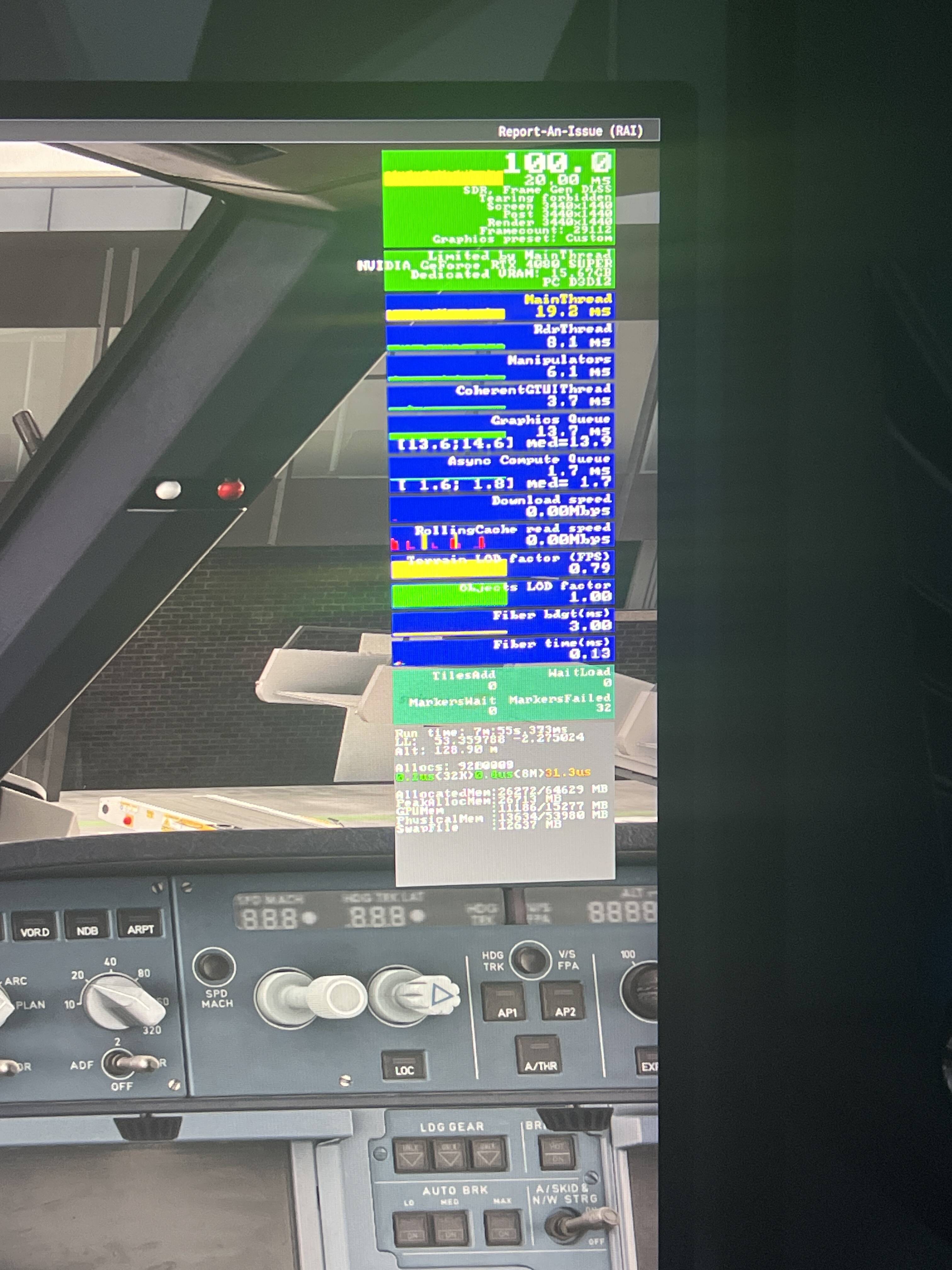
Any help would be greatly appreciated, thank you:)
Hi everyone, Ive been having issues with my simulators performance for over a month where my mainthread would bounce at around 20ms everywhere,no matter the location,aircraft or workload even at 10 TLOD.im also getting more micro stuttering than before even in midair or when looking down in the cockpit i still get the same yellow mainthread where as before this would have never happened with mainthread times dropping as workload becomes lighter. Im on an rtx 4080 super,ryzen 7 7800x3d and 64gb of 5600mt/s ram on driver 591.86. I have tried everything, including: empty community folder,sim reinstall,ddu to previous drivers,rebuilt rolling cache and shader cache. This issue started around the time where I installed driver 591.74 on the 8th of January where I noticed lots of micro stutters when panning.
I can see a perfectly locked 100 FPS with Frame Generation enabled. That makes me think you might have a 50 FPS cap set somewhere …
If the game is capped at 50FPS natively, that would explain the ~20 ms main thread.
The mainthread is very close to the frametimes. I have seen this often, if the FPS is limited by VSync. So maybe your monitor is at 100 Hz, and with 2x FG its at 50 FPS resp. 20 ms frametime.
OP forgot to include screenshots of the MSFS graphics settings.


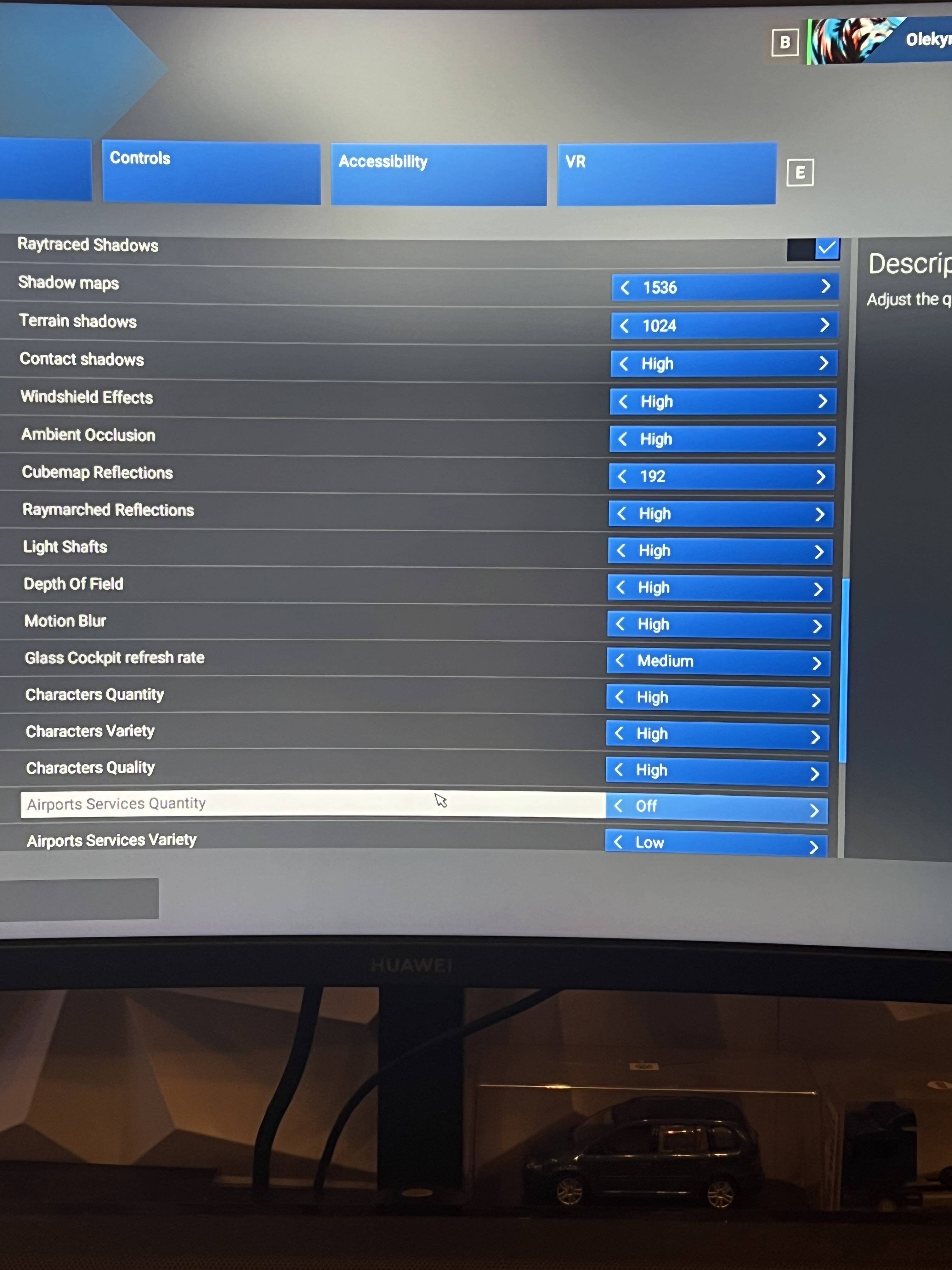

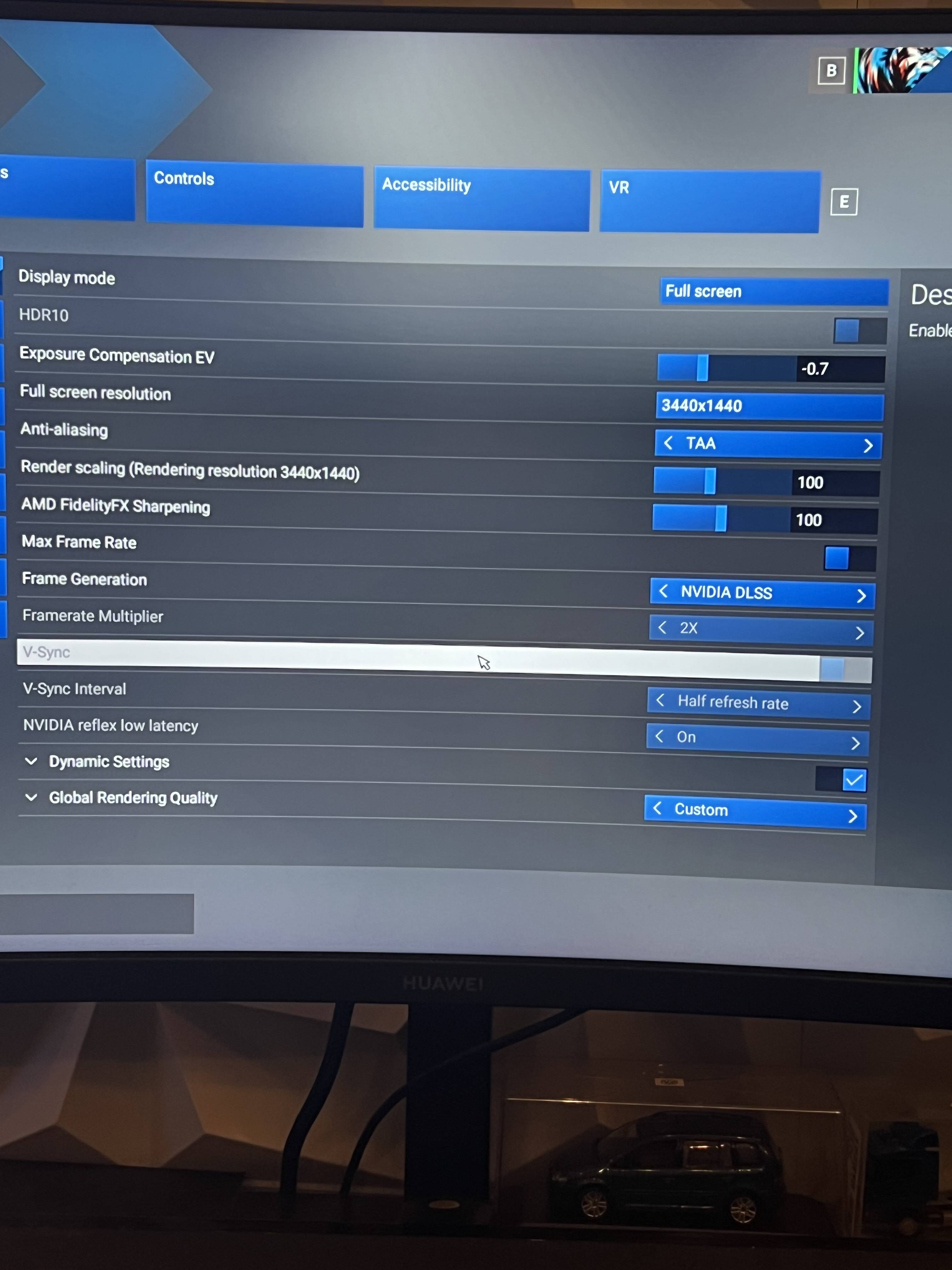
Yeah I am at 100hz with V sync on, it’s just weird how a few months ago it would drop in light workload places like Innsbruck or over the Atlantic but now it’s locked at 20ms with micro stutters, I’m just worried that I may have changed a setting or something I have forgotten about which is the cause of all this

So I disabled frame gen, then switched to monitor refresh rate but mainthread time is still yellow at 20ms, weird isn’t it?
Do you reckon it may be a driver or software issue?



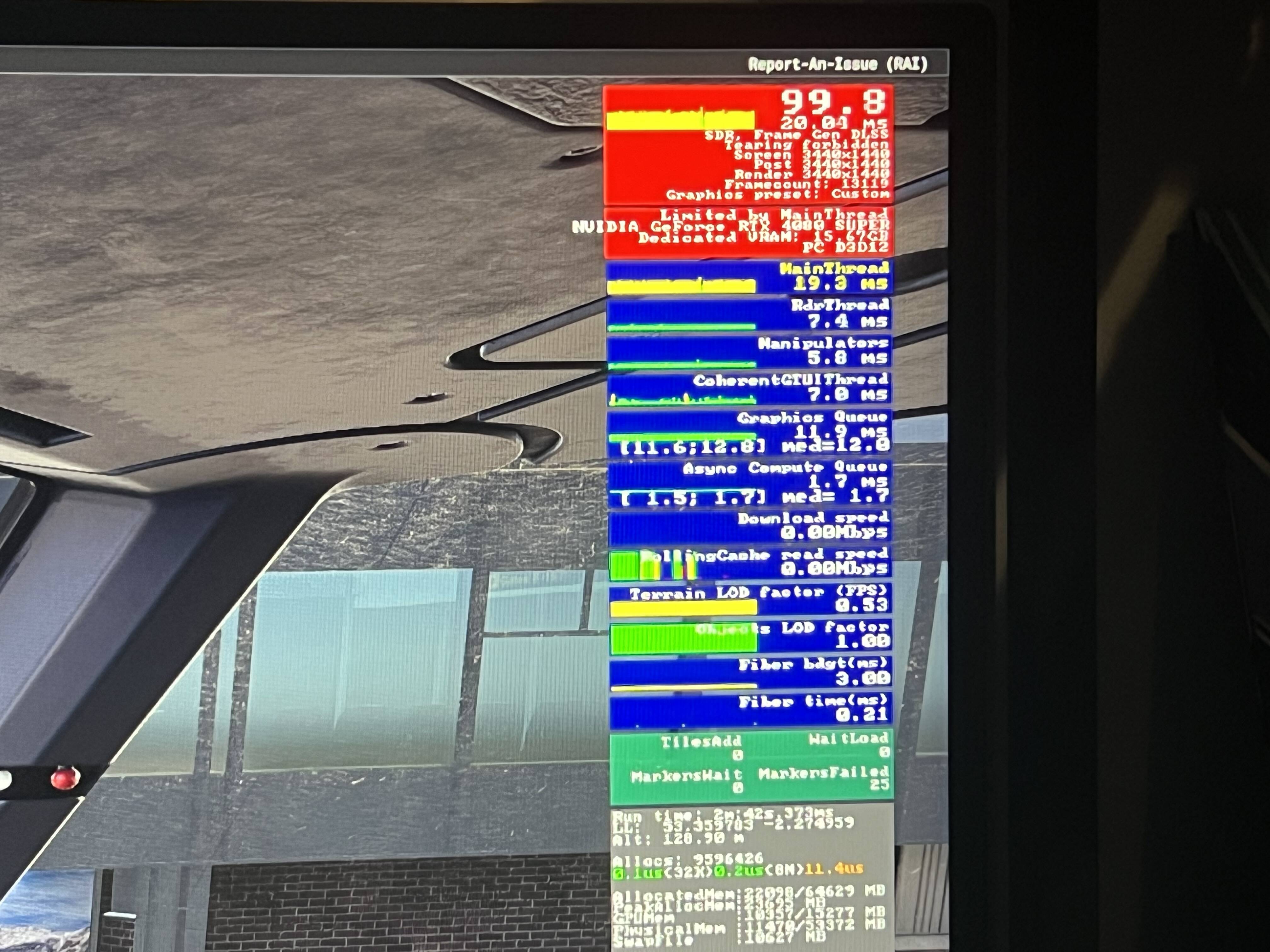
Frame rate target for dynamic settings ?
45 as I believe it targets base frames and that gives me best performance and visual quality
Disable frame generation and dynamic settings completely.
- Anti-aliasing - TAA
- Frame Generation - Off
- Dynamic settings - unchecked
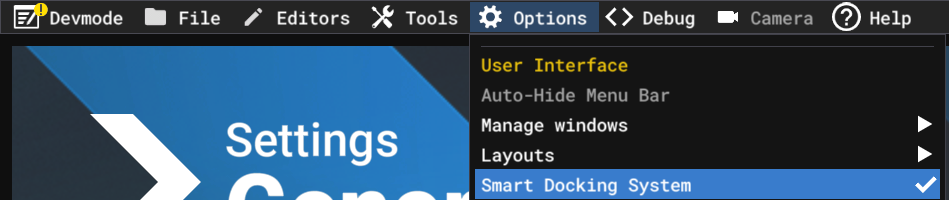
Then enable developer mode and turn off the smart docking system.
Smart Docking System “ON”
Smart Docking System “OFF”
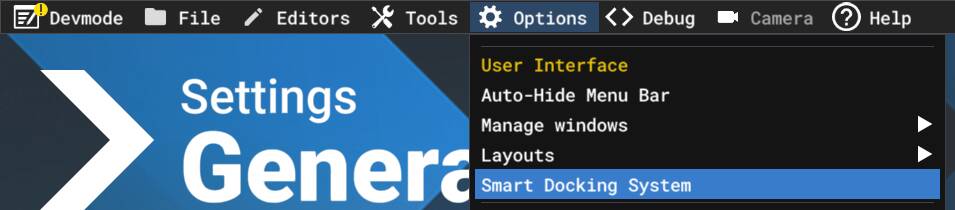
After turning off the smart docking system, disable developer mode and then close MSFS.
On some hardware configurations, there is a noticeable FPS drop - and even stuttering - when Developer Mode is enabled. However, anyone who wants to monitor FPS is currently forced to keep Developer Mode turned on.
For gamers who are benchmarking, testing performance, or simply monitoring MSFS behavior, Developer Mode itself is unnecessary. They only need the FPS overlay.
For that reason, I decided to share a workaround that allows you to keep the FPS overlay enabled without having Developer Mode active.
How to Enable FPS Overlay Without Developer Mode
After creating the shortcuts, start MSFS from the new shortcut and test without enabling developer mode - the FPS overlay will still work.
Just to confirm,I am on su4 sorry about not listing that
My guide is for both SU4 and SU5 beta - it’s currently in the SU5 beta section. Once testing is done, it will be moved.
Create the shortcuts and follow the steps I mentioned earlier.
Watch the Mainthread numbers as soon as you launch into the aircraft. Do you see it initially showing around 7ms then after a couple of seconds showing 20ms? I believe there is a bug in the frame counter where the mainthread gets “flooded” and can’t keep up. Instead of one frame it starts counting 3 frames as one frame. I don’t know if there’s a bug logged on this, but I posted about it just before the beta SU5. If your game is smooth, just ignore the mainthread.
You don’t need 100fps. This is not a first person shooter. Go back to DLSS Quality or DLAA, turn off FidelityFX, turn off Frame gen, turn off Vsync, Max Frame Rate = 40, turn off Nvidia Reflex, turn off Dynamic settings. Experiment with turning off Raytraced shadows and Raymarched reflections.
I also have the 4080 Super. I use Texture resolution Ultra, and tune everything else around that.
So once I select the airport I want to fly from then click fly now,the moment it zooms into the airport the mainthread goes from green to yellow and it stays like that for the remainder of the session
How long does it take to go from green to yellow? 3 seconds? My theory is you are getting 7ms frames, but the counter is measuring the time for one frame to be 3 times longer for some reason. This is why I say, if it’s smooth, ignore the mainthread.