ISSUE DESCRIPTION
Description of the issue:
Phoenix photogrammetry is still either missing or rendering incorrectly in SU6 & SU7 Beta 1.9.10.0.
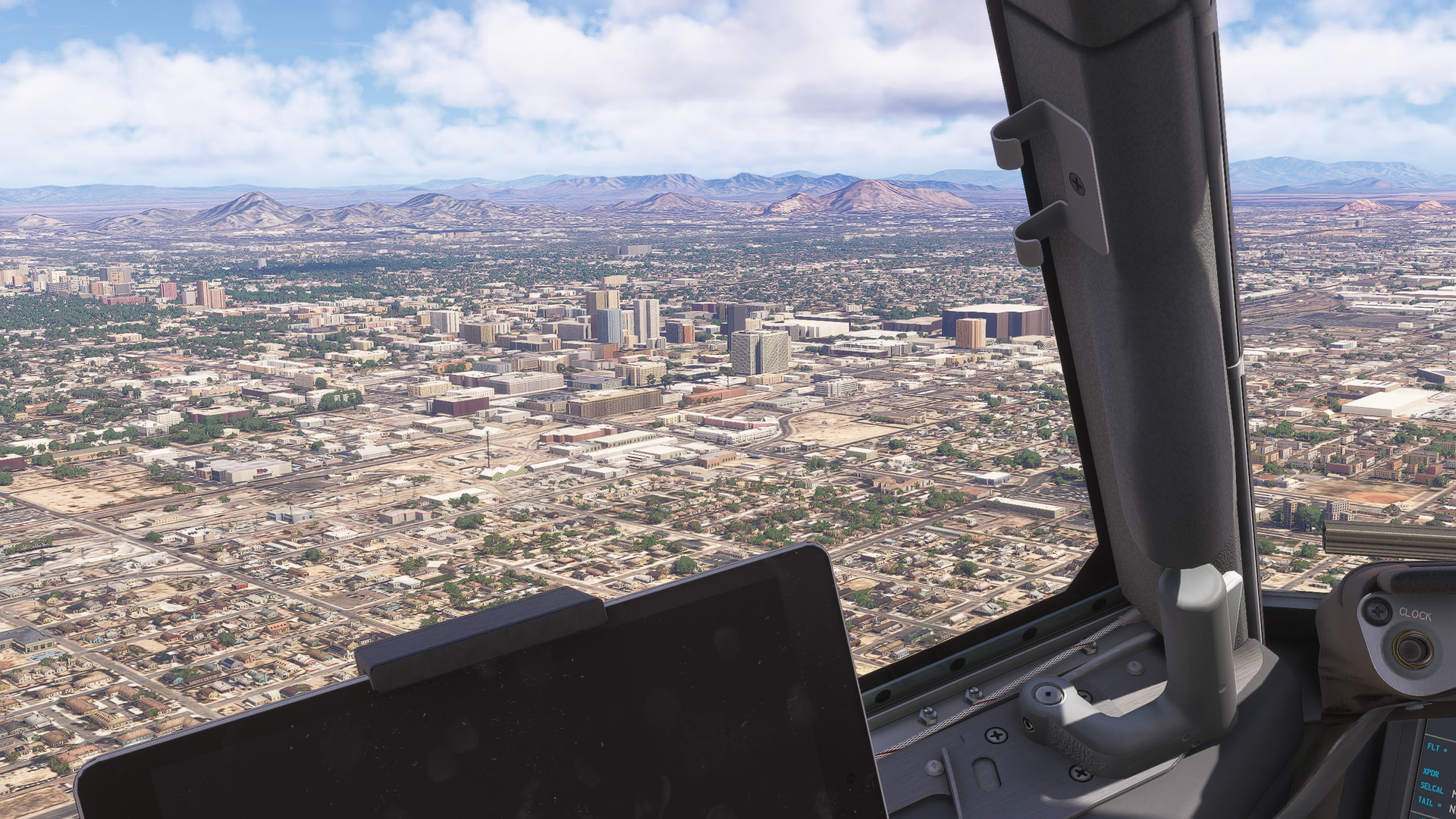
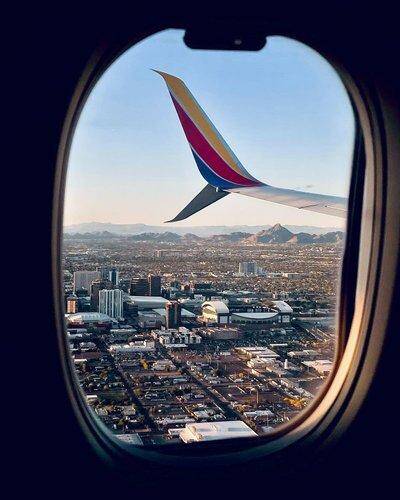
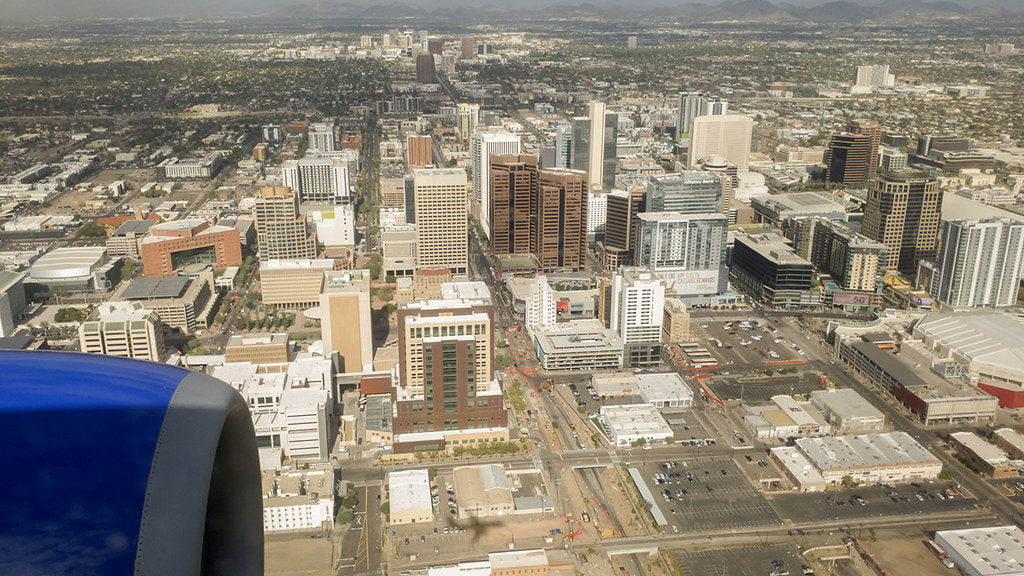
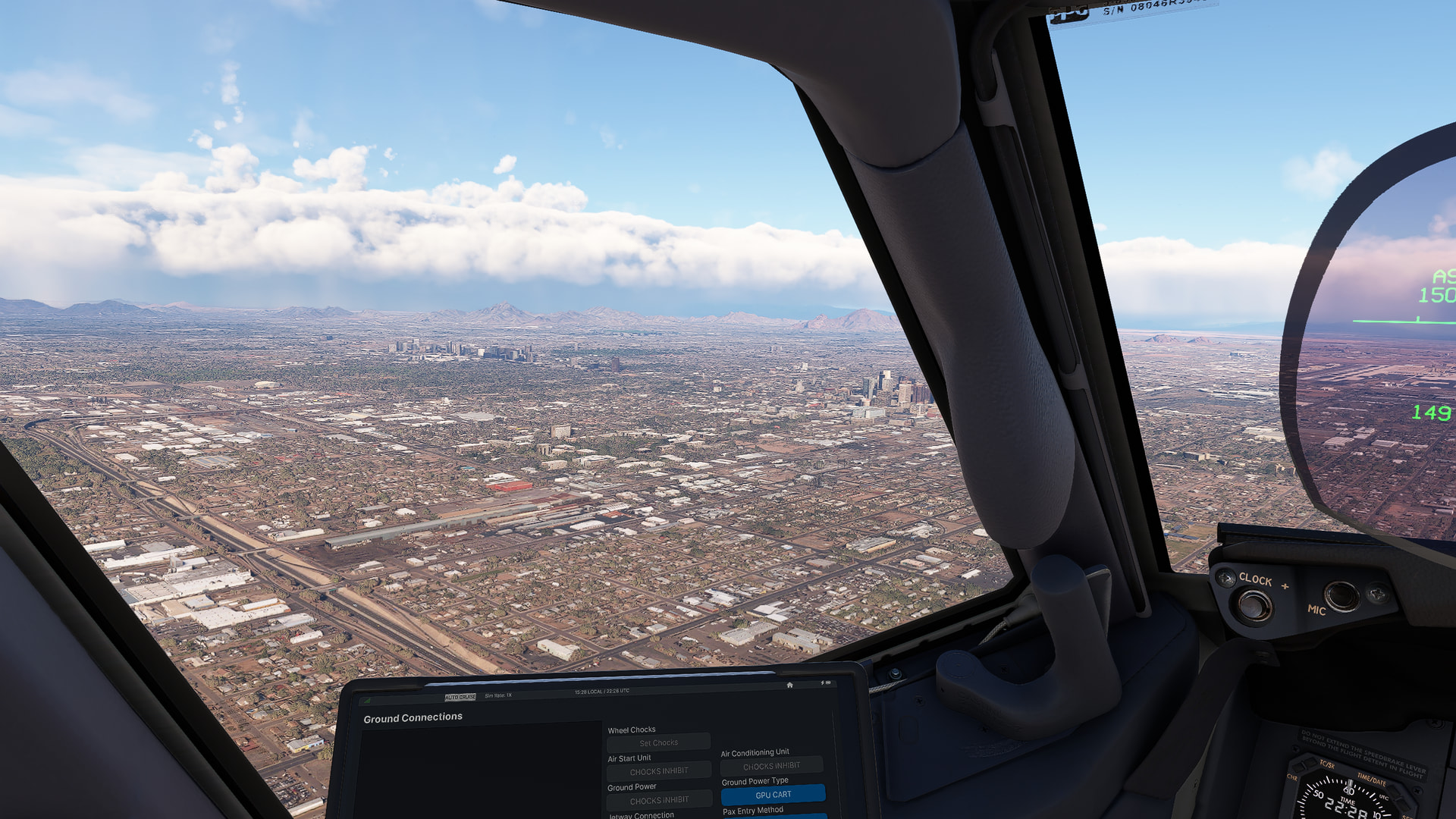
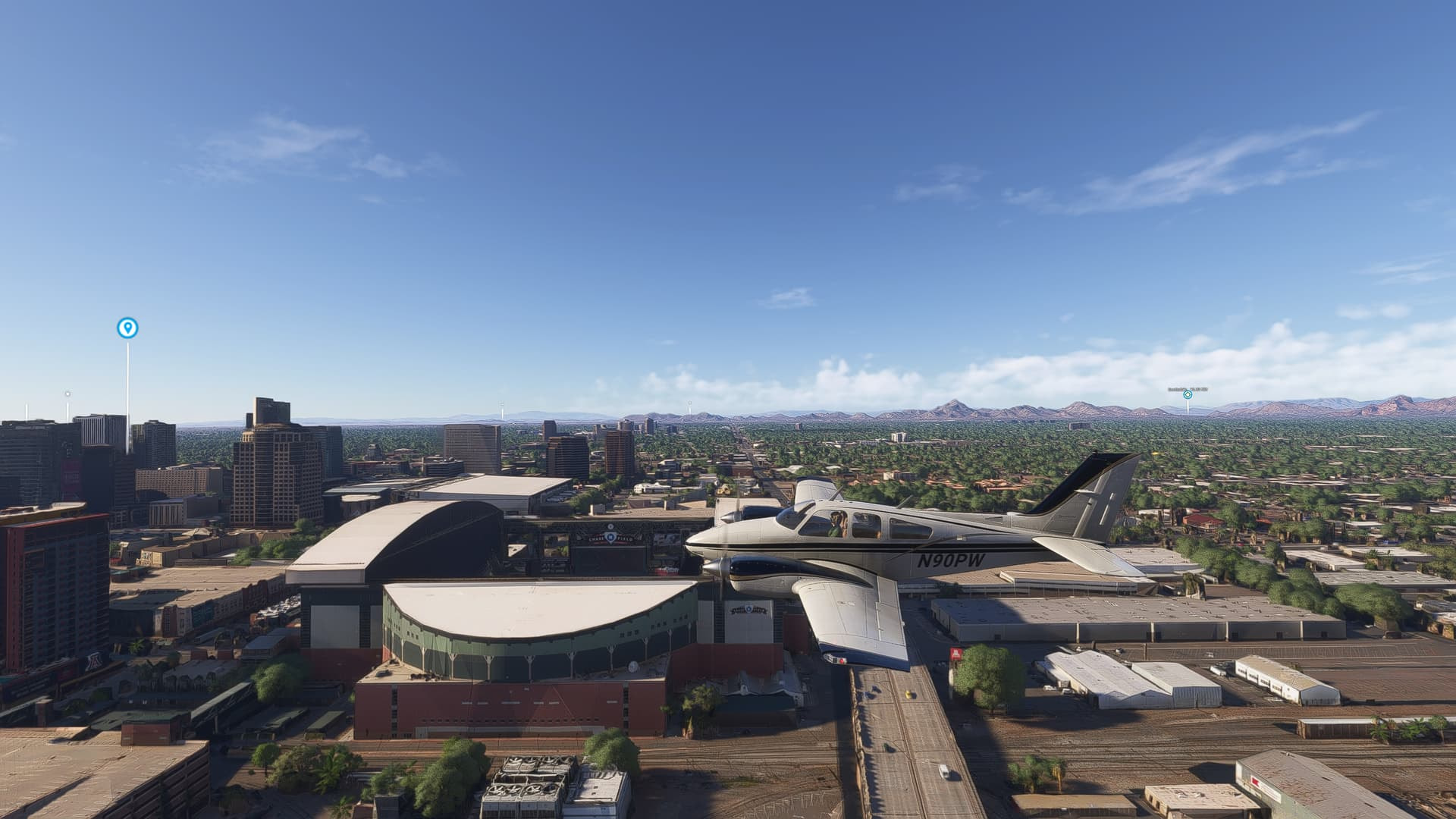
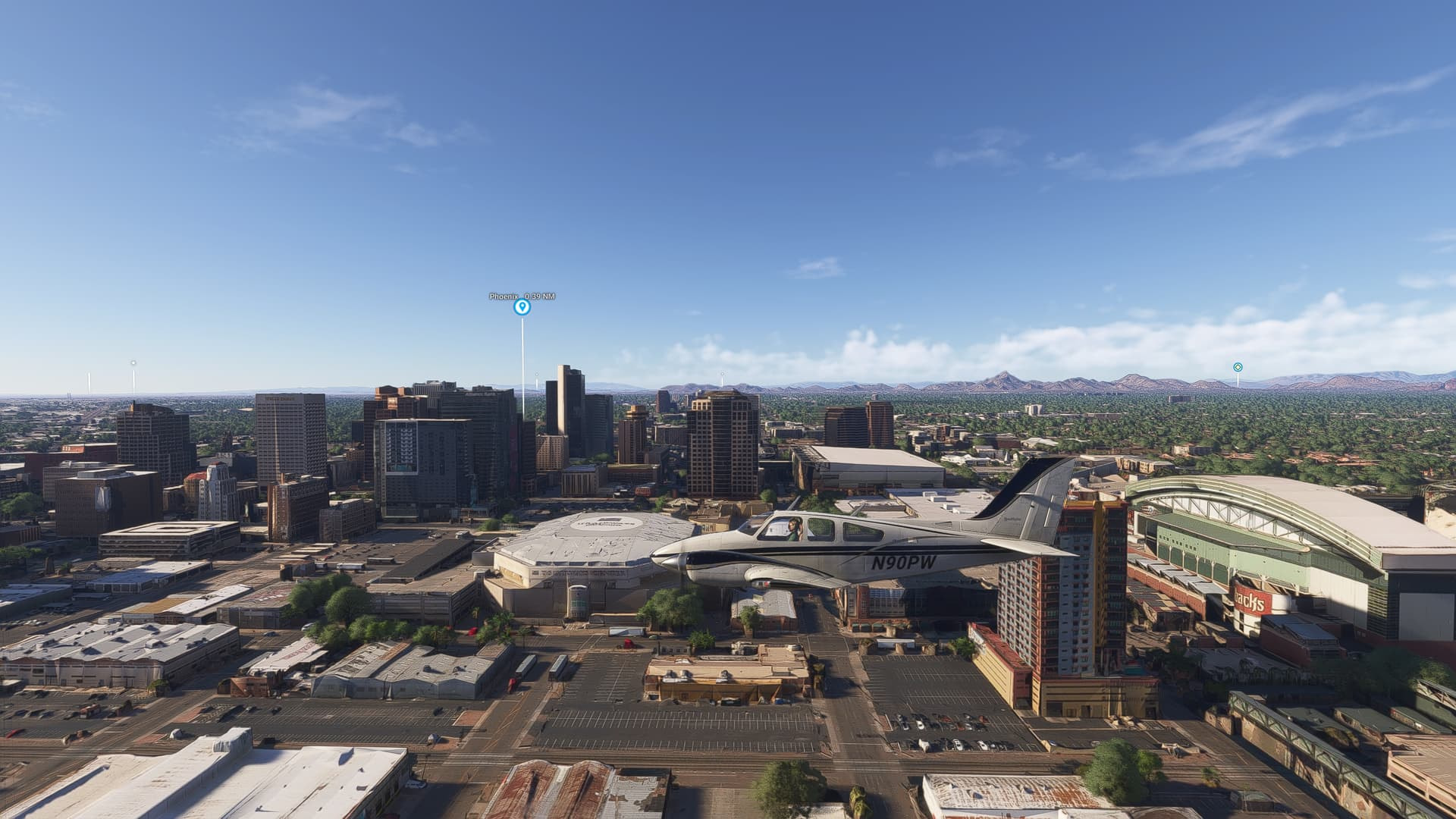
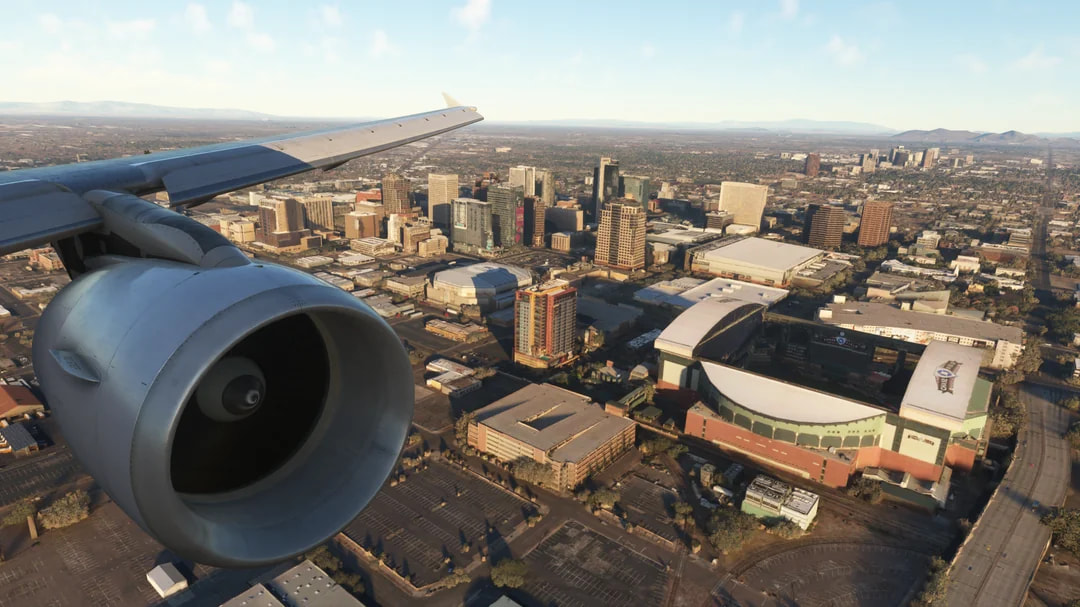
Downtown Phoenix is largely being represented by generic/autogen scenery instead of the correct photogrammetry/TIN. Two of the easiest landmarks to notice are Chase Field and Mortgage Matchup Center (formerly Footprint Center). Both should be extremely obvious on an arrival into KPHX from the west, but they are either missing or represented by generic scenery along with much of the surrounding downtown area.
This is especially noticeable on final approach into KPHX because you fly directly alongside downtown and can clearly see the area from the cockpit. The screenshots below were taken during an actual arrival and show how much of downtown and the stadium/arena area is missing.
Coordinates / locations:
Downtown Phoenix: approximately 33.4484, -112.0740
Chase Field: approximately 33.4454, -112.0669
Mortgage Matchup Center: approximately 33.4460, -112.0714
FREQUENCY OF ISSUE
Every time I fly into or around Downtown Phoenix in the current SU6 & or SU7 beta.
REPRODUCTION STEPS
- Load MSFS 2024 SU7 Beta 1.9.10.0 with Online Functionality, Bing World Data and Photogrammetry enabled.
- Fly into KPHX from the west on an eastbound arrival/approach, or simply fly around Downtown Phoenix.
- Look toward Downtown Phoenix near Chase Field and Mortgage Matchup Center.
- Downtown is rendered largely as generic scenery and the two major sports venues are missing/not represented correctly.
YOUR SETTINGS
Platform: PC
Simulator: Microsoft Flight Simulator 2024
Build: SU7 Beta 1.9.10.0
Rendering API: DX12
GPU: NVIDIA GeForce RTX 4070 Ti SUPER
CPU: Intel Core i9-14900K
RAM: 64 GB DDR5-6500
Storage: Approximately 5 TB total across four NVMe SSDs
Developer Mode: OFF
Add-ons/mods affecting Phoenix scenery: [None / add what you use]
MEDIA:
SU6 & SU7 beta:
Real Life:
SU priors & 2020:
this is 2020 SU14, sad to see after SU15+ 2020 & any SU of 2024 hasnt looked as good and or as than this 
It’s not like it’s just a little bug… It’s like a plane suddenly went missing from the aircraft selection. I don’t get why this has no higher priority. It really is embarassing now for Asobo.
Still no photogrammetry in FS2024 unfortunately and not only that, KPHX looks like I’ve landed in FS2020.
pre SU16 of 202 PHX didnt look like this. most of PHX in FS2024 SU(s) has looked like this. its gonna take a 3rd party creator (flightbeam or ORBX) to do a phoenix metro cities area just like DD did with chicago when it shouldnt
So my understanding is this has been logged by the team, but why not fixed? After many months and considering this is the second time it has been removed. I never expected an instant fix but issues like this cannot keep accumulating along with other missing things/issues with the simulator.
Please could we seek some clarity on this, is there a legal reason why they removed photogrammetry for PHX SW area? Or another reason. Thank you.
The lack of communication from the dev team on these issues that are long standing is just sad.
Flightbeam’s KPHX is likely just a few days or weeks away and is set to be one of the most eagerly anticipated scenery releases of the year. There will undoubtedly be plenty of reviews and live streams of the airport. I’m sure the lack of photogrammetry is likely to be mentioned in pretty much every video and review. I’d really be interested to hear a brief update from a forum moderator [Moderator edit: please do not ping the Community Managers] as to whether Asobo are working on the photogrammetry issue, or what is actually causing the lack of TIN data. I know the bug has already been confirmed in this thread. But Chewwy94’s post was from April, and nothing has happened since then. In their Discord channel, Mir from Flightbeam also confirmed that they had already reported the photogrammetry issues to Asobo last year, but nothing had been done about it.
It would be a real shame if the new KPHX were to be surrounded by unsightly default buildings, especially in the fifth-largest city in the US.