Please add the msfs-2020 or msfs-2024 tag to your post, depending on which sim your post is about.
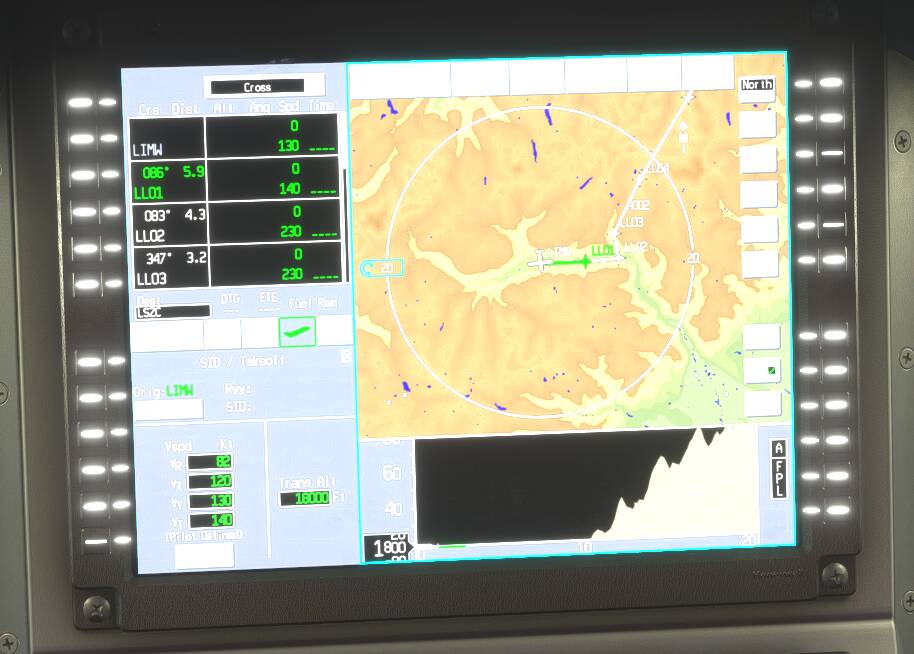
Is it possible to zoom in and out the map of upper MFD in Pilatus PC-12?
Please add the msfs-2020 or msfs-2024 tag to your post, depending on which sim your post is about.
Is it possible to zoom in and out the map of upper MFD in Pilatus PC-12?
Click, in the map, on this lightblue „box“ on the left side of your plane, with the distance inside, and use your mouse, controller-stick etc. up/down.
Thank you very much, @ORFK , I was getting crazy with this… I’ve seen this small blue box in other places in the Honeywell, now I know how to use it…
OK that is how to zoom but how do you scroll the map or even tell it to keep your position centered (or not)??
How do you interact with it? Clicking into it and using the mouse wheel produces no effect.
Click on the box and MOVE your mouse up and down. Moving the wheel has no effect.
Fantastic! Moving the mouse was the critical piece of information missing.
Anyone know if there are key bindings I can use to control the zoom level in the Pilatus PC-12 and PC-24? I’d like to use my Stream Deck Plus to control it.
I use SD too and we did some investigation around this, with no success.
More info here: PC-24 and PC-12 “Epic 2/Apex” avionics, MFD Map Range - #5 by VillaJota
Good afternoon, has it happened to anyone that the central MFD does not work?.. there is only a big red x… both on the PC12 and 24… thanks
You must switch on all AV buses in PC-12, they’re overhead. In PC-24 the lower MFD will not turn on until you start engines and switch at least one Gen.
Click on it while moving the mouse back and forth to zoom.
Not sure how that works on consoles though.
i got it to work, thanks.