ISSUE DESCRIPTION
Description of the issue:
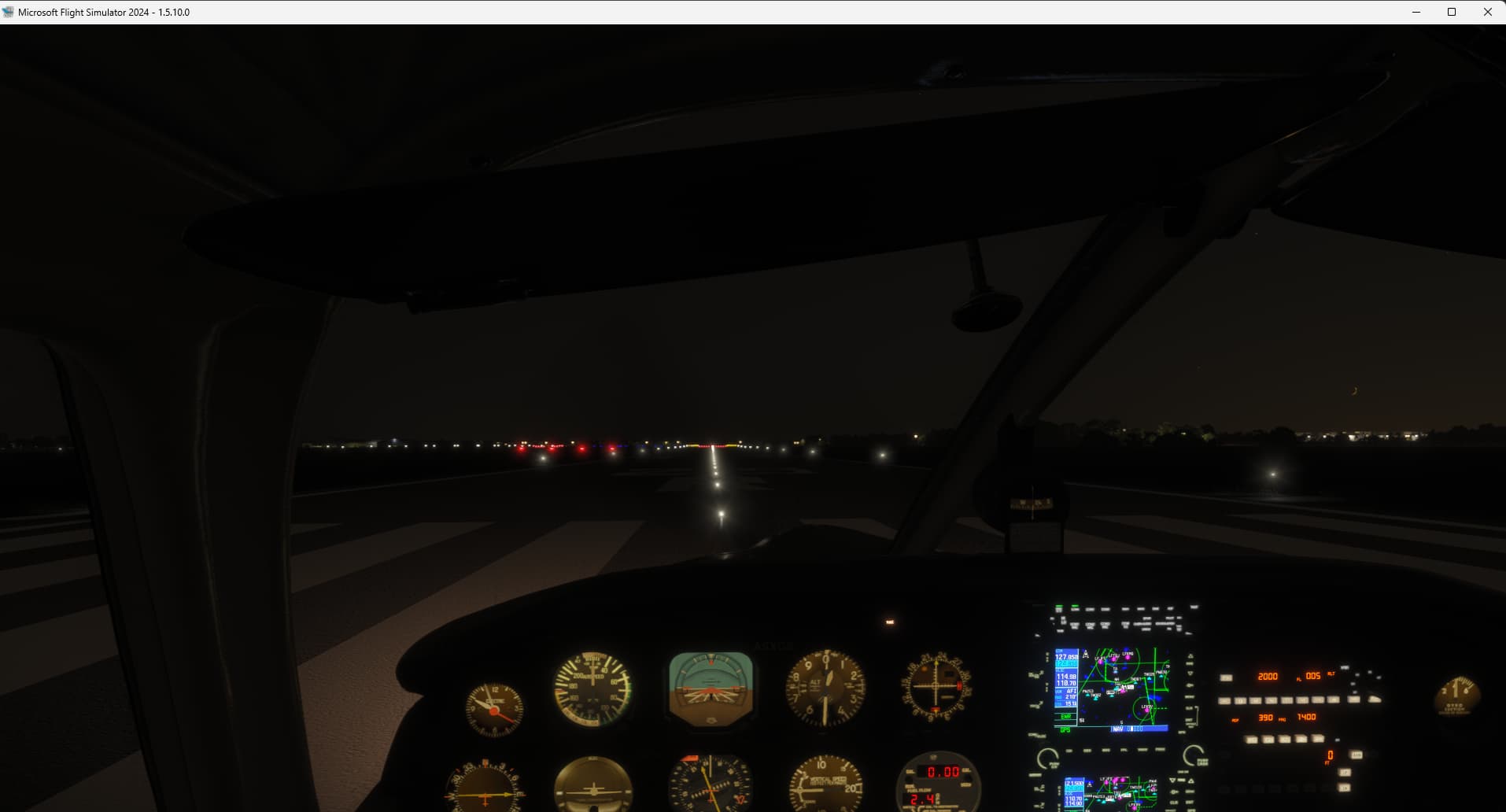
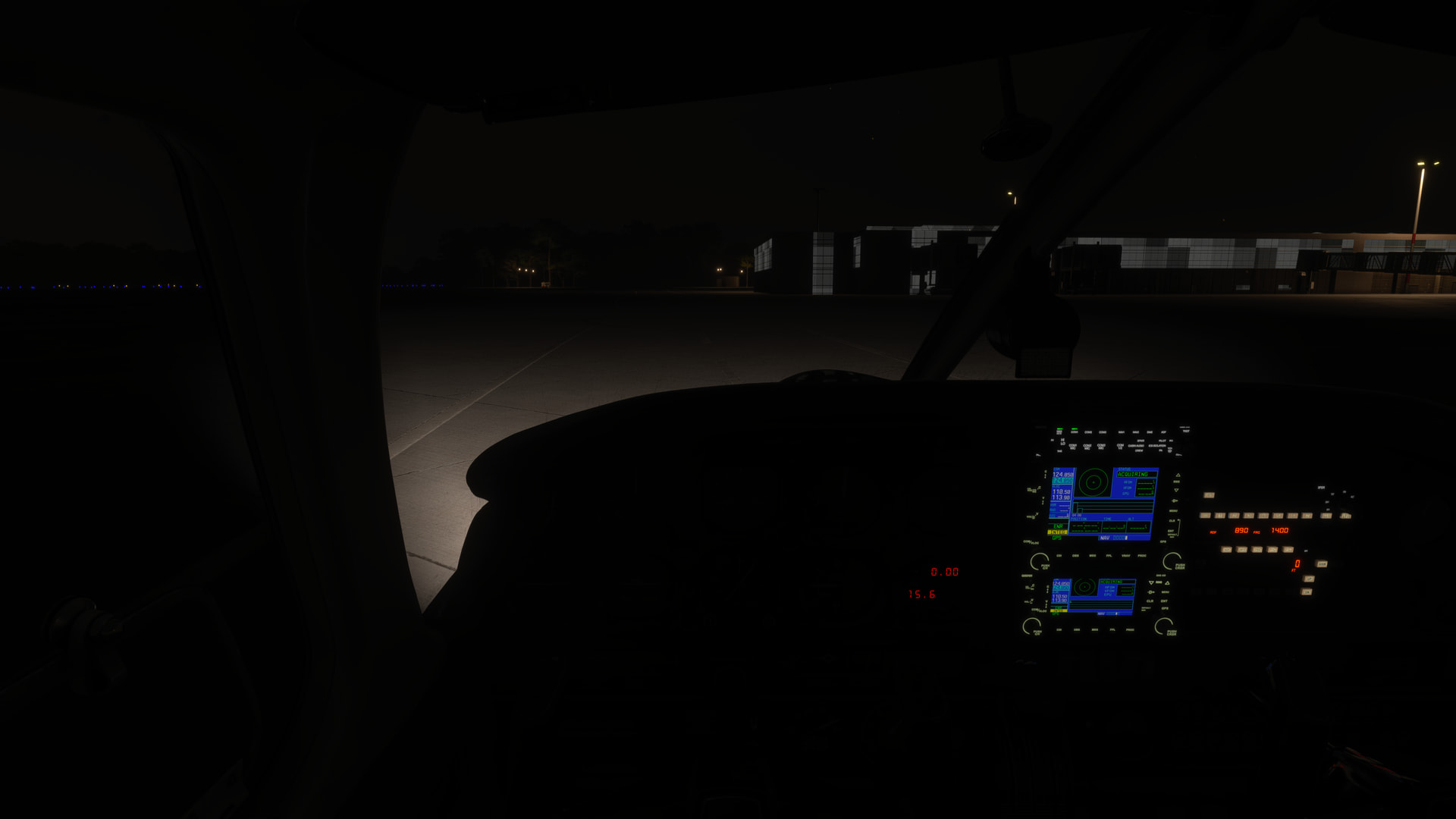
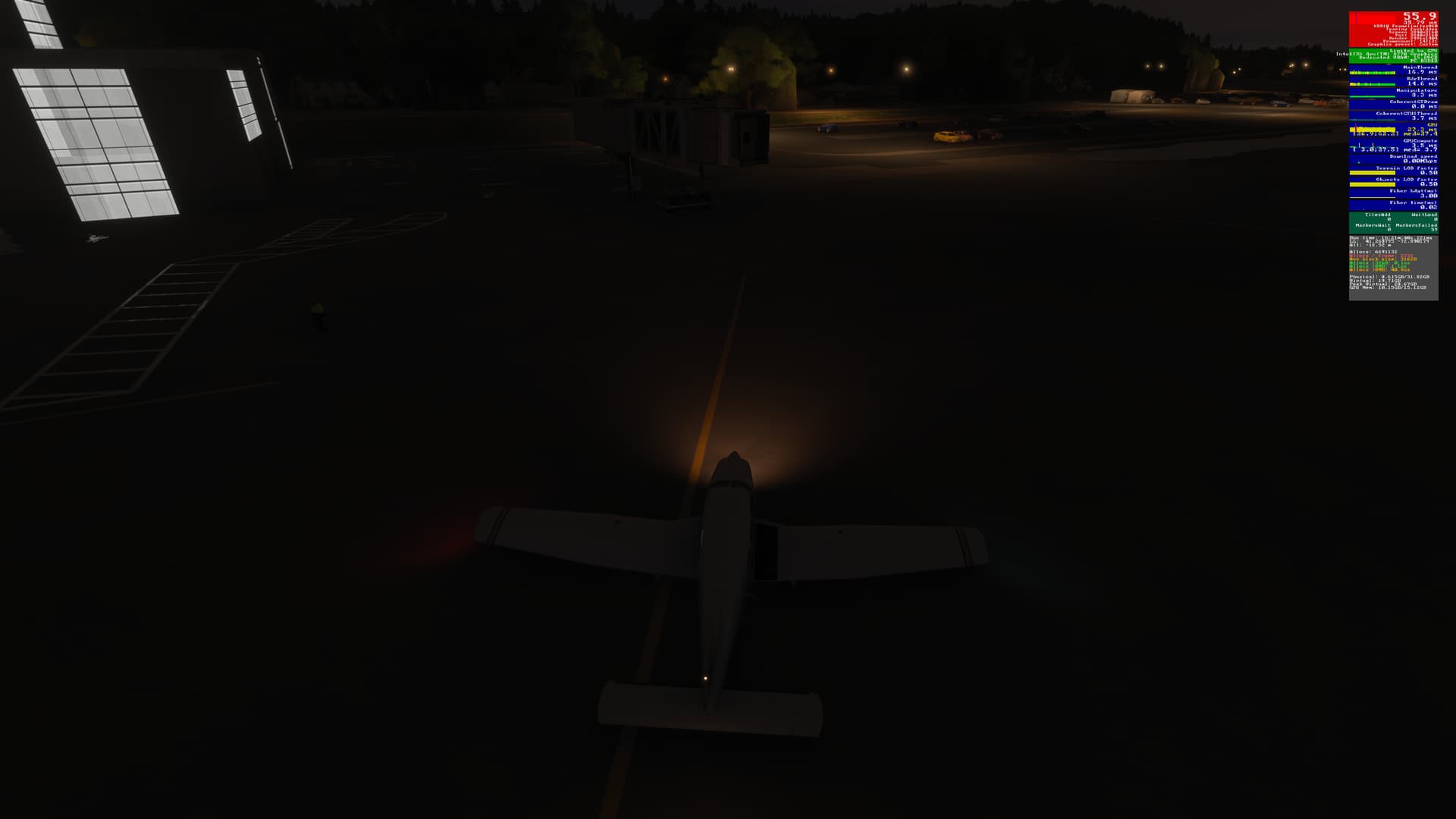
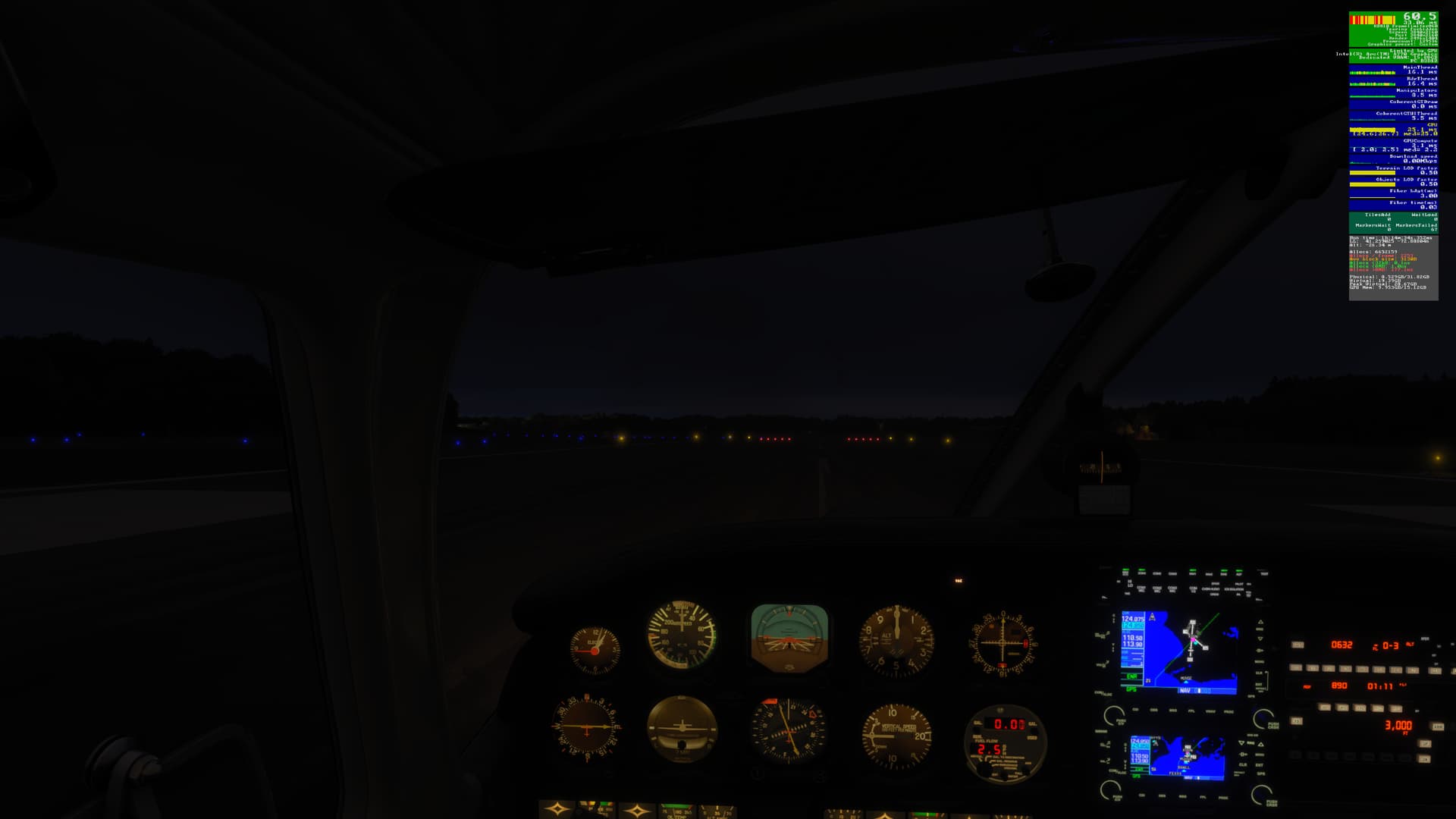
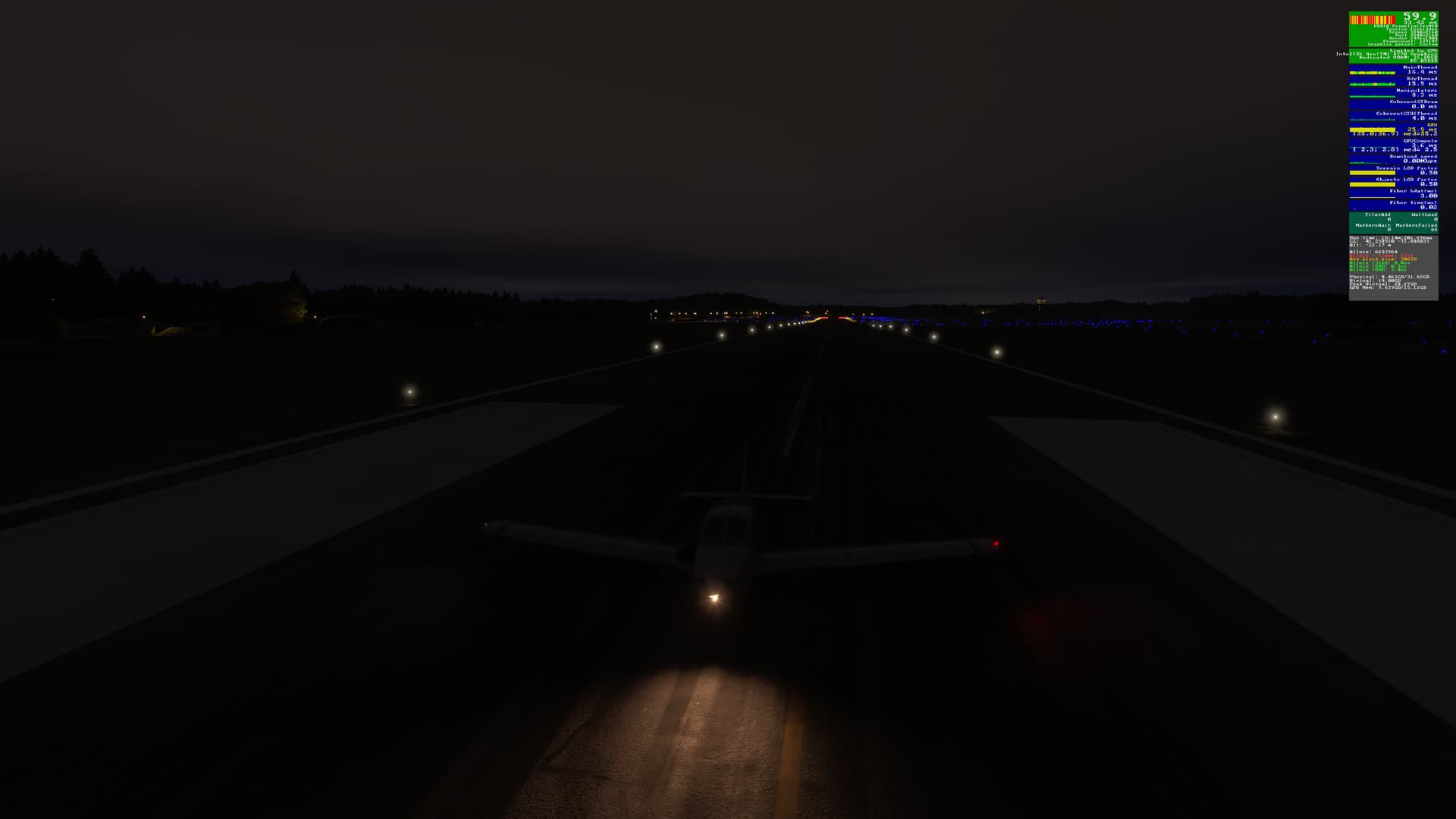
The landing light, though operational, does not illuminate the ground far enough in front of the aircraft. This effectively means that when landing or taxiing the aircraft, one cannot see the runway or taxiway at all from within the cockpit at night.
If applicable, which aircraft is experiencing this issue:
Piper PA-28
[PC Only] Did you remove all your community mods/add-ons? If yes, are you still experiencing the issue?
No 3rd-Party or Community Addons (default installation) / Yes
FREQUENCY OF ISSUE
How often does this occur for you (Example: Just once, every time on sim load, intermittently)?
Every time
REPRODUCTION STEPS
Please list clear steps you took in order to help our test team reproduce the same issue:
-
In free flight, select the Fairings variant of the Piper PA-28 (I did not test the Standard variant).
-
Select a parking spot at any airport. Set the weather to clear skies & the time to nighttime (e.g. midnight).
-
Start the flight. Complete the walkaround & enter the aircraft.
-
Start the engine & turn on the landing light.
-
Notice that the apron in front of the aircraft is still dark:
-
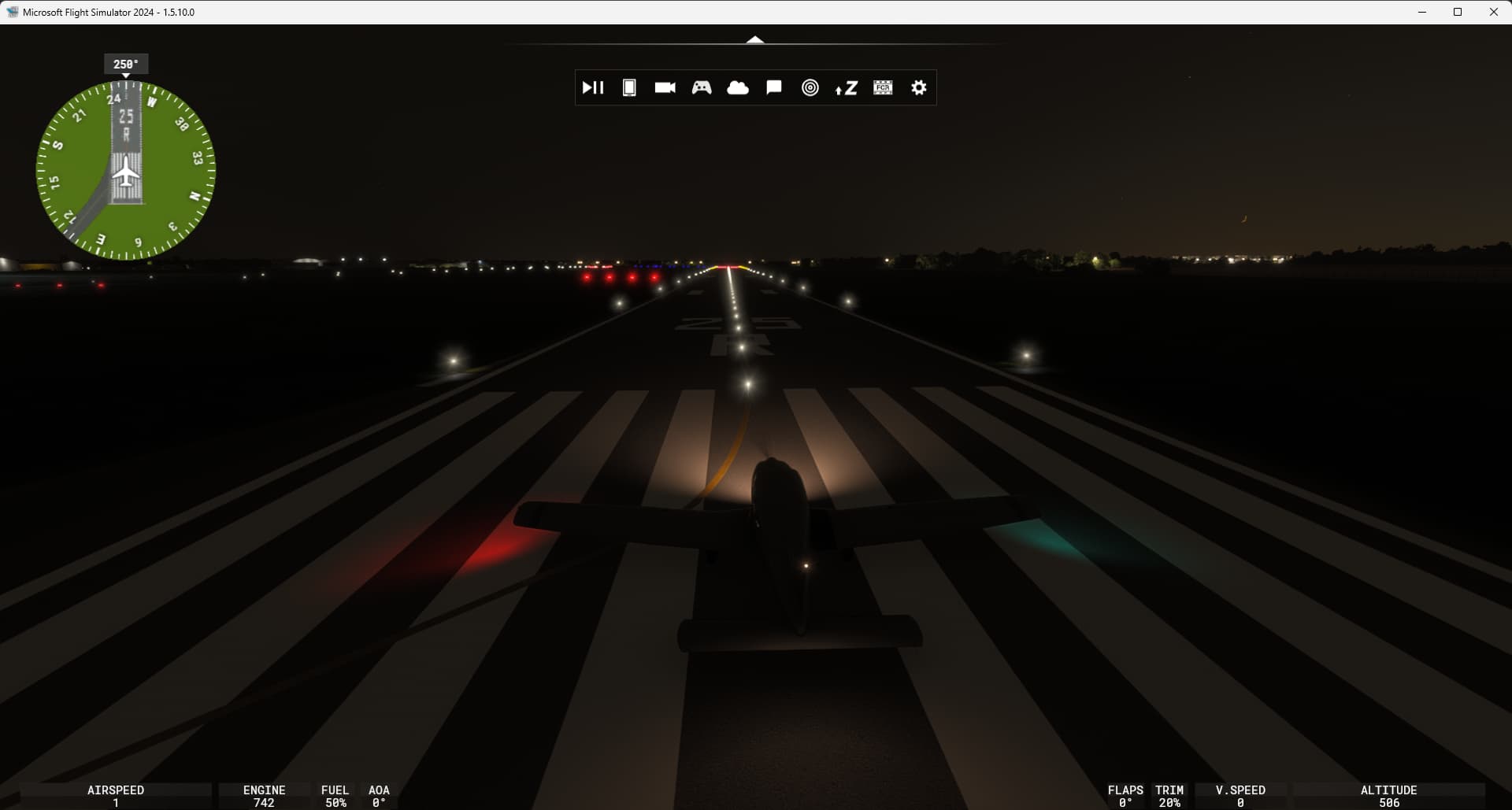
Change to External view. Notice the landing light is illuminated, as is the ground directly under the nose of the aircraft:
-
Change back to Cockpit view. Taxi to the active runway. Notice one cannot see the taxiway.
-
Take off. Notice the runway is not illuminated.
-
If courageous (!), complete a pattern & land. Once again, notice that one cannot see the runway during landing
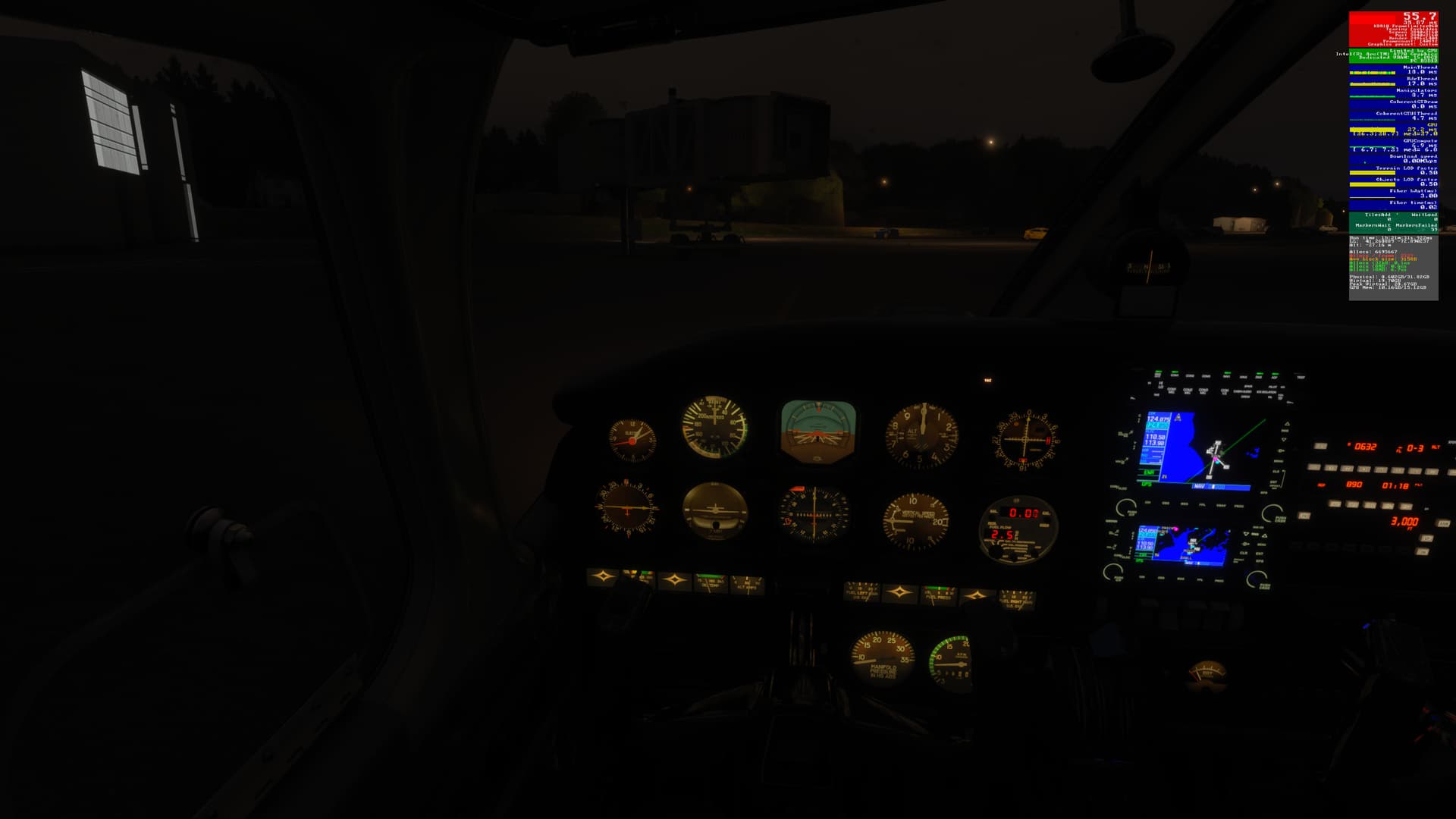
even though the landing light is on & the runway is illumianted in External view:
YOUR SETTINGS
What peripherals are you using, if relevant:
Logitech 3D Pro joystick, Xbox 360 wired controller, Microsoft Intellimouse, Microsoft keyboard.
[PC Only] Are you using Developer Mode or have you made any changes to it?
Developer Mode is Off / No changes
[PC, MSFS 2020 Only] Are you using DX11 or DX12?
N/A
[PC Only] What other relevant PC specs can you share?
Expand to see my basic PC specs:
| Item | Setting |
|---|---|
| CPU | i7-12700K (no overclocking or undervolting) |
| RAM | 32 GB 5200 MHz DDR5 CL40 RAM |
| GPU | Intel Arc 770 (16GB, v32.0.101.6314) |
| REBAR BIOS Setting | On |
| Peripherals | Microsoft USB Natural Keyboard, Microsoft USB Wireless Intellimouse Explorer, Xbox 360 Wired Controller, Logitech Extreme 3D Pro |
| OS | Windows 11 Pro 24 H2 v26100.4351 + all OS updates. |
| MSFS 2024 Edition | MS Store Premium Deluxe + all WUs & CUs |
| Downloaded Content | None (i.e., all Streamed) |
| Build Version | SU3 v1.5.10.0 |
| 3rd-Party & Community Addons | None |
No performance-improving applications are installed (e.g. for CPU or GPU improvements).
Neither the Intel Arc Control Service or Arc Control App is running.
Expand to see my graphics settings
| Item | Setting |
|---|---|
| Display Mode | Full Screen |
| HDR10 | On |
| Exposure Compensation EV | -1 |
| Full Screen Res | 3840 x 2160 |
| Anti-Aliasing | TAA |
| Render scaling | 65 (Resolution: 2496 x 1404) |
| AMD FidelityFX Sharpening | 150 |
| Max Frame Rate | On |
| Max Frame Rate Value | 60 |
| Frame Generation | AMD FSR 3 |
| Framerate Multiplier | 2x |
| VSync | Off (N/A) |
| VSync Interval | Half refresh rate (N/A) |
| Dynamic Settings | On |
| Frame Rate Target | 60 |
| - | - |
| Global Rendering Quality | Custom |
| Terrain LOD | 400 |
| Off Screen Terrain Pre-Cache | Ultra |
| Displacement Mapping | On |
| Buildings | High |
| Trees | Medium |
| Plants | Medium |
| Rocks | Medium |
| Grass | Medium |
| Object LOD | 200 |
| Volumetric Clouds | Ultra |
| Texture Resolution | High (was medium in earlier builds) |
| Anisotropic Filtering | 16x (was 4x in earlier builds) |
| Water Waves | Medium |
| Raytraced Shadows | On |
| Shadow Maps | 2048 |
| Terrain Shadows | 512 |
| Contact Shadows | High |
| Windshield Effects | High |
| Ambient Occulsion | High |
| Cubemap Reflections | 256 |
| Raymarched Reflections | Medium |
| Light Shafts | Ultra |
| Depth of Field | Off |
| Motion Blur | Off |
| Glass Cockpit Refresh Rate | High |
| Characters Quality | Medium |
| Traffic Airport Quality | Low |
| Air Traffic | Medium |
| Road Traffic | Medium |
| Sea Traffic | Medium |
| Fauna | High |
Expand to see my other settings
| Item | Setting |
|---|---|
| Online Tab | |
| Photogrammetry | On |
| Aircraft Traffic Type | Real-Time Online |
| Air Traffic in Career | Off |
| Live Weather | On |
| Multiplayer | Off |
| Multiplayer Servers | West USA |
| Show MP aircraft in close proximity | Off |
| Rolling Cache | On @ 16GB |
| Bandwidth | Unlimited |
| Advanced Options | |
| Developer Mode | Off |
| Flight Model | Modern |
 For anyone who wants to contribute on this issue, Click on the button below to use this template:
Do you have the same issue by following the OP’s repro steps?
Provide extra information to complete the original description of the issue:
If relevant, provide additonal screenshots/video: