Cool. Happy with that.
Anyway to get PMDGs attention to create a native USAF C-40 livery?
So it’s okay with your virtual airline to pause a flight indefinitely but not okay to replenish fuel used during the pause? That kind of inconsistency makes no sense.
Are you allowed to save and reload a flight using the sim’s Save/Load functions instead of pausing?
@FormerSnail5736 You are great on explaining procedures etc.. I learned a lot reading your posts.
Yesterday i tried to do a VOR landing did everything i thought was correct and missed the approach.
I was following a video on youtube and did everything right until the very final approach.
Would like to know if you can to help me out with VOR landing and one thing that i never played with. Missed Approach. How to set up and follow it to be able to try to land again. Would you mind helping me out?
Thanks as always for the amazing explanations you give us.
ps: Using the 737-700 here
2 Likes
VOR approaches, by definition, are non-precision approaches. That means that there is no electronic vertical guidance. The VOR radial that you track during the approach will get you in the vicinity of the runway but not necessarily lined up with the runway centerline. For the descent profile, the approach plate will give you a series of step down minimum altitudes. As you pass a fix you can descend to the minimum altitude for the next fix. The minimums for a VOR approach will be higher. Once you have the runway in sight you maneuver the aircraft for a normal landing. Which VOR approach were you doing? I can explain it in more detail if I can see the chart.
3 Likes
MARIE1 PBL UM414 KIKER/N0444F390 DCT DANDE ULUBA1
Approach: VOR Y RWY 10 (PJM)
I managed to get around 2000ft but when i noticed, i was over the airport already and got completely lost on how to proceed with a Missed Approach and try again.
I´m too used to do ILS and trying to learn since this aiport does not have ILS approach.
Also kinda lost on the BARO option where i had 950
Thanks for the help!
1 Like
The ULUBA1 STAR into TNCM has a note that you can expect vectors to execute the VOR Z RWY 10 approach straight in. I’m nitpicking here, but you won’t be flying the VOR Y with a 737. The only chart I could find for the VOR Y was old and outdated but it was for category A and B aircraft. The 737 is a category C so you would need to fly either the VOR X or the VOR Z.
Anyway, you are flying the ULABA1 with the DANDE transition. In the real world, ATC would be giving you vectors but MSFS doesn’t do vectors so we will assume you are flying it without ATC guidance. You should be at around 4000 feet at DANDE. Depart DANDE on a heading of 040 and start a descent to 2600 feet. Your VOR1 should be tuned to 113.0 and the CDI set to 096 degrees. That is the final approach course of the approach. Fly the 040 heading until you intercept the 096 inbound course then turn right and fly the 096 course inbound. Descend to 1600 feet. When you get to DEBIR which is 4.9 DME from the VOR you can begin your descent to minimums which is 500 feet for the VOR Z approach. The VOR X and Y approaches are based on timing rather than DME distances from the VOR so their minimums are substantially higher, 1040 feet.
2 Likes
Any go around ends with the after take off checklist. Once that’s done you’re basically in a new flight. After the after take off checklist has been read the PF (you) can hand over controls to the PM and he will set the airplane up for a new approach.
-Reload the approach in the FMC and give yourself a direct to a reasonable base (like 10nm).
For example if your IF is at 10nm, you could add a point 90º from the IF at 4nm and then give yourself a direct to it while still in the hold or whatever vectors ATC is giving you.
-Check your NAVAIDS and courses.
-Reselect autobrake (the after take off checklist will have turned it off).
-Brief your colleague.
-Get back controls.
-Read the descent checklist and the approach checklist and tell ATC you’re ready.
In real life this takes about 3 minutes unless the reason for the go around was a malfunction or something that requires QRH reading.
Side note: Don’t forget to add the 40ft additive for VOR minima. In the 737 you add 40ft to the minimums that appear on the chart.
So if the VOR minimums on your chart are 840ft, in the airplane you would select 880ft.
The only case where we don’t add 40ft is for RNP/RNAV approaches that have specifically defined LNAV/VNAV minimums.
3 Likes
True but most chart manufactureres like Lido, Jeppessen or Navblue draw their VOR approaches for continuous descent. There’s no need to do a step descent anymore. We fly VOR approaches just like we fly RNP approaches. Be at your FAF at the correct altitude and then follow the procedure you’re simulating. In our case, 2nm before the FAF we’ll select on the MCP the minimums rounded up and check that we’re in VNAV PTH with SPD intv. Most of the points before the FAF are usually “or above” points that VNAV handles perfectly without levelling off. In these airplanes we don’t descent to minimums and level off to look for the runway. We treat NPA minimums almost as a DA because VNAV leaves us at the MAPt exactly at our minimums.
2 Likes
Thanks @MikeB54331 and @FormerSnail5736
Pardon if i got it wrong. The go around / missed approach ends after take off. Got that. I need to have a secondary FP for the go around? because i see the missed approach procedure on the FP but i have no idea on how to activate it. Just trying to understand, since its a lot of information to digest once.
Example like yesterday. When i realized i was passing the runway at around 2000ft and missed the landing. I should delete the actual FP and add a new one with the go around only? Or a go-around is not used when you miss the landing and only when you need to hold for a specific situation? Go-around and missed approach are the same thing? The guy on the video set 4000ft in case he needed the go around while he was almost landing, but since he didnt do it, i got totally lost. Sorry if i misunderstood, ill get there 
and thanks, i take those posts to a google docs and will try this again / study.
appreciate, patience with me! 
If you think would be easier to point me the direction of something else, feel free.
I´m still learning so reading, sometimes i get a little lost.
1 Like
Yep, I guess they understand people have real lives away from the sim.
The go around is part of the approach you selected in the FMC. You activate it by pushing the TOGA switch. I’m sure you can find a good Go Around video in youtube. I’d recommend the Flightdeck2Sim channel.
Go around and missed approach is the same thing. So the go around track will be in the FMC and I’ll usually end in a hold or in a point. Usually ATC will have given you a vector long before you fly the whole go around (unless terrain is an issue). You don’t need to use RTE2. SImply reselect the approach and the FMC will create a discontinuity between the first point of the approach and the last point of the go around. When you’re ready to start another approach, ATC will give you vectors or direct you to a good point to start the approach.
Most airlines will set the missed approach altitude in the MCP as soon as the glideslope is captured or at 1000ft on non-precision approaches.
Just watch a FlightDeck2Sim video and you’ll get it. He flies in my same company and he’s good at explaining procedures with the sim. I think he still hasn’t fully transitioned to MSFS but the concepts are exactly the same.
2 Likes
Thanks a lot! Will do my job here and try this again tonight.
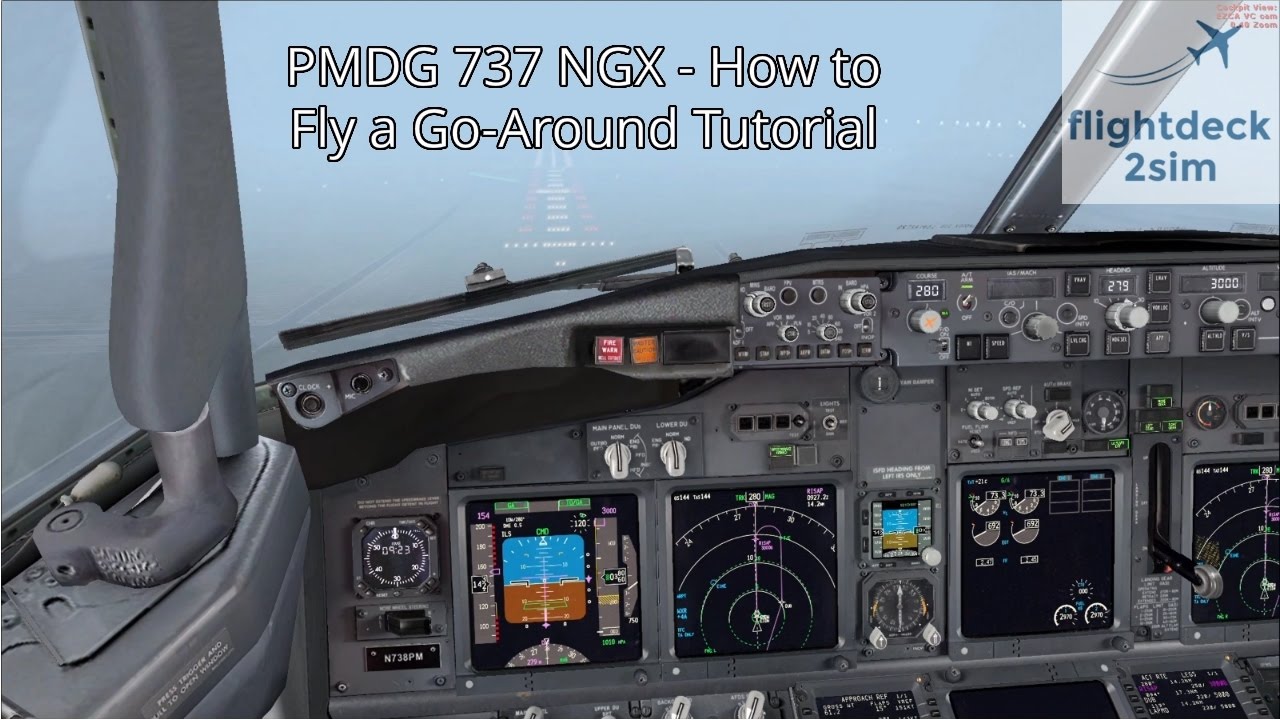
4 Likes
Awesome! Appreciate.
Watching will make it easier to understand better what you wrote as well.
As always i take note of your posts with the great explanation you give and check them on my google docs whenever i find myself in trouble.
Cheers
ps: i can publish a book with all the explanations you gave to us already 
2 Likes
The inevitable constant negative comparisons to X-Plane 11 will give it away pretty quick, lol. He’s still first and foremost an X-Plane fanboy. 
2 Likes
Note that on that video he’s doing a dual channel approach (2 autopilots for autoland). In this case the go around will be automatic, that is, the autopilot will not disengage when you push TOGA. When you do a standard approach with 1 autopilot the go around will be flown manually because as soon as you push toga the autopilot will disconnect. You’ll follow flight director commands flying manually and you can re-engage the autopilot later.
I’d recommend you to practice your go arounds in dual channel approaches (ILS, both autopilots). At 400ft make sure you’re in LNAV. That way you can clean up without having to worry about flying the airplane. Remember the real airplane is flown by 2 people for a reason.
4 Likes
Interesting, thanks for pointing that out!
Will do as you said. I was about to ask that!
2 Likes
One curiosity here.
What do you use for EFB when you fly real planes?
ForeFlight?
I was checking this app and really wanted to try it, but the price kept me away.
Is that something you would recommend for more immersion? or for someone who still learning thats overkill?
1 Like
When you have to go around while flying manually, what is the correct thrust setting? Do you just firewall the throttles and not worry about overboosting the engines (assuming that is even possible) or do you target 100% N1 (or less)? Assuming a high thrust setting, what do you pitch to in order to not exceed the flap speeds during climb out? The FCOM and FCTM seem a bit vague on these things…