ISSUE DESCRIPTION
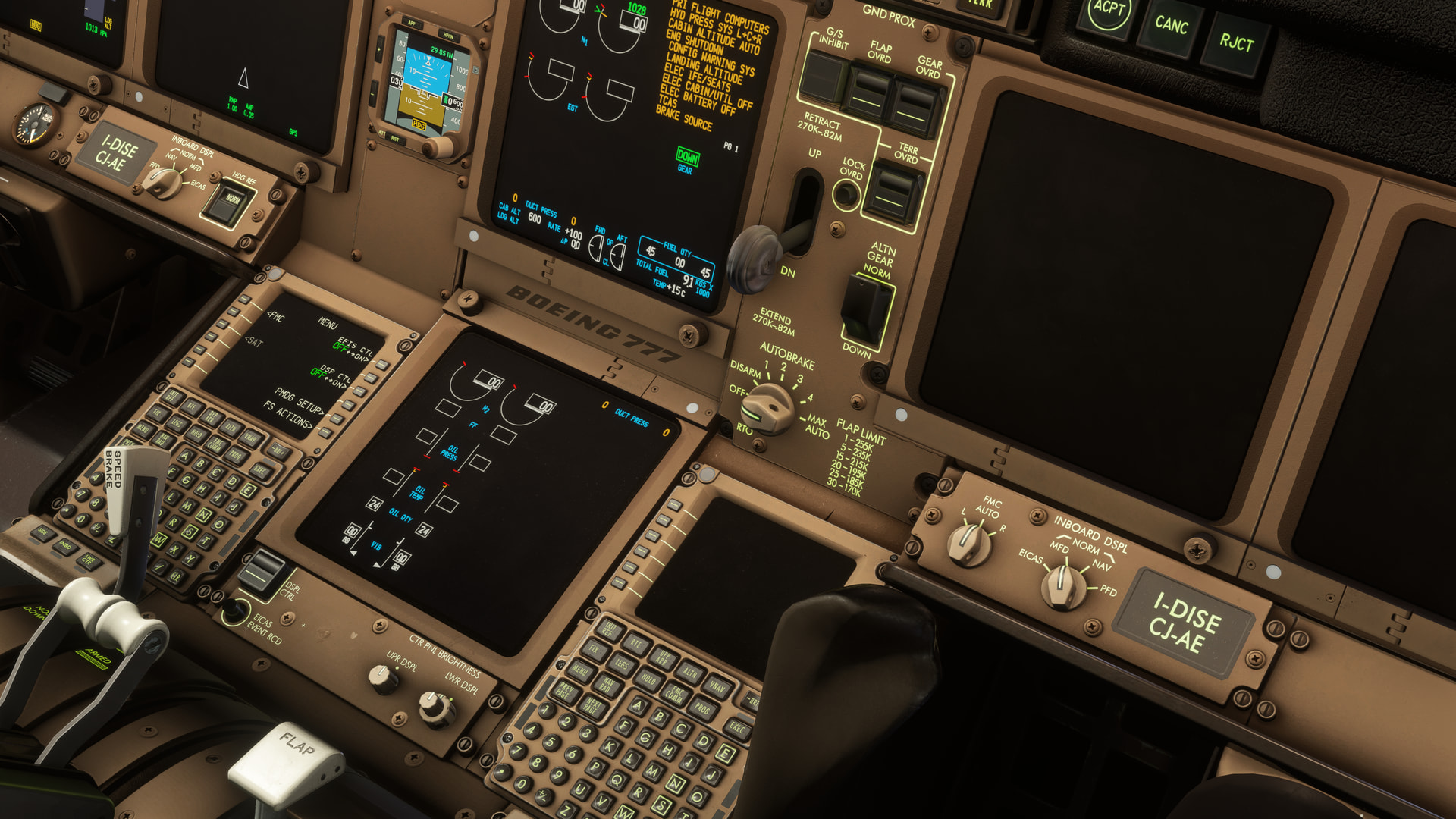
Description of the issue: When flying in Dark time in the PMDG 777, if you have any Light on for example the Dome or Flood then your gear leaver starts to flicker. Which is probally a DX12 LOD issue.
FREQUENCY OF ISSUE
How often does this occur for you (Example: Just once, every time on sim load, intermittently)? Every flight In the dark.
REPRODUCTION STEPS
Please list clear steps you took in order to help our test team reproduce the same issue:
-
Fly the PMDG777 Series in the evening.
-
Have dome or flood lights on.
-
Have a RTX 5000Series card.
YOUR SETTINGS
If the issue still occurs with no mods and add-ons, please continue to report your issue. If not, please move this post to the User Support Hub.
What peripherals are you using:
[PC Only] Are you using Developer Mode or have you made any changes to it? No.
[PC Only] What GPU (Graphics Card) do you use?Nvidia RTX 5090 OC.
[PC Only] What other relevant PC specs can you share? Amd 9800X3D
MEDIA
https://cdn.discordapp.com/attachments/1523959907240640723/1530862823784185867/file_0000000048147208988ceb383ebcaf71.png?ex=6a671e9b&is=6a65cd1b&hm=9cee2ef1dd2061f7e1feaf195773780325f6bb2bd061e9bd50c3cbcac7c5d95c&
I suggest contacting our support, they might have ideas and for sure can log the issue. I have seen one other report like yours and we never were able to find out what was different on that installation. We are unable to recreate this in any way.
Mathijs Kok
PMDG
777-300ER
777-200ER
All good. Default PMDG livery.
EDIT
ASUS ROG Astral RTX 5090 / NVIDIA Hotfix driver 610.82; 4K, TAA.
I see, Alot of people that has this issue is running 1440P. im also running 1440P. If i put renderscalling from 100% to 120% it goes away.
As I said, we know of one other person; if others have it, we hope they will contact our support department! That’s the only way to get these sorts of things sorted out. We need to find out what all these people have in common.
If render scaling or resolution plays a role, the issue must lie in the graphics pipeline as these are functions of the graphics card and not something affected by the model.
Mathijs Kok
PMDG
Hey, i can comfirm using 4K its fixed, but it ofcourse should also be fixed for lower res. I will contact support regarding This.
I was able to reproduce the bug on my system.
I changed both my Windows desktop resolution and the in-game resolution to 2K. I then selected Tokyo as my departure airport and RWY16L. Using the CDU, I selected the Runway startup profile. The flood lights were enabled automatically and while the aircraft systems were initializing, the landing gear lever was flickering with slightly transparent black squares.
Once all the aircraft systems had finished initializing, the flickering stopped.
However, while switching between different cockpit camera views, the flickering started again, although it was much less noticeable than during the aircraft systems initialization.
Settings: LOD 200/200, TAA, 2K.
Yeah and when i switch to 4k it goes away. So its only when the resolution is less then 4K.
Yes, exactly. When I was running at 4K resolution, I couldn’t reproduce this issue. I was only able to reproduce it after you mentioned that you were playing at 2K.
This shows how important the MSFS settings are when reporting a bug. I always try to include screenshots of my settings when reporting issues, so others can more easily reproduce the bug or confirm that it doesn’t occur under the same conditions.
Yes your right i will do that next time when reporting something. And thanks for also comfirming when on 2k it also happens. I am planning on getting a 4K monitor anyways but this still has to be fixed ofcourse.