Okay thank you for the valuable information, still we should have a slider 15 min up to 23. This shouldn’t be a wishlist or bug item, this should be a next update item by terms. If they want to limit us due to performance or optimization they should let us have the option of doing it ourselves. This would be acceptable to me since im such a owner of “separate the update core builds so one platform doesnt get the exact as the others”
6 Likes
I used SeedyL settings (without HDR10 it is grey (?)) the area not covered by WU and this is what it looks like on my screen.
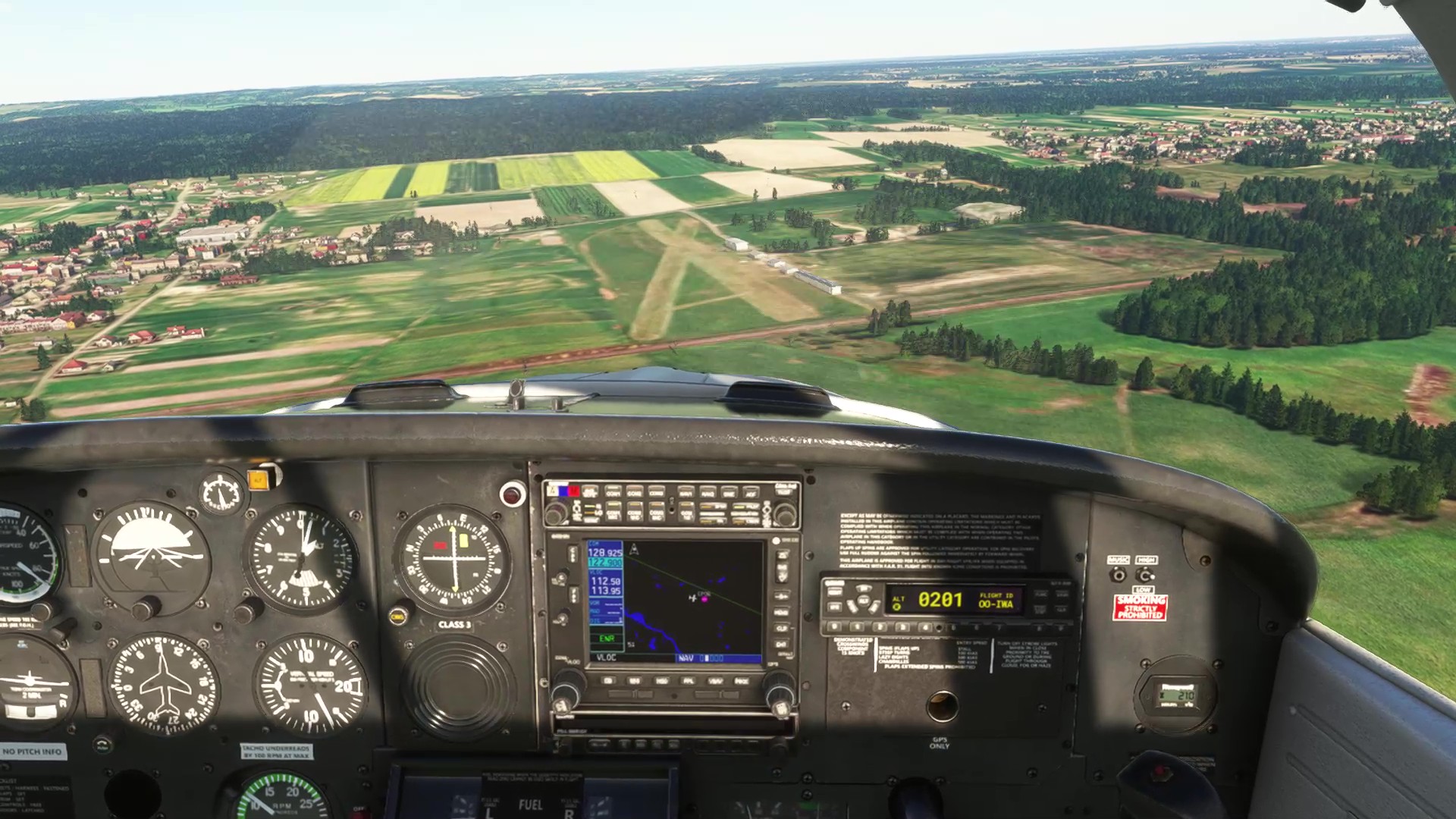
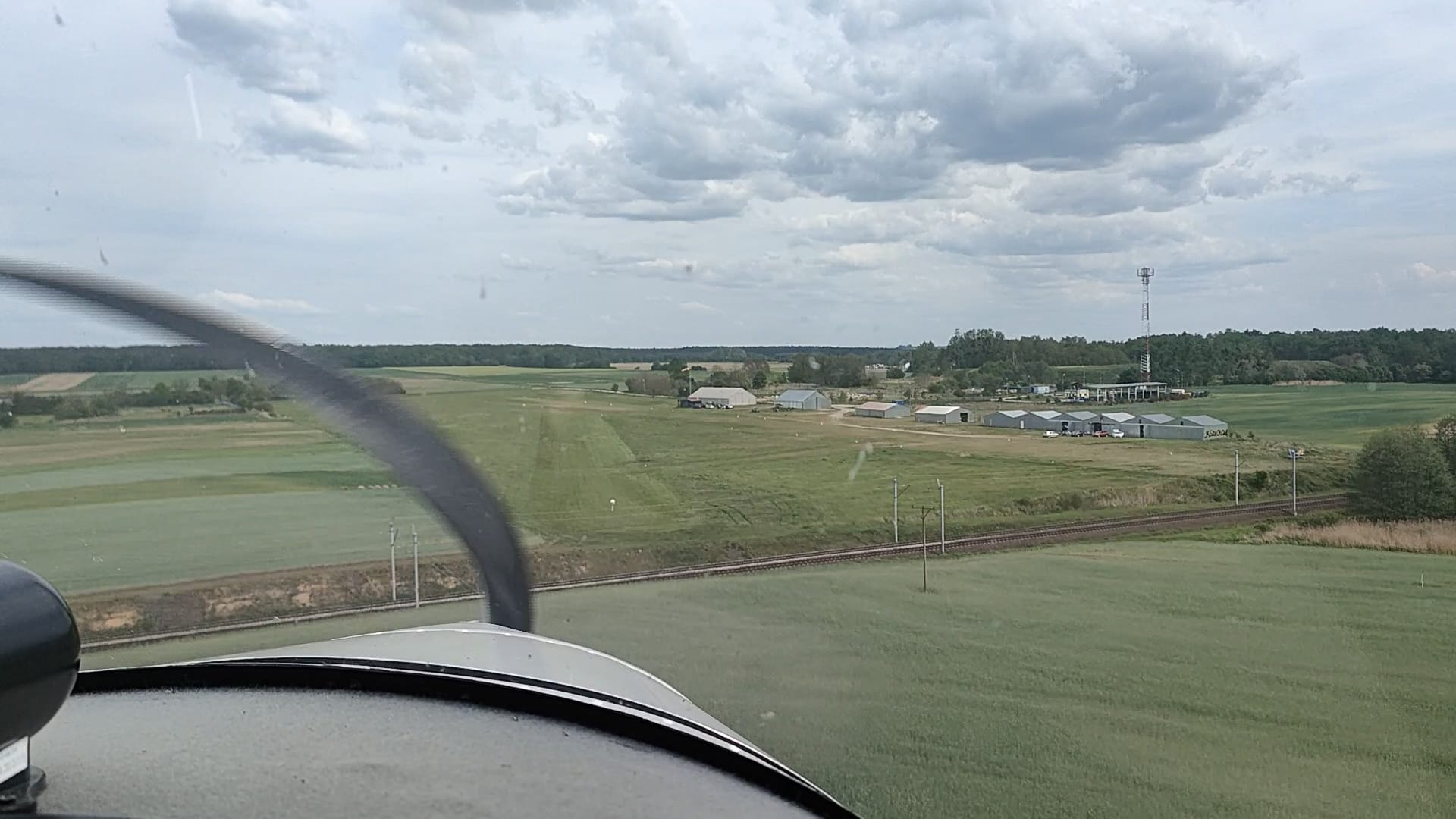


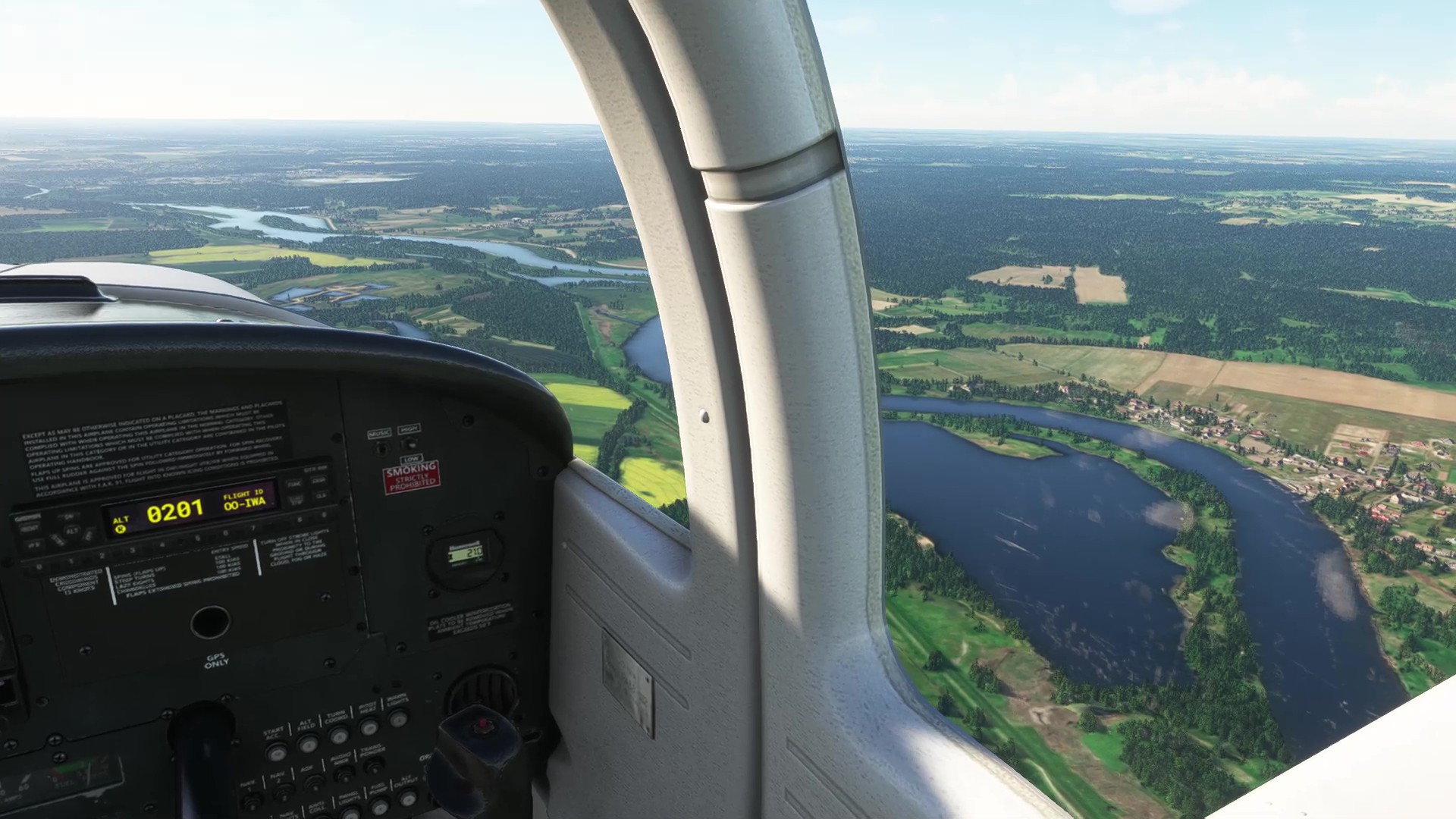

It’s not ideal, but it doesn’t look bad.

SeedyL, thank you for sharing your settings.
6 Likes
Looks blurry on my end. Look nice in some aspects but blurry or low quality In all.
2 Likes
Yes, English is not my native language. The screenshots shown are from the simulator with SeedyL settings, as well as from an actual flight from the same area.
2 Likes
I think part of the issue here is individual tolerance too. As some have said as you just said, “doesn’t look bad” but I look at picture 1 and 3 and I find that’s a disgraceful regression in quality compared to a thing I had seen pre su16..
10 Likes
Ah, that’s what I thought. I want settings for those real flight pictures haha.
4 Likes
I can tell the low quality insufferable right away. My eyes are adjusted and have been.
Also like in every major new release every one gets hyped minus the ones who keep a ground level cleared mind. Thats where we are at.
3 Likes
So I started up to do some flying, and noticed there was an update for Airshow Assistant. Did the update, restarted the game, and now it’s CTD at about 50-60% on the load screen. I emptied my Community Folder and tried to start in Safe Mode but still CTD. Any suggestions? I haven’t had a CTD (that I can recall) for several years.
Edit: My gut tells me this is somehow related to the Airshow Assistant update, but I only ran the sim like 2 times on SU16, so it could be either one. Again, hadn’t had any problems for years before this.
1 Like
Su16 causes from what we have found out
- lod regression
- CTD due to memory allocation
- CTD im other modes.
Its very obvious they took SU2 of 2024 and insert main points to 2020 for work load. Looking at workload aspects. I really do believe they did this so theyre working for less work and back and forth. Yesterday IFLY said truly how different 2024 is vs 2020 and I think thats also on the development of this sims. Should it be? No 2020 has its own mission and 2024 has its own mission as well.
They did this for workload and streamlining not for server aspects. If they did it for server aspects we wouldnt be having CTDs for memory allocation or anything else than LOD regressio. 2020 was a stable simulator
What’s the silver lining:
Possibly after SU3 is officially release we get SU17 beta release to fix these issues or bring it to a better stance. Still unacceptable coming from a product that has a newer version (thats in beta ironically) and was stable and had little to no complaints about it.
7 Likes
I am on Xbox series.Notwithstanding comments in foregoing,I have been patiently trying to understand whether it’s me or the the sim at fault.
Here is my experience since SU16 on two planes I have flown i.e. B787-10 default and A320neoV2. I intentionally had live weather switched off alongwith other recommended assistance options. Simbrief/EFBs used for both aircraft for creating FLPNs and not through World Map.
As mentioned earlier elsewhere that for B787 the colour of cockpit has changed from Beige/Brown to Grey. Not important though as alongwith scenery and airports have looked sharper than before. EGLL-EDFF. Experianced stutters much more than before. Flight at varying altitudes wasn’t stable with a constant but slight up and down movement of aircraft.Had difficulty in capturing glide slope resulting in several missed approaches. I have had no issues flying the B787 earlier.
As regards A320neoV2 the little said the better.Doesnt accept the Simbrief loads through EFB with a comment “Unable to find safe performance data”.Never encountered such a warning ever before and I am not doing anything different.
After take off,serious problems with throttle doing its own thing despite my effort to stick to appropriate indents.AP would engage but with no effect on control of speed, altitude and navigation.I had to abandon all further efforts flying this version of A320.
Will continue to give it a try with other aircraft and report on my impressions.
3 Likes
Zoom in with yiur mouse. Not too much because you could tell. Its mainly critical in very certain aspects.
1 Like
Once again: The defective SU16 should definitly be improved. Now e.g., you have a 10 year old car, if you are satisfied with the car and the workshop, then you buy a new car of the same brand, if not you buy a car of another brand, then you tell your friends…. If I should buy FS2024 and addons, then the FS2020 must be good with all updates. That’s a good sales strategy. P.S. I haven’t used theFS for a few days!!
7 Likes
I still don’t understand why, for me, everything works exactly as before, whatever add-on I use (and I have a lot), but with 50% more FPS  Am I not demanding enough?
2 Likes
In my NVIDIA graphics settings, I have Super Resolution set to Balanced and Depth of Field to High, as recommended by SeedyL. This likely affected the image quality. I’ve noticed that with these settings, the digits in my instruments are blurry. I’ll change some settings as soon as time allows. I also have a question about HDR 10; I can’t enable it in the simulator. My PC isn’t exactly top-of-the-line: a Ryzen 5 3600, RTX 3060, 12GB, 32GB RAM, 27" 1920x1080 120Hz M2 1TB.
I have had no issues at all with the install, addons, or the sim ‘working’. Can see here that other have however.
Best metaphor I can think of for the main issue at least for myself (and many many others) is:
You bought a 4K tv, have been happily enjoying the quality and overall experience. One day the manufacturer pushes a non optional update that caps the tv at 2k and with the result that the apps on the tv now open faster. Sure, the tv still works, but it’s not what you paid for, and if you had no issue with how fast the apps opened prior, and you can’t elect if you want 4K or the apps to be faster, what would you do? 
14 Likes
This would never happen. But if it happened I’m sure the manufacturer of the TV would soon go out of business.
4 Likes
Your monitor will have to support HDR and it must be enabled in monitors settigs too, some other monitors setting might not allow HDR if selected same time. I think you must have HDR enabled in windows settings too.
-eelis-
2 Likes
hard to say, since they have a history of 1. not listening, 2. not understanding the problem, 3. attributing it to a small minority of noisy troublemakers that will never be happy
10 Likes
Perfect analogy.
7 Likes
I set off screen pre cache to ultra and TLOD to 150 on the ground, I can confirm the popping textures in Giza and surrounding areas.
I5-13400 RTX 3060 12GB, native fps 57, lock at 33 upscale to 66, graphic settings mostly ultra
3 Likes