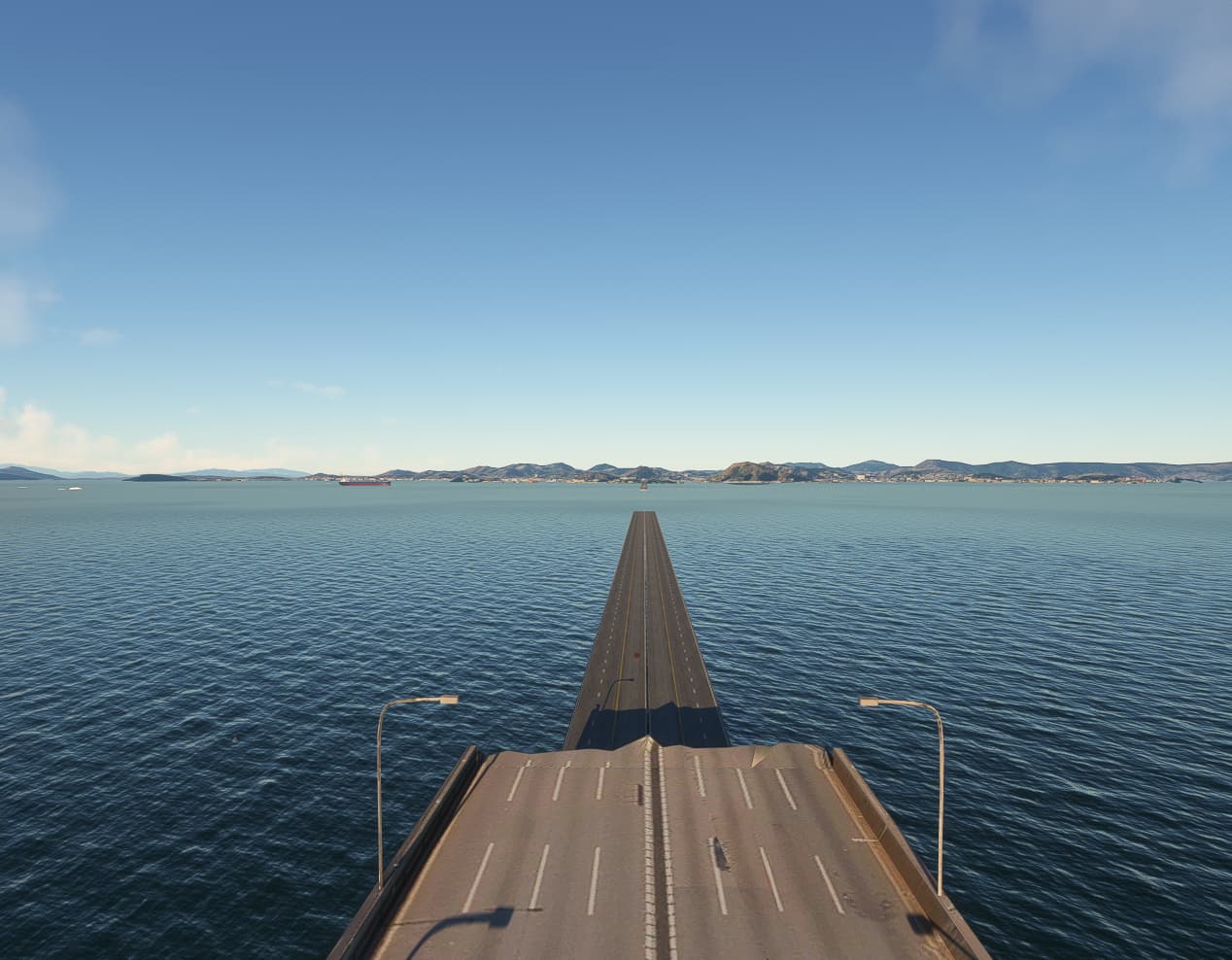
Are you on 2024? Can you go close to it using the drone cam and fly around? For me there are tons of invisible and see through parts, floating trees and many more issues (pc, max details).
My goal is to fly as a simulator and not to fly a drone looking for imperfections. As a simulator and flying at more than 1000 feet for me it is very good, because it is closer to reality and for a VFR flight, it is even better, many reference points are real.
2 Likes
Just published: World Update 19 POI List
I would also like to see a map with highlighted areas of updated areas because many times cities get photogrammetry updates and I have no idea where these places are located, The same goes with the POIs.
1 Like
A bit of a nasty surprise trying to taxi to Runway 29L at SBBR (Aeroporto Internacional Presidente Juscelino Kubitschek, Brasília).

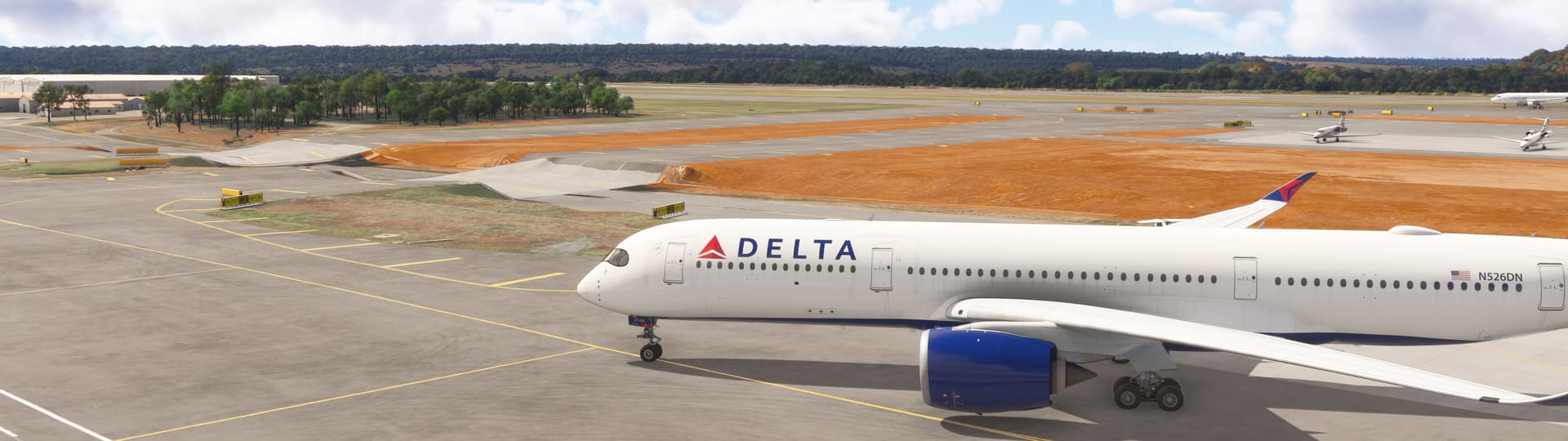
The taxiway overpasses are all melted, in typical MFS photogrammetry fashion, making it a real challenge to get this big bird to the runway.
I somehow managed to nudge the A350 over the obstacle after 5 minutes of trying not to flip it over, applying lots of asymmetric thrust and mowing the grass next to the taxiway.
It’s extra frustrating to see a Word Update that was in the works for so long come out with glaring issues like this. Poor show from Asobo.
2 Likes
LFPG had similar issues, but instead of dips they were little ramps.
1 Like
For everyone wanting an overview of all the POI: I’ve created a map on Google Maps
3 Likes
Not the point but ok.
No cable cars at sugarloaf mountain? 
2 Likes
SOLUTION FOR CONFLICTS WITH ORBX MESH
Hello
The developer of this fantastic mesh has provided Orbx with the necessary information to DISABLE any area of conflict while keeping the rest of the mesh enabled.
What you have to do is to locate the area of conflict withing this map
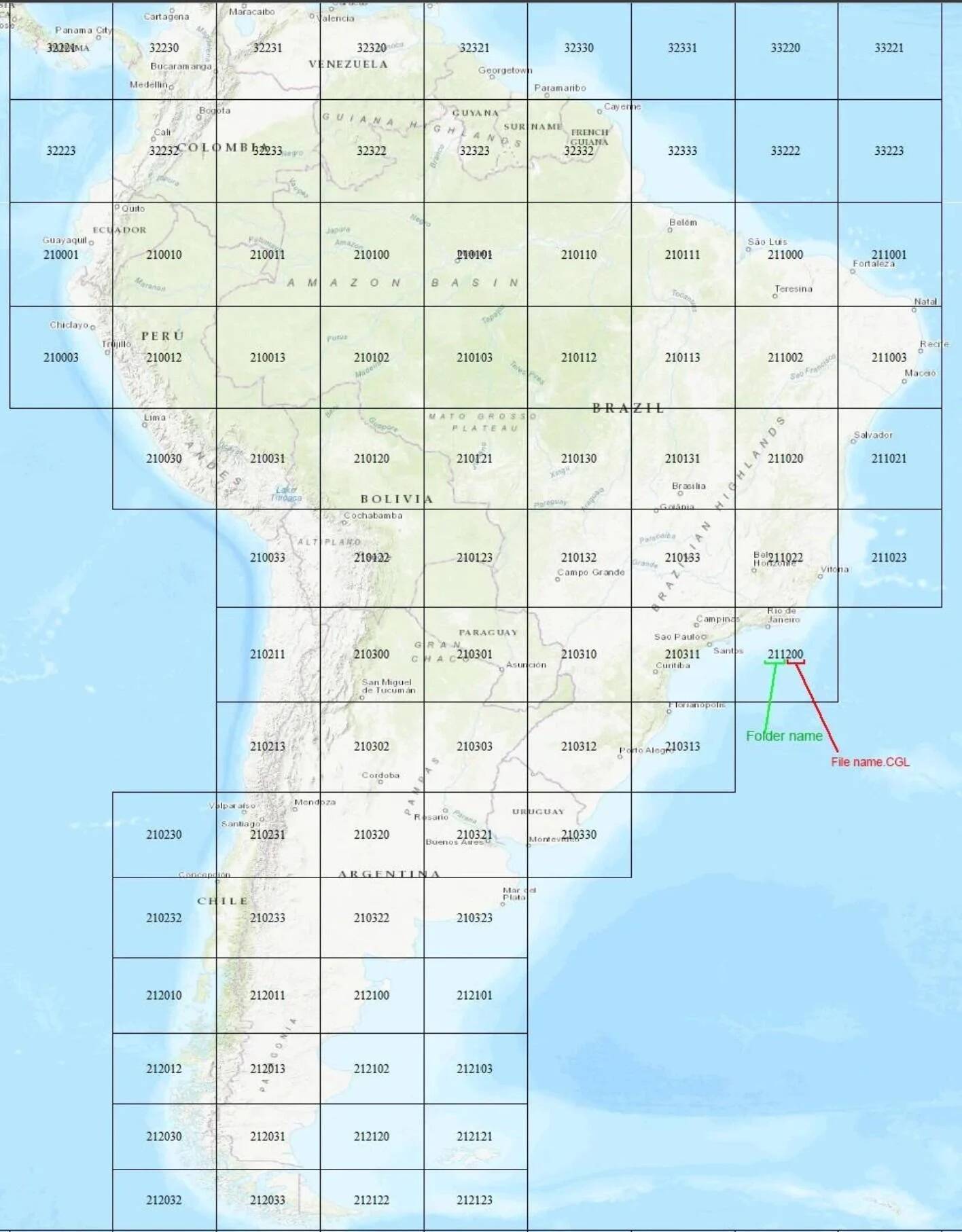
The first 3 digits of the quadkey are the folder name, the remaining 3 digits are the name of the CGL file in the folder.
So let’s say you want to just disable the area of Rio de Janeiro
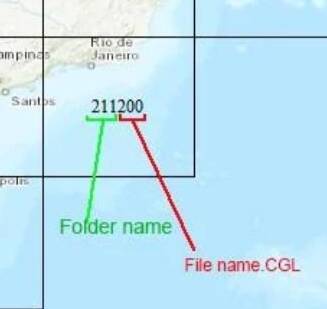
In the Orbx SA Mesh you go to the CGL folder
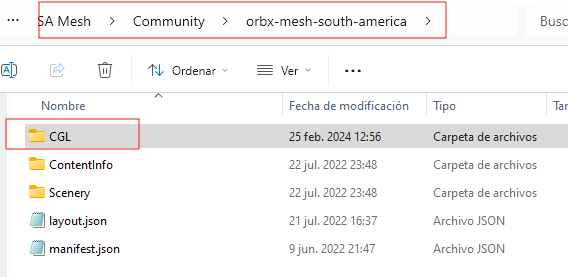
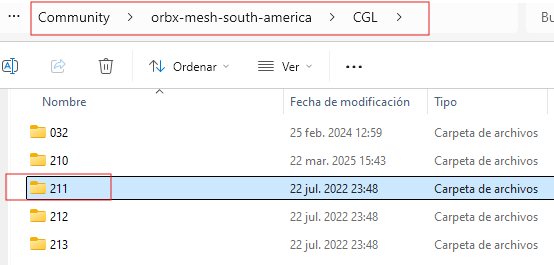
Then you search for folder 211
And then you search for the CGL that ends in 200 and change the CGL for OFF
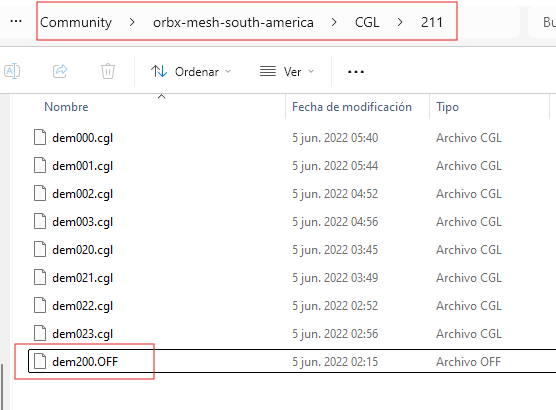
That way you disable that area of conflict as well as any other one like happened with the Caribbeam with TFFJ St. Barthelemy
You may disable all of Brazil if you prefer and keep the rest enable because this is a great mesh for the Andes.
The developer has provided a Goodle Earth SA-mesh-quadkey.kmz file but I cannot paste it here but you can find it in Orbx in the post where I was replied
Here is the link to Orbx post if you find easier to use the Google Eath stuff.
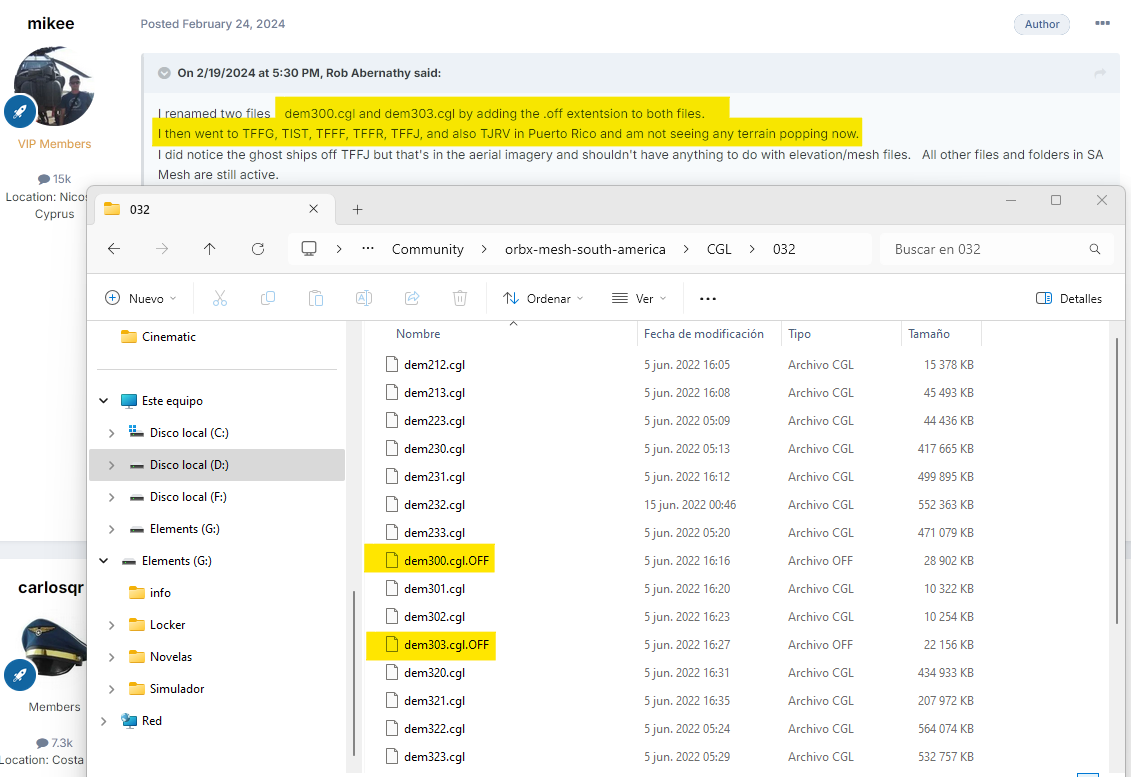
To make it easier to disable the Caribbean this are the CGLs to disable
Cheers
Carlos
4 Likes
I just tried this workaround for content purchased inside MSFS 2020(Marketplace), in the Official Folder on PC, also deleted Rolling Cache.
It did not work. 
This can only work for content which you place in the community folder.
I just do hope that there might be a update from ORBX.
In my Xbox X I had to delete the ORBX SA Mesh, or you delete WU19.
Do not forget to delete your Rolling Cache also in Xbox X after deleting the one or the other…
Question:
Is it possible to cut from “Official” the ORBX SA Folder(orbx-mesh-south-america) into the “Community” folder?
Anyone tried such thing, eventually?
Well still no hope/help for consoles like my Xbox X, where I got a ticket open…
Hi, I don’t know if it works on products in the Market place, one of the reasons I avoid buying there.
I don’t think it works because products purchased in the market place got a sort of codification to precisely avoid they can be used (pirated) by copying paste into the community folder. Sorry , you encountered that issue. I do not think SA Mesh will get updated because of the World Update. They would have to be removing sections every time a World Update for the area is made. What I do believe is that Asobo/MS knowing there was a mesh for the whole South America, they should have considered it an create an option to update with or without the mesh, to be fair to the developer and the customers that had purchased the mesh, a bit less selfish and more empathic, mainly when the mesh is also sold in the marketplace
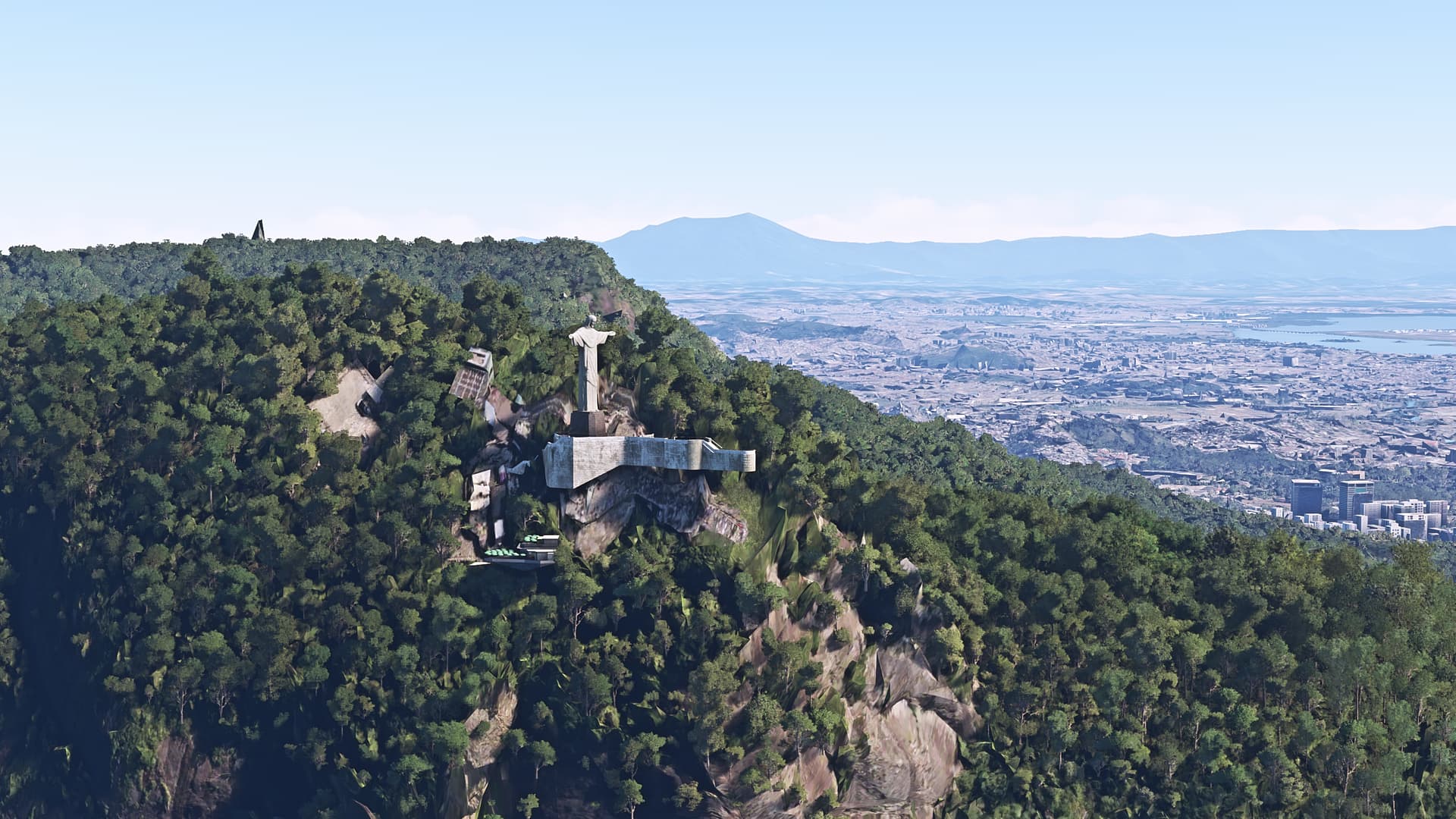
I just disabled most of Brazil and then enabled the mesh but for my surprise my Christ got messed up again, so there has to be something else. I just asked in Orbx again
I’ll keep you posted
2 Likes
Maybe delete your rolling cache, SceneryIndex, StreamedPackages?
Might be that the game is still using cached content form your local PC.
1 Like
Oh yeah!. I forgot that
Just did and I’m launching the game, I’ll let you know if it worked.
Cheers
Carlos
I disabled every Brazil quadkey and did the clean of the rolling cache and scenery indexes and yet have the damaged Christ
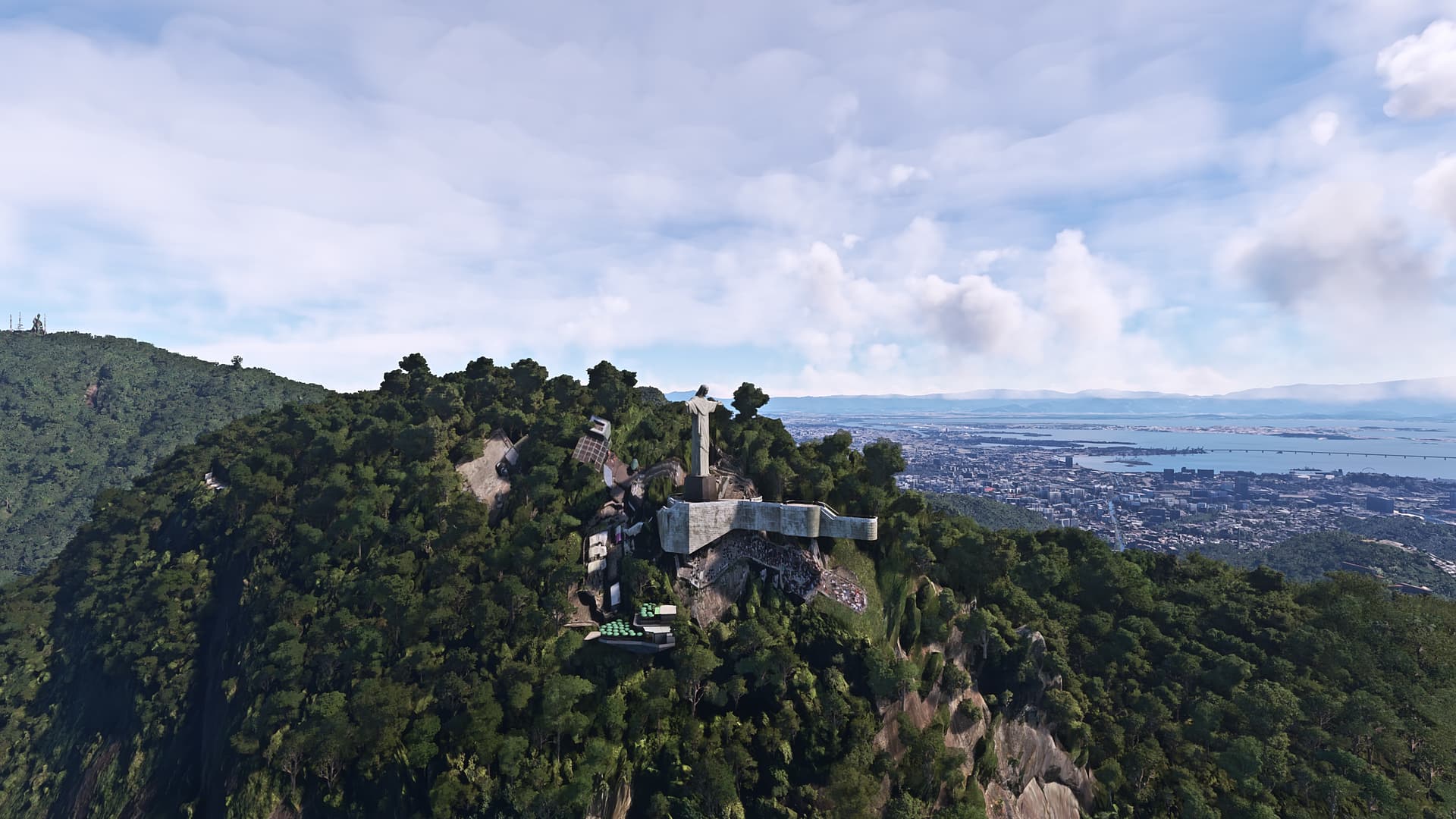
I reported it to Orbx
Meanwhile I’ll disable the whole mesh
I’ll keep you posted
3 Likes
I reported already a bit earlier to ORBX, three days ago on 3/20/2025 my request got ticked as “resolved this as Done”.
Well this kind of answers I do know already from Asobo/Microsoft.
Eventually someone else might have more luck.
2 Likes