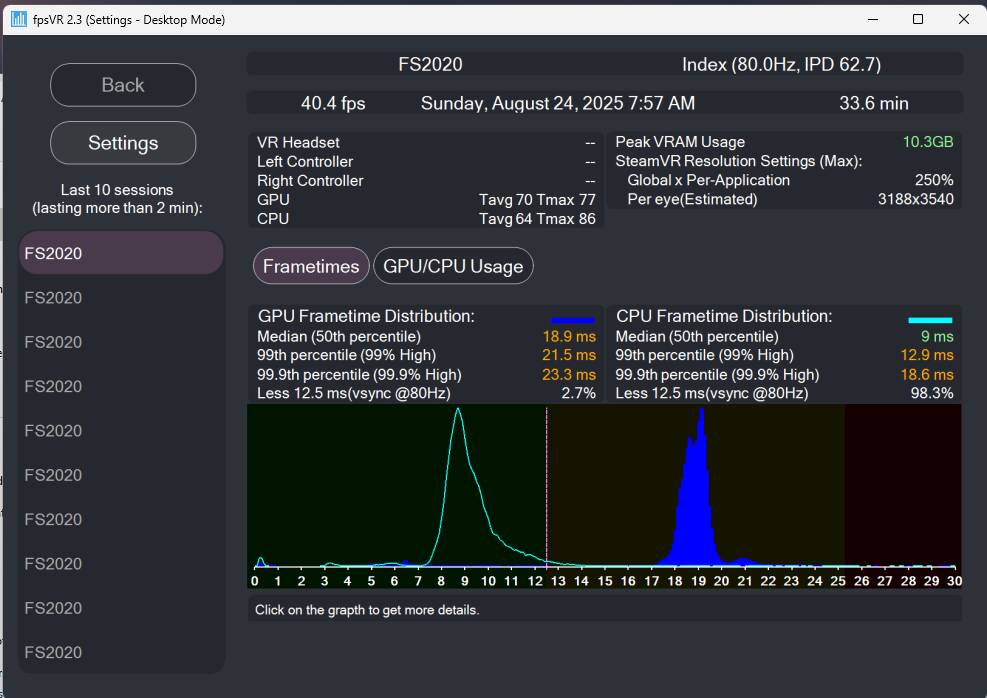
The only solution I have ever found is being GPU bound. The GPU acts as a governor to set the timing of the entire sim. When you are CPU bound, the CPU will firehose the GPU with frame commands. Limit the frame rate to 40, load up the GPU until you get around 20ms frame times, then CPU frame times will drop to a constant 10ms-ish.
Babu’s guide is useful.
Here are my stats. This is 2024, but SteamVR reports it as 2020.
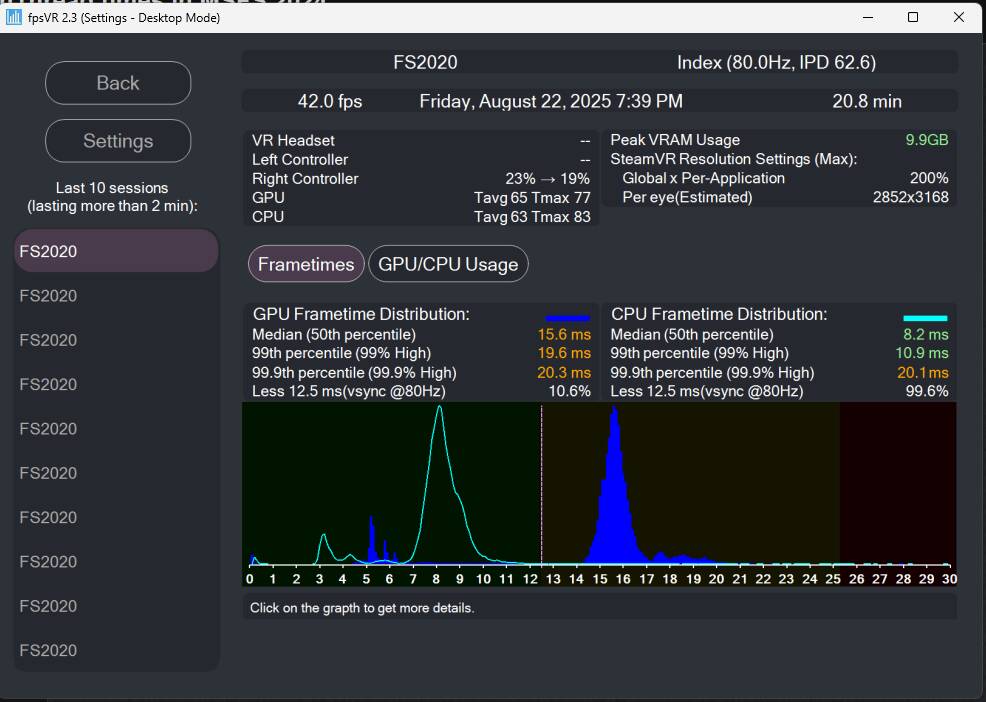
I use Medium or lower settings. Note the high resolution. For 2D, use TAA with the render scale slider to INCREASE your resolution until you get GPU bound.
Turn off Nvidia Reflex or Low Latency mode. You don’t need frame generation or quadviews.
I set the resolution in the VR headset, and OpenXR manages my frames to 40 since it determines I can’t reach 80. This would be equivalent to increasing the monitor resolution with a frame cap.
This approach consumes a lot of VRAM, so simmers with 8GB or less may not be able to achieve a GPU bound state.
Note I use DLSS Quality because I set the resolution in the Headset. Turn off any AI related settings.
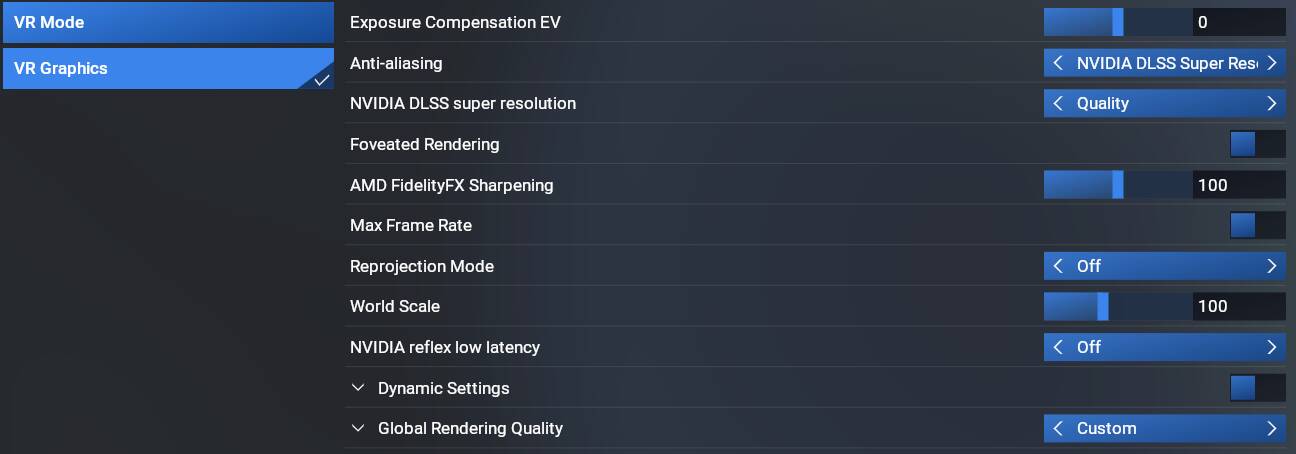
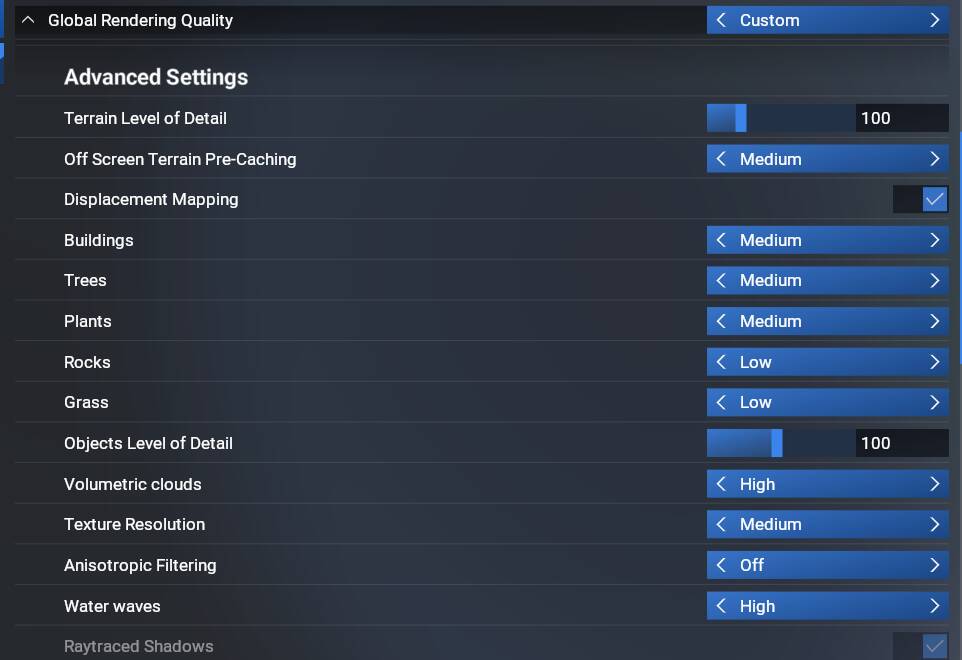
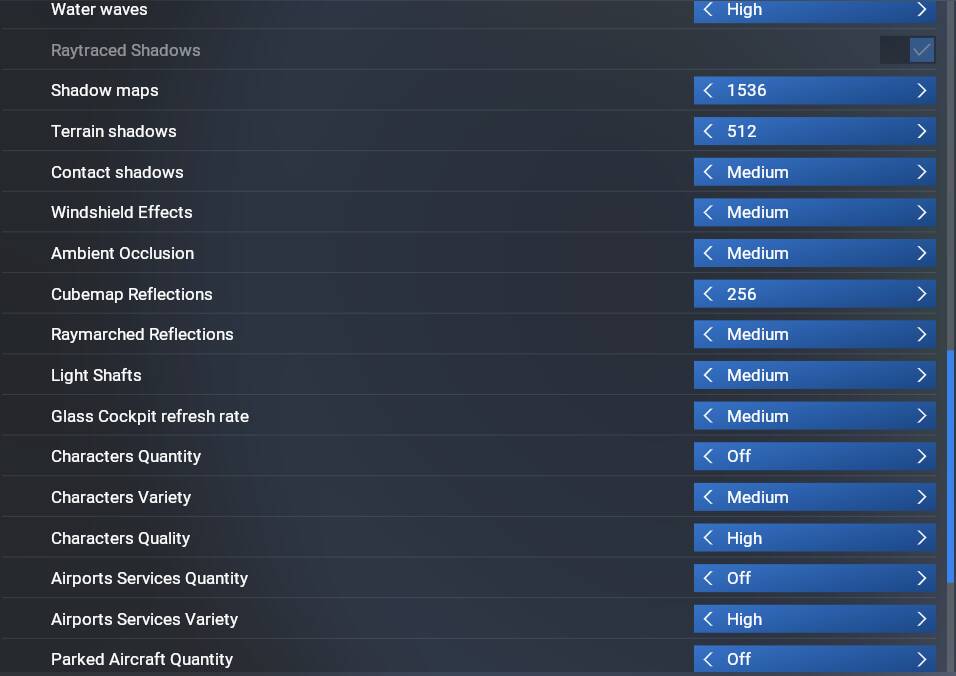
I run a 9950x with the 4080S and 64GB RAM.
This was just now in 2024 with the ATR72-600. I increased the resolution a bit. Perfection.