After a clean installation and the latest Nvidia driver, this problem is still present.
Same problem here.
Stuttering close too or on ground, low CPU and GPU use then.
Turning photogrammetry off solves it. But ofcourse thats no real solution.
Reinstalling windows seems to solve it. Not gonna do that. Must be something with collecting photogrammetry data, netwerk related?
AMD Ryzen 5 3600 3.6GHz
Gigabyte X570 AORUS PRO (rev. 1.0)
BIOS F35d
ssd m2
32gb RAM
Netwerk: Intel(R) I211 Gigabit Network Connection, driver 12.18.12.1
Geforce GTX 1660ti
Maybe network related?? other driver after reinstalling windows?
At big airports (e.g. KLAX) and low over big photogrammetric cities it is perfectly normal for frame rates to drop by half so if you’re cruising above the clouds at 30fps there is only one way this is going to go. I know it’s now reachable in the menu but LOD 400 is in no way the same as the old LOD 200 was so dial it back if you have to.
I don’t know if you submitted a request on zendesk, but no real solution from support since November 21… 
"
Support Yesterday at 23:38
Hi Pascal,
Thank you again for contacting Microsoft Flight Simulator Support; we sincerely apologize for the delayed response. Is this a problem you’re still experiencing issues with?
Kind regards,
Microsoft Flight Simulator Support Team
"
Hi !
Finaly a real answer from Zendesk i share with you:
Me:
"
Hello.
Yes, i still experiencing this issue, and i’m not the only one…
I don’t know if it’s related to, but i tried with or without World update too:
In KHHR (photogrametry area, near Los Angeles) with C172, on the ground, LOD200, traffic OFF, photogrametry ON:
With all World Update, i have 30 fps.
When i remove all the World Update, i have 61 fps !!!
You can check in the files i send you, or see the link above.
The issue is the same, when photogrammetry is enabled, in photogrametry area, on or near the ground, GPU usage is low and FPS is low (about half the value before Update 7).
As we gain altitude, GPU usage increases and FPS increases. I have very good performance above 1000 fts.
In ground, I have 30fps, but above 1000fts i have 60 fps !!!
I have no issue at all in other place, when there is not photogrametry, or when i’m in air.
Thank you.
"
"
Hi Pascal,
Thanks again for bringing this matter to our attention. We just want to confirm that this issue has been tracked in our internal bug tracker thanks to the information you provided.
Bugs and issues that have been successfully reproduced will be categorized and prioritized—game-breaking bugs will receive the highest priority, while middle-of-the-road and cosmetic bugs are prioritized based on reproduction and the number of times reported. Unfortunately, we cannot provide an ETA as to when an issue will be fixed.
We’ll come back to you if we need more information or if we have troubleshooting steps to recommend before the issue is patched. In the meantime, we are going to close this report.
Kind regards,
Microsoft Flight Simulator Support Team
"
Just a small thought: If with the updates your drive was filled over a certain capacity then this is pretty much what I would expect when virtual memory is being used.
I have about 400 Gb Free space on a 1T SSD M2. Memory had never been a problem since first install of MSFS.
OK so it sounds like that isn’t it … I would still take the precaution of checking virtual memory is totally Windows managed and make sure my rolling cache is not on the same drive as the package files. That means for a one drive system by deleting the rolling cache (or by creating a ram drive to house it).
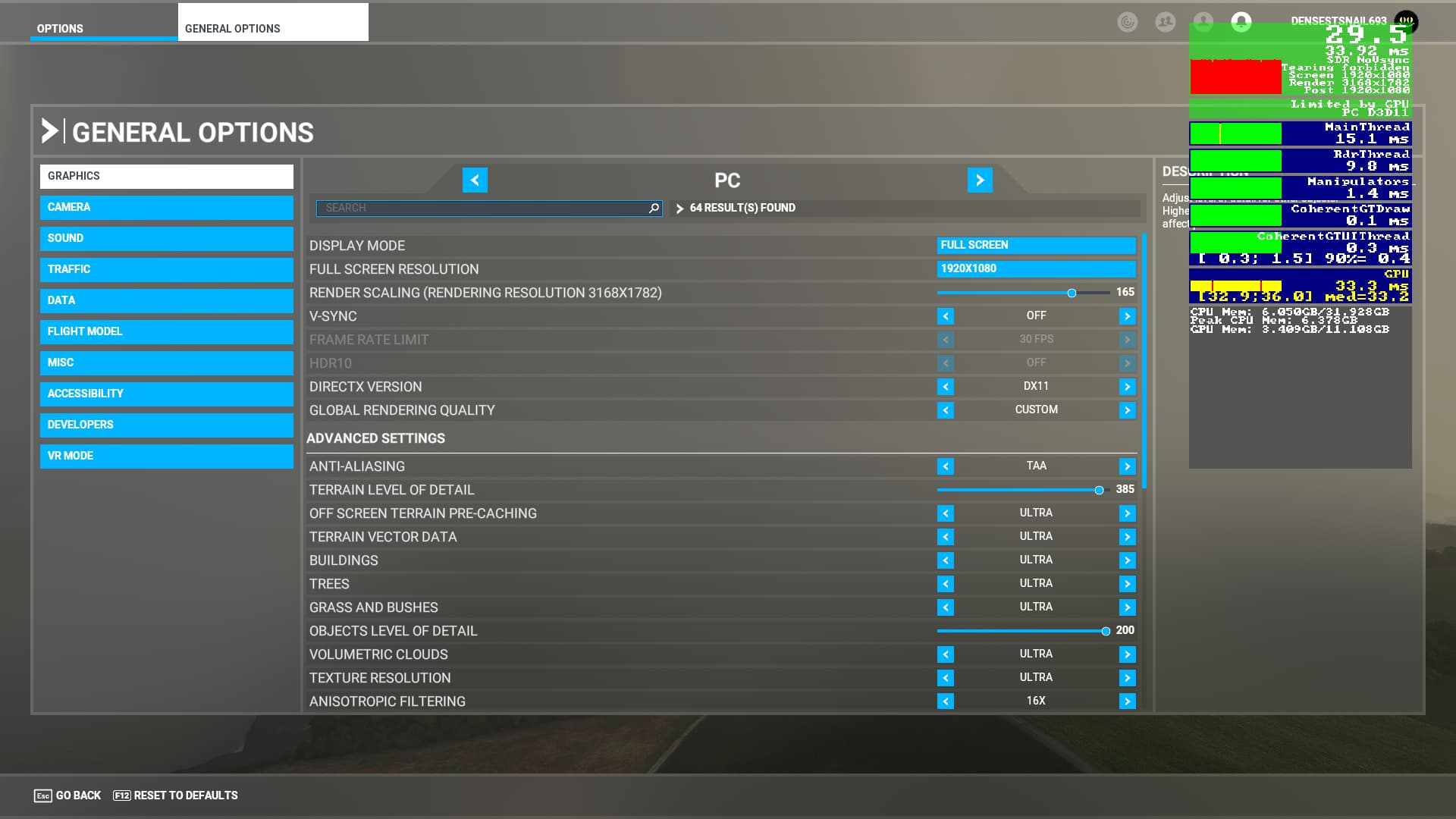
BTW you only think you have low cpu use … in reality at least one core is maxed out which is mainthread and is the limiting factor for the cpu in most ‘games’. Raising graphics load as in settings and/or resolution/renderscale is the best way to counter this.
My rolling cache was on a SSD Sata, but i don’t use it anymore… no différence in perf and my bandwidth is pretty good (500 Mb).
As i said previously, the problem is with the GPU load.
On the ground i have 40% on the GPU ( RTX 2070) and above 1000 ft between 95-100 %. and the double fps.
The GPU load increase as i gain altitude
They said (MS-Asobo) in previous update that the way it should be… high GPU load and less CPU load in order to run other process in background and avoid stutters.
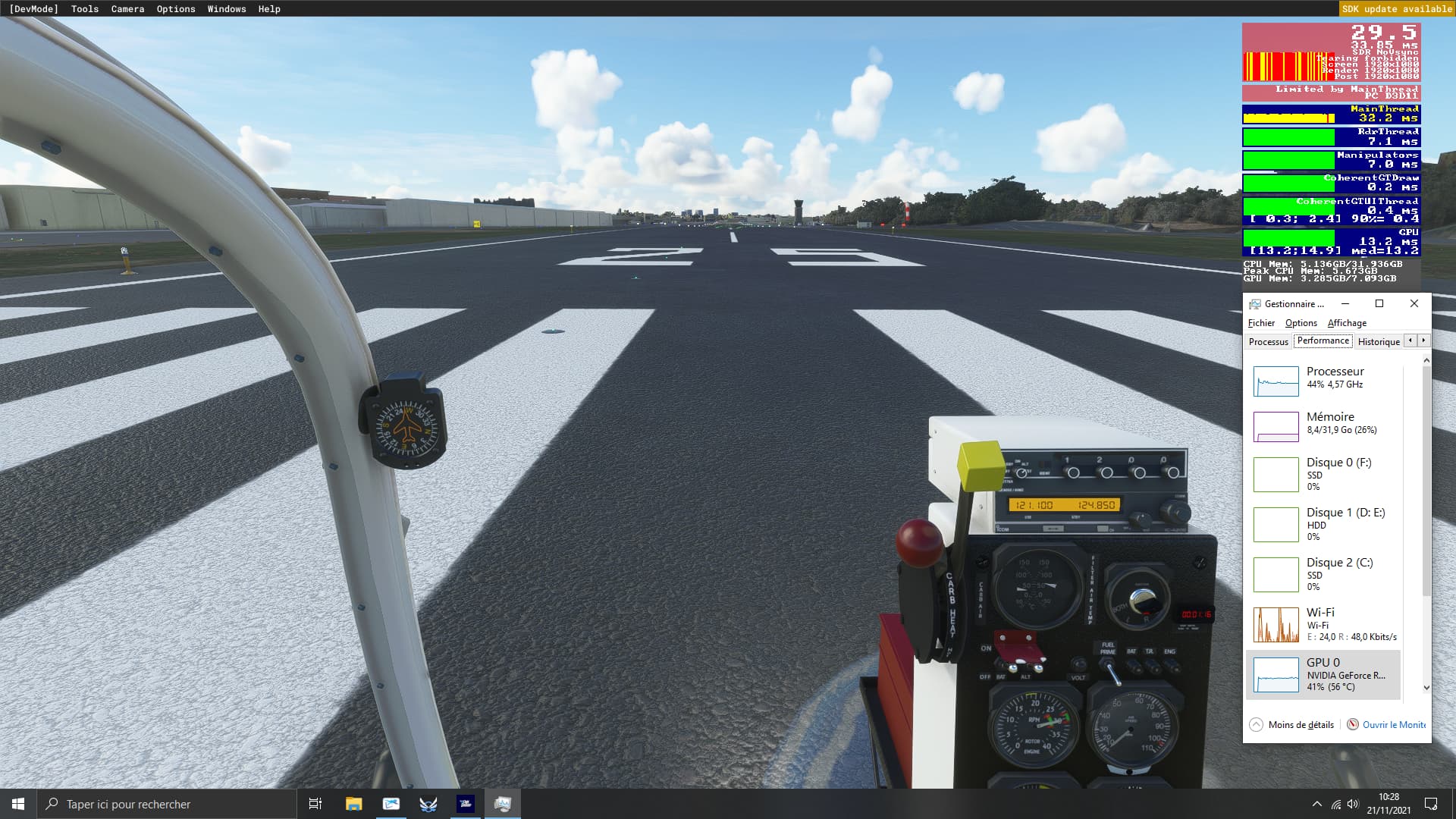

So long as you get limited by mainthread you will stutter.
My advice ends here, good luck in your quest.
I know the solution… is to disable photogrametry or reduce LOD .
But it’s very annoying as the perf was very good with high graphic settings before this update.
Thanks
Hi,
Just to add as feedback.
I experienced the exact same problem as the original poster:
- FPS in the single digits when using external view on the ground
- FPS in the single digits with in cockpit view during takeoff roll
- FPS back to normal (50+ FPS) when above ± 1000 ft in the air
Disabling photogrammetry did help, but it is one of the features (especially in the US) why I like this sim so much.
As I noticed some issues in my Windows setup (search app crashed regularly and OneDrive unable to load) I decided to bite the bullet and reinstall windows.
I used Windows repair functionality in settings to perform a clean install.
Took me all evening yesterday (Windows reinstall ± 45mins/MSFS reinstall ± 2,5hrs).
Before going to sleep I managed to check the clean MSFS install (nothing in community folder yet, no WU installed) and loaded up the default A320 at KMIA airport, photogrammetry enabled.
FPS was great using different views and settings on ultra, problem indeed seems to be solved! Keeping fingers crossed it will stay that way when I download the world updates and start adding stuff to community folder.
Kind regards,
Nico
Ok, but try with all the world update.
When i removed all the WU, the perf was good too.
I’m pretty sure you’ve solved your problem just like the rest of us who’ve been through the hassle of reinstalling Windows.
His issue was different. When the drop in FPS goes into the single digits it seems to not be related to the WUs but some setting in windows where a clean reinstall fixes it.
The WUs issue drops your FPS in half but not into the single digits. Thanks to this thread and your Zendesk report they are looking into the WUs issue and hopefully it will be fixed in the next Sim Update.
I really don’t want to do a fresh install of Windows for many reasons.
I hope this is being looked at!
Does anyone know if this is part of the roadmap of long list repairs?
I go from 50 FPS to 22FPs after approx 2 hours of play. Same airports completely different performance
I’d say test either turning Photogrammetry off or removing all the World Updates except USA and see if that makes a difference. However I’m pretty sure the loss of performance after hours of play has been happening for a while to some users and it is being looked at as well.
Thanks very much! Tried turning PG off and unfortunately did not regain any FPS
Yeah I seen something to do with a memory leak!
Raising graphics settings isn’t a solution, merely a workaround. Make sure that you make that point clear when you suggest it to people, as I’ve seen you do ad infinitum around the forums.
That aside, there are threading issues in SU7, which I have mentioned in a separate thread: Sim Update 7: CPU threading performance degredation/Limited by MainThread w/o photogrammetry, and especially w/photogrammetry - #10 by KrisCheetah