Clean install of Windows worked for me…
@Hester40MT @PunchDkns99 @Crunchmeister71 @Pascalm207 and everyone that saw improvements in performance on the ground when removing the World Updates.
I updated my findings in this thread. Basically after further testing I found out that uninstalling the whole WUs package isn’t necessary to get the FPS improvements. Only the 3d photogrammetry cities parts need to be deleted. Airports, points of interest, procedural buildings and bush trips etc have no effect in performance. The interesting part is that those objects are only a few hundred kilobytes in size they can be easily uninstalled and reinstalled for testing.

Thanks for that. I have them all uninstalled except for the USA atm. I’ll reinstall once they fix the performance issue - sometime between now and the heat death of the universe.
You’re a gentleman and a scholar. I will try this tomorrow and hopefully confirm FPS bump
@Hester40MT Those are the main ones. The Nordics also affect performance but not by much that is why I kept it.
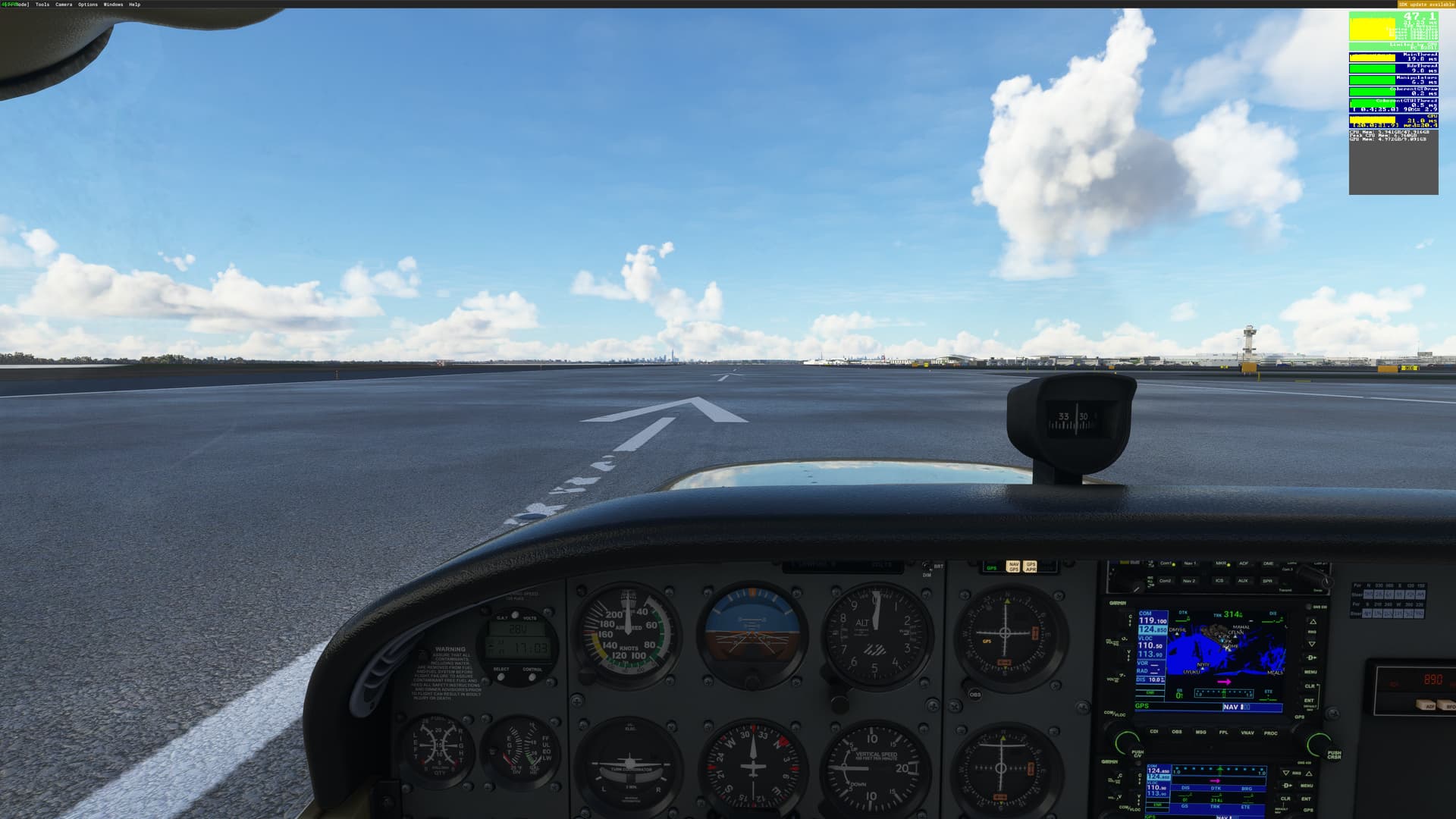
The test scenario in my system:
In the USA at a handcrafted airport surrounded by Photogrammetry on the ground (JFK is a great example) the FPS lowers dramatically (half or more) compared to turning off photogrammetry. Highly limited by the mainthread. The initial workaround was to lower the Terrain LOD until the desired FPS was achieved. However removing the WUs Photogrammetry objects of all WUs except USA bring the performance back without the need for those changes.
We would assume that Photogrammetry objects from other parts of the world should not affect the USA but in this test it does for some reason.
Removing those WU files allows me to have 40 FPS at JFK on the ground and 55 FPS in the air around NYC with Terrain LOD 300. It also allows me to use an airliner in the same test scenario with Terrain LOD 200 with good performance.
When testing it is important to restart the Sim after removing the objects. In my test the performance increase only happens after a restart. When reinstalling to see the performance go down it is not needed to restart.
Also I wanted to add that this happens in both the beta and in the current stable release.
Thank you, let us know how it goes. Some have reported big gains and others had no change. Just remember to restart the sim after removing those objects.
Hope the issue can be reproduced in your system.
@Pascalm207 provided screenshots that illustrate the issue very well.
This 100% works. Thank you for providing an actual solution…unlike some folks. Now I wonder though. is it actually all of them or the GOTY one since that seems to be the one that was installed with the update 7. Im going to test that theory and report back.
Im still good with all the others installed. I only removed the GOTY 3D Photogrammetry one and my stellar performance is back! so something in that package is screwed up.
Thank you for your testing. I didn’t even think about that one. I will test later and update my findings.
I’m so glad you’ve put in the time to explore this further. Thank you. I also currently only have USA WU installed and I am getting similar results as you in terms of FPS with a 5900x 3080ti 32gb ram. When I have all the WU’s installed, I also get about half the FPS at any airport surrounded with photogrammetry.
The bizzare thing is why is having some random photogrammetry city say in Vienna SO DRAMATICALLY affecting FPS in NYC? Or Miami? Or LAX?
It reminds me of September of last year. I remember putting in a custom scenery someone built and they included birds in the scenery. It was somewhere in Idaho. If I flew ANYWHERE near that scenery, and I am talking like even a few hundred miles away, my system would chug and FPS were dramatically lower. Didn’t matter if the birds were drawn in or not, the entire area would suffer. Obviously, when I removed the scenery, things went right back to normal.
Really hope the devs can fix this. I am one of those that absolutely love photogrammetry.
Thanks again!
@Hester40MT Thanks to @propilot23k suggestion I also tested removing the GOTY 3D photogrammetry objects. In my previous testing when I mentioned USA it actually meant USA + GOTY. Removing GOTY 3D photogrammetry objects gave me a 7 FPS extra boost on the ground. I also have to add that stutters are noticeable when panning the view specially looking at the airport. This last test was performed in the current beta build.
So my current content looks like this for maximum performance in the USA:

Only removing GOTY 3D Photogrammetry in my system is not enough to bring me the dramatic performance boost. I get 26 FPS with all WUs installed minus GOTY 3D Photogrammetry objects.
@PunchDkns99 @Crunchmeister71 @Pascalm207 You guys may want to look into removing GOTY 3D photogrammetry objects for even further FPS gains on the ground.
per chance, does this eliminate the performance drop when flying longer flights? I just uninstalled those same 5 packages and heading up now for a flight — will report back
My guess is that is is a completely different issue but you never know. Let us know what you find out.
no dice unfortunately - tried 2 flights (PHL-ATL and BOS-PHL). Silky smooth until the main thread just gets hammered on approach and GPU usage drops
I think so too. My problem is the problem of the original poster. The problem that goes away when you do a new windows installation. That means it has to be related to configuration, drivers, conflicting sotware.
I checked my .Net packages. Unistalled them and reinstalled. Also the newer ones (6.0) Asobo probably uses them. Maybe something for them to look into. (.dll hell not gone then???)
Did not solve the problem unfortunately.
So, your GPU usage is dropping because your CPU is getting hammered.
In addition to deleting the WUs that cause the reduced performance on the ground, I would still very highly recommend reducing traffic and LOD settings, and increasing graphics quality and render scale settings to see if your CPU latency improves.
My procedure for doing this in a logical, measurable way is in this thread. It’s a lot to read, but worth the time:
Once your CPU has some breathing room, it will be able to feed your GPU again, and your GPU utilization will increase.
I have. The game works 100% fine when loading in, taxi, take off, cruise. It craps out on approach and landing. This wasn’t a problem pre SU7. Every “fix” proposed on here does nothing. I’m currently doing a clean reinstall of M$F$ now and curious if that does anything. I refuse to reinstall Windows for a piece of software to work.
A clean install of the game didn’t help me, only a clean Win install, and I haven’t had any problems since then.
Reporting back:
Removing WU photogrammetry cities for UK, France/Benelux, Germany, and GOTY gains me ~ 5 FPS, going from 36 FPS with WU photogrammetry to 41 FPS without WU photogrammetry. I never installed the Japan WU.
My setup:
i7 10700k @ 3.8 ghz
32MB ram
RTX 3070
Test Scenario:
B748i
KJFK 31L
Clear weather preset
200 Terrain LOD
So not the dramatic performance increase others experienced but an increase nevertheless. I didn’t thoroughly test, but I suspect increasing Terrain LOD futher would increase the performance delta between WU photogrammetry cities ON and OFF.