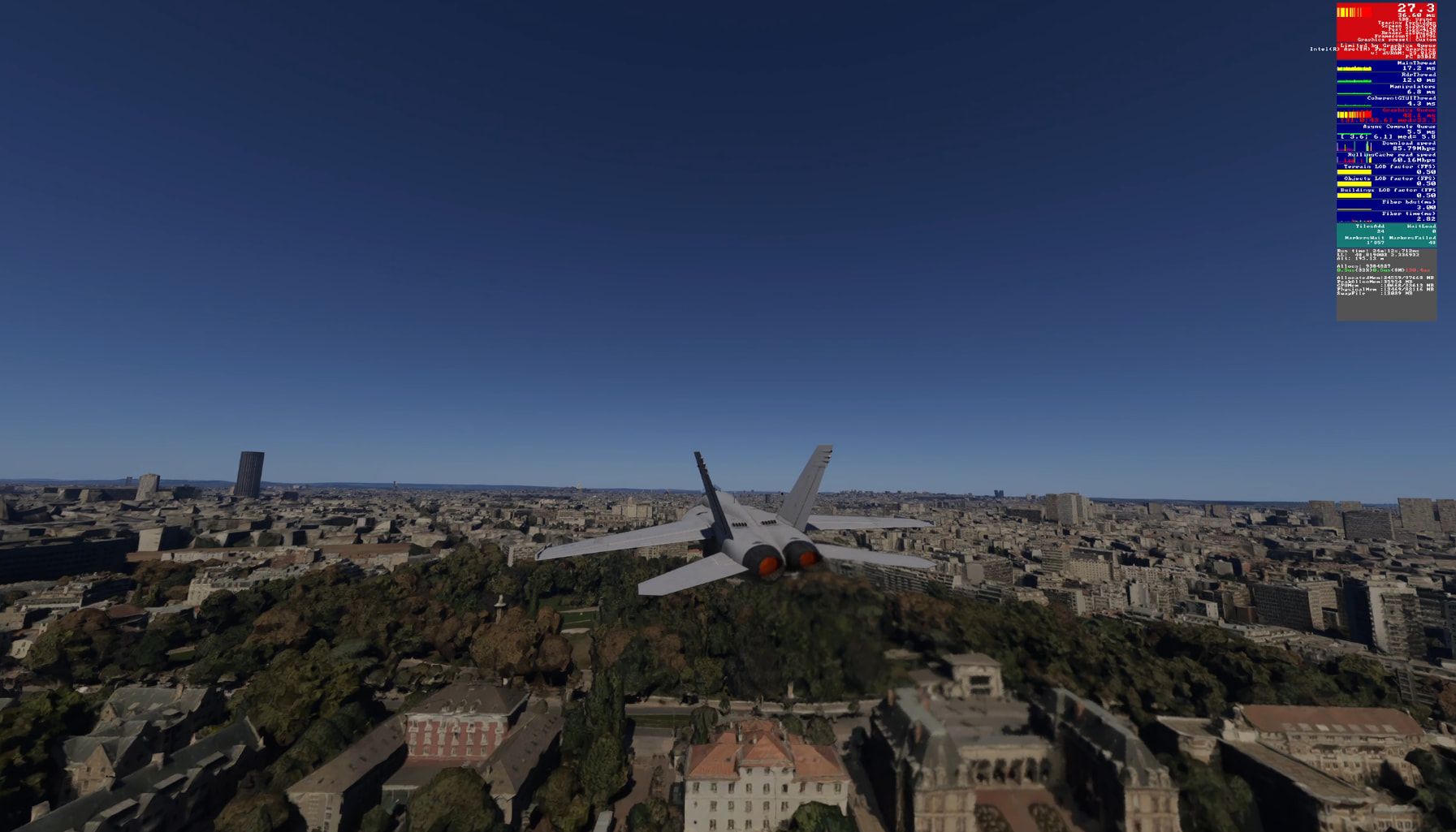
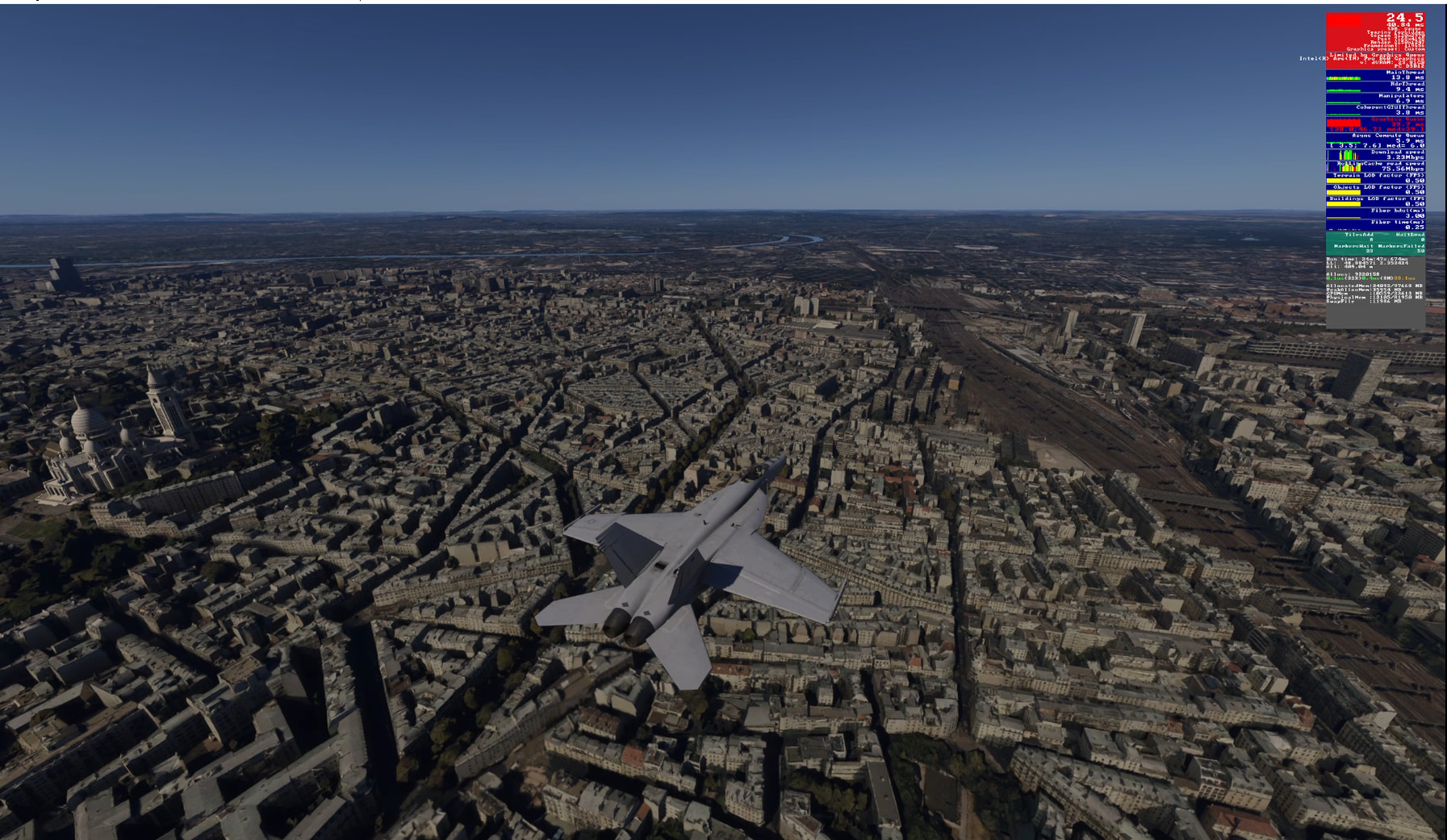
Hi , The city of Paris has major photogrammetry loading issues.
I am sending you several screenshots. However, I would really like to point out that, for now and to the best of my knowledge, only the city of Paris is causing issues. Other cities such as New York and London, which are known for having highly detailed photogrammetry, do not cause any problems. We have tested this with several players, and every time Paris struggles to load properly.
The only visible improvement occurs when setting the L.O.D (Level of Detail) to 400. However, this does not solve all the issues — there are still loading problems around the city, with very pixelated textures. And in any case, it is impossible to play the game with a LOD of 400 despite my high‑end configuration.
I am using a Ryzen 7 9800X3D, a NVIDIA GeForce 5080 ROG ASTRAL, 64 GB of RAM with EXPO 1 enabled (DDR5 6000 MHz), and a Gigabyte X870 EAGLE 7 motherboard. My connection speed is consistently between 900 and 1000 Mbps with a 6 ms ping. The other players I spoke with also have high‑end PCs and excellent internet connections.
I would also like to mention that I tested every possible setting for three days (DNS: Cloudflare or Google), opened all MSFS‑specific ports on my router, optimized my PC as much as possible, and performed advanced connection tests with AI assistance. The only logical conclusion is that Paris likely needs optimization.
Many players thought they had no issue simply because they mostly fly airliners, which are not supposed to fly directly over Paris in real life. But when you actually fly over Paris, the city clearly has photogrammetry loading problems.
I also tried playing with rolling cache from 16 to 200 GB, and even without rolling cache, but nothing changed. I reinstalled the game several times and cleared all caches multiple times as well. I also tested without any add‑ons and with an empty COMMUNITY folder.
Thank you for your help. Please find the screenshots attached
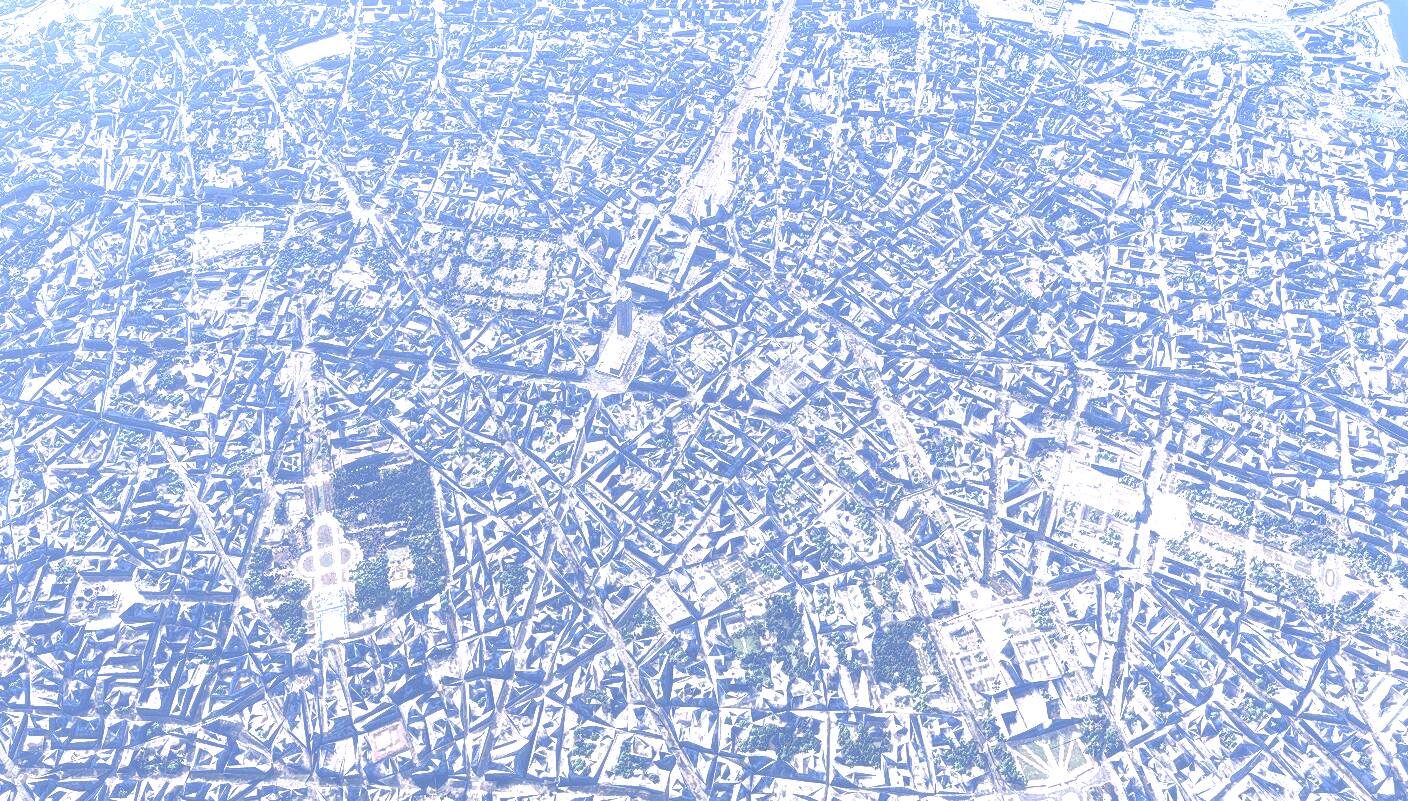
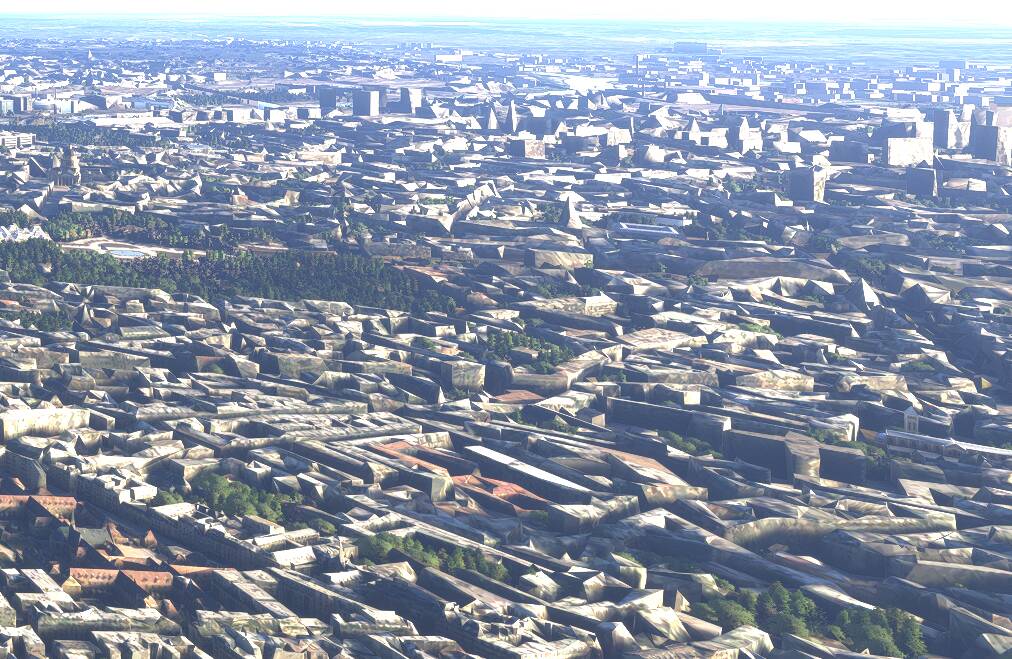
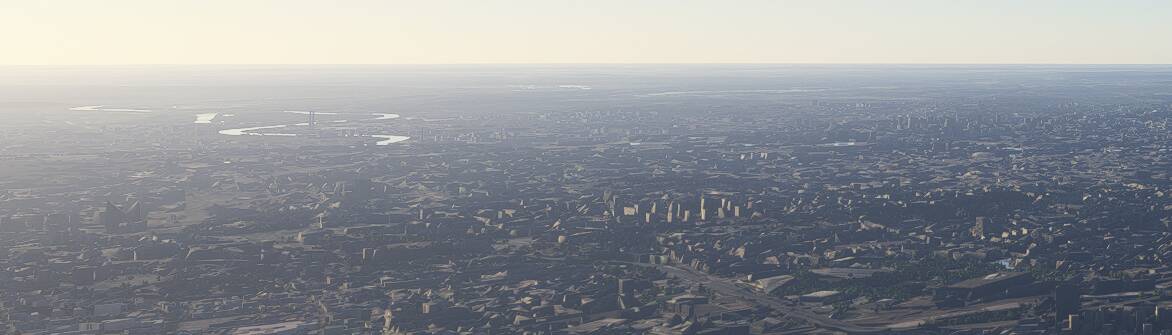
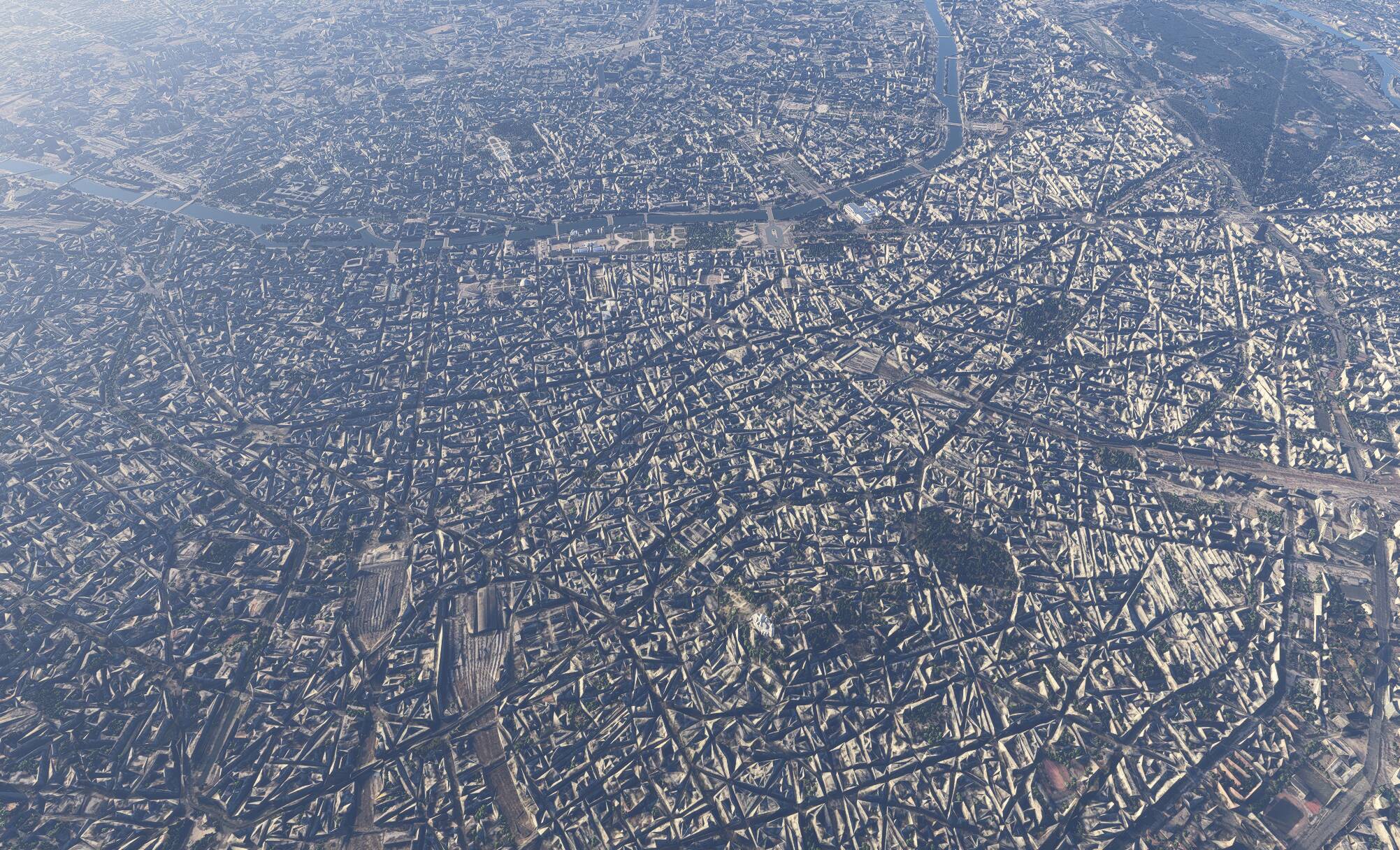
Hi @Thefab8248 ,
Thank you for this report. We’ve moved your topic into the User Support Hub.
The Bug Reporting Hub is for posting suspected or confirmed bugs that other users are able to reproduce without duplicating an existing bug report. Using the template or providing all the relevant information about your bug and sim setup is required in order to provide valuable information, feedback, and replication steps to our test team.
If you are not sure if your issue is a bug or need further input from the community, please use the User Support Hub category. If the community can replicate your issue, first search the Bug category to see if there’s an existing topic. If it already exists, contribute to that report. Duplicate bug reports will be closed.
If you believe it is a new report and no duplicate exists, then create a new bug topic using the provided topic template.
All issues caused by or involving third-party addons/mods should be reported to the third-party developer. Assure that no addons/mods are used when reporting issues in Bug Reports.
Hello,
I would like to clarify my situation regarding the photogrammetry issues in Paris.
I can confirm that this specific problem with the city of Paris has not been reported anywhere else. I contacted the official MSFS support team directly, and they explicitly told me to report this as a bug. MSFS support therefore acknowledges the issue and instructed me to submit it here.
I also confirm that I tested the simulator in full VANILLA mode (no add‑ons, empty Community folder), and the problem persists. This is a genuine photogrammetry bug affecting only the city of Paris, not caused by third‑party content.
Given that the official support redirected me here and validated that this is indeed a bug, could you please advise me on the correct procedure to ensure this report is handled properly?
Thank you. @DementedCorn327
Hi @Thefab8248, sorry to hear about your issue and I hope it gets resolved quickly.
I was just conversing with @BlaringWings208 and he was having a similar issue: the Oxford, UK (EGTK) photogrammetry was poor but the other regions in the US I mentioned were fine. Can you please test the PG in Oxford, UK; Austin, TX (KAUS) or Manhattan, NY (KLGA) and report the results here (preferably with pictures)? Thanks!
If there is something going on behind the scenes, we may be up a creek because Microsoft and Asobo are on vacation.
Hey guys,
If you want to check out my topic Which are your "Top favourite Cities/Places" with the best Photogrammetry to fly in? MSFS2024 + MSFS2020 LIST
and then go to my website www.fspghangar.com you’ll find more information on the quality of most of the Photogrammetry Cities in MSFS and that the Photogrammetry in Paris has always been terrible. Paris scores the least on the list rated 7/15.
Other places in France are okay, but as @davegranstrom16 mentioned in the post above Oxford is bad as well as Derby, Birmingham and Nottingham. Austin and Manhattan are really good, but to give you an idea of how much better or worse they are say compared to London, the ratings on the “PG” Lists on the website that many users on this forums have helped “rate” will help.
Microsoft/Asobo need to get new Photogrammetry data for Paris as they data they are using ATM is horrible. For that we will have to wait for another City Update.
Such an iconic city such as Paris deserves more!
Paris normally looks like that??
I assumed it was an issue with the user’s internet connection or the servers. You mean this is standard?
No that’s not standard for sure, however that could be an issue with the servers. Last time I looked at Paris just the other day it looked really bad. LOD issues etc.


Guys here is another 5080 view of Paris:
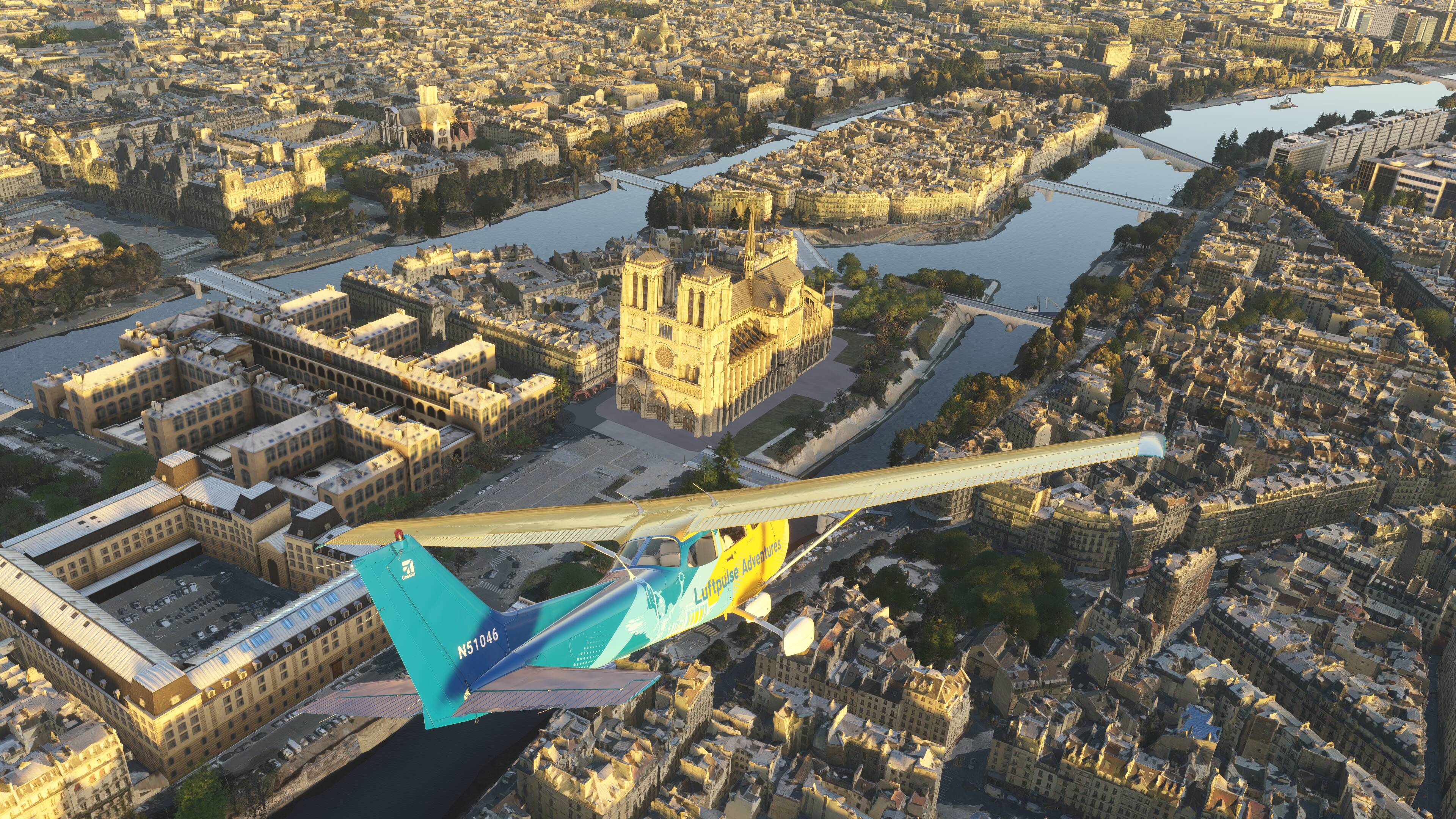
Looks a bit different. This is from November.
Please note that I believe there was a Cities update that included Paris. This is always problematic with photogrammetry, but I find this very crisp.
I have dual nationality and have spent a fair time in Paris so I have looked around in VR and it looked pretty good after the update. I went so far as to take a helicopter (that little one man one) around at street level you lose it.
I landed the chopper at the door of ND to see if I could get inside and no you cannot. But the front door has every saint.
There is report indeed from FS2020 and since the issue has been ported over FS2024 I have added the msfs-2024 tag and updated the title for easier finding: City of Paris WU4 since SU5 and last patch - Photogrammetry is very degraded. Please feel free to contribute there.
See also this related topic: Please Fix Paris Photogrammetry
Thank you @DementedCorn327 ! With Asobo being based in France, I’d assume this should be high on their priority list. Hopefully, with SU4 being the first really stable build of FS2024, Asobo now has the time and resources necessary to divert their attention away from bug-fixing and fix some or all of the widespread photogrammetry, terrain and water-masking issues.
The latest posts regarding this issue date back to December 2025.
None of the proposed solutions for fixing this display issue are working. In the standard configuration, without any added scenery (empty Community folder), the Eiffel Tower, Trocadéro, and Grand Palais—and possibly a few others—are missing.
The Louvre appears correctly, but regarding the Eiffel Tower, there seems to be a conflict with “something else” as you approach (before entering the immediate area), though it is impossible to determine exactly what it might be.
Since I have just discovered that this issue has apparently already been reported, I am wondering if a solution is in the works.
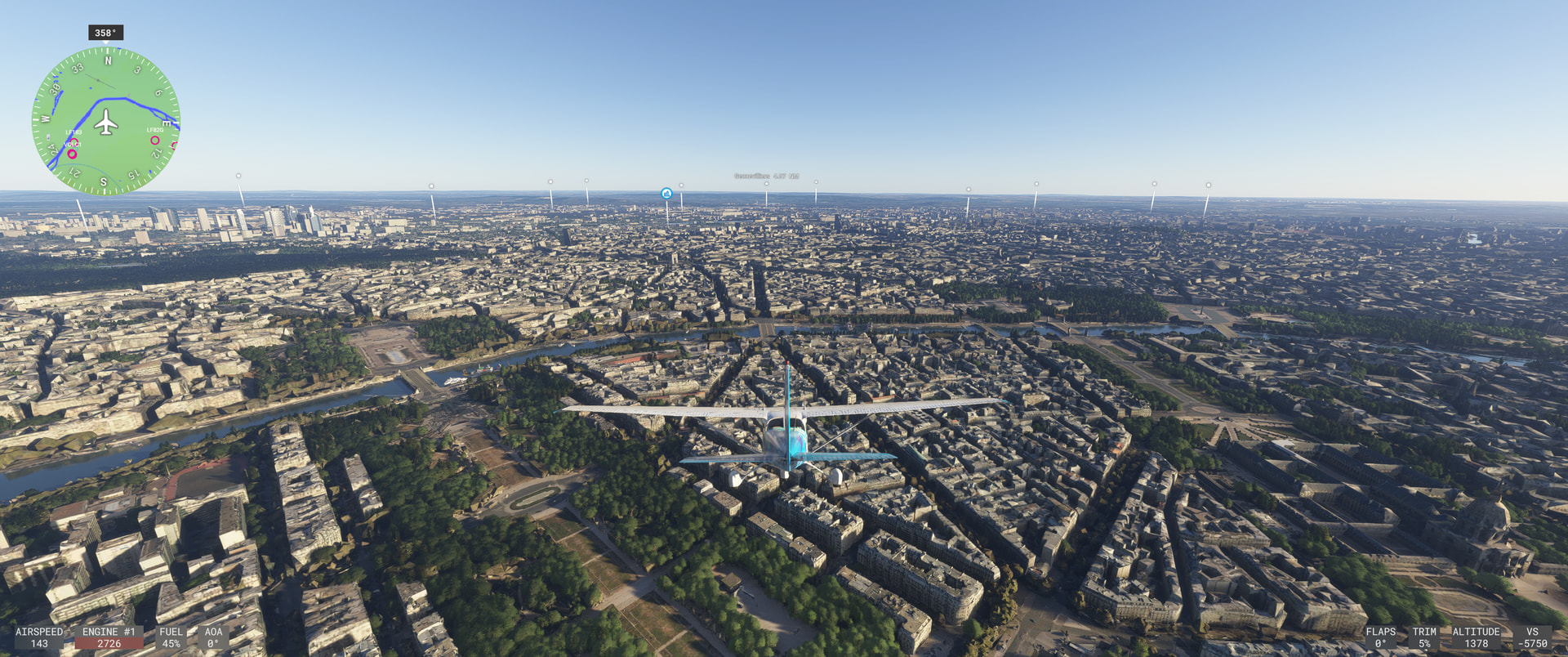
With the ORBX “Landmarks Paris City Pack,” there is no Eiffel Tower, no Louvre, and no Grand Palais.
I checked with building, trees, plants, rocks, grass al with -1 to complete
Ignore to load so 100% off set in usercfg.opt
And the sim loads in without generic buildings and procedural
Photogrammetry on
This means for Paris that only the city center is loading in
Eifeltower, Louvre and Palais du Versailles are handcrafted just like Charles de Gaulle Airport here i took of with F/A 18E in beta su7 for low and fast flying over photogrammetry above Paris
On my system (specs under avatar) most of the city center is directly loading in except for some small parts/squares/tiles, here it needs some time to load because fast flight, but slow flying aircraft gives no load issue. While compared with Japan, Tokyo is loading fast i mean when start flight the whole city is there.
Im not sure if Paris is photogrammetry old way, and Tokyo is Tin maybe has something to do with one another.
Also Paris loads in everytime when leaving the area, and returning to it in the same flight.
So my guess is that Paris cannot be cached in Rolling Cache File.
I have Cache for Europe as directory for Cache file of 45.7 GB which should be more than enough.
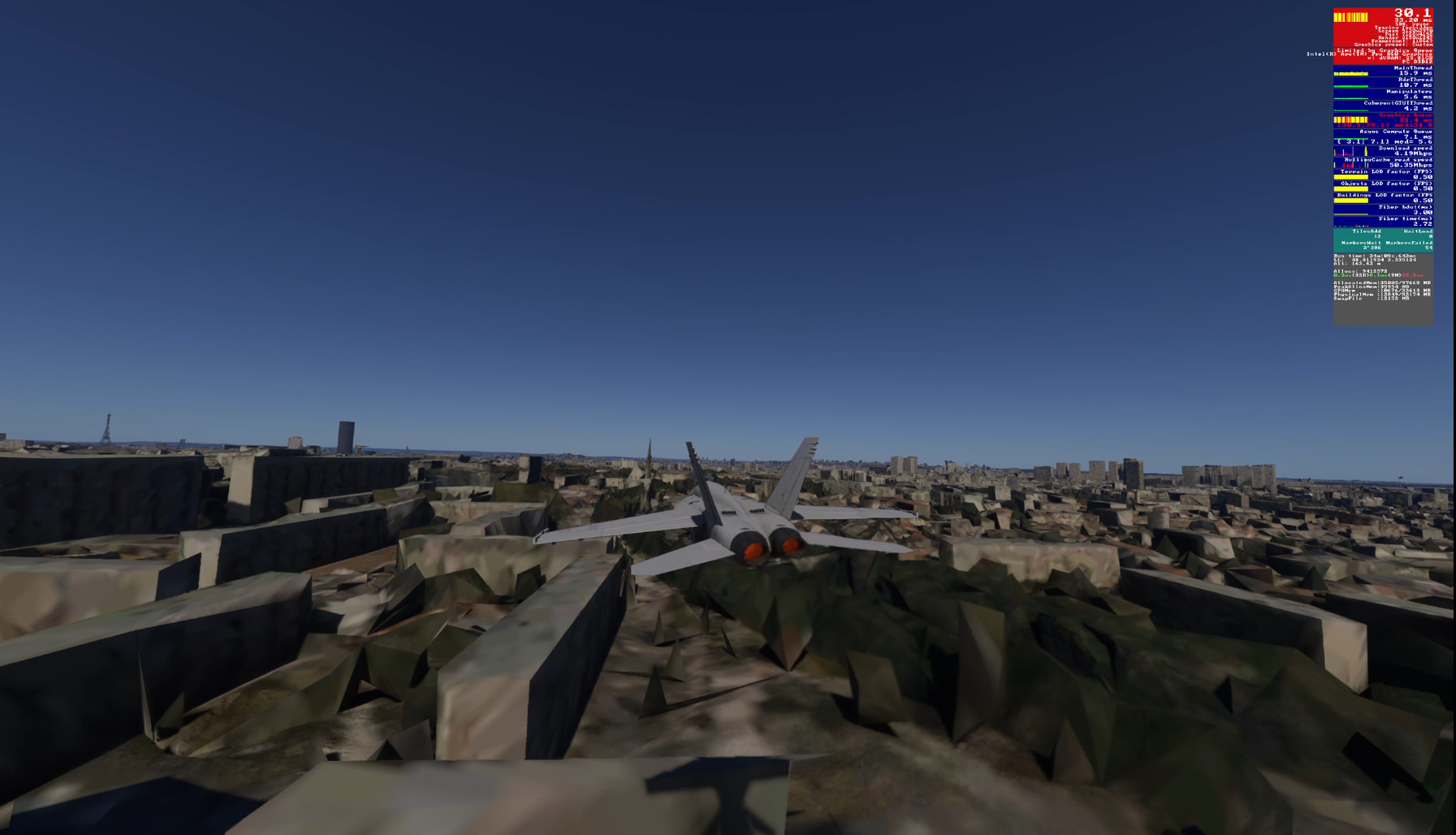
Once load in it is not the photogrammetry but all right