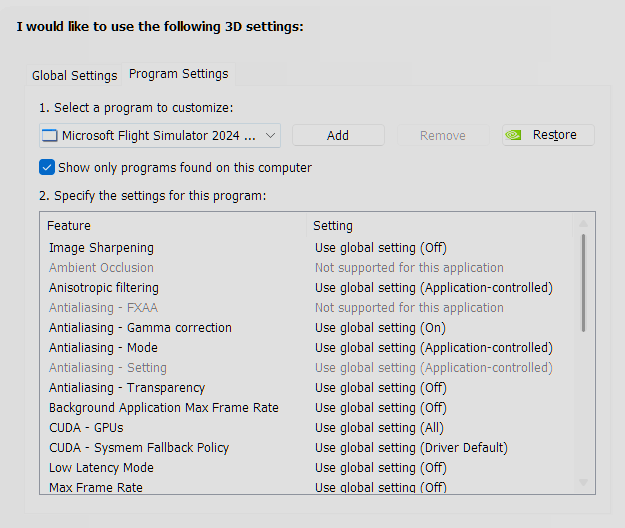
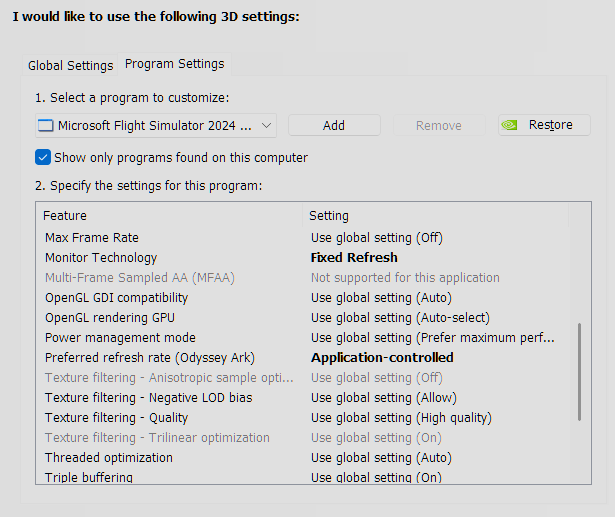
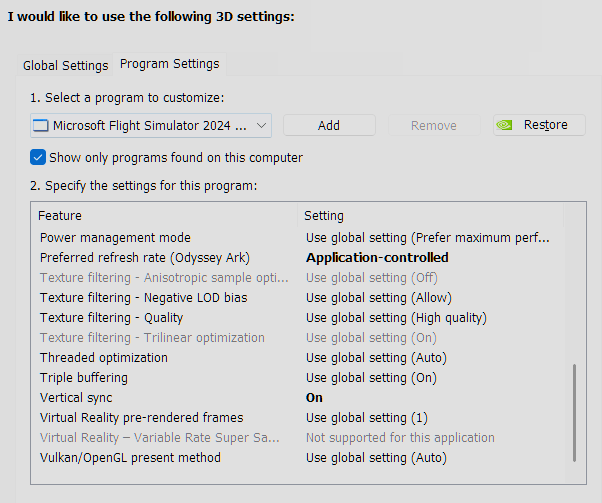
Here are all the things I do whenever I have to update to a new beta or reinstall the simulator. This has greatly improved my experience. I hope it helps you and everyone else.
- I must note that I always rename my community folder; I used to not, but now I do. I use Addon Linker to create links to my add-ons, so before I update the simulator, I go into Addon Linker and disable all my add-ons. Then I rename the folder and slowly begin copying my aircraft into the newly generated Community folder.
- I periodically go into disk cleanup, delete the DirectX shaders cache.
- Keep in mind, doing what I do below, deletes your graphics settings, so you will have to reset them. I prefer it that way as it’s the closest to a fresh simulator install experience, which has reduced my bugs.
Nvidia Shader Cache
I turn off “Shader Cache Size” on the Nvidia Control Panel. Restart into SAFE Mode. I delete all of the shaders for Nvidia on
- %AppData%\Roaming\NVIDIA\ComputeCache
- C:\Users\capts\AppData\Local\NVIDIA (Delete everything in both of these folders)
Restart the PC in normal mode, and turn on Shader Cache Size in the Nvidia Control Panel to Unlimited.
%AppData%\Local\Packages\Microsoft.Limitless_8wekyb3d8bbwe\LocalCache"
Highlighted Files - You can delete all the backups if you’d like, as those files are just there because some add-ons make them. After I delete all the master files, those backups are useless.
IMPORTANT - You will have to relink, and reinstall addons for them to re-enter themselves into the appropriate XMLS
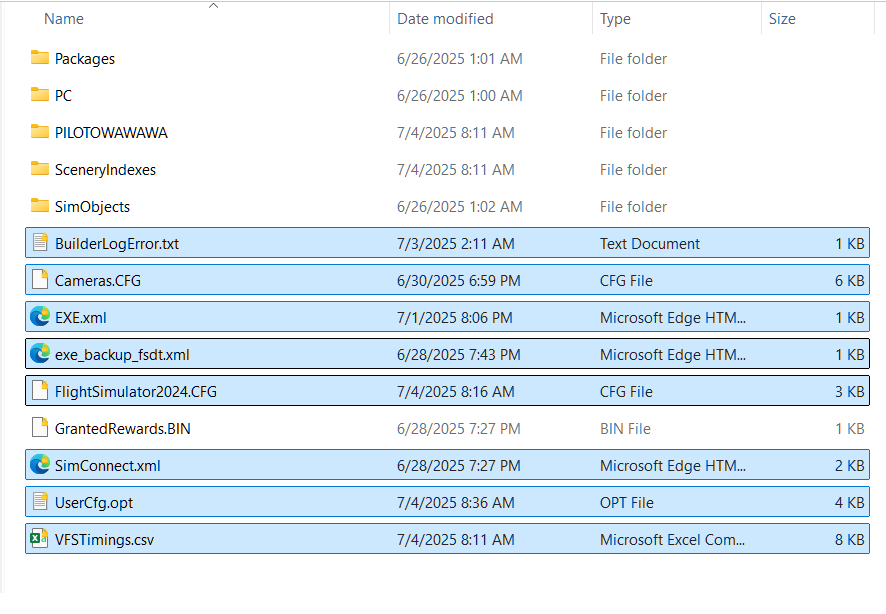
Delete everything in these folders
- %AppData%\Local\Packages\Microsoft.Limitless_8wekyb3d8bbwe\LocalCache\SceneryIndexes
- %AppData%\Local\Packages\Microsoft.Limitless_8wekyb3d8bbwe\LocalCache\YourUSERNAME (CONTENT.XML)
- %AppData%\Local\Packages\Microsoft.Limitless_8wekyb3d8bbwe\LocalCache\Packages\StreamedPackages
- %AppData%\Local\Packages\Microsoft.Limitless_8wekyb3d8bbwe\LocalState\WASM\MSFS2024
- %AppData%Local\Packages\Microsoft.Limitless_8wekyb3d8bbwe\LocalState\cache
- %AppData%\Local\Packages\Microsoft.Limitless_8wekyb3d8bbwe\Settings
- %AppData%\Local\Packages\Microsoft.Limitless_8wekyb3d8bbwe\SystemAppData\wgs
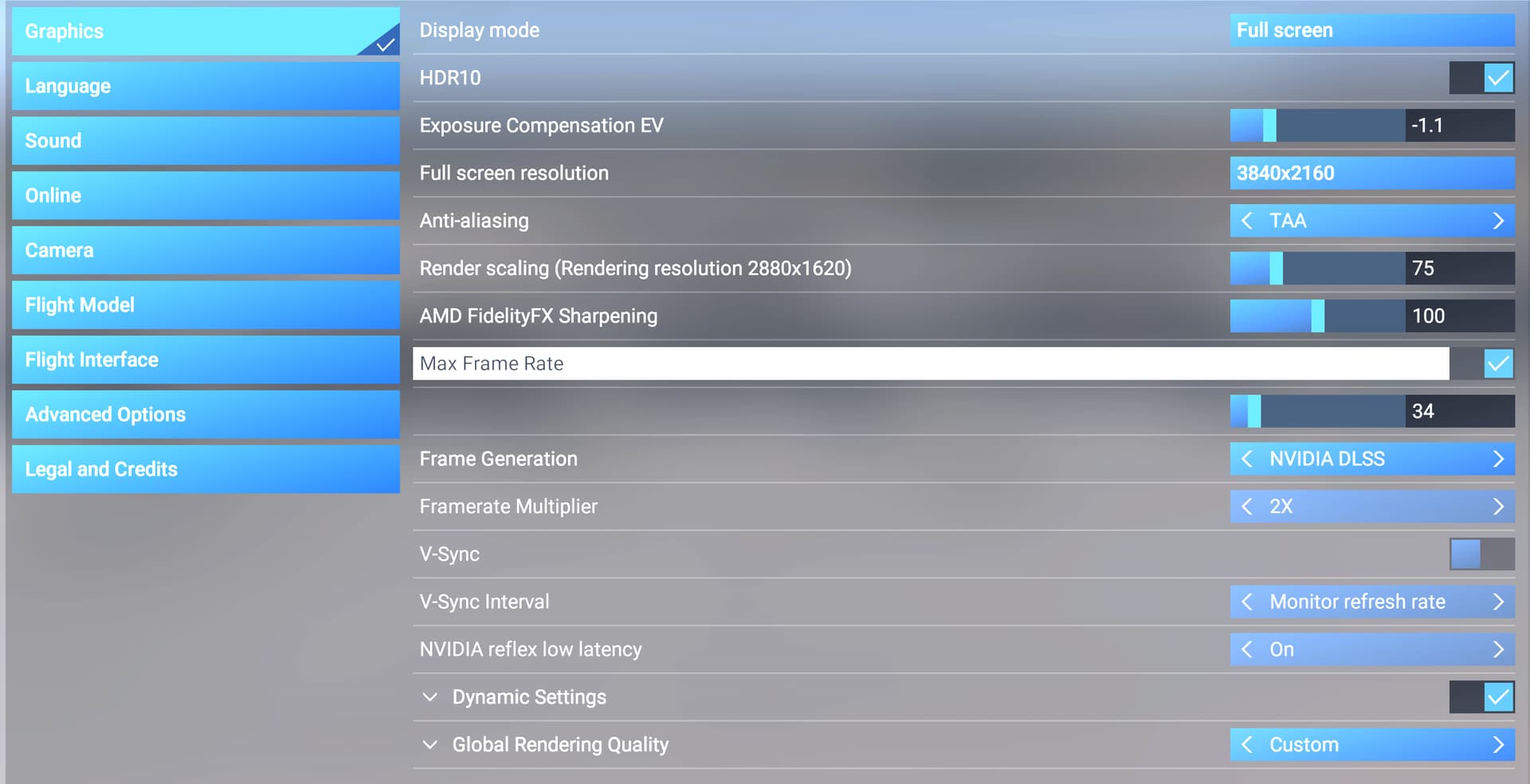
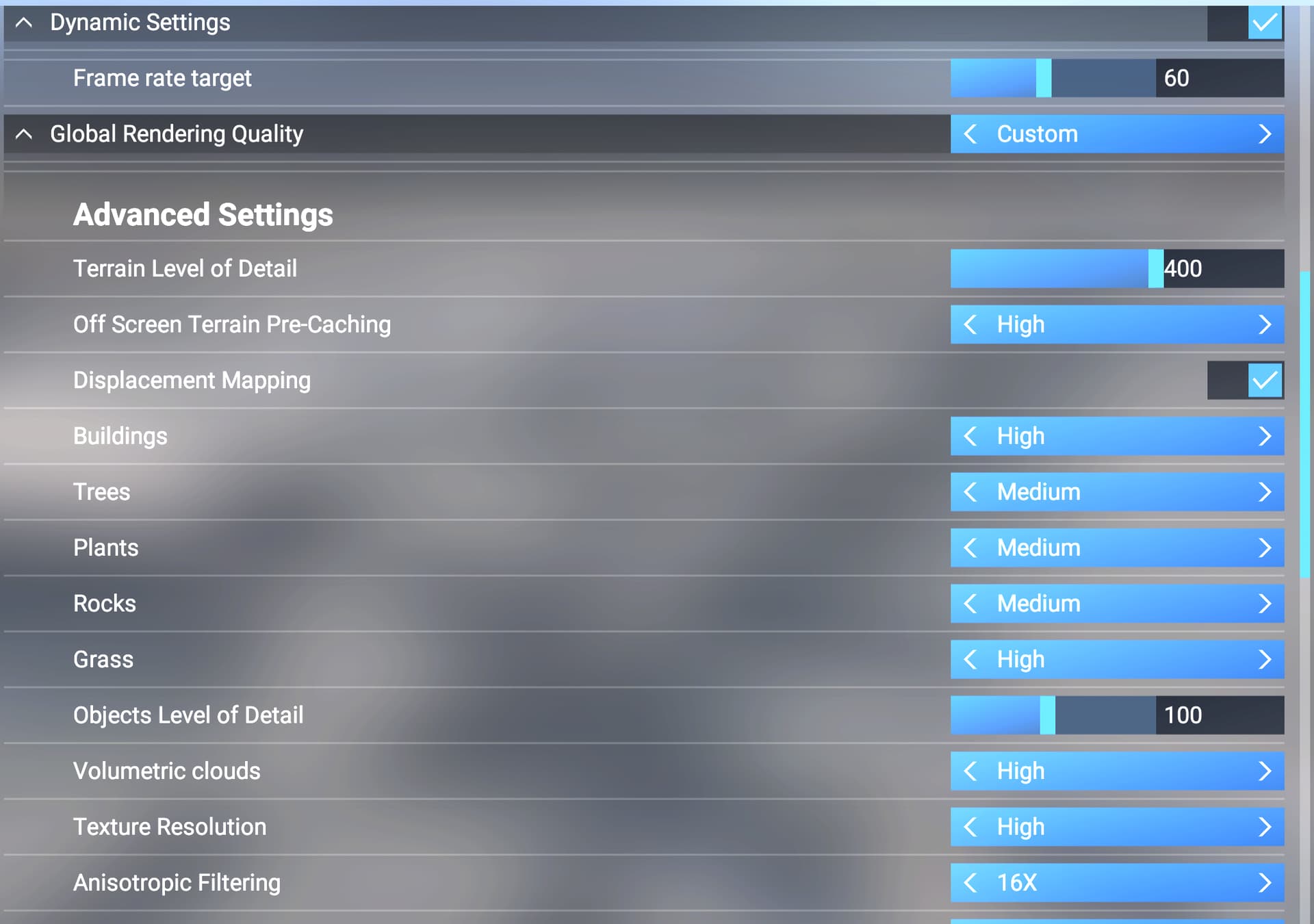
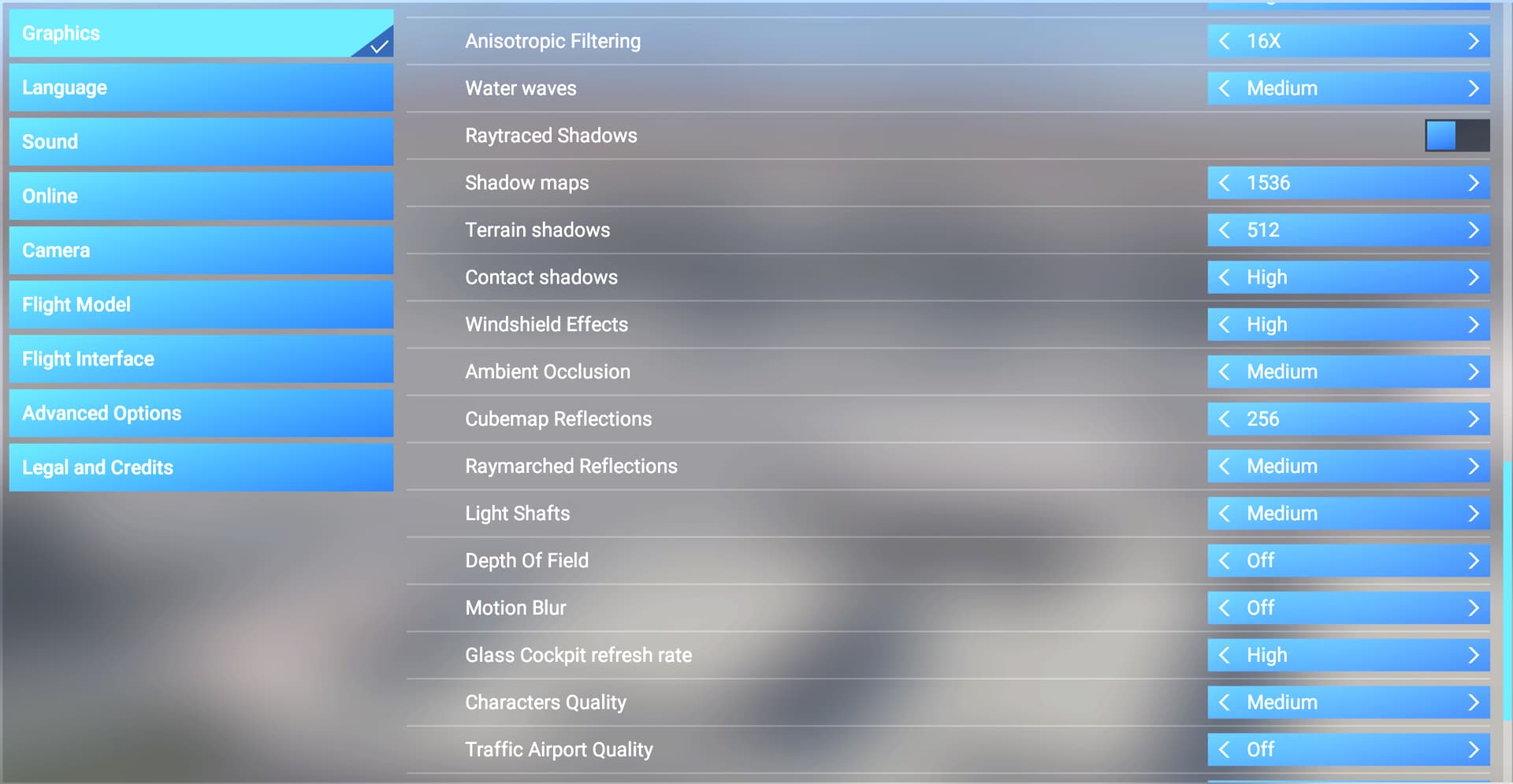

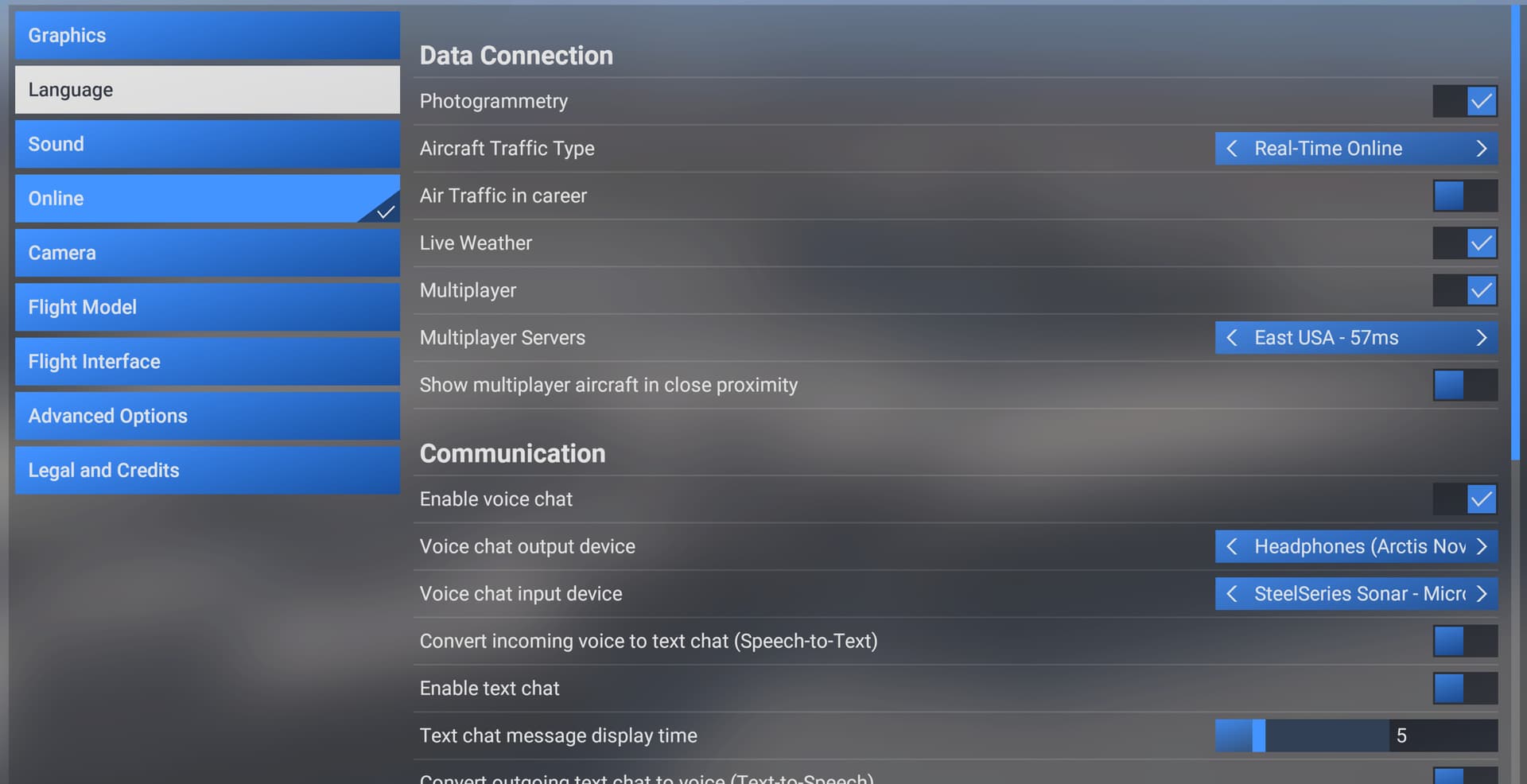

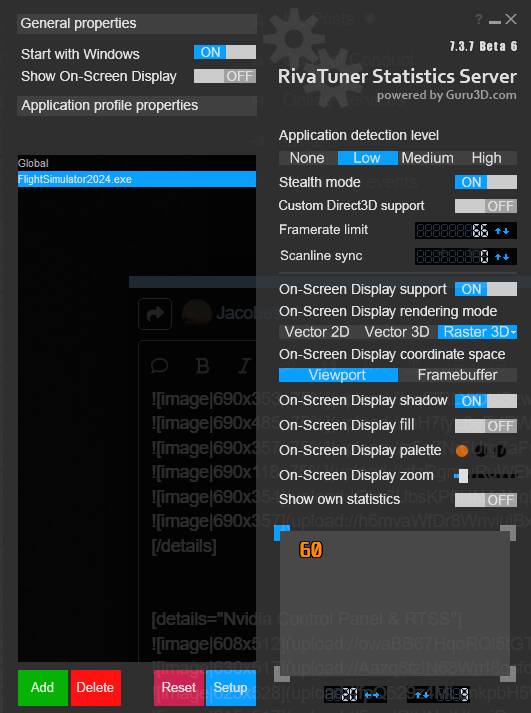
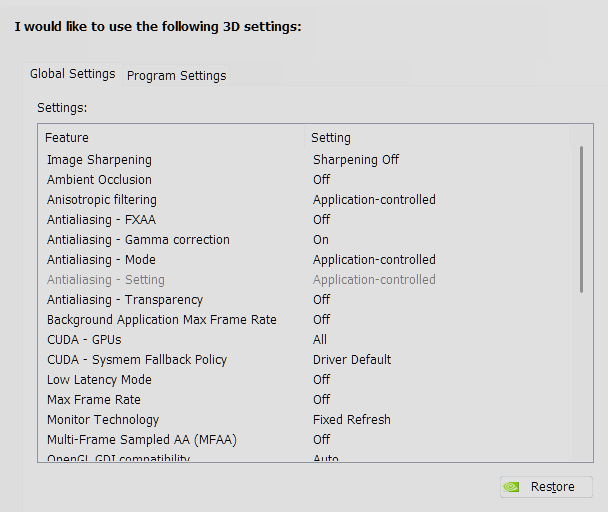
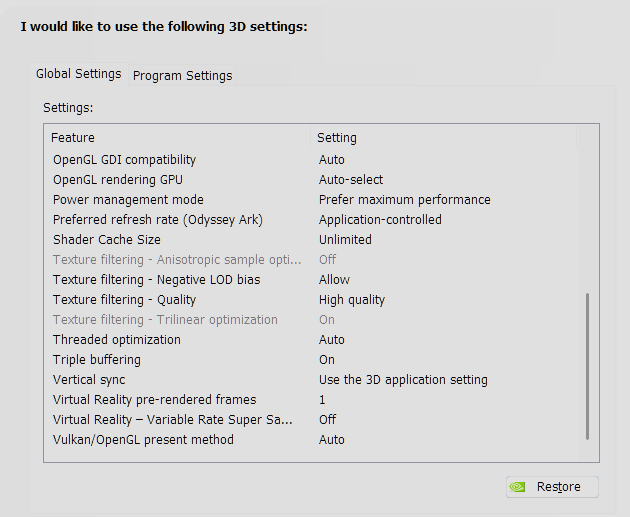
My Specs - RTX4080, ASUS MAG 760 TOMAHAWK, AMD 7900 X3D, 64 GB RAM 6400 RPM, NVME 2.0 TB (Simulator), NVME 2.0 WINDOWS 11.