Popout menus don't size correctly when moved to smaller res monitor

Using the template below will greatly help the team reproduce the issue and ease the process of fixing it. Before posting, search for an existing report. If you are not sure it’s a bug, please first report in User Support Hub.

2 tags are required - add them in the tag section next to the title above:

Feel free to delete this quote section after adding your appropriate tags.

:white_check_mark: SIM INFORMATION

This is vital information for our test team, please do not skip it or your issue may not be able to be reproduced or fixed.

  • Microsoft Flight Simulator 2020 or 2024:
    2024

  • Version Build Number (Where do I locate that?):
    1.1.7.0? Thats the version shown in MS Store, the instructions in the link above doesn’t seem to work for 2024

  • Game Platform (Exampe: Steam, Xbox, MS Store):
    MS Store

:white_check_mark: ISSUE DESCRIPTION

  1. Did you remove all your community mods/add-ons? If yes, are you still experiencing the issue?
    No mods installed

  2. Description of the issue:
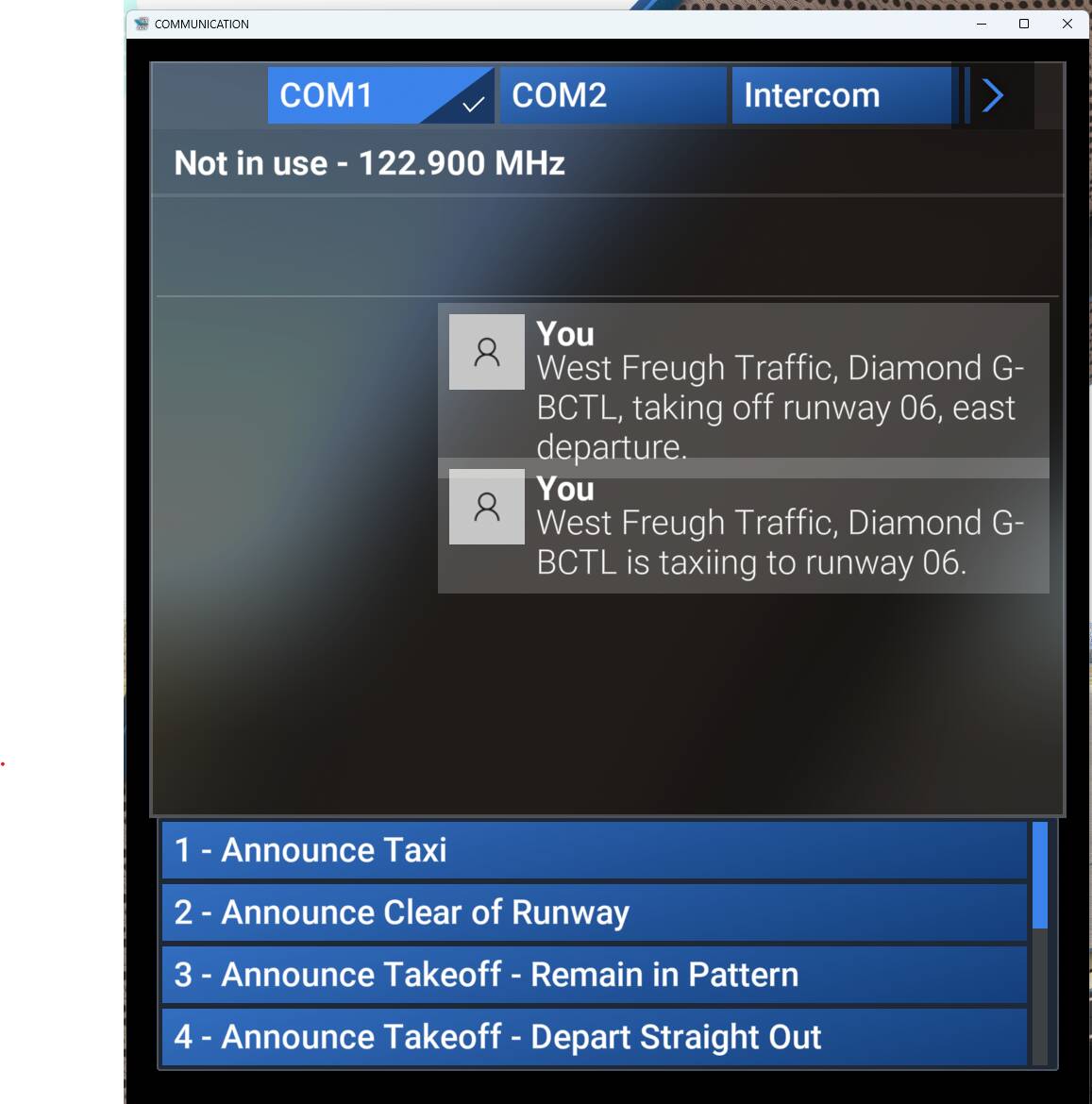
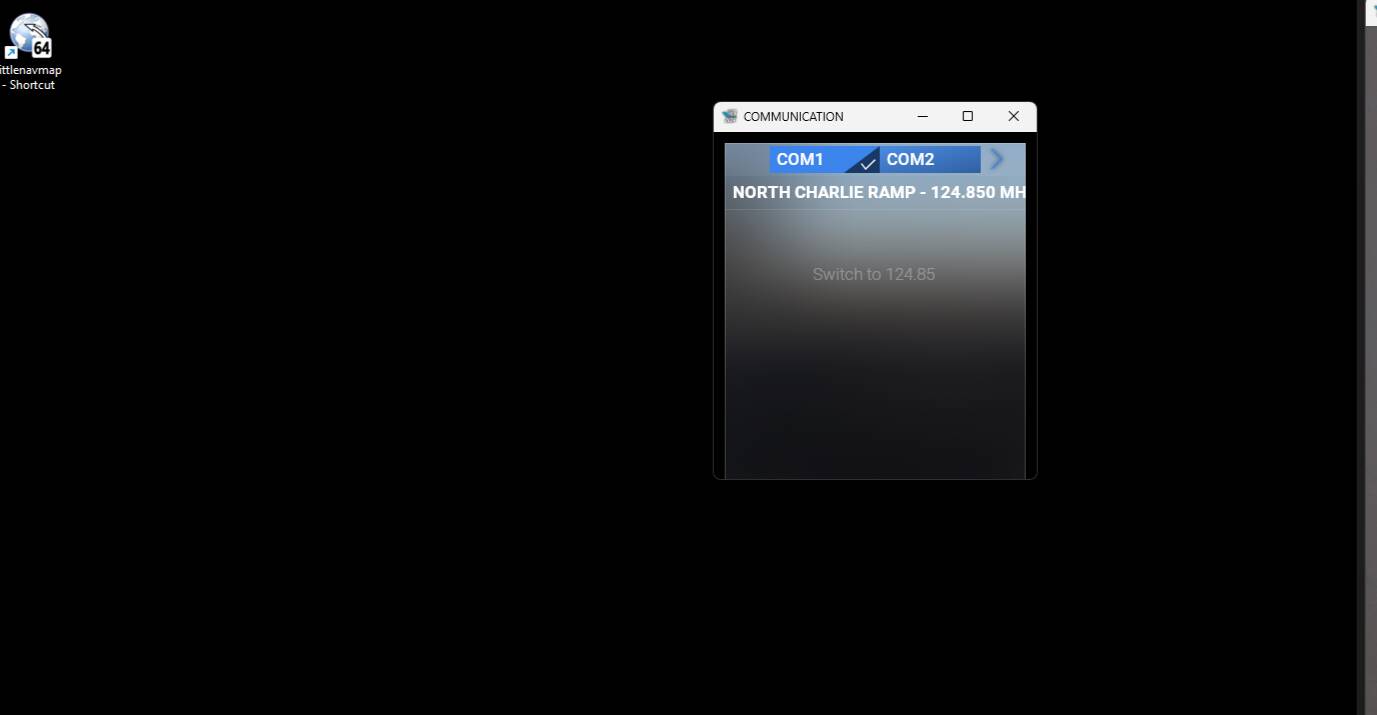
    I have a 4k monitor and two 1080p montiors. I run MSFS on the 4k monitor. However, if I pop out a menu during flight (e.g. radio menu) and bring it onto one of my 1080 monitors, the text size is about twice the size it should be, so only the frist couple of menu options are visible even when the window is maximised on the smaller monit.

:white_check_mark: FREQUENCY OF ISSUE

How often does this occur for you? (Example: Just once, every time on sim load, intermittently)
Every time

:white_check_mark: REPRODUCTION STEPS

Please list clear steps you took in order to help our test team reproduce the same issue.

  1. Run the game with a 4k monitor and a 1080p monitor. Run the game on the 4k monitor.
  2. During free flight, open the communications menu from the top toolbar
  3. Click the pop-out button on the top of the new comms window
  4. Drag the window onto the 1080p monitor.

You will see that the window on the 1080p monitor is about the same size relative to the screen as it was on the 4k, but the text it to big now and you have to resize the window. But even fully maximised, only 2 or 3 of the menu options will be visible.

:white_check_mark: YOUR SETTINGS

If the issue still occurs with no mods and add-ons, please continue to report your issue. If not, please move this post to the User Support Hub.

  1. What peripherals are you using, if relevant:
    NA

  2. [PC Only] Are you using Developer Mode or have you made any changes to it?
    No

  3. [PC, MSFS 2020 Only] Are you using DX11 or DX12?
    DX12

  4. [PC Only] What GPU (Graphics Card) do you use?
    AMD 6800XT

  5. [PC Only] What other relevant PC specs can you share?
    Ryzen 7700 CPU, 32Gb RAM, Radeon RX 6800 XT

:white_check_mark: MEDIA

Please add a screenshot or video of the issue occurring.
[END OF FIRST USER REPORT]


:loudspeaker: For anyone who wants to contribute on this issue, Click on the button below to use this template:

Do you have the same issue if you follow the OP’s steps to reproduce it?

Provide extra information to complete the original description of the issue:

If relevant, provide additional screenshots/video:

After SU2, popping out the ATC communication options panel to a second monitor, makes it lose all numbered options and it can’t be used any more. Bringing it back to the monitor where the sim is running restores the options and so on and so forth.

No mods / add-ons in the community folder

FREQUENCY OF ISSUE

Occurs all the time (any flight) and with more than one aircraft.

Please note that this is not an issue connected with the monitor - the atc screen works fine when popped out to the second monitor in msfs 2020 and even in msfs 2024, other pop outs (eg the efb) work fine on the second monitor.

REPRODUCTION STEPS

  1. Load into a cold and dark free flight
  2. Enter the aircraft
  3. Turn power on
  4. Open comms (ATC) screen
  5. Convert to window and move to second monitor
  6. Observe described impact

YOUR SETTINGS

Mix of medium / high / ultra, TAA

What peripherals are you using, if relevant:

Not relevant

[PC Only] Are you using Developer Mode or have you made any changes to it?

No

[PC, MSFS 2020 Only] Are you using DX11 or DX12?

[PC Only] What GPU (Graphics Card) do you use?

RTX 4080

[PC Only] What other relevant PC specs can you share?

i7-13700
64G RAM
Latest NVIDIA Driver (576.52)

MEDIA

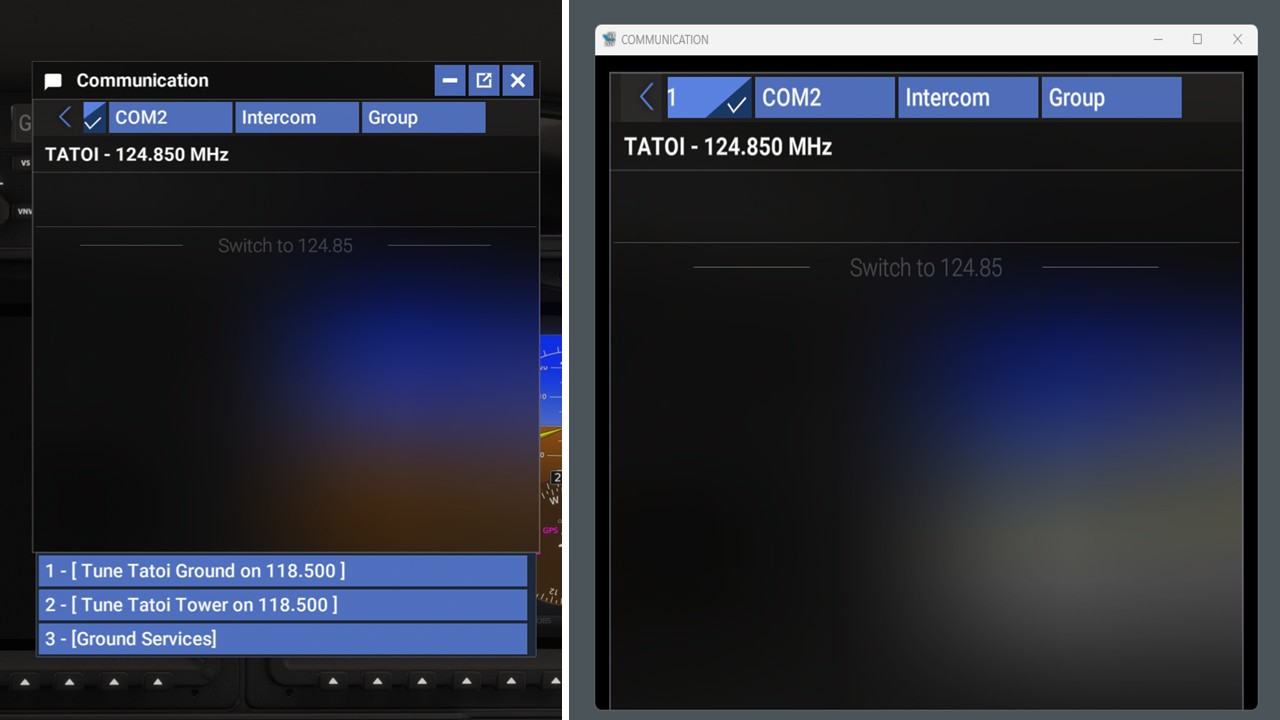
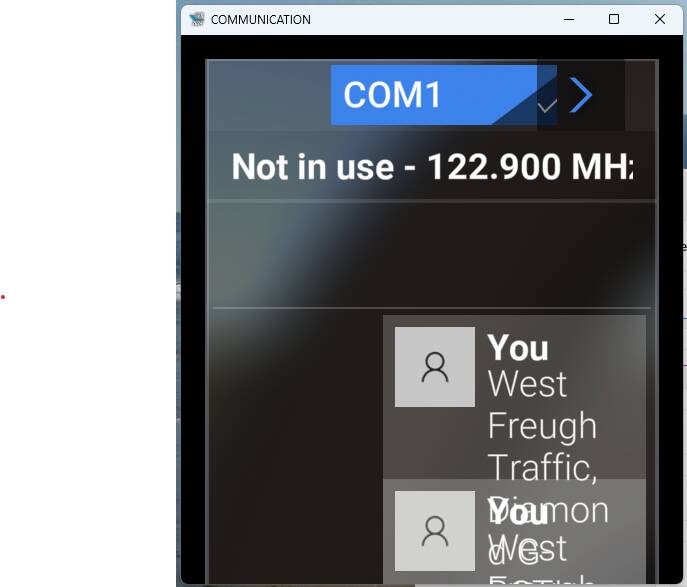
Please see attached - on the left is the standard ATC options panel (on main monitor) - on the right is how it is transformed when moved to a second monitor.


:loudspeaker: For anyone who wants to contribute on this issue, Click on the button below to use this template:

Do you have the same issue if you follow the OP’s steps to reproduce it?

Provide extra information to complete the original description of the issue:

If relevant, provide additional screenshots/video:

Do you have the same issue if you follow the OP’s steps to reproduce it?
• no

Provide extra information to complete the original description of the issue:
• I am on SU3, so cannot confirm on SU2. Hopefully some SU2 users can test

If relevant, provide additional screenshots/video:


Hello, I see you screenshots, are they one monitor or two. The problem I am reporting occurs once moving the popped out panel to the second monitor - if it is kept as a window in the main one it is OK but this defeats the purpose.

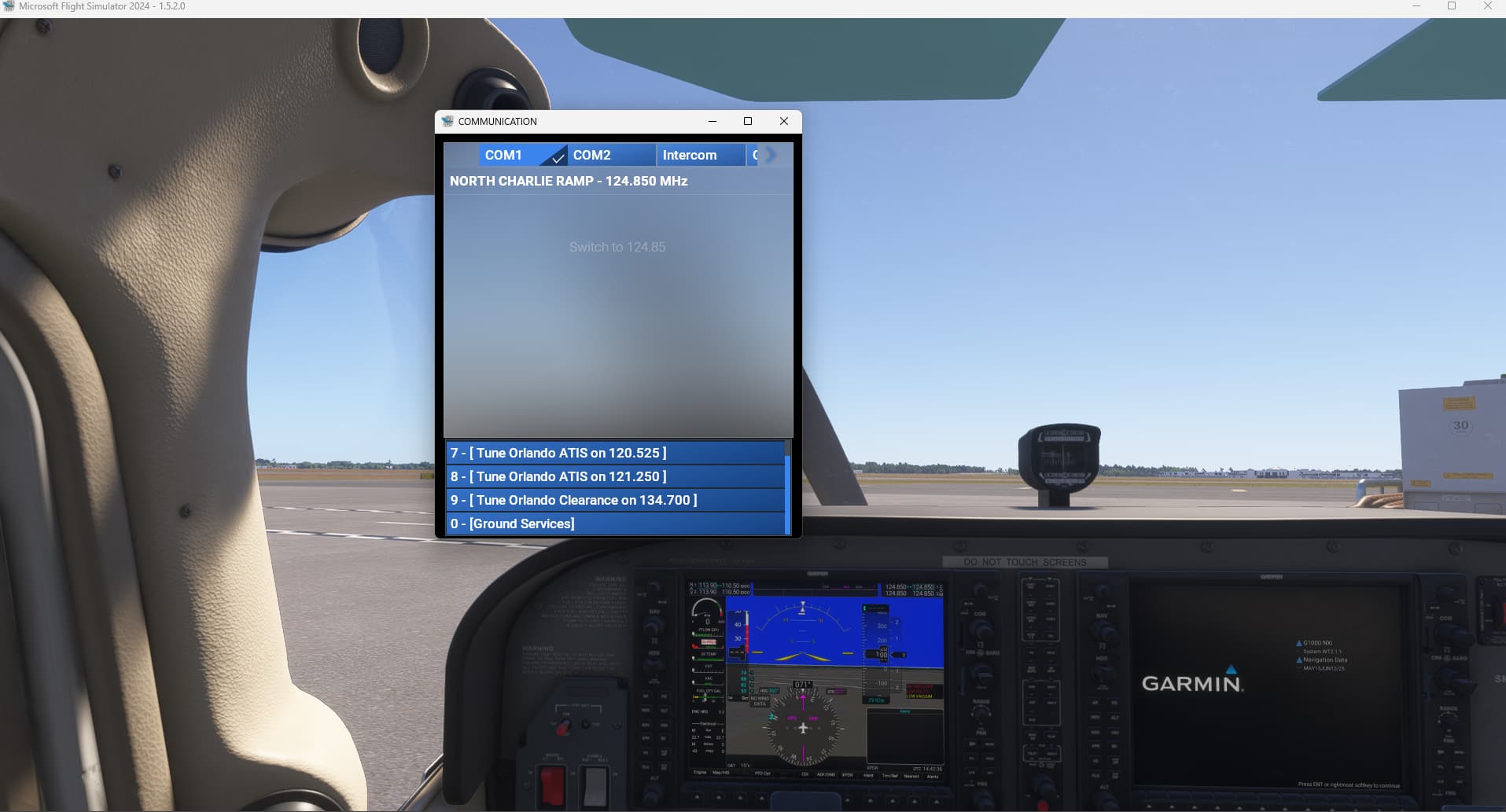
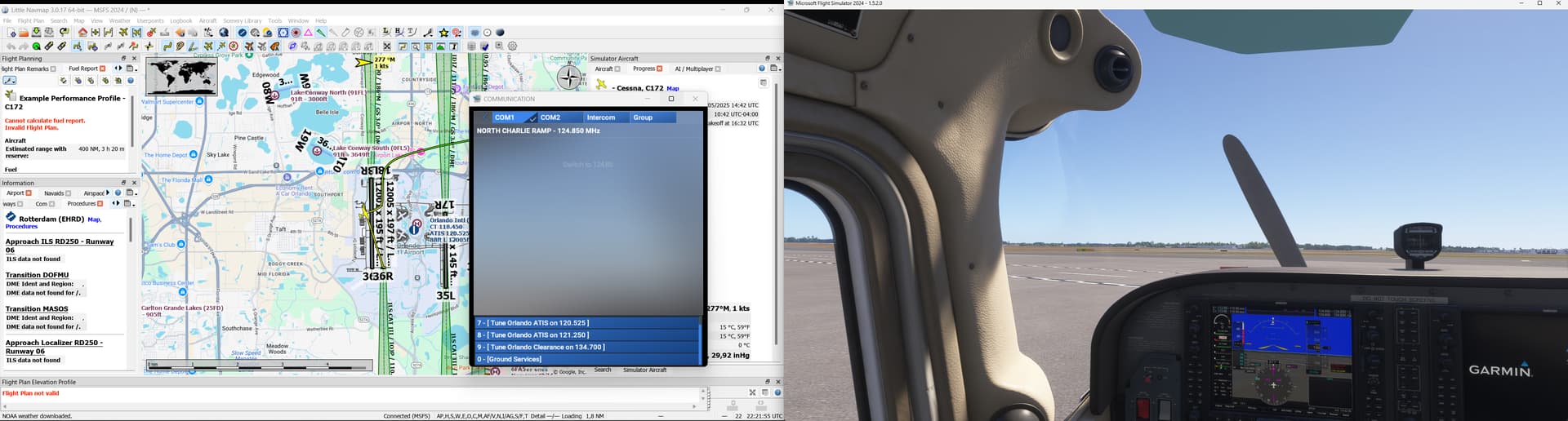
On the 2nd screenshot, the ATC panel is in windowed mode but still on the 1st monitor.
On the 3rd screenshot, I moved the ATC panel to my 2nd monitor, options are still there.
I’ll keep testing…

Thank you, appreciated. Secondary monitor is quite old admittedly but never had the problem since I started with MSFS 2020 at launch - still OK with MSFS 2020 today and was good with 2024 until very recently after SU2.

1 Like

Hi again, please see this post, Missing items in dropdown lists with downscaled display resolution it appears like a similar issue in the sense that the problem I am reporting also has to do with missing options on a popped out panel - if the panel does not have options (ie is not scrollable like eg the EFB), there is no problem.

Could you try different resolutions on your 2nd monitor ?
On my system, the resolution is the same on my 2 monitors: 1920x1080
Also check scale is set at 100% on both monitors.

Edit: changing to a lower resolution on my second monitor to 1366x768 and the options are gone:

So I guess that could be the root cause.

Thank you, in fact my secondary monitor’s native (and maximum) resolution where the problem arises, is 1360x768 as opposed to 2k for the main one (I have both at 100%). But when I run MSFS2020 with the exact same setup, I don’t have a problem with the ATC panel.

Are you able to increase your 2nd monitor resolution and get the options back ?

Trying that now, I just saw I can override the recommended and go to 1920 x 1080 . Will report back shortly, many thanks !

OK here is what is happening: Keeping the main one at its native 2k and getting the secondary 1920 x 1080 did not work.

But if I also make the main one 1920 x 1080, then the ATC panel shows the options on both the main and the secondary.

So I guess the immediate solution is this and the “expensive” one is get a new secondary monitor with matching resolution.

Many thanks for looking into this.

1 Like

Using the template below will greatly help the team reproduce the issue and ease the process of fixing it. Before posting, search for an existing report. If you are not sure it’s a bug, please first report in User Support Hub.

2 tags are required - add them in the tag section next to the title above:

Feel free to delete this quote section after adding your appropriate tags.


ISSUE DESCRIPTION

Description of the issue: The ATC comms window is only active on the main monitor. When moved to monitors 2 or 3 there are no options available for ATC.

If applicable, which aircraft is experiencing this issue: ALL

[PC Only] Did you remove all your community mods/add-ons? If yes, are you still experiencing the issue?
No mods added at all.

FREQUENCY OF ISSUE

Ever since Sim Update 2.

REPRODUCTION STEPS

Please list clear steps you took in order to help our test team reproduce the same issue:

  1. Start flight
  2. Open comms window
  3. Move to another monitor

YOUR SETTINGS

If the issue still occurs with no mods and add-ons, please continue to report your issue. If not, please move this post to the User Support Hub.

What peripherals are you using, if relevant:

[PC Only] Are you using Developer Mode or have you made any changes to it? No

[PC, MSFS 2020 Only] Are you using DX11 or DX12?

[PC Only] What GPU (Graphics Card) do you use? NVIDIA RTX 3080Ti

[PC Only] What other relevant PC specs can you share?
Windows 10 Pro
Intel i9-10900K CPU
64GB RAM

MEDIA

Please add a screenshot or video of the issue occurring.
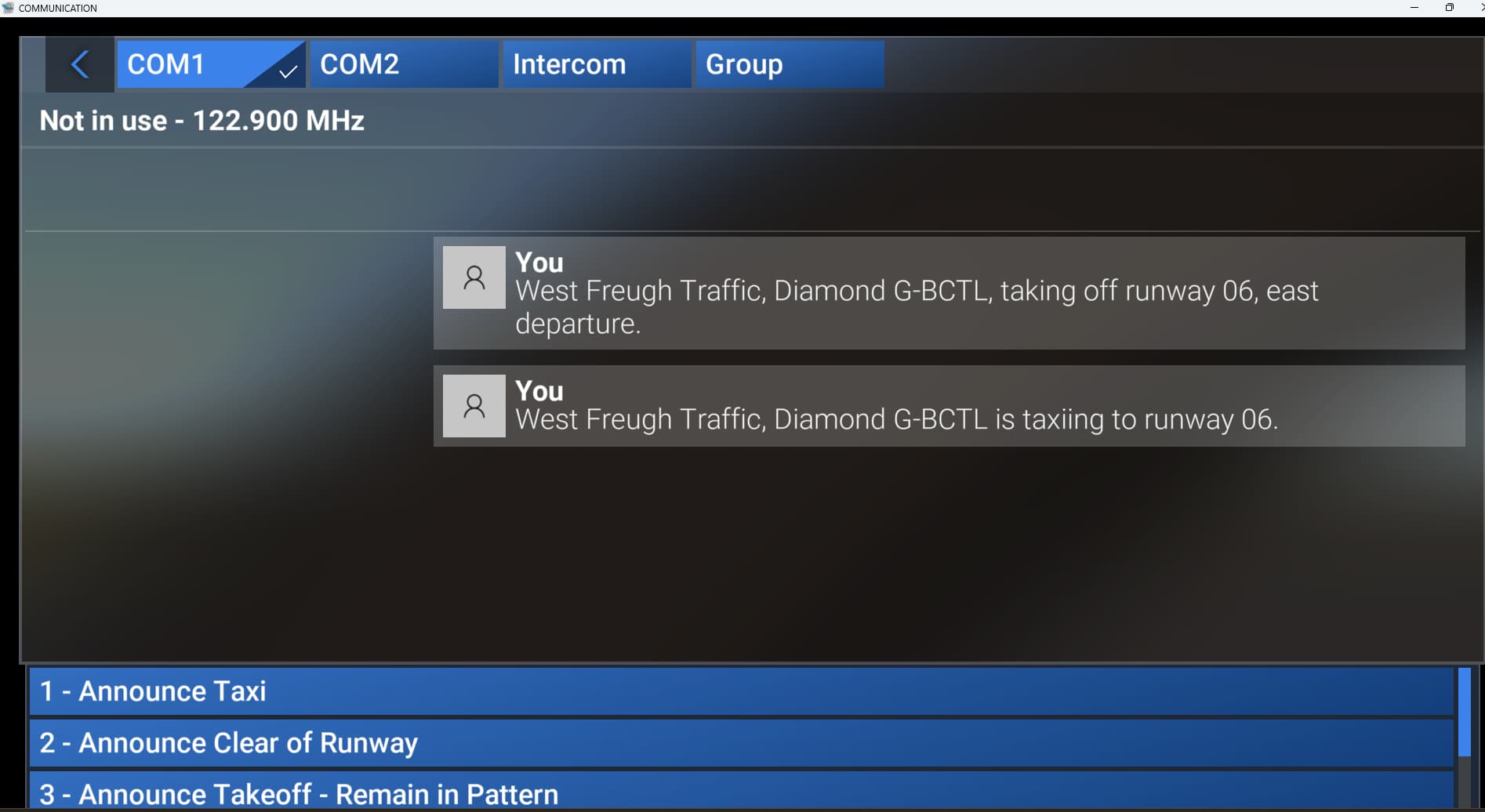
Here it is on the main monitor:

Here it is on monitor #3 (same on monitor #2):

[END OF FIRST USER REPORT]


:loudspeaker: For anyone who wants to contribute on this issue, Click on the button below to use this template:

Do you have the same issue if you follow the OP’s steps to reproduce it?

Provide extra information to complete the original description of the issue:

If relevant, provide additional screenshots/video:

Hello, I have the same problem, I reported as a bug a couple of days ago and it was set to solved through a workaround - the workaround is to set the resolutions of the two monitors to be the same (mine were different). I tried with two different sets of different resolution monitors, each time the problem goes away when I set them equal.

Of course this is not a solution - in MSFS 2020 I am not getting the problem and it was fine in 2024 as well before SU2.

Are your two monitors different resolution?
https://forums.flightsimulator.com/t/atc-panel-not-functioning-when-popped-to-secondary-monitor/722729?u=montgomeryb28

My primary monitor is 4k - 3840X2160. Monitor #2 is QHD - 2560X1440. How am I supposed change the resolution of Monitor #2 to 3840X2160? Or am I supposed to change the primary to 2560X1440? Not gonna happen!

Ah well, I guess I’ll just toggle the comms window open on the primary, use it, then toggle it off.

I consider this a bug; as you said this worked great up until SU2.

Yes I am afraid the workaround is to decrease the resolution that is the higher one.

I agree, not much of a solution, I also liked it a lot having ATC always open on the second monitor not blocking view on the main one.

Fully agree with you that this is a bug - was fine before SU2 and is fine in 2020.

But I don’t know how we can get Asobo to fix it - like I said my bug report was set to solved. Let’s see what happens with yours.

Cheers.

It seems your bug report was spotted and merged with mine so they now show “solved” through “workaround”.

Does this mean the bug will be ignored ? Should it not be fixed - obviously there was something done in SU2 that is causing this - shouldn’t they look into it ?

In that case the “Solution” mark is not indicating that the issue has been fixed but the post where the workaround is so that users can access it directly without having to go through all the replies. Report remains open.

Thank you for clarifying, I think it is something that’s worth fixing :slight_smile:

Hello, any news on this ? A response that somehow this is being looked at (or that we have to live with it …) would be much appreciated :slight_smile: