Using the template below will greatly help the team reproduce the issue and ease the process of fixing it. Before posting, search for an existing report. If you are not sure it’s a bug, please first report in User Support Hub.
2 tags are required - add them in the tag section next to the title above:
Feel free to delete this quote section after adding your appropriate tags.
ISSUE DESCRIPTION
Description of the issue:
I always use the feature to “pop out” cockpit displays (PFD, MFD, etc.) as top-level Win32 windows. Since I have four monitors connected to the computer, I can use the main monitor for the main window and surrounding monitors for such pop out displays.
Here’s how it looks in flight:

In MSFS2020, these pop out windows were closed when the flight ended, but this is no longer the case in MSFS2024: These windows remain, blank (full black):
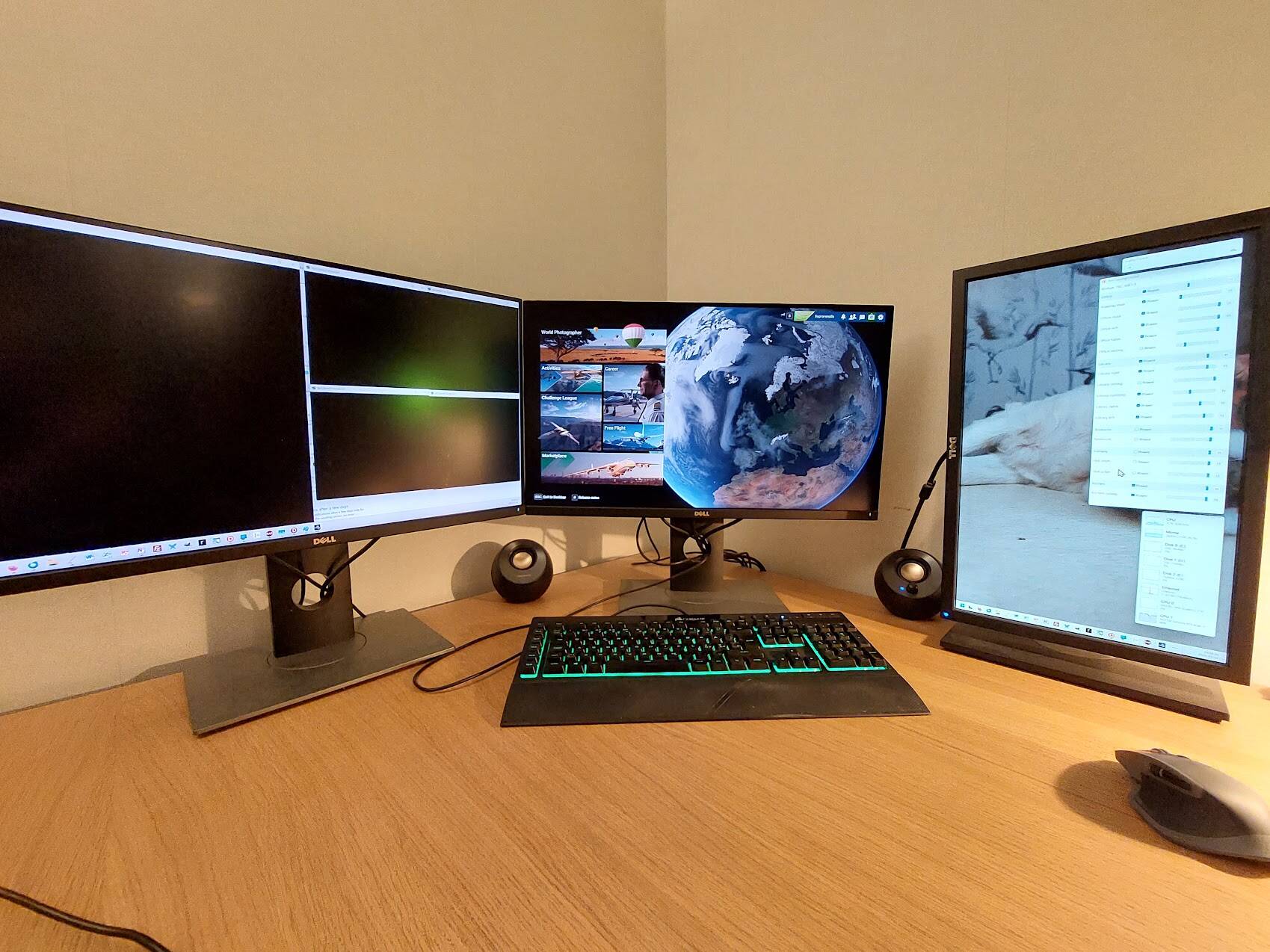
This of course is a bit annoying.
And if I start a new flight, these old pop out displays will start to show some corrupted content:
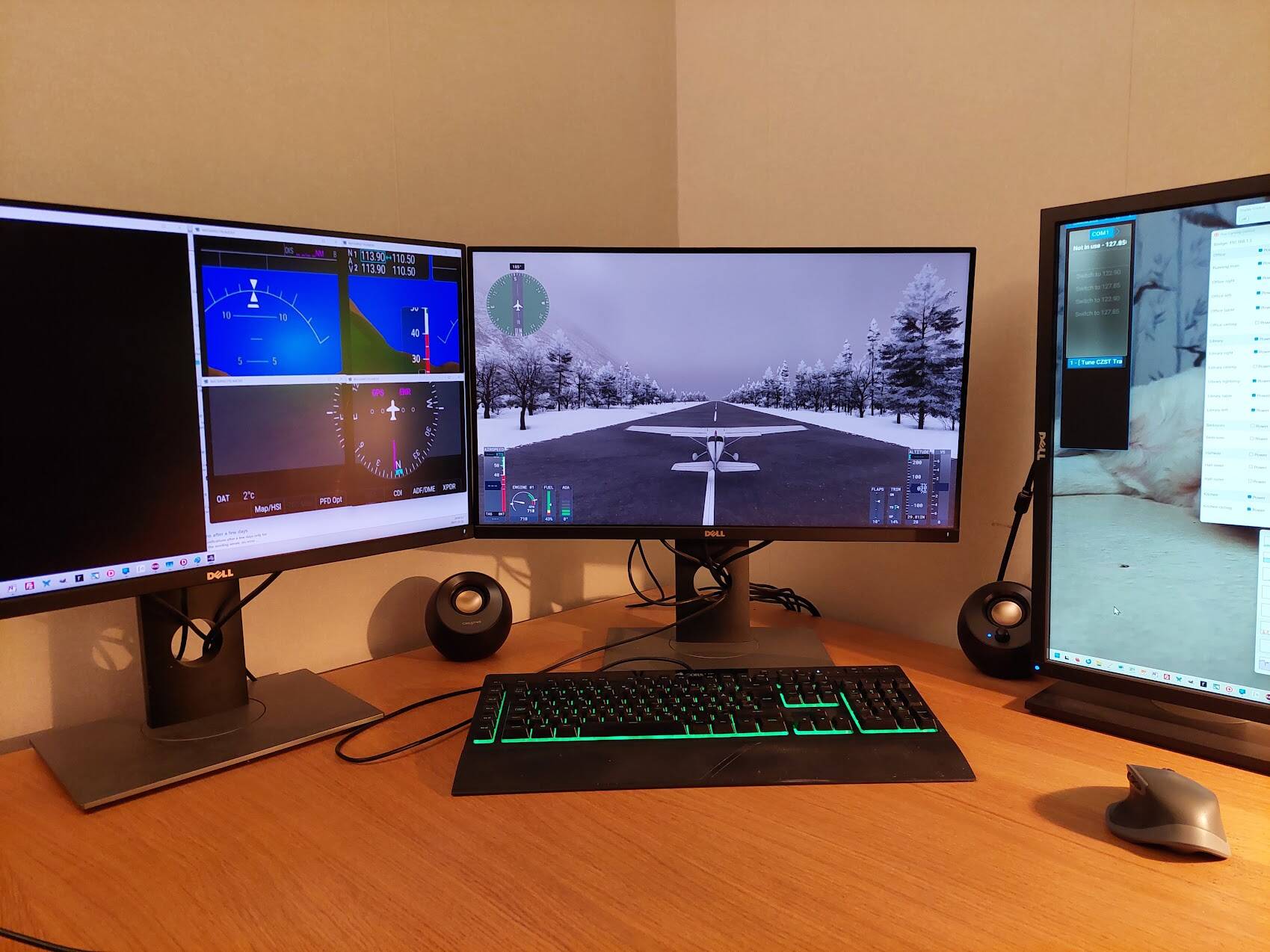
I’m surprised such an obvious bug hasn’t been reported numerous times before, but maybe people don’t use multimon setups any more…
[PC Only] Did you remove all your community mods/add-ons? If yes, are you still experiencing the issue?
FREQUENCY OF ISSUE
How often does this occur for you (Example: Just once, every time on sim load, intermittently)?
Always, no exceptions.
REPRODUCTION STEPS
Please list clear steps you took in order to help our test team reproduce the same issue:
- Start a flight (in A320, for example)
- Pop out the PDF, MFD, and/or other screens (AltGr+click, I think – but this is stored in muscle memory, so don’t quote me on that) so they are drawn in their own Win32 top-level windows.
- Exit the flight by returning to the main screen of MSFS2024.
YOUR SETTINGS
If the issue still occurs with no mods and add-ons, please continue to report your issue. If not, please move this post to the User Support Hub.
What peripherals are you using, if relevant:
[PC Only] Are you using Developer Mode or have you made any changes to it?
Negative
[PC, MSFS 2020 Only] Are you using DX11 or DX12?
[PC Only] What GPU (Graphics Card) do you use?
RTX4060 Ti (8 GB)
[PC Only] What other relevant PC specs can you share?
Windows 11 Pro, four monitors (two with 125% DPI and two with 100% DPI).
MEDIA
Please add a screenshot or video of the issue occurring.
[END OF FIRST USER REPORT]
 For anyone who wants to contribute on this issue, Click on the button below to use this template:
Do you have the same issue if you follow the OP’s steps to reproduce it?
•
Provide extra information to complete the original description of the issue:
•
If relevant, provide additional screenshots/video:
•