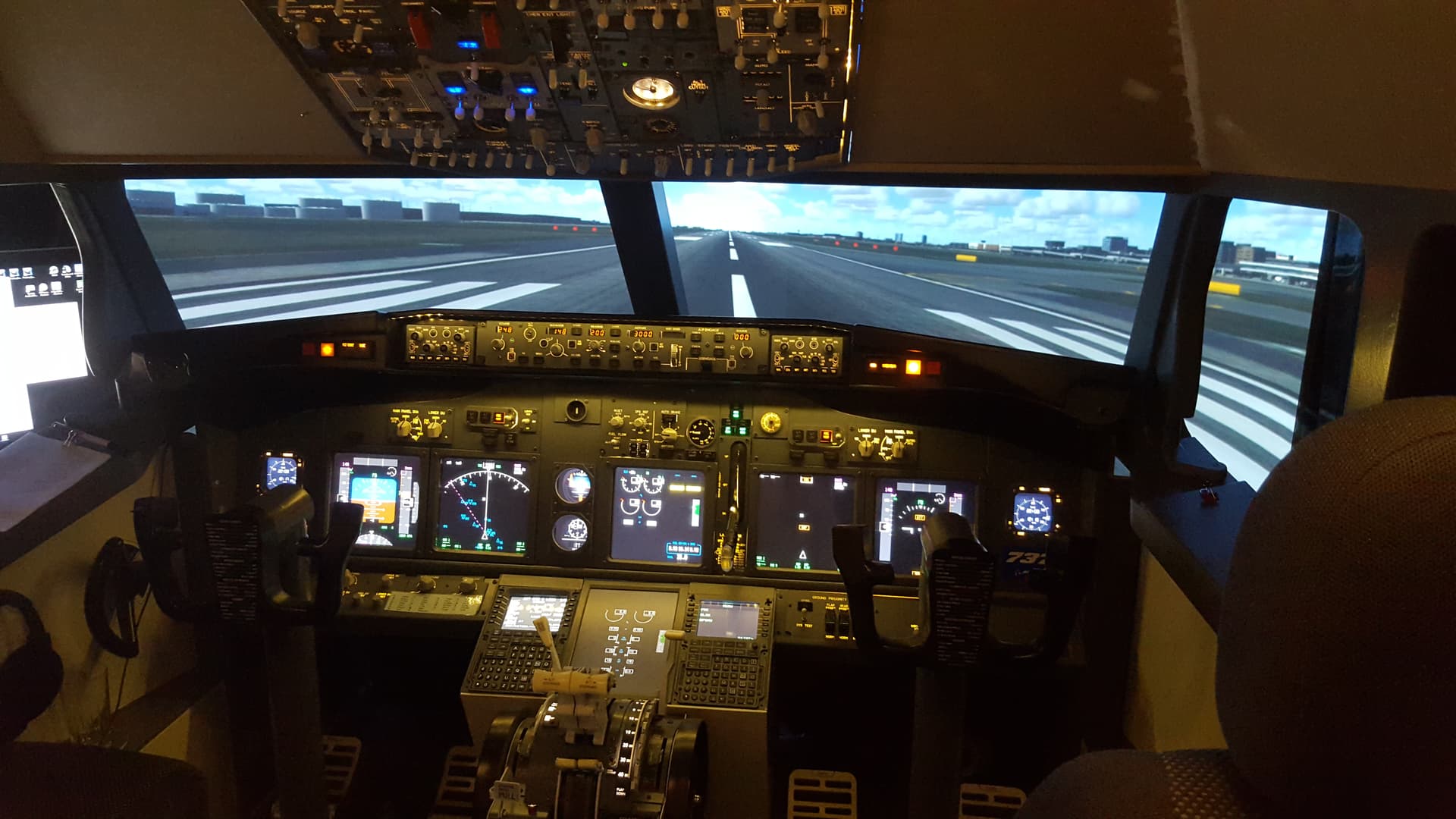
Prosim737 and MSFS2020
14 Likes
very nice .. how do you mount the xbox controller to the yoke and what key bindings do you set it to which is not already bonded to your hotas?
I have it attached with instrustrial strength velcro tape so that it’s removable.
Nowadays I use it for only a few things outside of drone control.
Do you experience a pretty good fps drop when you do the experimental views? I go from 60fps to 32fps when I add two side screens from the experimental views tab. If I just stretch the one window across the 3 monitors I’ll get around 50fps, but of course the side screen views are necessarily “correct” in that case…
I never look at the fps.
I look at the image in the views.
If those images are distorted, or stretched. even in my peripheral vision I will not tolerate it.
If the views are flickering like the old fashioned silent movies I would rebuild my PC (and I have - 3 times).
On the other hand though:- If the views are in good proportion and if they are moving smoothly, then I am happy.
3 Likes
Someone with the same feeling as me. We seem to be a rare breed. I never go chasing the FPS number as for me it is largely irrelevant during normal use because it’s all about the experience.
It’s not so much FPS I’m chasing, really it’s just a measurement to determine what mods/add-ons/settings do to the experience, and by how much. I agree that an overall smooth, stutter free experience is all I’m after…so whether that happens at 30fps or 90fps I don’t really care, just as long as it’s smooth. But knowing that the “smooth” experience seems to fade away around 30fps and stutters get introduced, that’s why I keep any eye on it when making changes such multi-monitor and all that. Using the multi-view setting takes the FPS all the way down to 32fps while sitting on the ramp (at just a basic airport, not even something like JFK or Atlanta, etc), so that tells me it’s almost assured that it’ll fall below that on takeoffs/landings. That’s why I was just curious if anyone else has had the same experience with FPS dropping, or if just me. I used to think popping out panels dropped FPS for everyone, but found out that wasn’t the case. That’s why I’m curious if its the same with multi view.
1 Like
I wasn’t specifically referencing your post but just pointing out a general trend that some seem obsessed with. Sure, using it as a means to determine an improvement or degradation after changes can point you in the right direction.
I agree, yes sir.
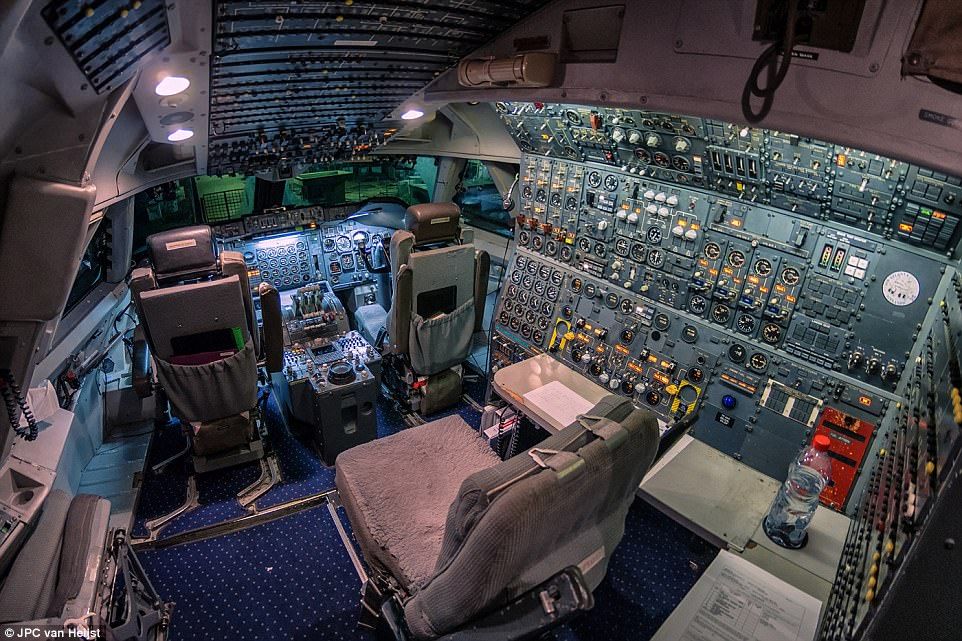
That water bottle so close to the panels, knowing the real time weather… get me on my nerves 
2 Likes
Finding that wireless mouse, would be like finding a switch in that cockpit… 
1 Like
This picture reminds me that in the old days the cockpit has a 3rd person .. can someone explain when/why/how now there are only 2 (captain & co-pilot)?
Explained here Third Seat In The Cockpit - Airliners.net
1 Like
Absolutely fabulous!
How did you do the dashboard printing? I have tried a lot of different things from using a high end label maker to a vinyl cutter (cricut and silhouette cameo 4 plus) and my printing is no where nearly as good as yours.
The printing on my real 07 Cessna Skylane (G1000) looks like it was screen printed.
The places I purchase real aircraft parts such as Aircraft Spruce have a lot of transfers available…but nothing that matches my 07 Skylane.. and they are pricey.
Thanks!
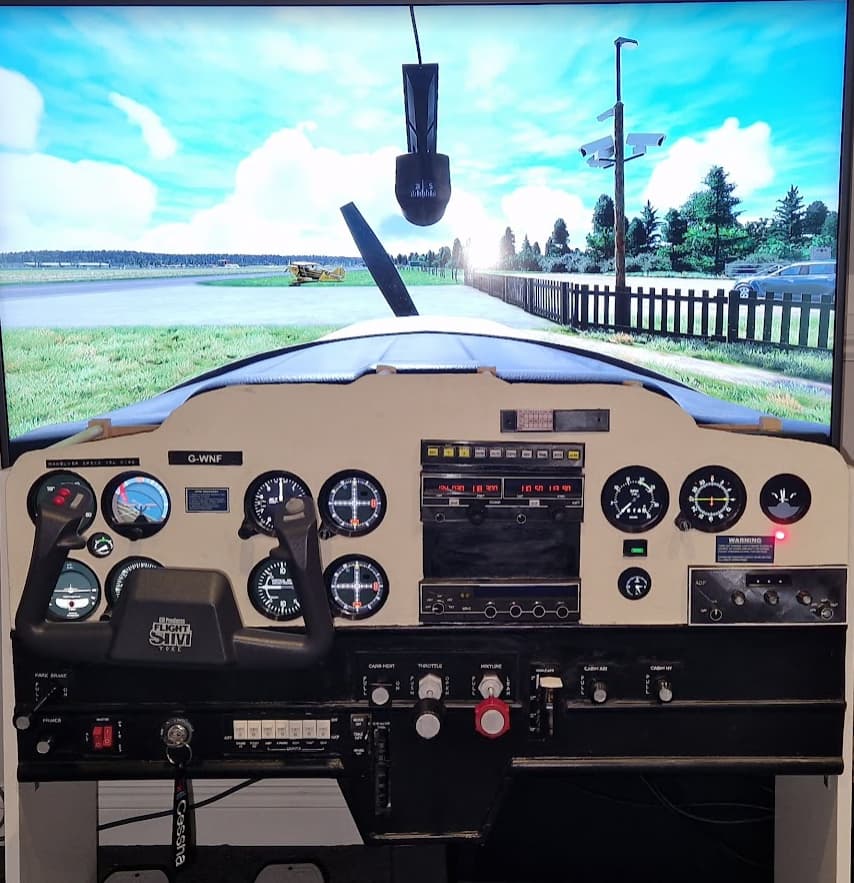
Just finished my first ever home cockpit, started with a C152, still not totally finished, need to do the glare shield still and add a fuel cutoff switch, but I’m pretty happy with how it’s turned out.
It’s using two 10" monitors and one 20" dell monitor for the screens with Air Manager, then two leo bodnar controller boards and one arduino clone to power the dials, switches and servos.
15 Likes
No cup holders🙃.
1 Like
Thank you very much for your comments 
To answer your question, it’s homemade. Just have a look right here ^^
Amazon.com : 20 Sheets Waterslide Decal Paper INKJET CLEAR,8.5X11 Inch Water Slide Transfer Paper Transparent Printable for Tumblers,Ceramics,Plastics,Glasses,DIY : Office Products
Thanks!! I didn’t even think about going that route!!
And I actually have some decal paper in stock here at home…I have an extensive collection of 1940 to 1960 set of Tonka toys…from all manufacturers…and have restored and powder coated a lot of the former rust bucket one’s i have saved…amazing how that completely slipped my mind!
Thanks again!
1 Like