Looking for help please.
Since the SU2 update I am unable to setup my Honeycomb Bravo throttle quadrant to put any prop acft propellor into feather.
I have watched numerous tutorials on Youtube and info here in the forum but, none of it works, why, I dop not know.
So, anybody who has got prop feather to work for the bravo can you let me know the setting used to achieve prop feather.
These are the current setting I have with the prop 1 pitch hi set to set control on release
Thanks in advance
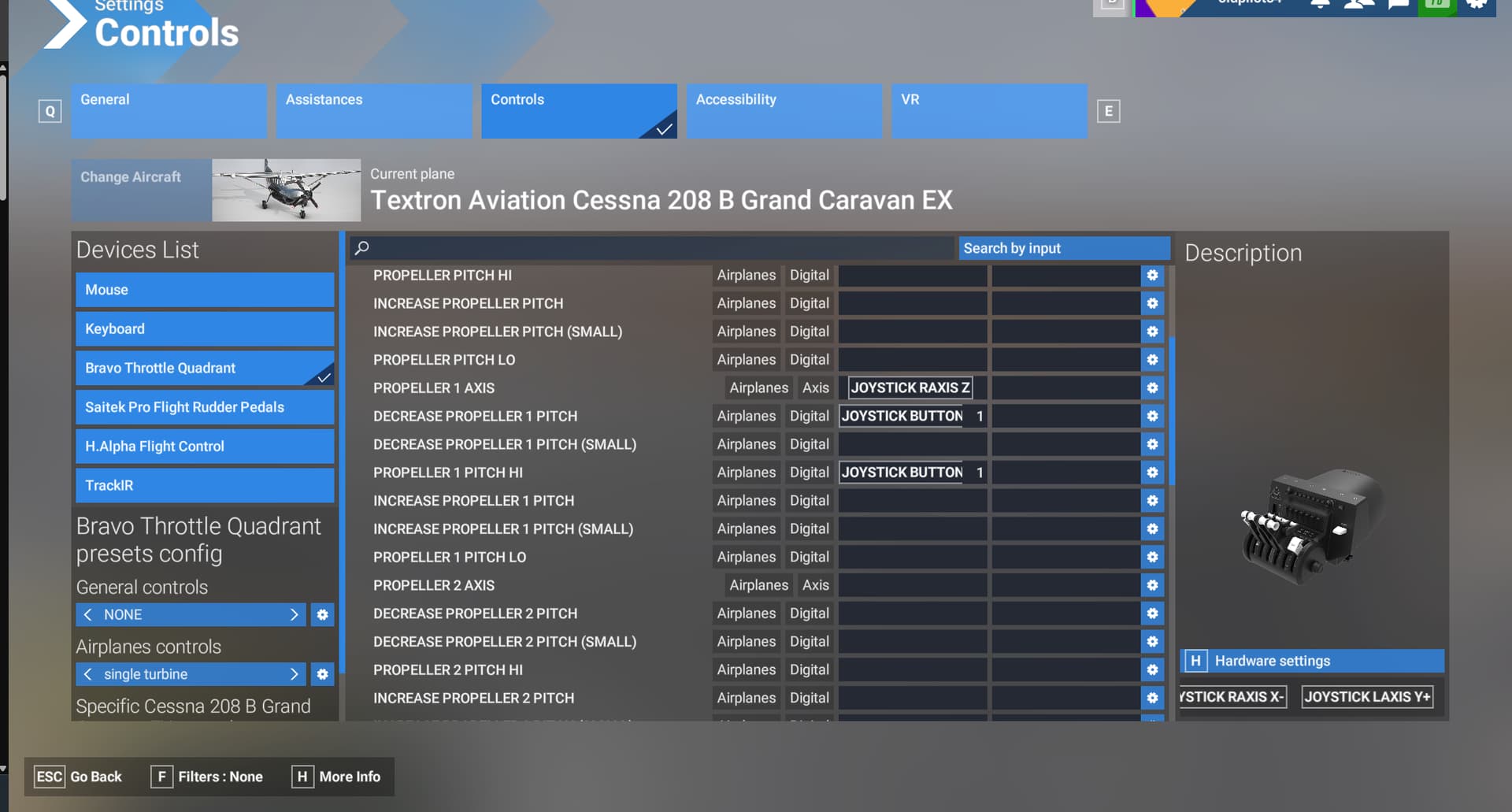
2 Likes
I don’t know if it works but I think a little further down you would have an option to feather.
Sorry I have SU3 beta and its different.
Which plane? On some you just pull the prop levers full back, some may have a separate gated position of the prop levers for feather and some may have some extra buttons for feathering. All of these may require different control bindings.
There is an option at the bottom of the prop settings ‘toggle feather’, didn’t notice that yesterday, probably not looking enough.
Still the props levers won’t go into feather. Not going to worry about it as so much in the sim doesn’t work properly, not worth the headache.
Thanks for your reply, much appreciated.
My method used in 2020 works well in 2024. The problem is the axes for feather only go from 0 to 100. But if you watch those axes when you use the mouse to pull a prop lever to feather you will see it go from -25 to 100. You can’t move the prop lever into the negative with a physical lever. So the way I got around this was to use SPAD, and have it detect when my physical lever hits 100. When it does it moves the axis to the feather position. However it’s not -25 but some really high number, but it does work.
Greetings All,
I think I found a solution for the C208B prop feathering – it works (for me at least) with the “Enhanced” version as of SU4. With mouse, moving handle to “Feather” feathers the prop ad moving to “Min” de-feathers the prop (but seeming pretty slowly so be patient [don’t know if it’s like this IRL]).
Also, for anyone interested… I use AxisAndOhs and here are the RPN bindings that work for me when assigned to a button (in my case the prop handle detent button on a VelocityOne Flight Quadrant)
Feather prop:
-.25·(>B:ENGINE_PROPELLER_1_FULL_BACKWARD)
Unfeather prop:
0·(>B:ENGINE_PROPELLER_1_IDLE)
There may be other bindings that work, if you like to give a try.
Hoping this helps some…
Thanks.