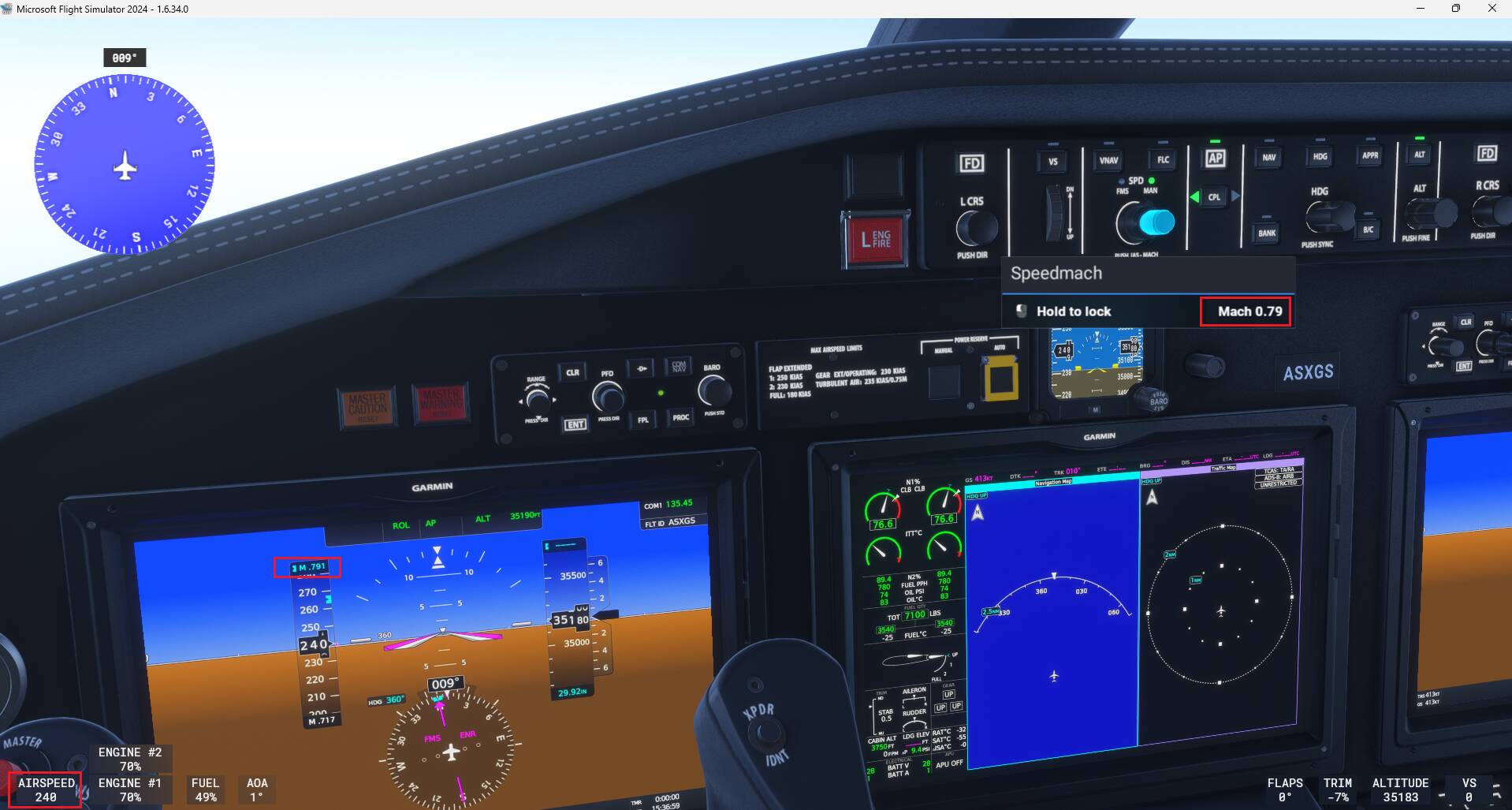
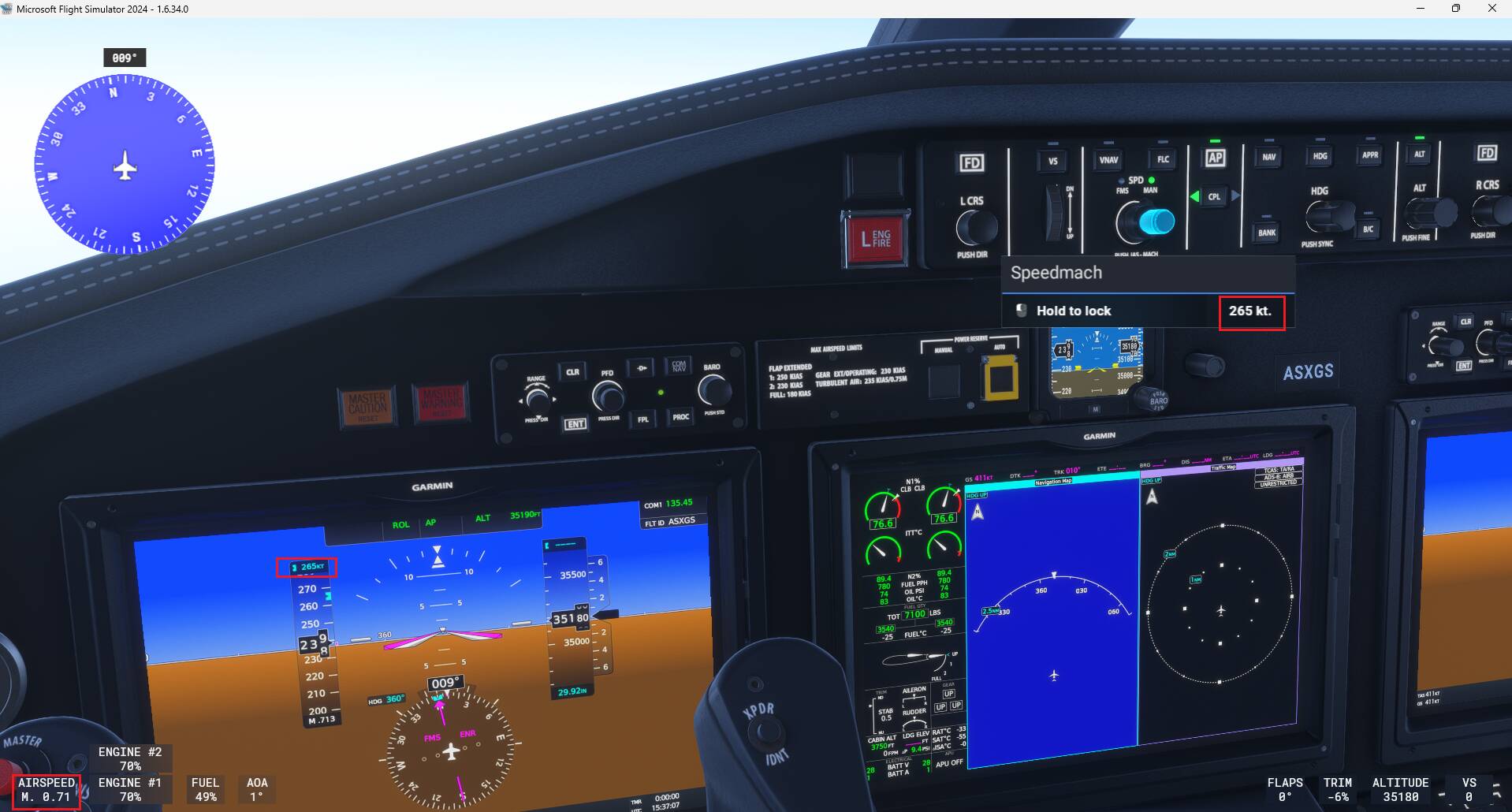
ISSUE DESCRIPTION
Description of the issue:
If you interact with the autothrottle you can choose between knots and Mach. Upon switching in many planes the Cockpit UI (speed in the lower lefthand side corner) also changes the units as well. Very often they get out of sync and use the exact opposite unit type. E.g. you enter an autothrottle speed in knots, the measured speed is shown in Mach and vice versa.
See here an example in the Cessna Longitude:
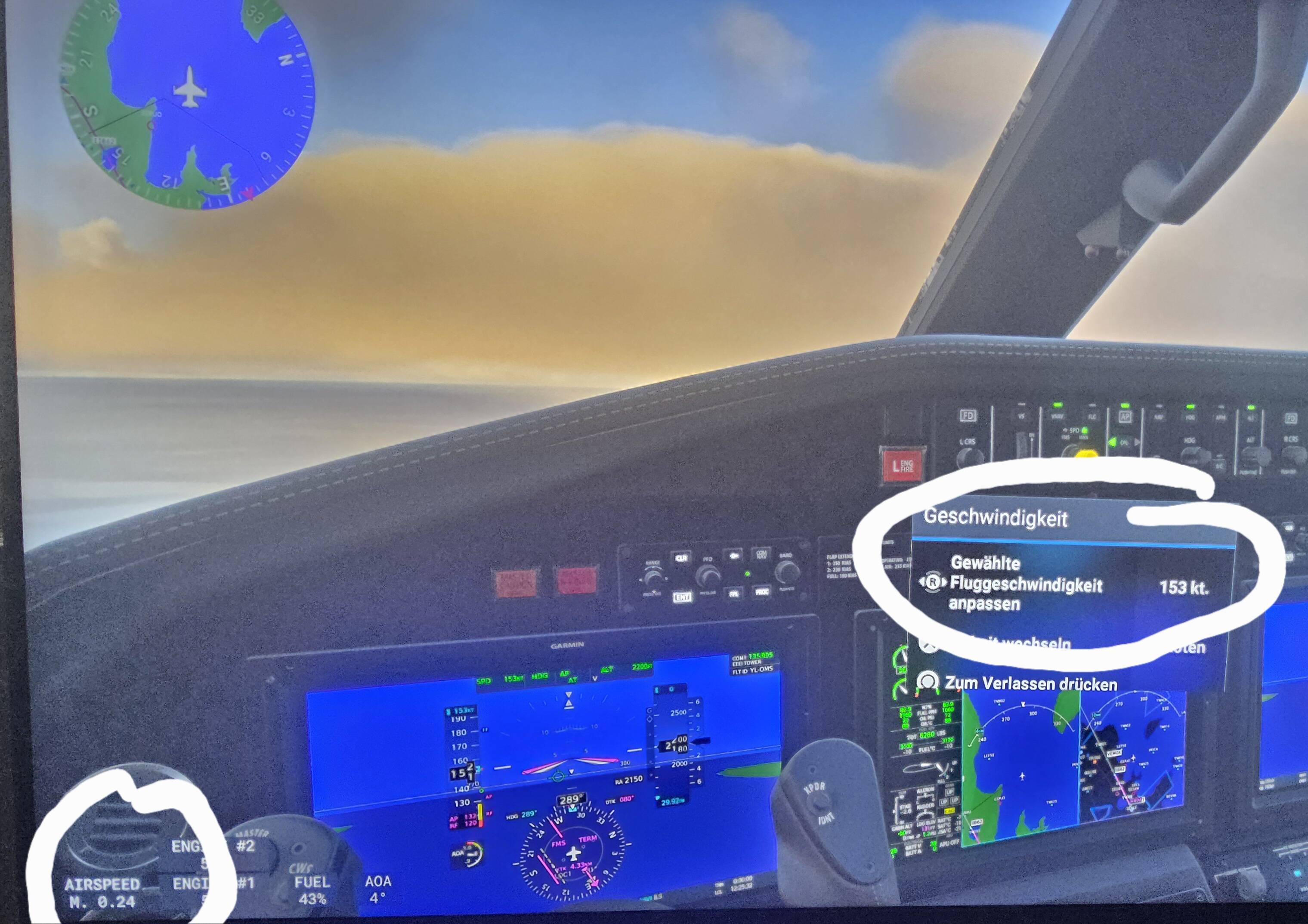
To my mind all speeds below a certain (radar) altitude threshold should always be shown in kt. Mach-Values are useless on final approaches. Otherwise the shown speed in the lefthand side corner should always match the speedsetting unit of the autothrottle, that you have set as a user.
If they get out of sync as shown above, there is no way to get them synchronized again. This is really annoying as mach values are useless on approaches - in those cases, where you want to set speeds in knots.
For us on Console this is even more critical, as we only have the left hand side speed values foe usage, as the cockpits own speedometers are so small to read on the normal distance between console player and the TV.
Otherwise please give us an option to disable the mach values in the lower left hand corner at all and to only use knots, please !
FREQUENCY OF ISSUE
How often does this occur for you (Example: Just once, every time on sim load, intermittently)?
Intermittenly
REPRODUCTION STEPS
Please list clear steps you took in order to help our test team reproduce the same issue:
-
Fly cessna citation for example
-
Enter a certain speed in A/T … switch speedunits in different altitudes, switch between manual and fms managed,… descent from great height and switch units…. At some point it gets out of sync and uses the opposite units.
-
Play around with autothrottle settings and units during flight in different heights.
YOUR SETTINGS
If the issue still occurs with no mods and add-ons, please continue to report your issue. If not, please move this post to the User Support Hub.
PS5, dualsense controller only.
MEDIA
Please add a screenshot or video of the issue occurring.