[Regression] - Hobbs meter not saving in the last few beta versions

1 tag is required - add them in the tag section next to the title above:

  • One for platform (ms-store, steam, xbox , or xcloud)

  • One for aircraft if related (start typing in your aircraft name in the tag section and pick correct option)

Feel free to delete this quote section after adding your appropriate tags.

ISSUE DESCRIPTION

Description of the issue: The Hobbs meter works in the aircraft, but upon closing it doesn’t save and reverts to the time from the last save. At this point that’s been several weeks.

FREQUENCY OF ISSUE

How often does this occur for you (Example: Just once, every time on sim load, intermittently)? Every time.

REPRODUCTION STEPS

Please list clear steps you took in order to help our test team reproduce the same issue:

  1. Find aircraft with a Hobbs meter.

  2. Fly aircraft enough for the meter to count forward.

  3. End flight, close sim and reload.

YOUR SETTINGS

If the issue still occurs with no mods and add-ons, please continue to report your issue. If not, please move this post to the User Support Hub.

What peripherals are you using:

[PC Only] Are you using Developer Mode or have you made any changes to it?

[PC Only] What GPU (Graphics Card) do you use?

[PC Only] What other relevant PC specs can you share?

MEDIA

Please add a screenshot or video of the issue occurring.

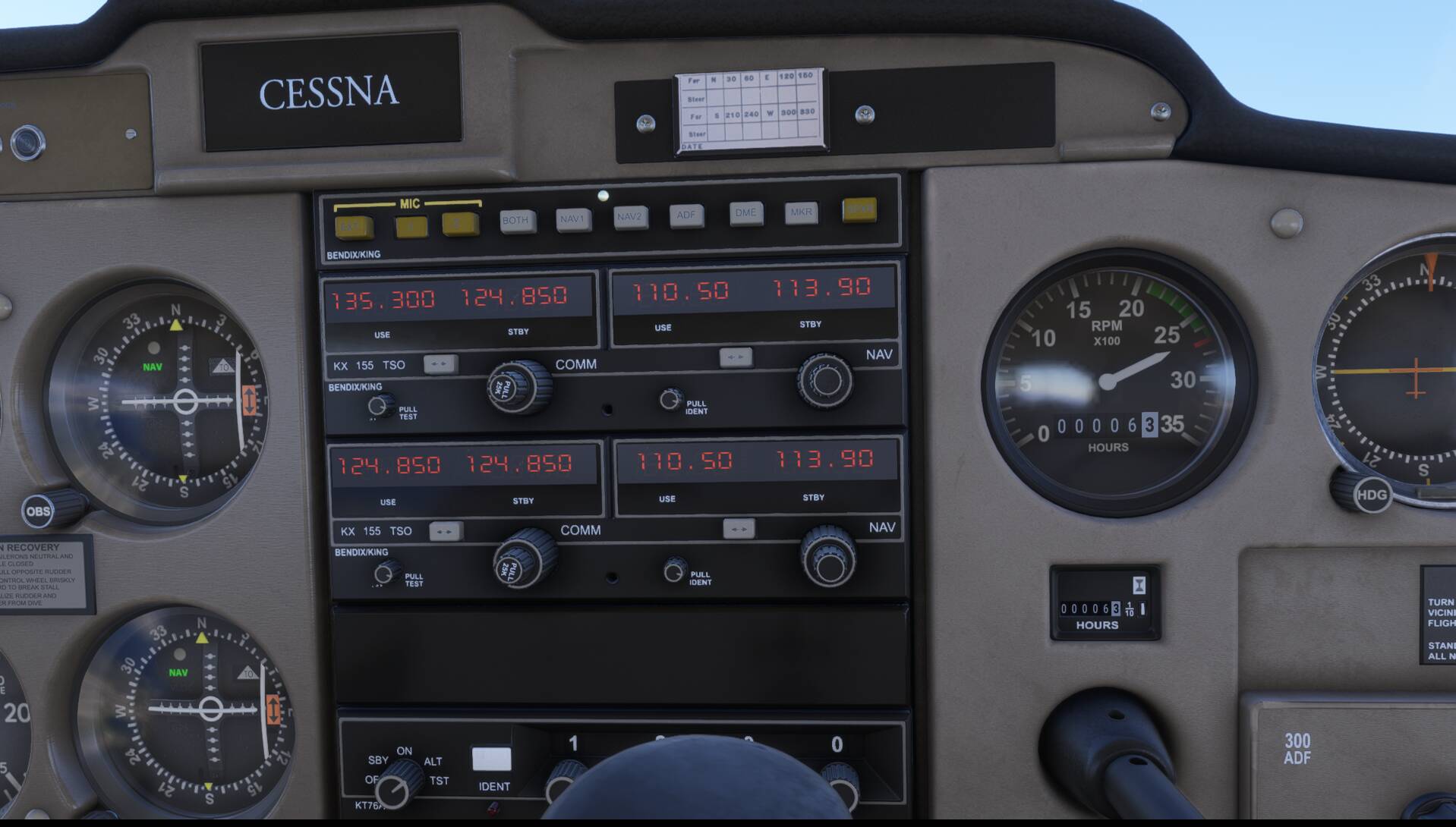
Can replicate using the C152:

After spawning:


After few minutes flying:

Upon sim restart:

But not sure if a bug or a beta specificity ?

It’s never been a problem that I noticed until some point in SU4 but I’m not sure when. I have not yet reverted to make sure it still works outside beta.

It’s a SU4 regression. Looking at the “accumulated_time_hobbs” data in an aircraft’ State.cfg file and comparing to a backup, I can see that the hobbs was being incremented in the first SU4 build (v1.6.5.0), and the v.16 build, but not the v.21 build, so it broke in the .18, .19 or .21 builds.

2 Likes

How can they just keep breaking random things without knowing? This is puzzling. I can’t think of anything they’ve done that should affect this.

1 Like

I thought my (old) brain was playing tricks on me the other day, but double-checked the TBM 930 today, and it has the same issue with its Hobbs meter not keeping the hours from the previous session.
Regards

3 Likes

Everytime I fly the Hobbs is reset. State saving is not working properly either. I primarily fly Blacksquare airplanes

1 Like

Thank you for the bug report.

We have created an internal ticket to see if our team already has this logged, and if not they will attempt to reproduce the issue and create a new bug report. This item is now marked as feedback-logged. If there is an existing bug report or one is created, we will move this thread to bug-logged.

3 Likes

No chance this will be overlooked, right? I know for now I can revert to SU3, but if SU4 gets pushed while this is still broken, it’ll kinda ruin the whole thing for me :frowning:

1 Like

It still seems to be broken in SU4. This is such a let down.

1 Like

Interesting. It worked last night in the beta. Either they fixed it and I missed it in the notes or they didn’t put it in the notes. But then if it’s not working after release today, that would indeed be a let down as now the sim won’t be much use to me as I can’t just roll back.

ISSUE DESCRIPTION

Hobbs meter and all other states are not saved, including all options of aircraft. Everything works fine, but after closing the sim and restart, everything is back to default.

State saving worked before SU4.

FREQUENCY OF ISSUE

Every time.

REPRODUCTION STEPS

Please list clear steps you took in order to help our test team reproduce the same issue:

  1. Find aircraft with a Hobbs meter.

  2. Fly aircraft enough for the meter to count forward.

  3. End flight, close sim and reload.

YOUR SETTINGS

[PC Only] RTX 4060Ti 16GB

MEDIA

2 Likes

Thanks for this report. I really hope Asobo can come up with a timely fix. I am flying WASM based planes in the meantime but this limits my options.

1 Like

It was fixed temporarily, but it does seem they broke it again. I don’t know why this is such a problem. It seems like it must be a simple thing…

2 Likes