Flight Panels Website
Blog: News & Announcements – Flight Panels
Product Updates: Latest Product Updates & Release Notes – Flight Panels
Support Portal: https://support.flightpanels.io
Instagram: https://instagram.com/flightpanels
Discord: Flight Panels
Available From
Flight Panels Store: Aerosoft A340-600 Autopilot Profile
Press Release
Aerosoft and Flight Panels Launch Stream Deck Profiles for the A340-600 Pro
Aerosoft A340-600 Autopilot Profile
With the Flight Panels Autopilot Profile for the Aerosoft A340-600, you can control autopilot, communications, navigation, EFIS, transponder, internal lighting and more, all from the Stream Deck +’s physical buttons, LCD touchscreen and rotary dials.
Watch speed, heading, vertical speed, altitude and frequencies update in real time as you turn the dials, adding a new level of realism to your flight simulation experience.
Flight Control Panel 1 (FCP)
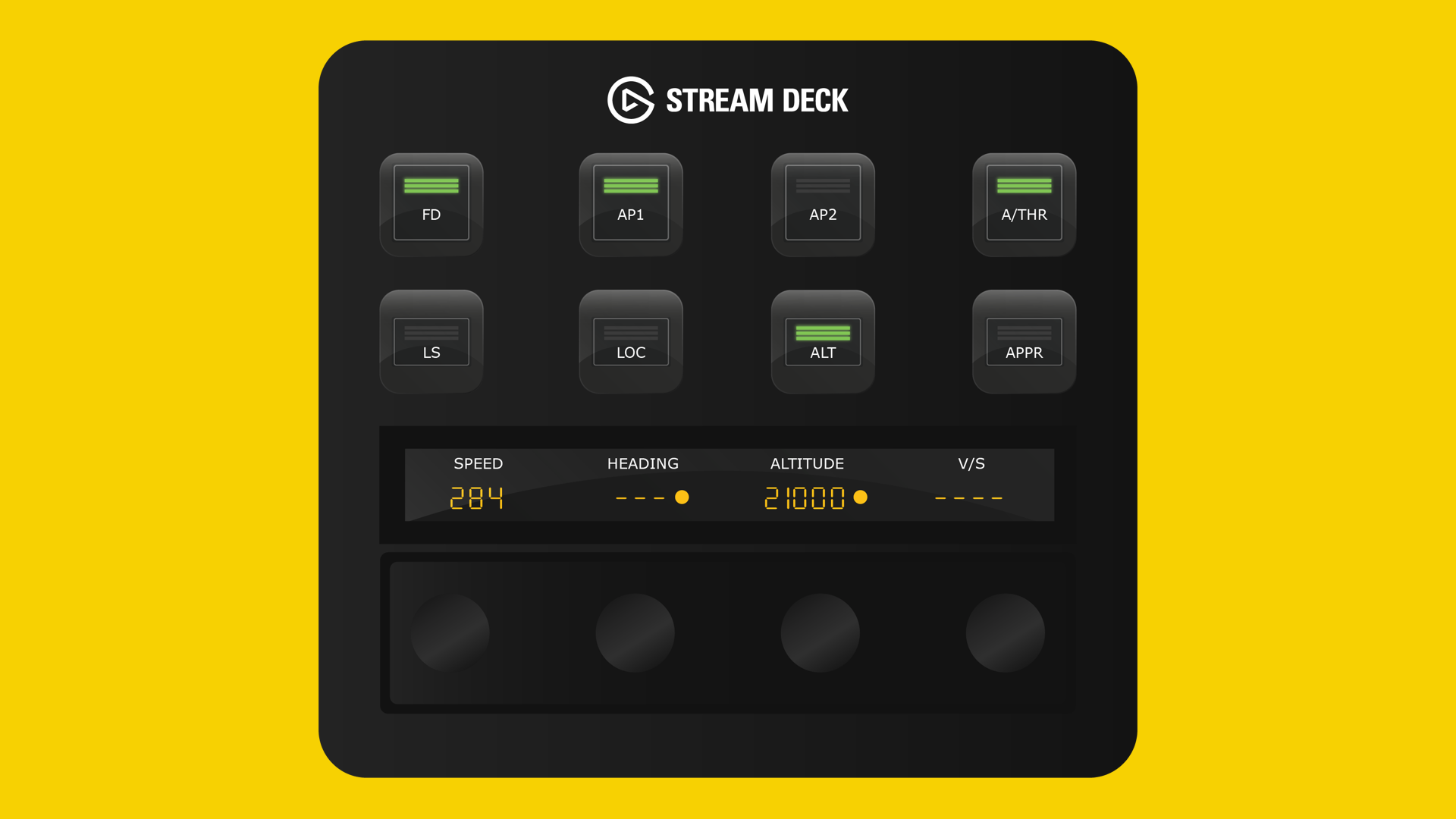
Button Controls: Flight Director (FD), Auto Pilot 1 (AP1), Auto Pilot 2 (AP2), Auto Throttle (A/THR), LS, LOC, APPR, ALT. Rotary Dials & LCD Screen: Real-time values for speed, heading, altitude, and vertical speed. Rotate the rotary dials left or right to increase or decrease values. Speed: Press the rotary dial to toggle SPEED Selected/Managed mode, tap the screen to toggle SPD/MACH.
Heading: Press the rotary dial to toggle HDG Selected/Managed mode, tap the screen to toggle Heading/Track mode; Altitude: Press the rotary dial to toggle Altitude Selected/Managed mode or tap the screen to toggle 100/1000 increment; Vertical Speed (V/S): Press the rotary dial to toggle VS mode or tap the screen to level off.
Flight Control Panel 2 (FCP) / Communications
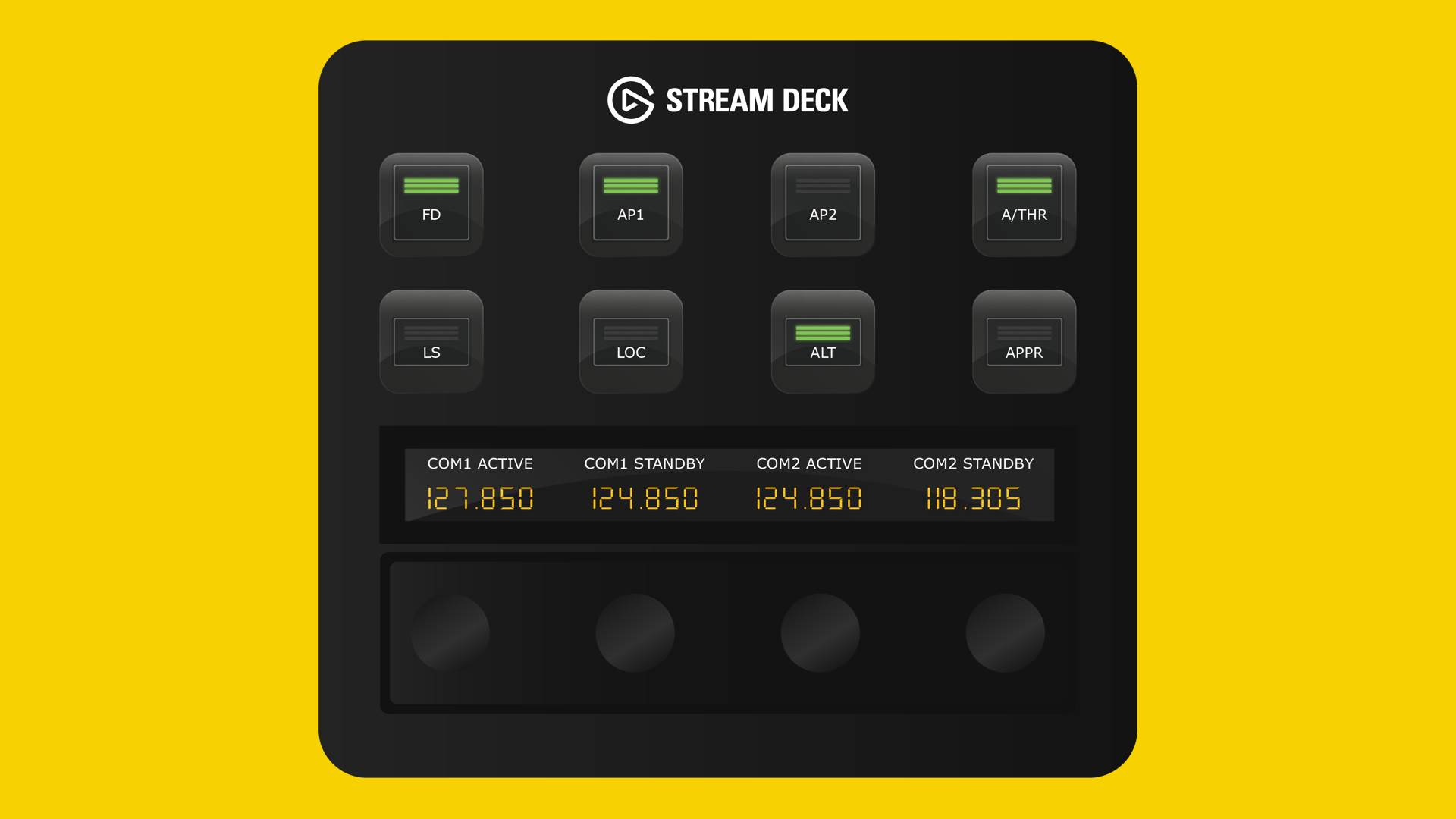
Button Controls: Flight Director (FD), Auto Pilot 1 (AP1), Auto Pilot 2 (AP2), Auto Throttle (A/THR), LS, LOC, APPR, ALT. Rotary Dials & LCD Screen: Real-time frequency values for COM1/COM2 (Active and Standby). Rotate rotary dials 1 and 2 to change the standby frequency for COM1 and dials 3 & 4 for COM2. Tap the screen or press a standby rotary dial to swap between Standby and Active.
Navigation
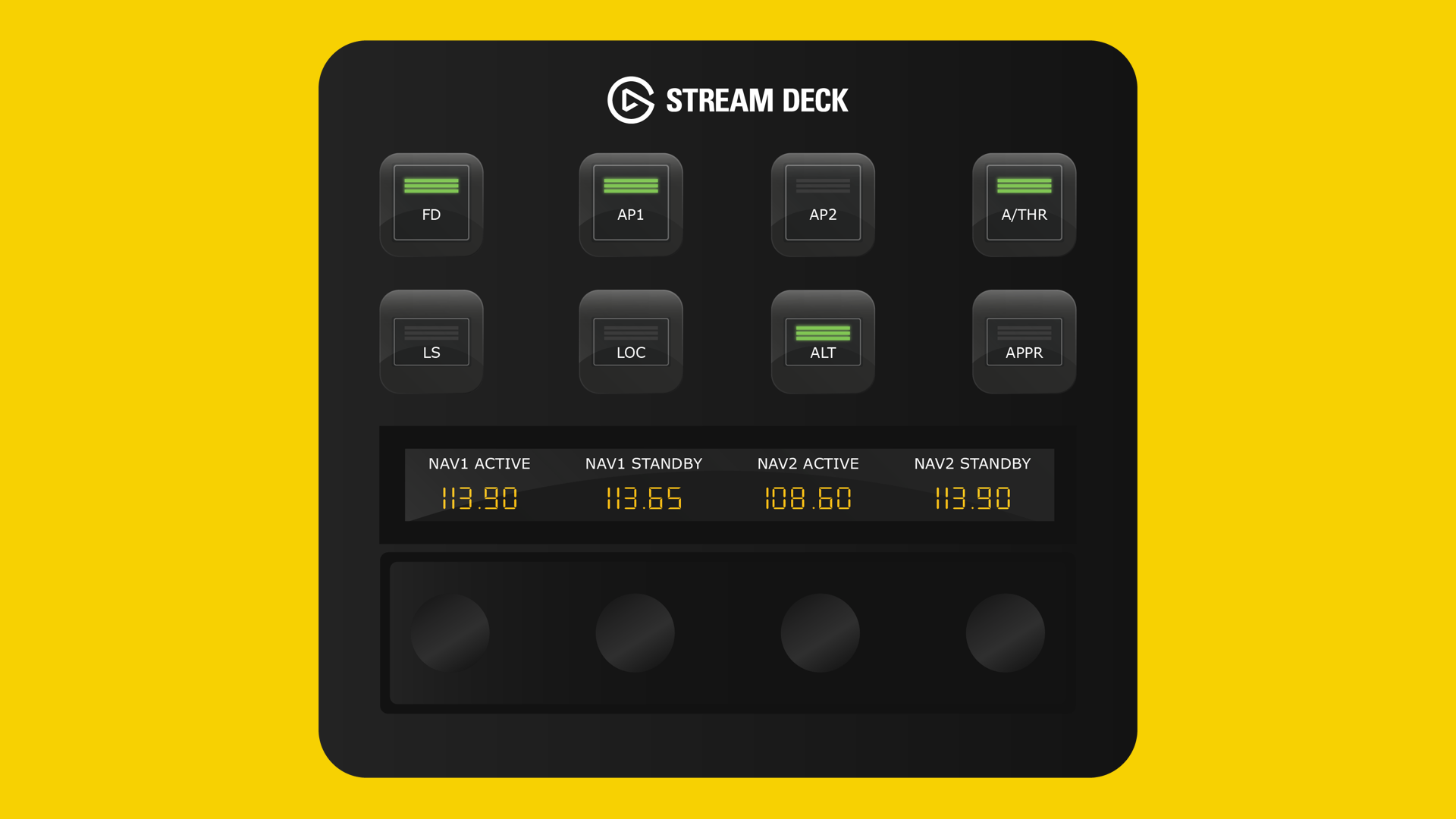
Button Controls: Flight Director (FD), Auto Pilot 1 (AP1), Auto Pilot 2 (AP2), Auto Throttle (A/THR), LS, LOC, APPR, ALT. Rotary Dials & LCD Screen: Real-time frequency values for NAV1/NAV2 (Active and Standby). Rotate rotary dials 1 and 2 to change the standby frequency for NAV1 and dials 3 & 4 for NAV2. Tap the screen or press a standby rotary dial to swap between Standby and Active
Transponder
Button Controls: Flight Director (FD), Auto Pilot 1 (AP1), Auto Pilot 2 (AP2), Auto Throttle (A/THR), LS, LOC, APPR, ALT. Rotary Dials: Rotate the rotary dials to increase or decrease each of the transponder digits. Tap the screen or press a rotary dial to synchronise the cockpit display.
EFIS
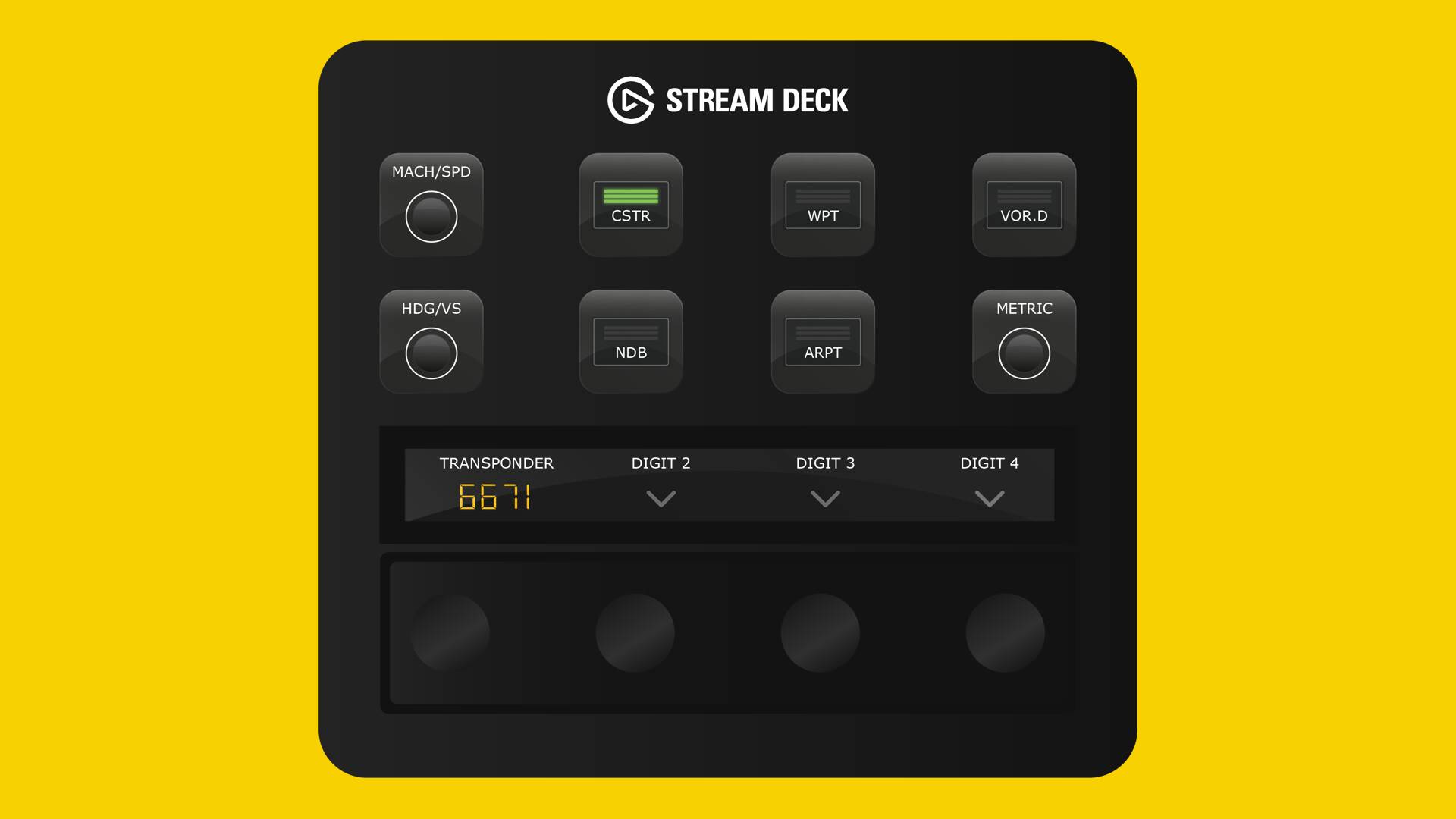
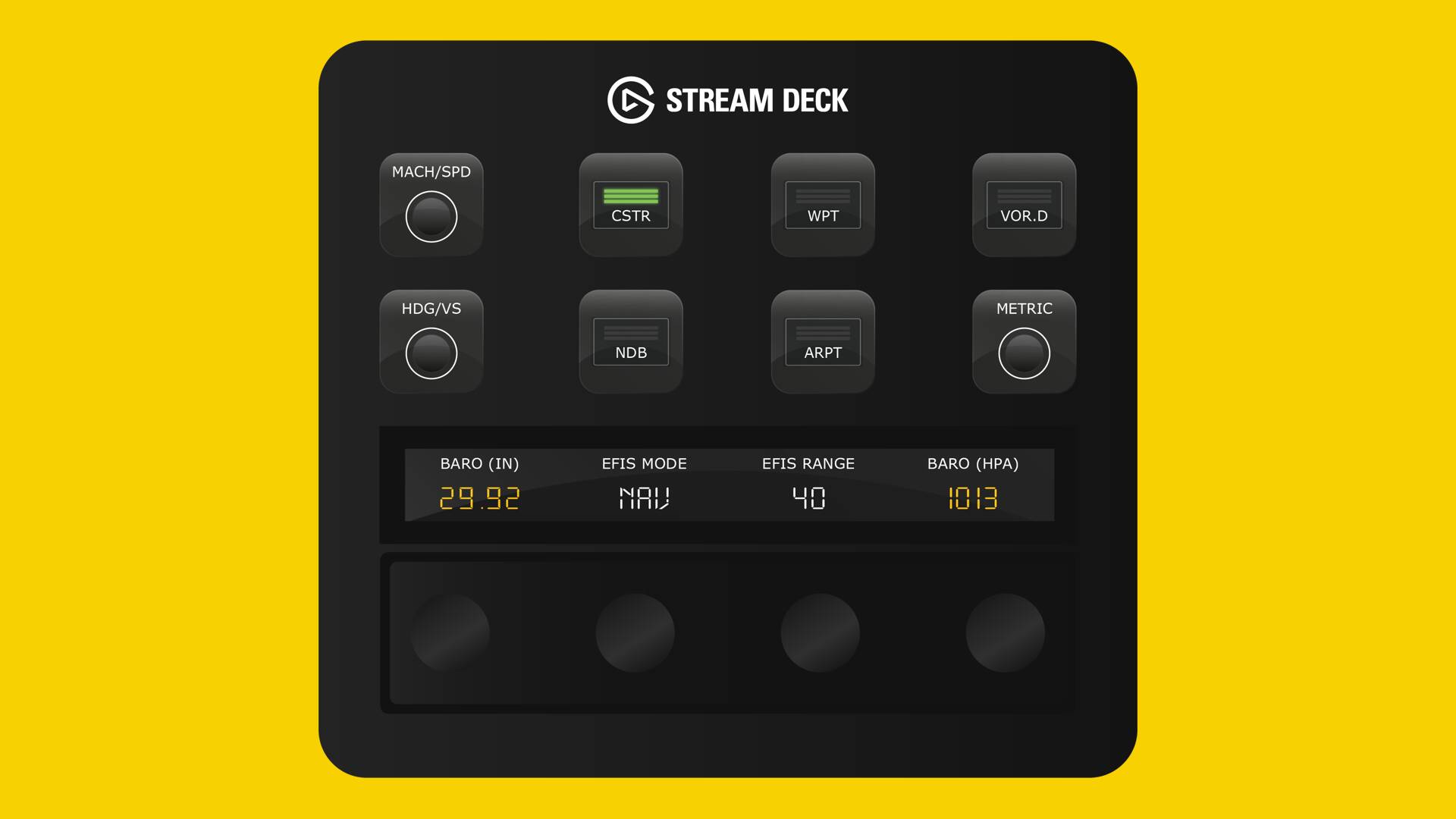
Button Controls: MACH/SPD, CSTR, WPT, VOR D, NDB, ARPT, HDG V/S, Metric. Rotary Dials: Real-time values for EFIS Mode, EFIS Range, and Captain / FO Baro. Rotate the rotary dials left or right to increase or decrease values. Baro: Press the rotary dial to toggle STD mode or tap the screen to toggle HPA/InHg.
Lighting
Button Controls: Strobe, Beacon, Wing, Nav, Runway Turnoff, Landing, and Taxi. Rotary Dials: Rotate the rotary dials to increase or decrease light intensity.
To view all product images, click here.