Rudder is right hardover puts the aircraft in a right bank auto pilot has to be disconnected and reconnected to course correct picture below!
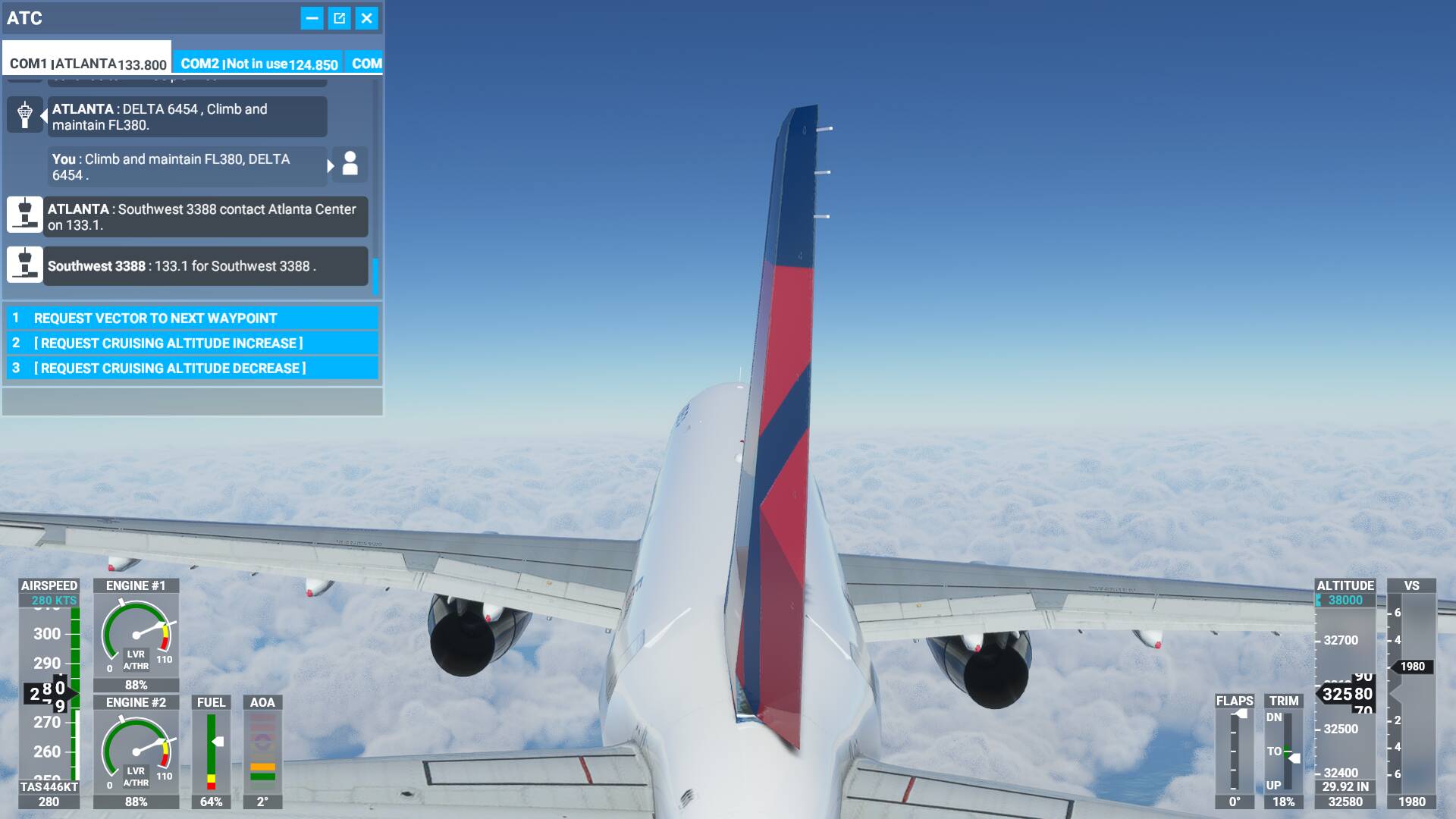
Hi I have got the same issue. To fix it simply change to modern the flight model.
Probally you have Legacy, so simply change that from the menu. This discussion continue here. Please; go to check it out
https://forums.flightsimulator.com/t/autopilot-rudder-is-always-left/336108
Before you create new topics in this section, please use the search function to look for existing topics that cover your idea. If one exists open it up and contribute in the form of replies and/or votes. If not create a new one, remember to discuss the what, why and how.
We only want one topic per idea. Duplicate topics split the votes and conversation, this ends up hurting everyone.
That is why unfortunalIy have to call the @moderators to close this topic for duplication.
Hope this is help you @EL1T3K1LLA223
Sincerely,
Filippo
1 Like
Well, there are solutions to this.
Filippo has the right idea, start with the flight model.
These are the first steps to take.
With the sim running, if you are on the start up screen, from the top heading, select “Options”, or if you are already in the sim, press “ESC” on the keyboard.
- Under “General”
Set “Flight Model” to “Modern”, not “Legacy”. - Under “Assists”
Set all “Piloting” assists to “Off” - When you are in the sim, from the “winged” sim icon, Open AI Control (icon to the right of the yoke icon), and ensure that “Control Aircraft” is “Off” (button placed to the left).
Next, and quite important, is to add deadzones to each axis for all your controllers. Approximately 5% should be enough, but there have been instances where significantly more was needed.
Do not assume, even if you know how you had these already set, ensure these are this way now.
The last few updates did change some user settings.
If the problem still exists after you do the above, several person mentioned they solved this by adjusting the reactivity setting for the rudder under “sensitivities” in the “Controls” section
I have heard of settings between 20 and 65%
When you get all this done, let us know how you make out!!
I got this problem 2 monthes ago. It happened suddendly. I check my rudder peddal on another pc for p3d and the same problem happened again.Finally i bought a new rudder peddal and working ok till now!
1 Like
This topic was automatically closed 30 days after the last reply. New replies are no longer allowed.