RPGsmerous - what bindings did you use in Axis and Ohs to work the condition levers. I tried everything I could find in there and got nowhere
Well, apparently I accidentally deleted the entire Saab profile at some point, so I had to start from scratch – but I was able to find it again: SAAB340_IE_CONDITION_LEVER_1/SAAB340_IE_CONDITION_LEVER_2, looks like a range of 0-100 works well for it.
When I’m done remaking the profile, I’ll post everything I have here in case it helps someone.
Yeah! Thank you RP! I’ll give it a try today and look for your followup post.
That would help alot if you could post them
I’ll finish it in a day or so. Got hung up today on trying to make the inop panel light knobs work. I thought maybe, since the inverter can be bound to work, those lights could as well, but no joy.
Thanks RP, that would be very useful. I’m planning to create a profile for Stream Deck and AAO and a list of variables would be a precious gift.
Quick update on the bindings:
Mostly finished, mostly validated in a test flight. Tonight after work or tomorrow before work, I’ll plug the actual events/variables into my spreadsheet and share it here.
One curious obstacle I just encountered today: My altitude selection, which I thought I was previously able to adjust via some of the buttons on my Thrustmaster Airbus stick - using the default AP_ALT_VAR_INC/AP_ALT_VAR_DEC - is no longer working, period. I’ve found a number of options to bind this to and I can’t get either of them to work using the same buttons, or using the knob on my Bravo (which works for literally anything else). In fact, even the sim’s built-in bindings won’t work for me. I swear this was working before, but maybe I’m wrong. I’ll continue to work on it, unless someone here has found an option that works?
I’ve found that (L:CUSTOM_AP_ALT_VAR_SET_ENGLISH,·feet)·can be incremented or decremented. Also can be read. My SD+ rotary for AP altitude is working now
Funny RP, I bound that knob in SPAD.neXT to use on my Loupedeck. I can see the knob turning but the numbers dont change in the planes display. Same with the pitch. Knob turns but planes pitch does not change. Only one that works so far is the Heading knob. Tried your script for the condition levers in AAO - but couldnt figure out how to get AAO to let me set the range. Im not too up on how to use AAO ….
I have the condition levers working on a range of 0-100 - and the center is out of the range so I can’t even see it because AAO if I make a range smaller than what AAO thinks it should be, it won’t allow me to adjust the axis center later. Works fine for the condition levers though.
Edit: To set the range, open the “change axis assignment” dialog from the template/config you’re using. Under the Axis/Event selection at the top, double click on Axis Min or Max, then you’ll be able to edit the field. Unfortunately it doesn’t conform to Windows default behaviors, which is annoying (to me), but it works fine. You just select the field with a double click, then manually select the value in the field to delete or change it.
Thanks. I tried this one and couldn’t get it to work, but maybe you have a true rotary that it works with? I just have the knob on the Bravo, which isn’t a true rotary but instead sends a button press for each increment that I turn it.
Tx RP - I will give it a try!
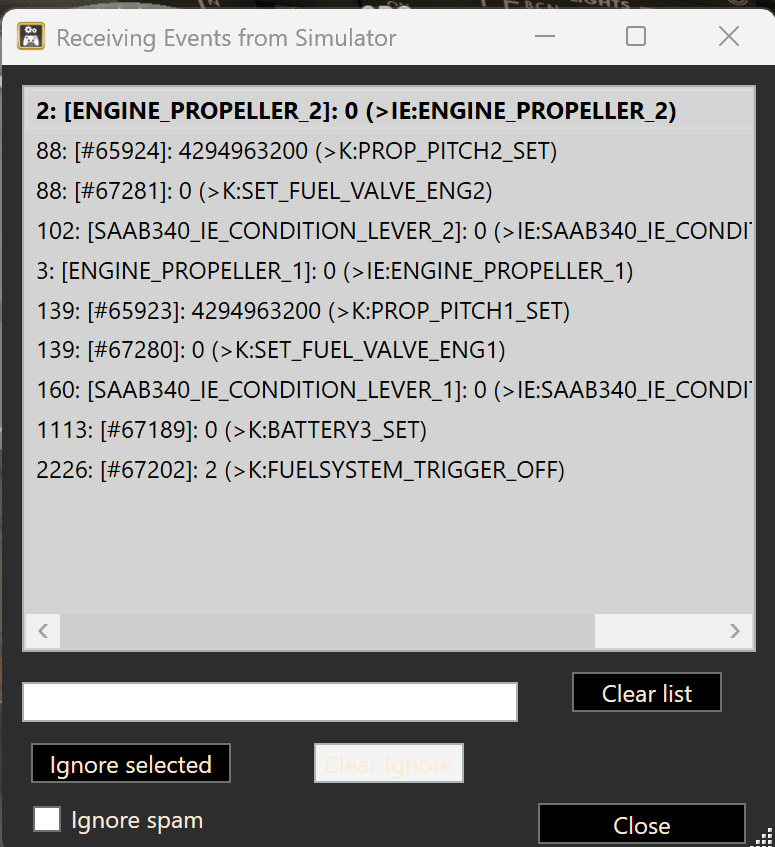
That did it! assigned range and working perfectly!
Here you go, you should be able to view this google sheet. There are a few areas left to figure out, but I don’t see any reason not to share this as-is.
I still haven’t managed to find any way to bind an altitude setting, I suppose I’ll have to learn to script in order to make something work. Everything else that’s listed I tested to verify that it works.
There are a number of lighting variables that don’t do anything; some of them are associated with the knobs in the overhead that also don’t do anything (panel lighting, etc). The individual reading lights for each seat in the passenger cabin work, the left side (single) seats are lights 7-18 from front to back, and the right side seats are 19-40.
Radios Com2 and Nav2 seem to be completely inop, I couldn’t tune or swap them via any method I tried. There might be more but it’s getting late for me and I can’t think of anything else. Enjoy binding the plane and please let me know if you have questions or you find an error.
Thanks so much RP - will tackle it in the morning . . .
Great great job, thank you!
Afternoon RP. Been configuring the 340B button and rotary bindings in my Stream Deck Plus following off your gracious spread sheet. Concerning the Altitude Selector Knob I’ve tried a few things by looking into the Behaviors in Dev Mode, but no go. Looking at the “Watch Script Events” in AAO while turning that knob I see it generates two (2) events. They are the two with the number 18 and 19 beside them in the capture. I have no idea how to put both of those in for one button or radial
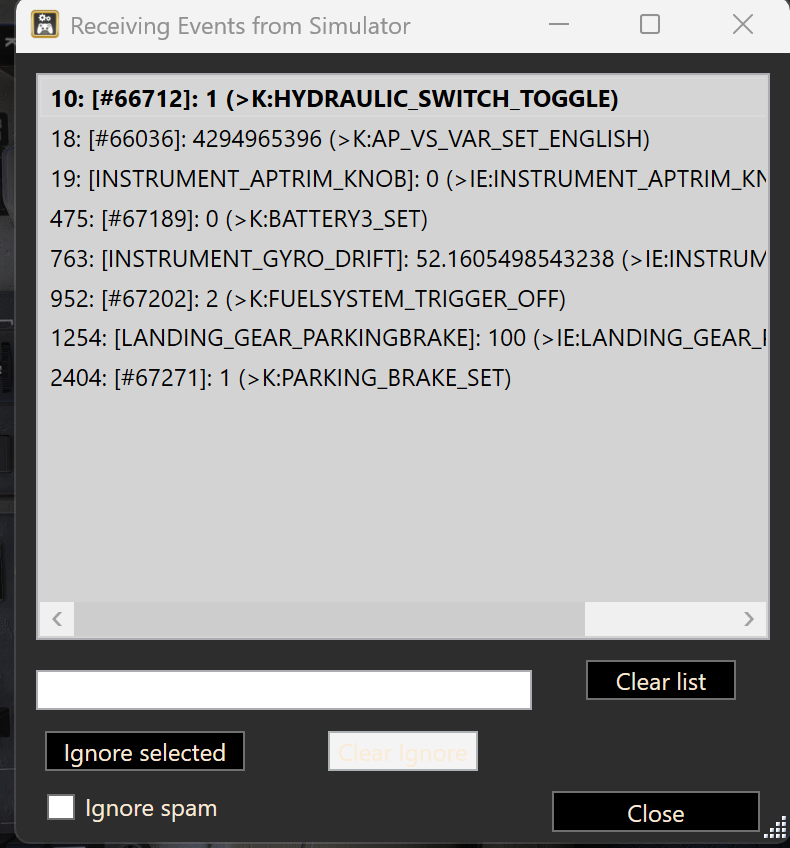
Yeah, I’ve spent some time with this particular issue each day for 4-5 days, and can’t crack it.
I’m not sure why adjusting the altitude affects different variables for us, but mine does nothing with INSTRUMENT_AP_TRIM_KNOB; instead, this is what I have:

Regarding the numbers you’re seeing, for at least the altitude variables it appears to be the number of times it’s been called or triggered in the current session. If I set the rotating knob on my Bravo to K:INSTRUMENT_SB34_ALTSELINNER and turn it, it increments that number. However, setting the knob to K:INSTRUMENT_SB34_ALTSELINNER seems otherwise fruitless, as eventually when I open the “change button assignment” dialog, AAO will have changed the setting to B:INSTRUMENT_SB34_ALTSELINNER, which is what it actually is in the MSFS IEs tab, I just saw something (don’t remember what) that inspired me to try something different.
Manipulating INSTRUMENT_SB34_ALTSELINNER_Inc or _Dec animates the knob in the appropriate direction for me, but doesn’t have any affect on the altitude setting.
However, I did find one option (it might have been the default AP_ALT_VAR_Inc/Dec, I’ve tried so many variations I can’t remember any more) that seems to change the altitude internally, but doesn’t animate the selection indicator.
EDIT: I think I misspoke here. Whichever variable it was, does something when manipulating it that triggers the altitude selection 1000ft alert. I wonder if whichever one it was actually manipulates the altimeter, I’ll have to pay more attention next time.
@VillaJota got it to work above. I wonder if you can show us a screenshot of how you have it bound, VillaJota?
I use SD+ plus too and my rotary works well with this script:
–DEC
(L:CUSTOM_AP_ALT_VAR_SET_ENGLISH,·feet)·100·-·0·max·(>L:CUSTOM_AP_ALT_VAR_SET_ENGLISH,·feet)
–INC
(L:CUSTOM_AP_ALT_VAR_SET_ENGLISH,·feet)·100·+·0·max·(>L:CUSTOM_AP_ALT_VAR_SET_ENGLISH,·feet)
Still don’t know how to switch to 1000 increments and decrements. Here’s a video
I can share scripts and profile if you want, but both are still in a very primitive state.