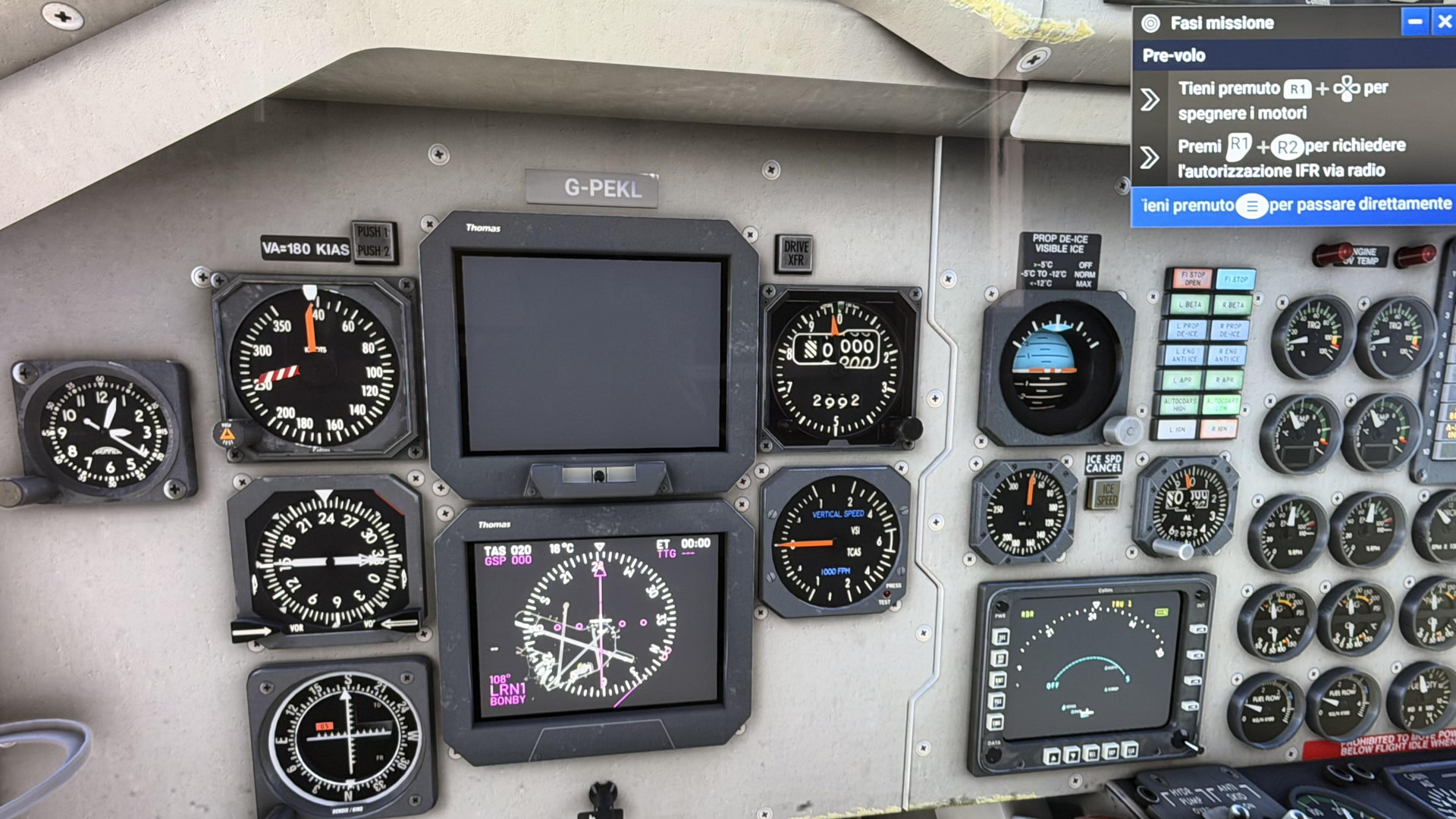
As a workaround, it seems any Skip To… step wakes up the PFD and makes it flyable. I was under the impression that the magenta line on the HSI is simply showing my current course, which is why it’s always straight up?
The HSI (really the CDI, Course Deviation Indicator, on the HSI) is indeed broken and doesn’t show deflection from the correct course as it should. But that’s a different bug.
For this PFD issue not working I did some poking around in developer mode and what I found were two logged warnings that may or may not be related (there are other warnings also and it might be worth looking at those):
‘l_main_bustol_avionics_bus’ is not unique
‘r_main_bustor_avionics_bus’ is not unique
In career mode you spawn into a different starting state so different configurations are loaded (e.g., Batteries are already on in Career and covers are removed) and, while you cannot do this in real Career mode, in developer test career mode I was able to restore the PFD operation by manually turning on Circuit avionics_1 (circuit.10) and Line l_main_bustoavionics_1 (line.33) – I mention this in case it helps Asobo report it sooner and the developer to fix it sooner. But I guess mostly so they know that you can easily reproduce this using the Career tool to spawn in and use Developer Mode tools I observe the Electrical systems.
Of course… It’s one of the few ‘airliners’ I liked to fly (this and the ATR, where is my career mode ATR!!!)
Zad pointed out it was broken over in Discord and since I’ve been boning up on my ‘SDK/devmode’ skills thought I would see what I could see to help get it fixed.
It seems like Asobo hates this plane because it’s been problematic since day 1 – would often automatically skip to taxi at most airports if it didn’t outright fail the mission – they took it away from the “Cargo - Heavy” specialization and didn’t even put it into Medium. I really wanted to fly some Cargo missions with it.