Hello guys.
My Saitek multipanel and radio panel are not working after update 12. Any ideas what is causing it? Do I need to uninstall it and reinstall it? I don’t know if there is a setting that was turned off after the update. The Honeycomb autopilot is working (sort of) and there is a weird flicker on the panel on the TBM.
1 Like
I have the multi and switch panel but not updated yet, anyone else having issues.
I just loaded up to check for as I also use the Saitek plugin.
It worked for me. did you reload the sim after the update?
Do you have the Saitek test apps if so do your panels work on that?
No issues with mine.
Re-install the plugin for good measure.
Just have the multi-panel…but working as normal for me.
I have the same problem. Numbers do not show in the display. Hope someone has a solution. Maybe MSFT has connections with Saitek,
Numbers not on the display happens to me sometimes using SPAD. In some situations it doesn’t fire up properly. I can do one of two things. Risk the sim crashing by turning the panels off, then back on again. Or restart SPAD.
I’ve seen that behaviour for both the multi-panel, and the radio panels. It may happen to the switch panel as well, but is less obvious because of the lack of a display.
1 Like
Considering the autostart.
Take into account that if MSFS crashes the Logitech plugin not, so when restarting MSFS appears a message “there is another instance of this plugin”, but is not working with MSFS.
Then you need to stop the Logi plugin from Task manager and then start manually the Logi.
I have in the Toolbar the Taskmanager and the Logi
2 Likes
I had this problem with update Su12 , for some reason it was a fsuipc conflict. I updated FSUIPC7 and now all works fine.
I have tried everything with the same results. I even updated FSUIPC7 but didn’t help. I reinstalled the plugin but it didn’t help. I really couldn’t find the specific "enable/disable option on the path suggested. I found the folder but not that option. I requested support from Logitech but haven’t heard from them yet.
I have the Multipanel (autopilot, flaps) and Switch Panel (Gear, lights and other switches). It all behaves the same now as before Su12.
Behavior is: on the PMDG 737, using say the Landing Gear knob triggers other switches…I finally saw that raising the landing gear changes the state of the taxi lights and other lights. Not sure what’ going on, but similar oddities in the Longitude…it seems that using the Landing Lights switch will change the Pitot Heat from Auto to On, causing a CAS warning. I haven’t researched this too much, but maybe I’ll switch to SPad.next one of these days. (Sorry for the threadjack.)
My panels worked fine even before the test. I did indeed perform the test and they are
working fine. It is the plugin not connecting g with the sim.
Ok.
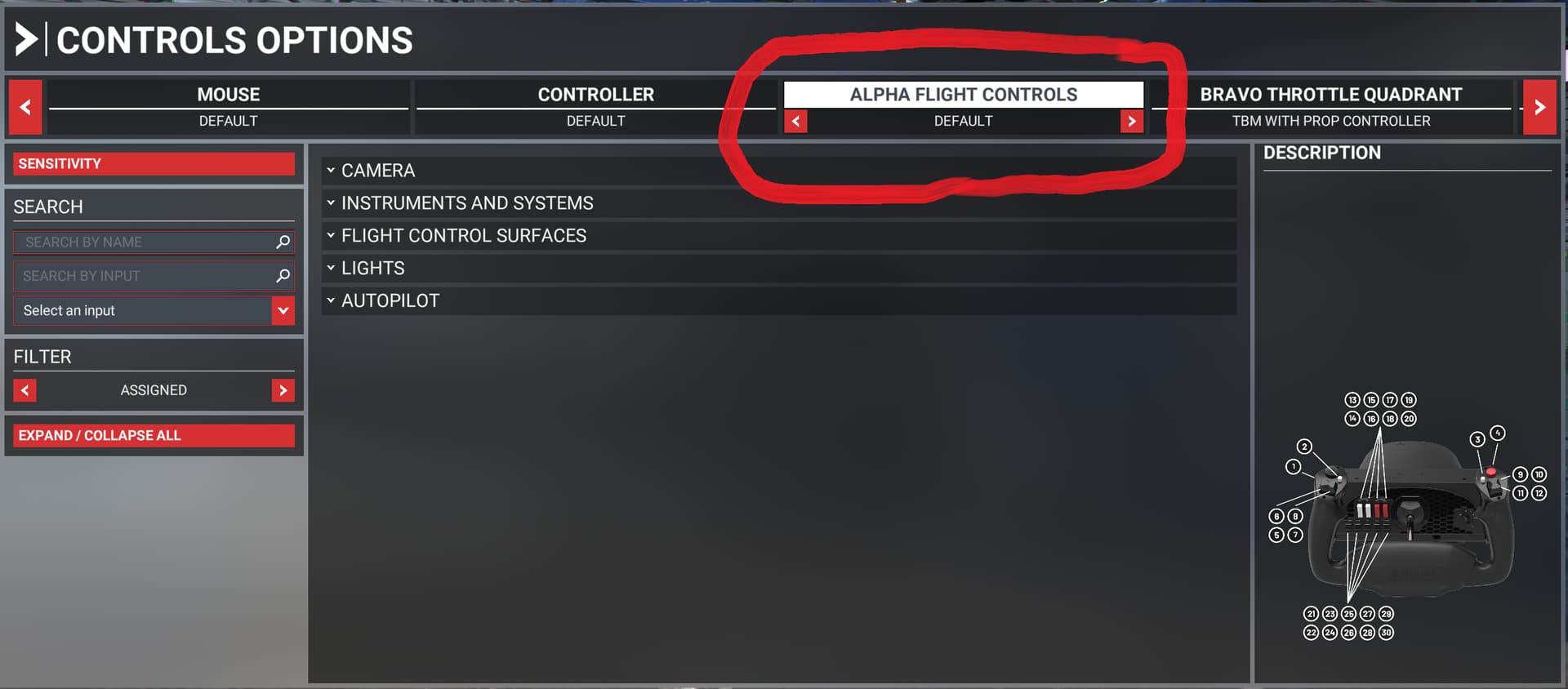
It looks like the problem was solved, except for a few glitches on some third party aircraft, by changing aircraft profile. I was trying the TBM with a profile I named “TBM with prop controller” and I switched it to the default and that solved two problems; I got the plugin working again, and the problem with the blank screens on the cockpit was solved as well. I have no idea why the dark screens came back just by doing that, but I hope that was it. The only problem, so far, I found was with the Carenado 182. The autopilot comes on even if I don’t press the button. I’m still looking on all my other aircraft.