ISSUE DESCRIPTION
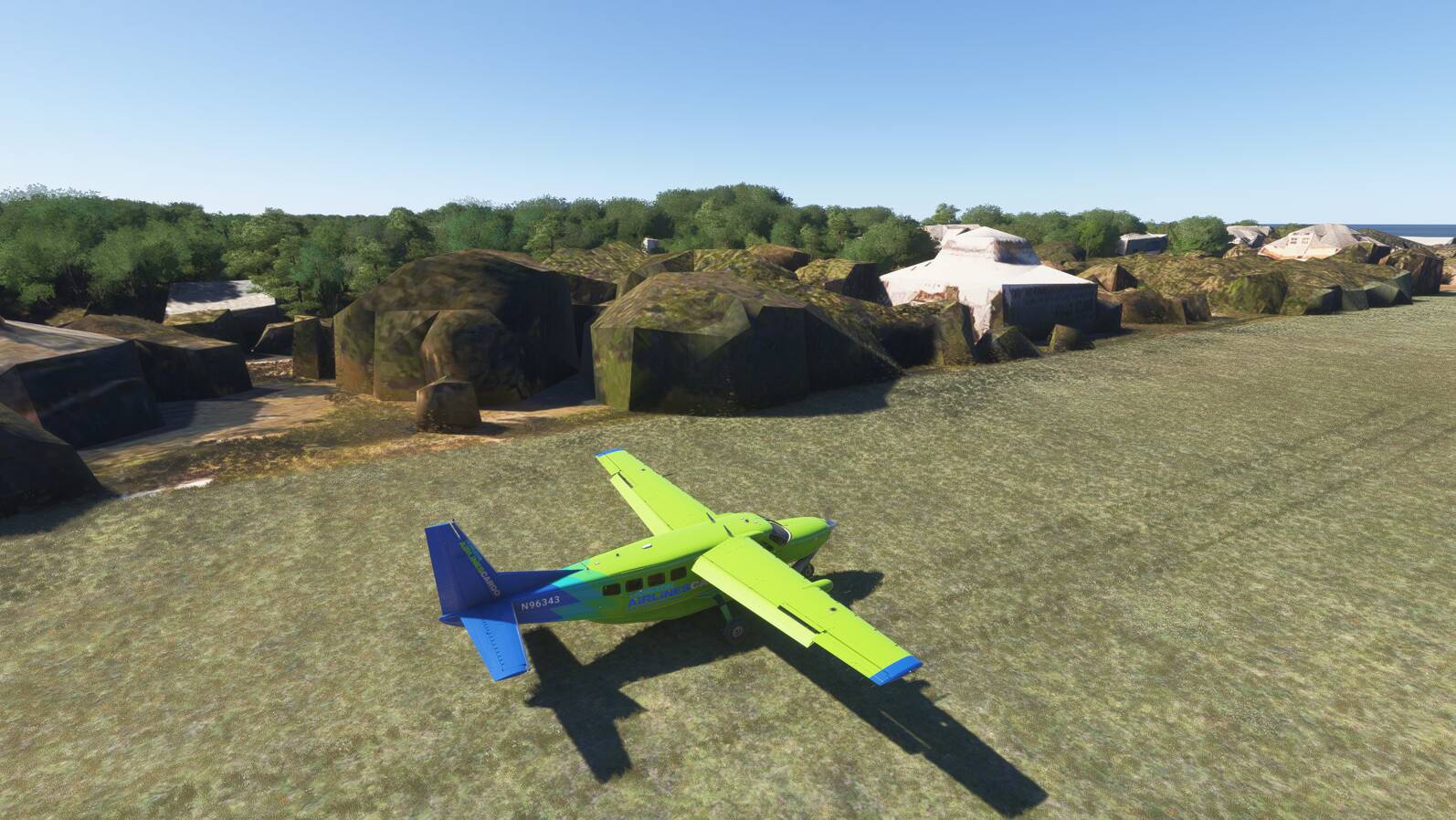
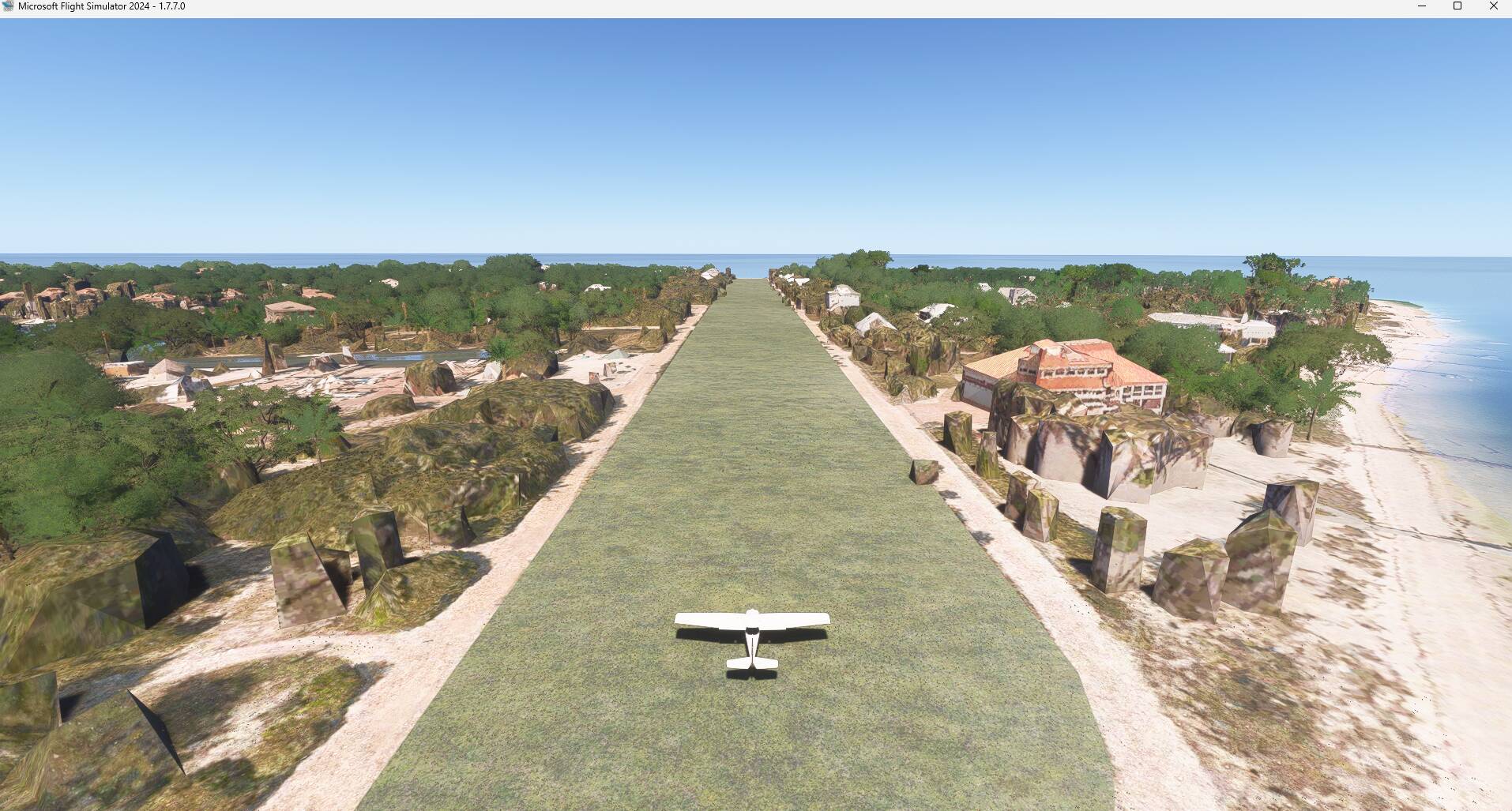
Description of the issue: The surrounding sceneries are disrupted.
Coordinate or location of issue: ICAO: FL90, North Captiva Island, Florida, USA.
FREQUENCY OF ISSUE
Everytime you start or land there.
REPRODUCTION STEPS
Please list clear steps you took in order to help our test team reproduce the same issue:
-
In Free Flight Mode, go to FL90 (North Captiva Island, Florida, USA)
-
On both left and right side of the airstrip, the sceneries are disrupted.
YOUR SETTINGS
If the issue still occurs with no mods and add-ons, please continue to report your issue. If not, please move this post to the User Support Hub.
What peripherals are you using:
[PC Only] Are you using Developer Mode or have you made any changes to it? No
[PC, MSFS 2020 Only] Are you using DX11 or DX12? No
[PC Only] What GPU (Graphics Card) do you use? Nvidia RTX 4070 TI super 16Gb, all graphic settings are at ultra.
[PC Only] What other relevant PC specs can you share? Intel i9 12900 16-core, RAM 32 Gb, SSD 1Tb, liquid cooled.