We are excited to announce that in addition to the regular live Dev Q&As, we will be having a separate live Q&A just for the SDK once a quarter!
The first 1/3rd of the stream, Asobo will present a roadmap for the SDK plus demo the new documentation platform.
The rest will be open for a Q&A session themed to a specific topic. this first will be about **XBOX support for 3rd parties.** In other words, any questions related to, "How can I adapt my content for Xbox?"
Rules
Please only ask one question per post.
If you see a question posted that you also want to ask, please “like” the post to show support.
Duplicate questions will be deleted.
This topic is for questions only, please do not add any discussion.
Please do not link to your other posts or encourage other people to like your post.
We will announce the time and date of the stream soon!
Collision detection. What is the “official” way to make a surface collidable for landings - especially for a more complex surface like a clifftop that has been modelled as geo instead of terrain mesh? I’ve seen various discussions that vary between turning on the “collision” flag vs making a surface a “road” material. And experimentally there seems to be a limit to the number of polygons in a collision object. If so, what is that number? And finally, any other caveats such as limits to the angle of the surface normal of a polygon from a completely flat surface (e.g. nearly vertical faces) that allow collisions?
The “Fake Terrain” material type. The docs mention that this makes a surface behave like the sims “terrain” shaders. What exactly does this mean? Should it cause the generation of grass? allow snow accumulation? I’ve experimented with this as well, but its only seemed to behave exactly like the “standard” material type.
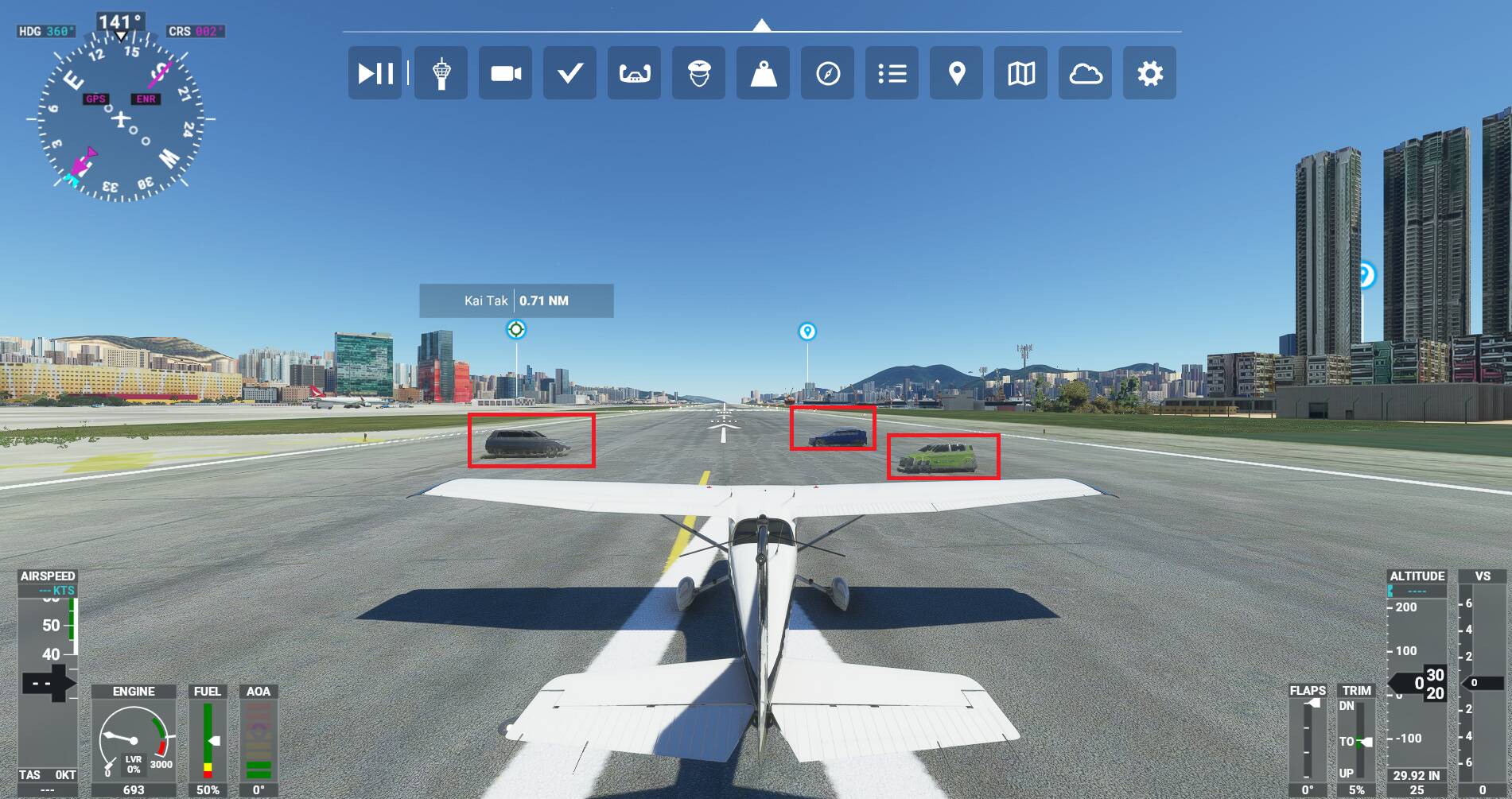
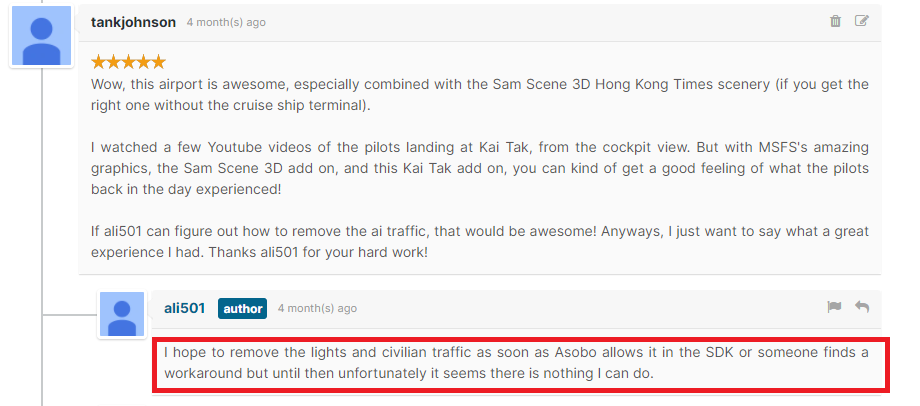
There is a problem where AI regular passenger vehicles (not AI airport vehicles) are running all over some 3rd party airports. The scenery creators of these airports have said that these AI regular passenger vehicles cannot be removed without a change to the SDK. Those AI regular passenger vehicles running all over the airport just ruin the immersion of some of the 3rd party airports.
Can Asobo provide airport scenery developers something in the SDK where they can remove the AI regular passenger vehicles from the airport?
Here is an example of AI regular passenger vehicle traffic running all over a 3rd party Kai Tak airport created by ali501 which can be downloaded from https://flightsim.to/file/4713/hong-kong-kai-tak :
Will there will be profiling tool similar to X-Plane profiling tool that could help third party creators to troubleshoot performance issues?
This would be good to get a tool that tells us function or call that is utilizating each thread for example.
HTML and Javascript are very powerful to code an entire complex add-ons, unfortunately it got a little love in terms of the documentation, will this be added?
Will we have more opportunities to customize snow representation especially on the aprons and runways without the need to deliberately darken the surfaces?
Will we have access to more types of light for scenery objects other than the current Asobo_light (farther display distance, no shining through surfaces)?
Is it planned to introduce conditional objects display or behavior (i.e display an object if it’s winter (or date-based) and hide it during other seasons)?
Is it planned to make the double-sided materials to not be transparent to light? Currently if one side of the material is lit, the other one on the opposite side will be lit too.
Is it planned to bring the projected mesh resolution up to par with imported scenery objects and keep original normal map and not merge it with the default in-sim one?
While I know it was originally stated that Blender was not going to be officially supported, have there been any thoughts about changing that mind or maybe helping FBW who are struggling with the exporter/importer development?
I would like to know if it would be possible to have the sim populates the aircraft and liveries appropriately to each gates. Will there be a feature that allows us to assign specific ICAO airline codes to Airport’s Gates and Parking Spots? That way the sim can do an ICAO airline code matching between the liveries and the allowed parking spots and gates that they will be spawned. Perhaps matching the ATC_Parking_Code parameters in the aircraft.cfg files.
That way, we can add more immersion to the sim, where only specific Airlines are able to spawn and park at certain gates at a specific airport, rather than randomly distributed throughout the entire airport.
Is it planned to stop the Non Real world action in GPS system where using Direct_To an AIRPORT, deletes the current Flight Plan( list of waypoints) from the GPS ?