One for aircraft if related (start typing in your aircraft name in the tag section and pick correct option)
Feel free to delete this quote section after adding your appropriate tags.
ISSUE DESCRIPTION
Description of the issue:
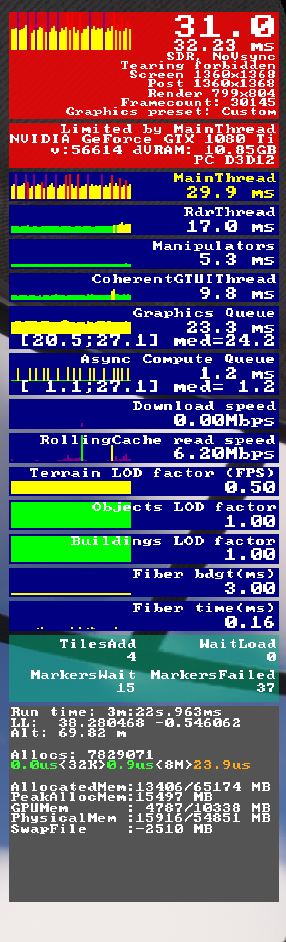
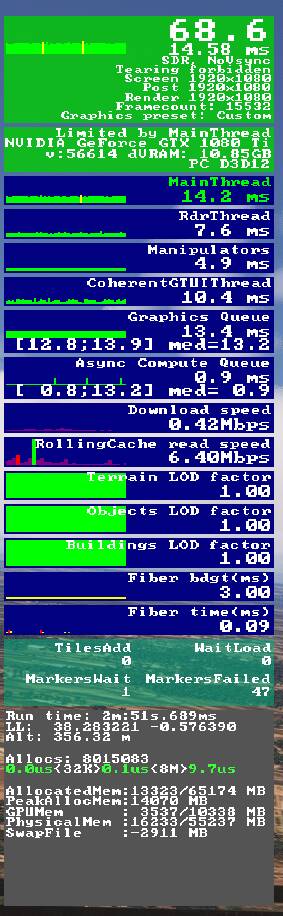
Since release of 1.7.9.0, I now have significant continuous jitters/stutters in VR once or twice per second, making the sim unusable.
It happens in all three planes I tried, and after rebooting the sim.
It occurs continuously in VR throughout the flight.
It is hardly present in 2D.
I never saw anything like this in 1.7.7.0.
The FPS is the same as in 1.7.7.0., and is at a level I previously had a smooth flight.
FREQUENCY OF ISSUE
Every time I’ve tried
REPRODUCTION STEPS
Please list clear steps you took in order to help our test team reproduce the same issue:
Set up a flight and run it.
YOUR SETTINGS
If the issue still occurs with no mods and add-ons, please continue to report your issue. If not, please move this post to the User Support Hub.What VR headset and peripherals are you using:
Quest 2
[PC Only] Are you using Developer Mode or have you made any changes to it?
No
[PC Only] What GPU (Graphics Card) do you use?
GTX1080Ti
[PC Only] What other relevant PC specs can you share?
It looks like the solution to my problem was that 1.7.9.0 had reset the settings on my OpenXR Tookit (which I still find useful, although it’s been deprecated).
If I reset the Toolkit to my original set-up, or it I turn it off completely the jittering improves significantly.
I’m still testing, but so far this appears to be the solution.
==================
Sidenote: I’d be interested to know how many people still use the OpenXR Toolkit.
Sidenote-answer, I don’t use it. Best experience with 4070.
My sidenote: The new beta forces my Quest 3 in VR to 60 FPS although my settings are 72 FPS in VirtualDesktop. Therefore microstutters because 60 FPS don’t fit the Quest 72 Hz.
Leaving Beta, no problem any more.
The only thing I changed was Beta/No-Beta. I tried to solve this with the adjustments in msfs (framelimiter) also adjusting the parameters of the Nvidia control panel. No success.
But I’m really lucky the No-Beta Version. In the Moment I see no recognizable advantage with the Beta.
Also use the OXRTK mainly to view FPS in the headset (PCL). OXRTK does not seem to be entirely compatible with FS24 as the CroptoFOV function drops the resolution to 43x43!! Have not tried just manually adjusting FOV yet as 5090 delivers 35 to 45 FPS (locked to 45FPS) at essentially ultra settings in sim. Still seeing some micro jitters when panning / aircraft turning but unable to identify if related to sim or Pimax play (version2.0 beta) issues. Did notice a vast improvement in visual quality swapping to DLSS 4.5.3 and preset K after SU5 beta update.