Since last upadtes I experience extreme fsp drops and sometimes freezes and microstuttering but nor regularly. Once all is ok and next time it is horrible. So I wonder what went wrong because I upgraded my computer a lot:
RTX 4070Ti, Ryzen 7 7800X3D, 64 GB RAM, NVME SSD and all at 1440p (2k).
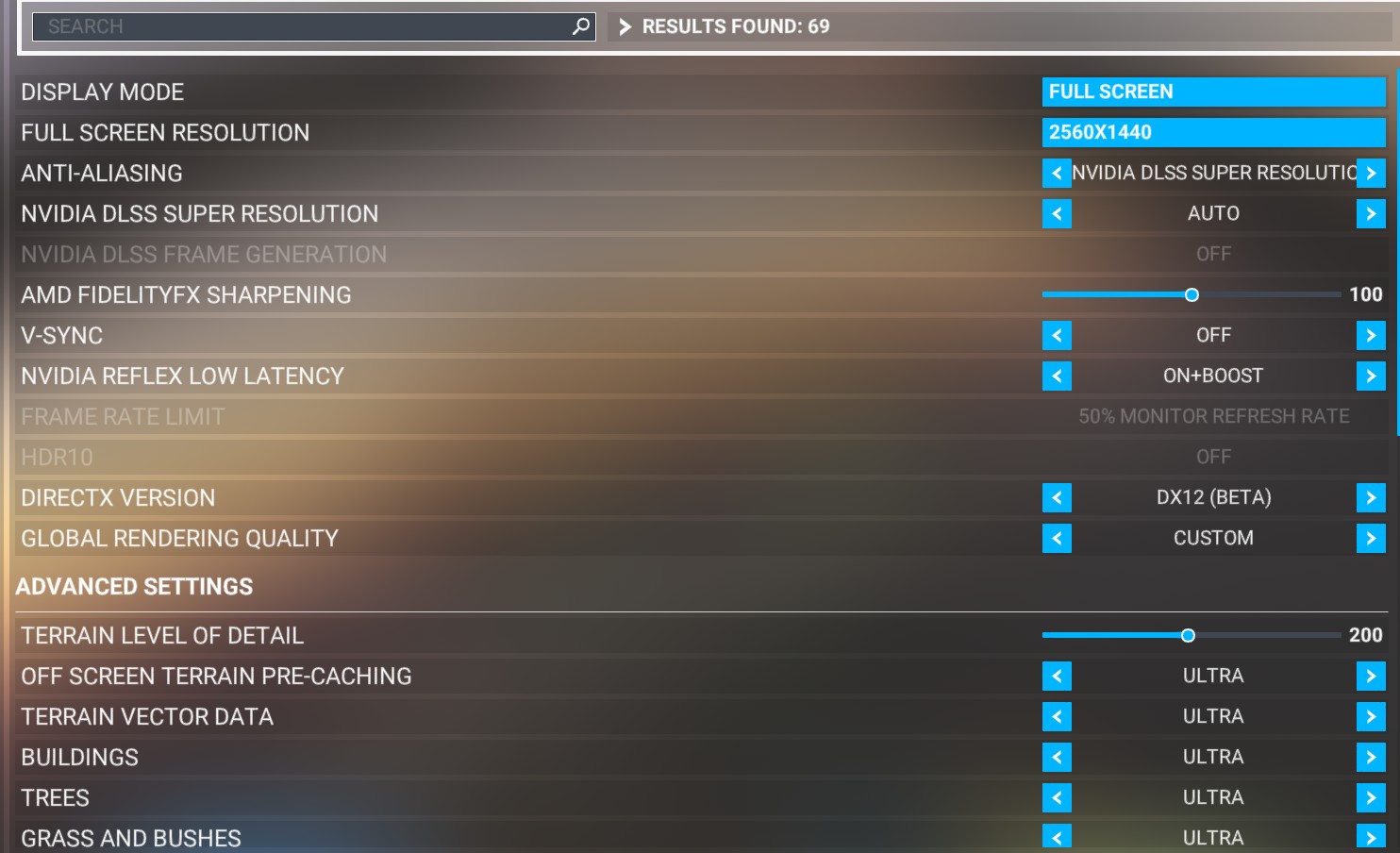
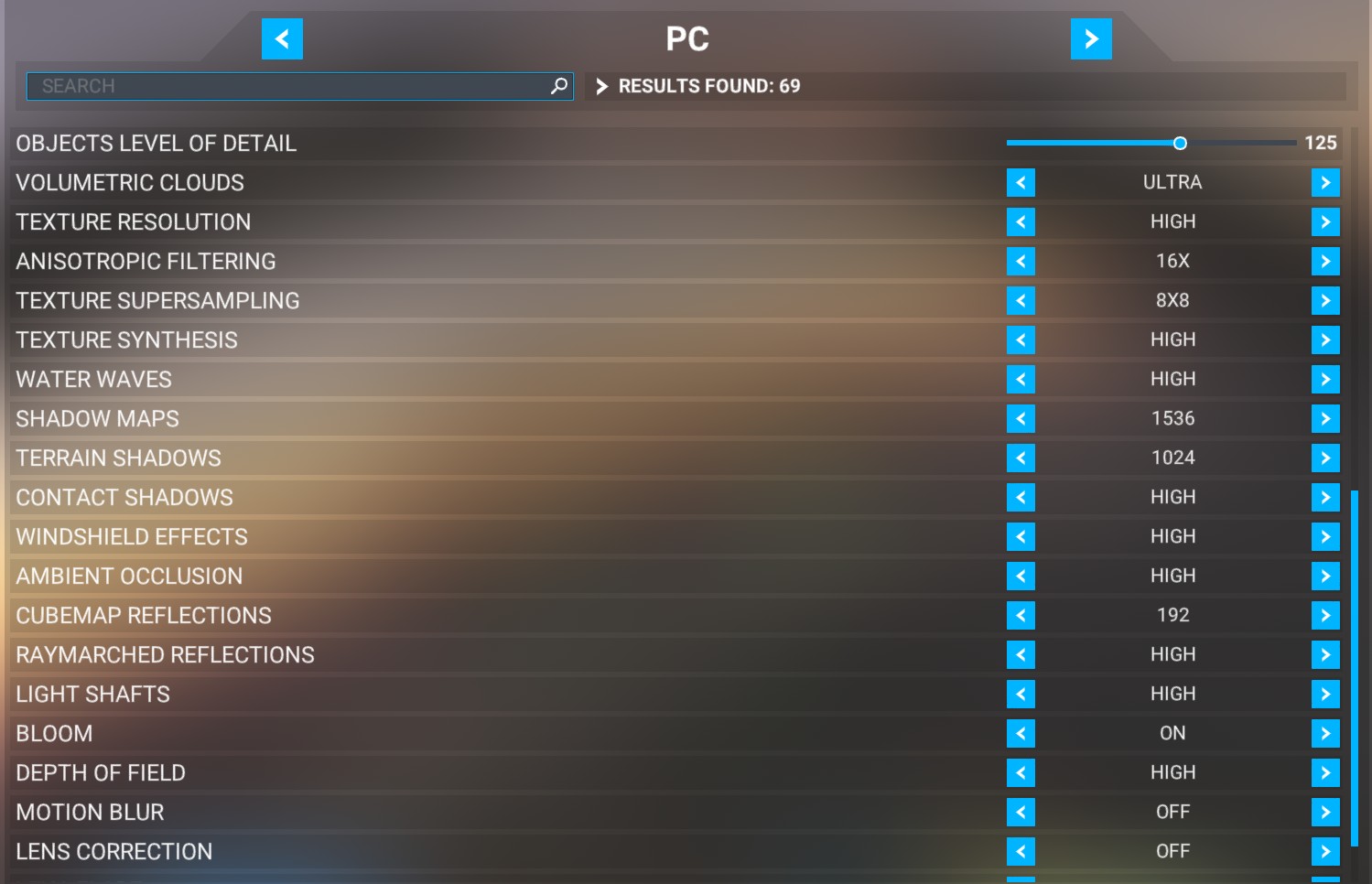
These are my settings:

I use REX Accuseason
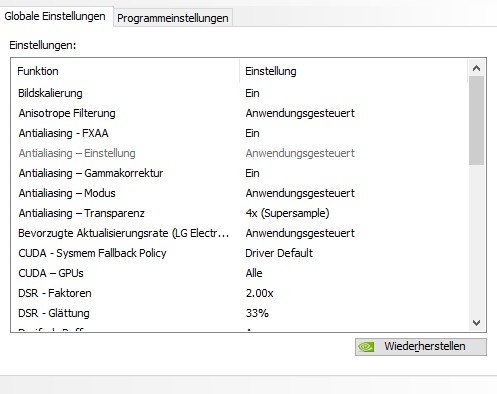
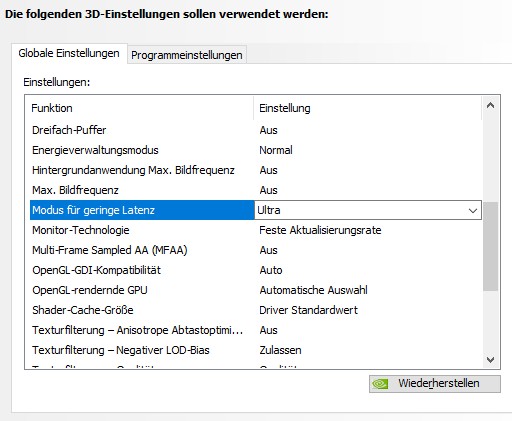
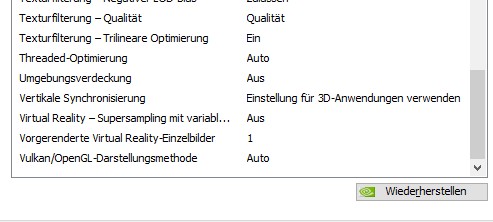
My NVIDIA 3D Settings are as followed:
The monitor ha a refreshing rate of 144Mhz
The problem is extremely when flying a fast plane like Gripen and if there is more detail on ground. Then FPS drops at L.A. down to 20-25.
e.g. Flying over Tokyo with Gripen is sometimes impossible since I get 2 or 3 frames every 30 seconds! And now I get 20-40 which is absolutely ok.
I tested with 50GB rolling cache and it did not helped so i deleted it again. Can rolling cache cause trouble?
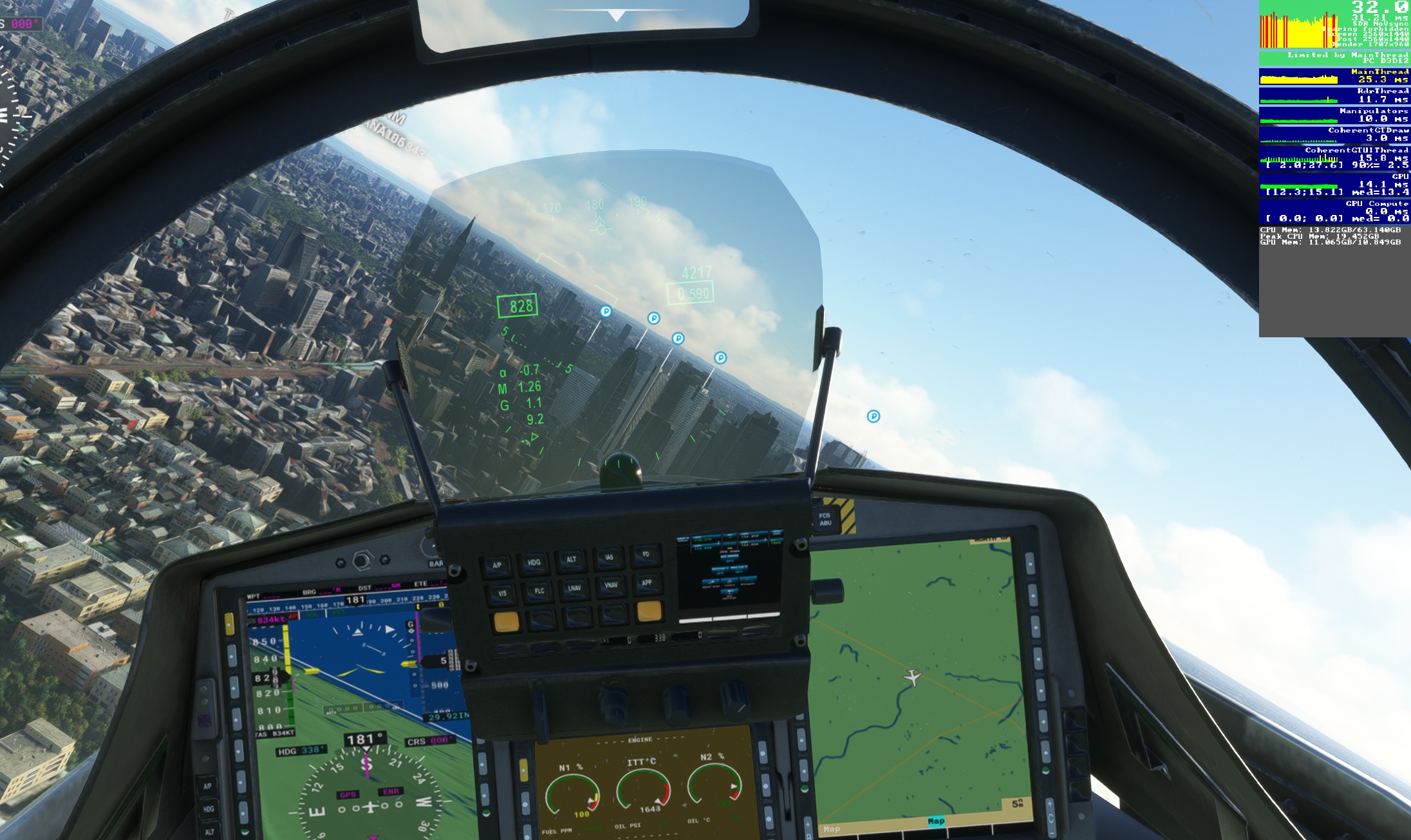
Quite often the debug tool said “Limitd by main thread”. Does it means the CPU is overloaded?
Is DX12 ok for my system and settings?
Turn off DX12. Its not entirely reliable. Works for some, not for everyone
for a lack of better explanation, yes
Your settings are very similar to mine. Our hardware is different, but not so dissimilar (5800X3D, 3090 Ti, 64GB, NVmE)
Open Debug > Display FPS
Take a screenshot when flying a simple plane (like the Bonanza) over simple terrain (like the Sahara desert) Post it here.
Take another screenshot when flying your Gripen over Tokyo. Post it here.
This is strange because I experienced better results with DX12. Not too much but still better. Before upgrading my hardware DX12 was a nightmare. Now both is possible.
Ijust made a screenshot already.
Actually flying over Tokyo - while I have raised two settings (Terrain Level of detail to 275 and Objects Level of detail to 150) - is absolutely ok.
Super strange. After posting my question it went to be much better.
One thing I immediately noticed in your screenshots is that you’re using all your GPU VRAM. ‘Main Thread’ doesn’t just refer to your CPU.
I’m not an expert on what settings you can use to reduce VRAM usage in the sim. But I think that’s definitely the root of your problem.
Lower your Supersampling to 4X and reset Nvidia settings to default. Consider doing both. It should reduce VRAM. If it doesn’t let us know.
My hardware specs are on my profile.
I also set my nVidia settings to default, but there are a couple of tweaks I make, most notably: I turn Anisotropic Filtering OFF in the sim, and set it to 16X in the nVidia control panel.
I don’t want to get into the other things I do. They work for me, and there are a hundred different opinions as to why they are good ideas and bad ideas. I’ll be happy to share a screenshot of my NvCP settings tomorrow if you want.
I have noticed that the Anisotropic Filtering setting I mentioned seems to be widely accepted.
Reset your Nvidia Control panel settings to Defaults. You don’t need anything in there.